Meet Your New For You Page: Deals, Upgrades, and New Releases Picked Just for You
-
 Written by Amber Kelly

We've heard from many of you that you don't want to miss out on deals on the products you wish you owned. We hear you. We don't want you to miss them either! Keeping up with sales, coupons, and new releases across a marketplace full of Blender add-ons takes time. You might miss a discount on something you've been eyeing, or not notice that the Pro version of a tool you own just launched.
So we built something to help. Every signed-in Superhive member now has a For You page: one place that gathers the deals, upgrades, and new products you're personally most likely to want.
Where to find it
- From the menu: Open Explore Marketplace and choose For You. It works on desktop and mobile.
- From the homepage: Scroll to Picked for You and click See all picks for you.
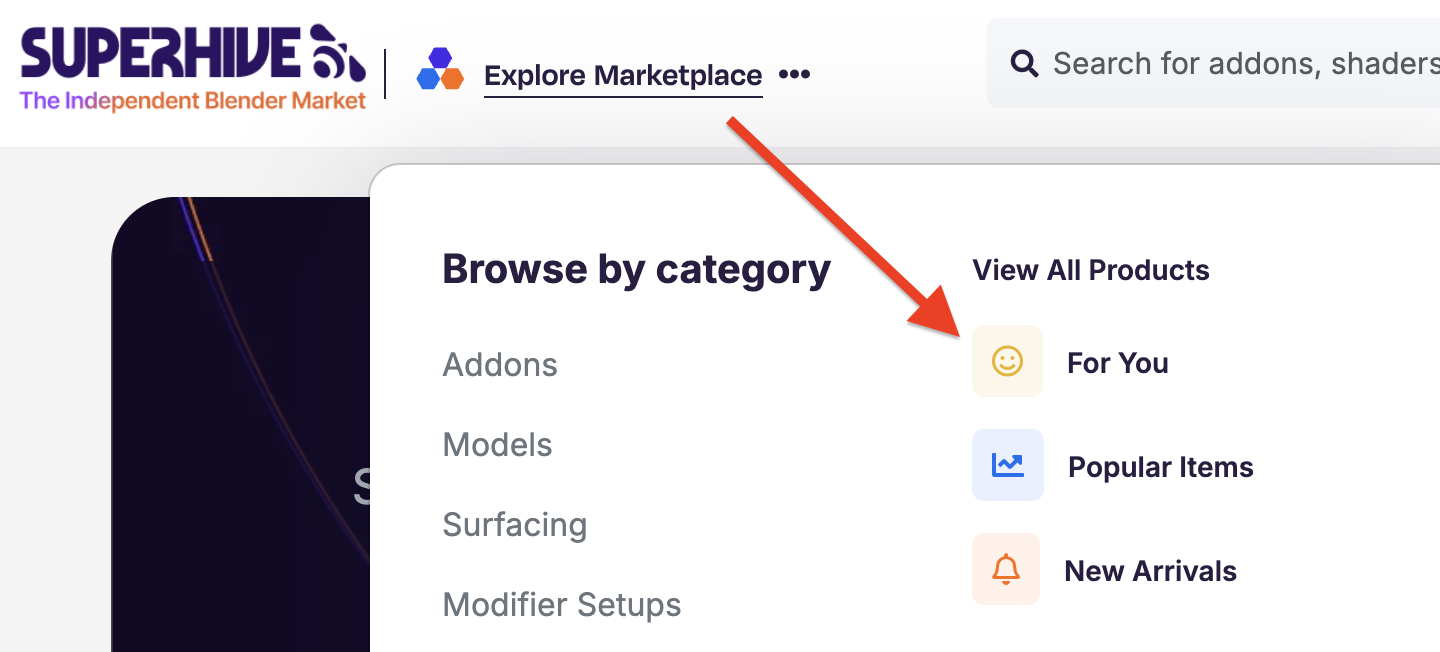
*You'll need to be signed in to see your page. If you're not, we'll ask you to sign in first.
What's on the page
Your For You page is organized into five sections:
- Items on Sale. Discounted products that match your interests, including tools on your wishlist.
- Bundles. Bundles that include products you're interested in, or come from creators you've bought from before.
- Coupons. Only coupons you can actually use at checkout. No more finding a great code and discovering it doesn't apply to you.
- New. Fresh releases you're likely to want, plus new versions of products you already own or have wishlisted.
- Picked for You. Personalized recommendations based on your Superhive activity, without repeating anything shown in the sections above.
How we choose what you see
Your page is built from your own activity on Superhive. We look at, in order:
- Your wishlist. Products you've saved get top priority.
- Upgrades for tools you own. If you own the Lite version of an add-on and a Pro version is available, it can show up for you with an Upgrade Variant: Pro label that links straight to the upgrade.
- Creators you've bought from. New products, sales, and bundles from creators whose work you've purchased.
- Recommendations. Suggestions based on what you've browsed and bought.
A few things we keep out of the way: products you already own won't show up (unless there's an upgrade for them), and if you're a creator, your own products won't appear on your page.
Just getting started? You'll still find plenty
If you're new to Superhive or haven't wishlisted anything yet, your page won't be empty. Any section without personal matches shows popular picks from across the marketplace instead, such as Popular Items On Sale, Popular Bundles, Most Redeemed Coupons, and New From Top Creators. You'll see a note in those sections letting you know results will update as you continue to use Superhive.
As you wishlist and buy products, each section switches over to picks chosen for you. This means you can curate your own list without buying anything by simply adding products to your wishlist.
Get the most out of your For You page
- Use your wishlist. It's the fastest way to personalize your page. Wishlist a tool and you'll see it here when it goes on sale, joins a bundle, or gets a new version.
- Check in during sales. During sitewide events, your Items on Sale section fills up with discounts on the tools you actually care about.
- Come back often. Your page updates as new deals, coupons, and releases go live. (Optional email notifications are on our short list for future updates to this system. We know many people would like this information coming straight to their inbox when a wishlisted item goes on sale. Until then, check back often)!
Take a look
Your For You page is live now for every signed-in member. Head to your For You page and see what's waiting for you.