 Artmesh Studios
MeshFlow Pro: Mesh Cleanup, Polygon Reduction and LOD Tools for Blender
What MeshFlow Pro is
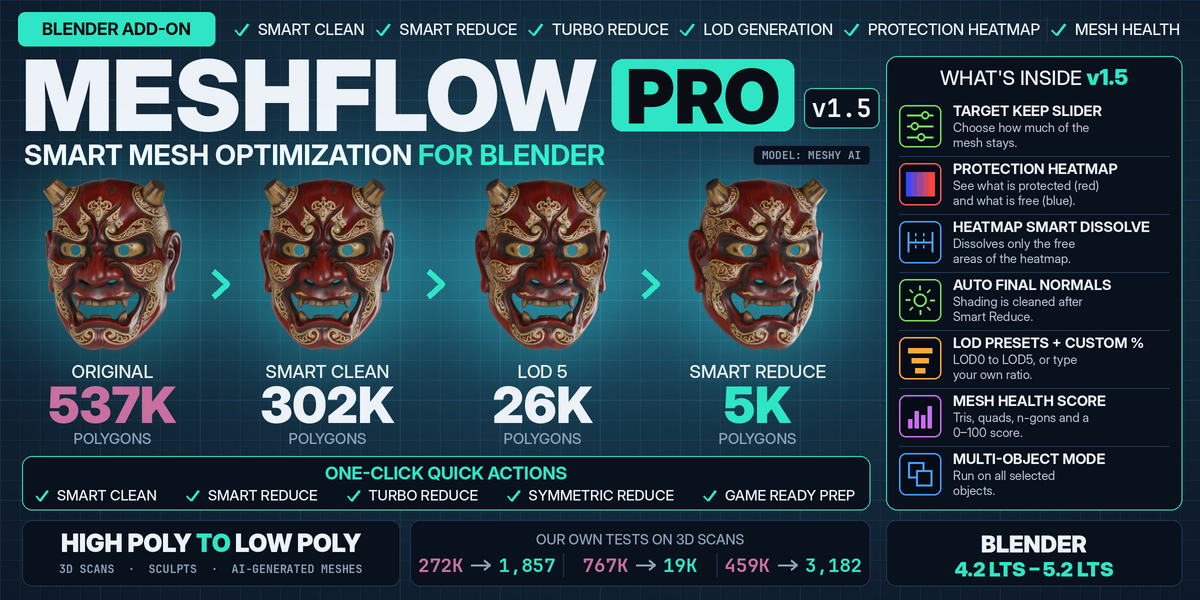
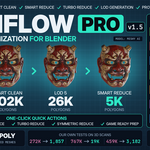
MeshFlow Pro is a sidebar toolkit for making heavy meshes lighter and cleaner without leaving Blender. It is built for 3D scans, photogrammetry, sculpts, AI-generated meshes and dense hard-surface models that need to become usable assets.
It combines Blender's own mesh operations (Decimate, Merge by Distance, Tris to Quads, Recalculate Normals, Smart UV Project) with MeshFlow's own analysis and protection logic, and puts them behind a small number of buttons.
You will find it in 3D Viewport > Sidebar (N) > MeshFlow Pro.
Quick Actions
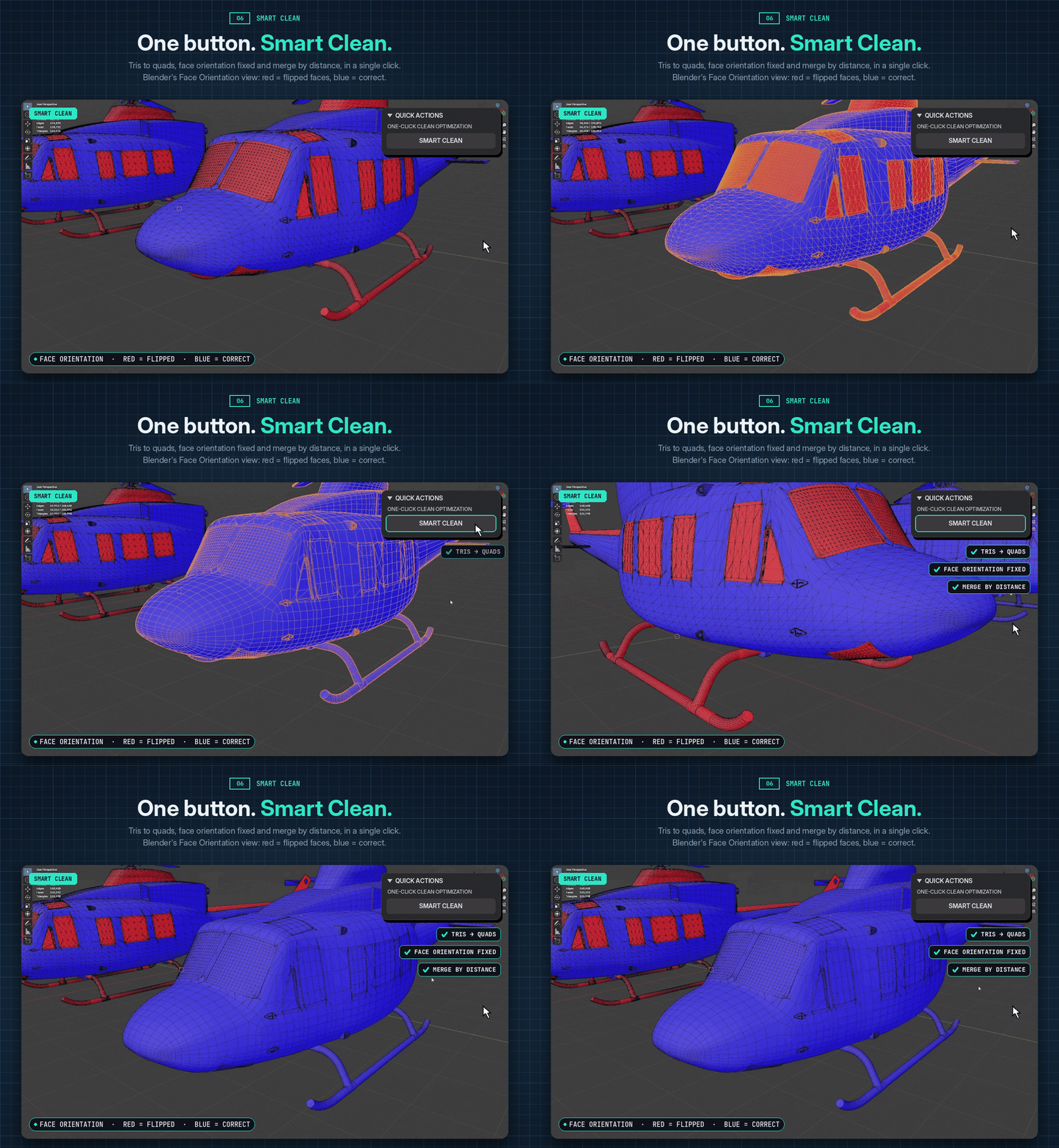
SMART CLEAN
One click runs three steps in order:
- Cleanup: merges duplicate vertices by distance and removes loose geometry, zero-area faces and degenerate edges.
- Tris to quads: triangulates n-gons, then joins triangles into quads. UV island borders, material borders, seams and sharp edges are not crossed.
- Normals: recalculates face orientation to point outside and applies Shade Smooth by Angle.
SMART REDUCE
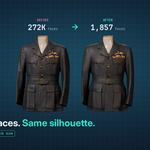
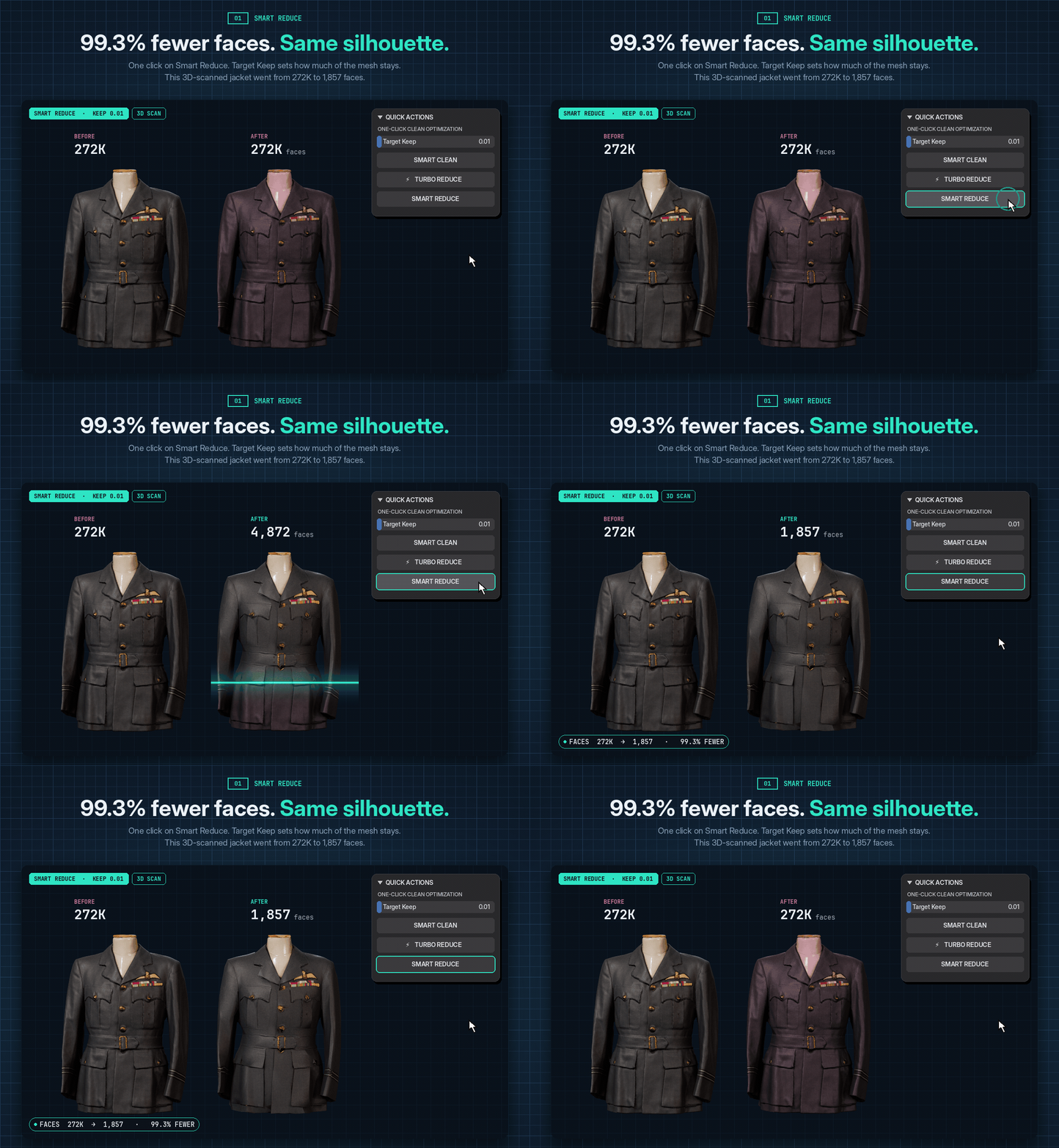
A full reduce pipeline in one click: cleanup, edge-collapse reduction (Blender's Decimate), post-reduce cleanup, tris to quads, normals at 66°, and a final Smart Clean pass.
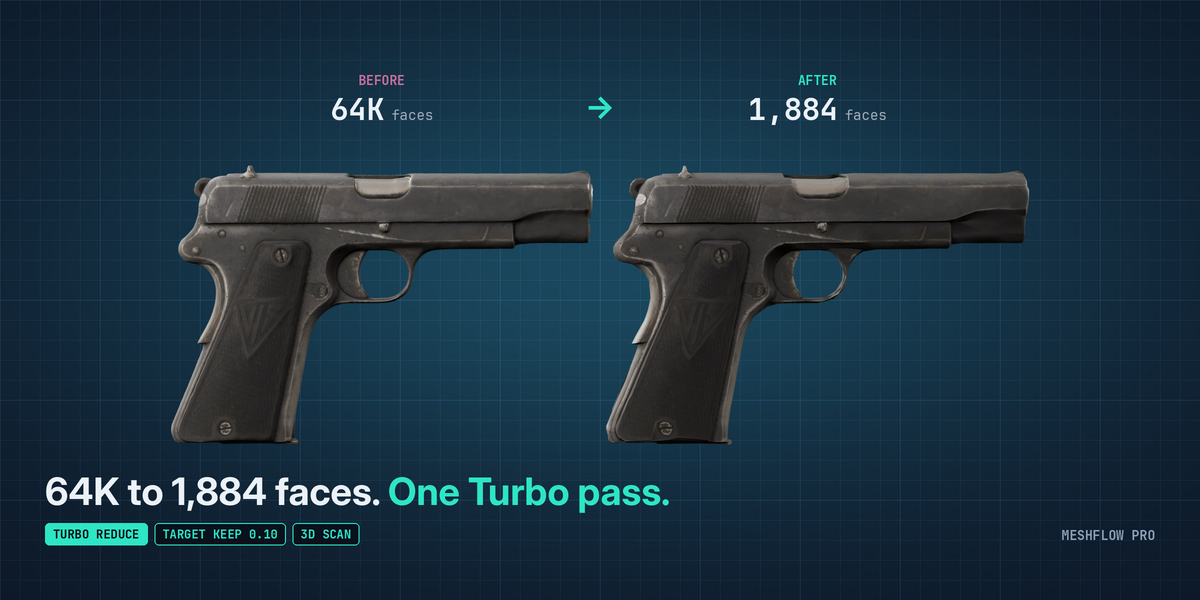
TURBO REDUCE
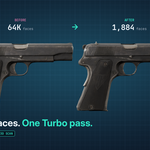
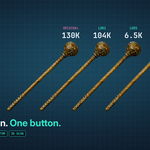
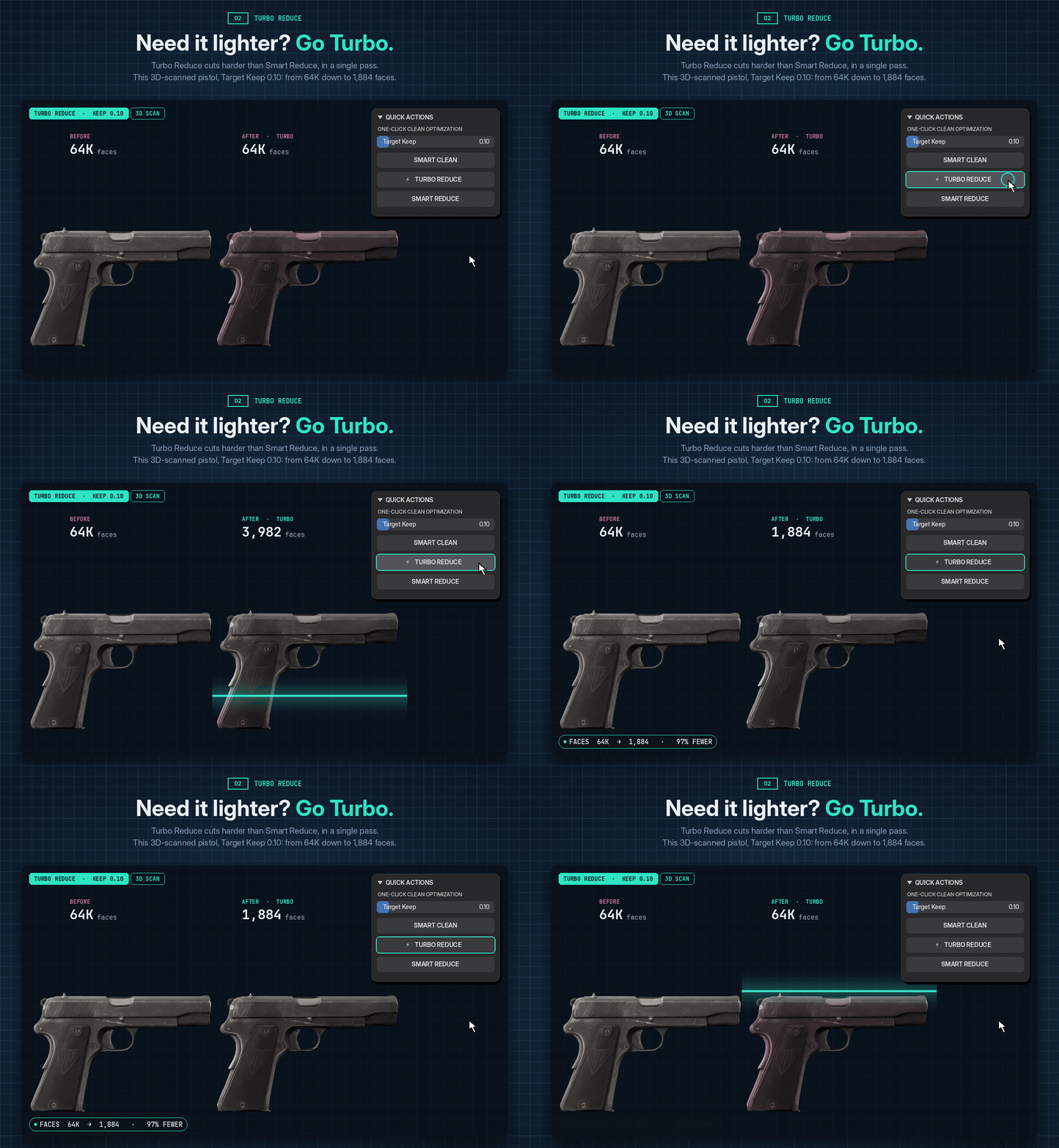
The same pipeline with a stronger reduction in a single pass, for when you want the lowest count in one click. The panel reports the before and after face counts.
SYMMETRIC REDUCE
Smart Reduce with Blender's Decimate symmetry option enabled on the X, Y or Z axis, so both sides are reduced as mirrors of each other.
Protection Heatmap
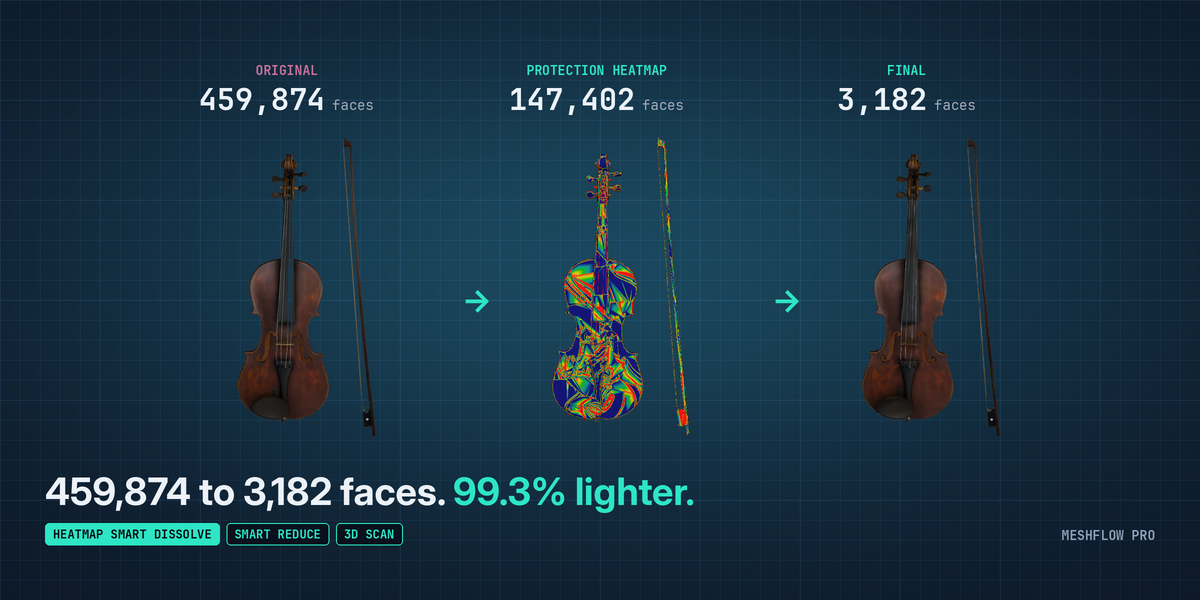
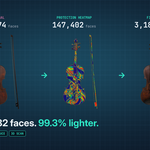
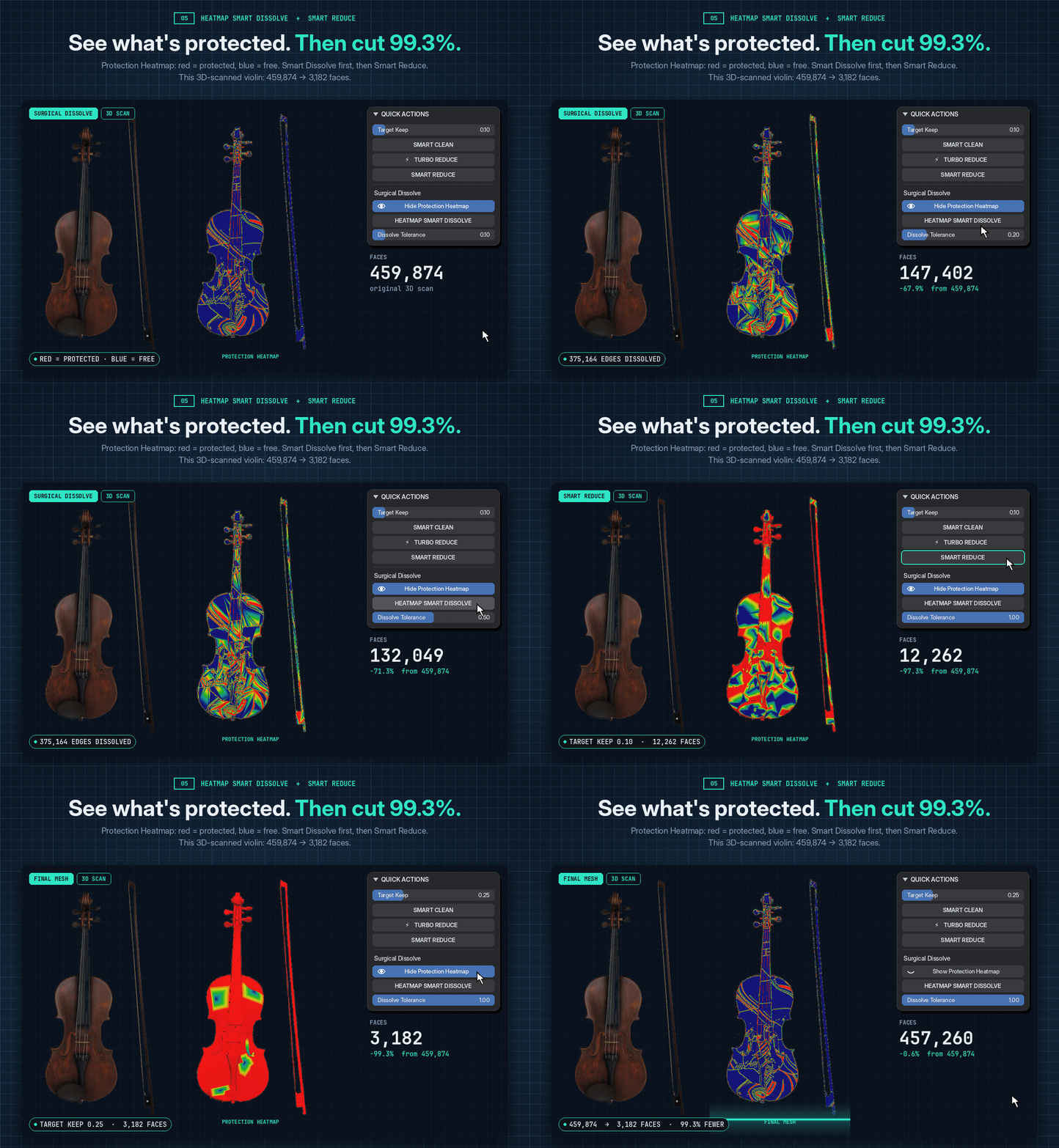
Shows, in Weight Paint view, which areas MeshFlow treats as protected: red is protected (UV borders, silhouette, centerline, feature edges), blue is free. Press again to hide it.
HEATMAP SMART DISSOLVE
Dissolves edges only in near-flat, unprotected areas. A Dissolve Tolerance slider sets how flat an area must be (from about 1° to a maximum of 15°). Border edges, feature edges, UV border edges and anything touching a protected vertex are skipped.
TARGET KEEP
A slider in Quick Actions and in the Reduce panel that sets how much of the mesh stays after reduction.
Tools
- Clean: merge by distance plus removal of loose and degenerate geometry, with an adjustable Merge Distance.
- Tri / N-Gon Fixer: triangulates n-gons and joins triangles into quads, respecting UV, material, seam and sharp borders.
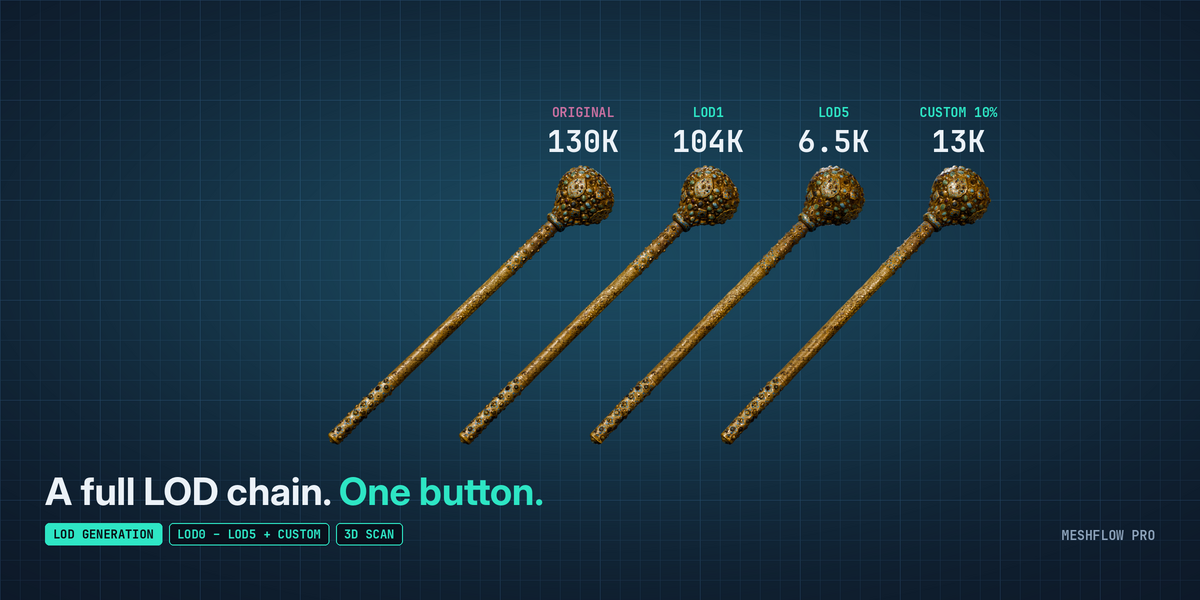
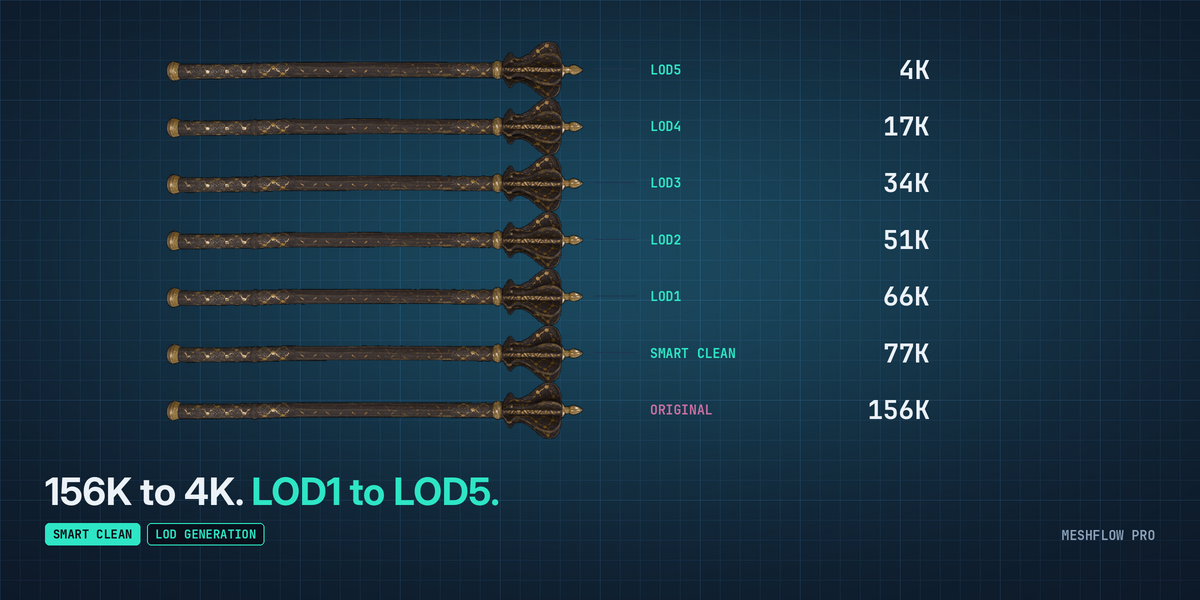
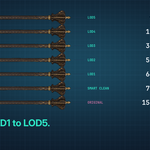
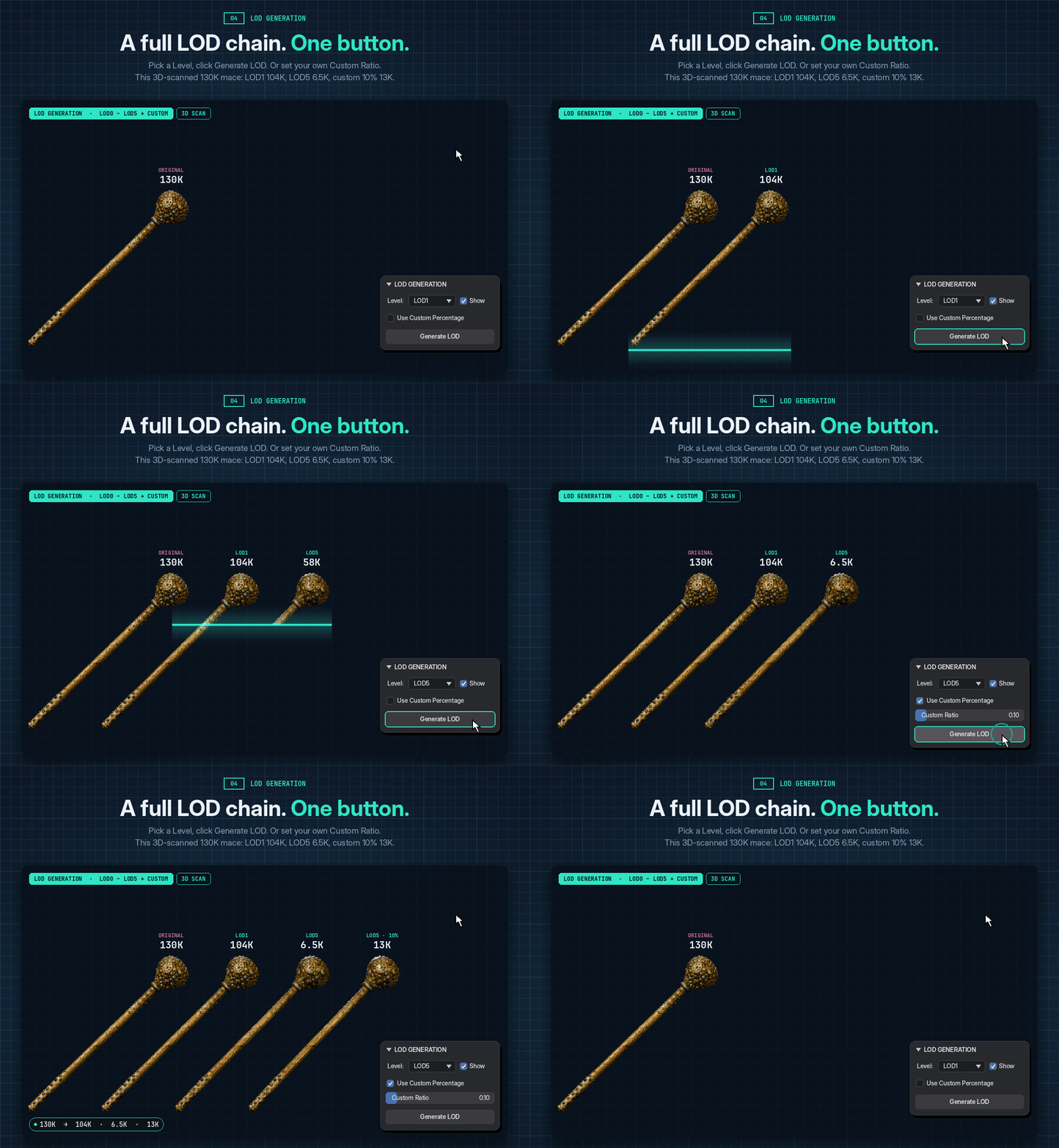
- LOD Generation: creates a reduced copy of your object named Name_LOD#. Presets: LOD0 100%, LOD1 80%, LOD2 60%, LOD3 40%, LOD4 20%, LOD5 5%. Or switch on Use Custom Percentage and enter your own ratio. The original object is kept.
- Boolean Fix: cleans up artifacts left by boolean operations and can close small holes up to a number of sides you set.
-
Reduce, with six methods:
- Auto: analyses the mesh and picks a method.
- UnSubdiv: reverses subdivision, for grid-like quad meshes.
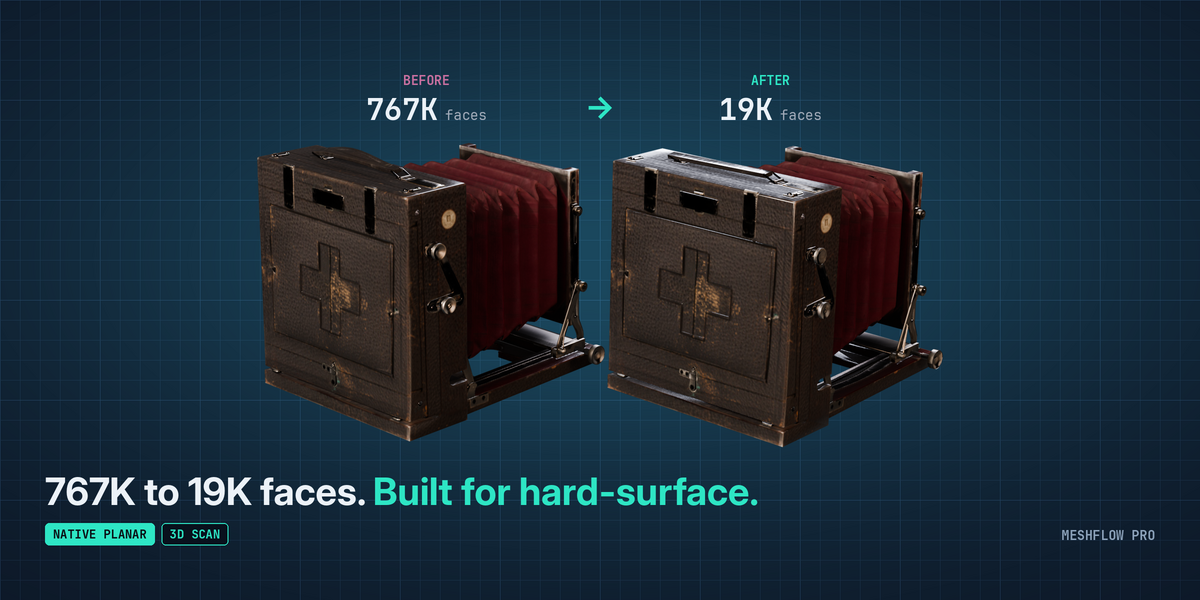
- Planar: dissolves edges in flat areas, for hard-surface meshes.
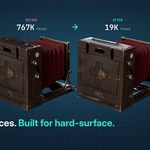
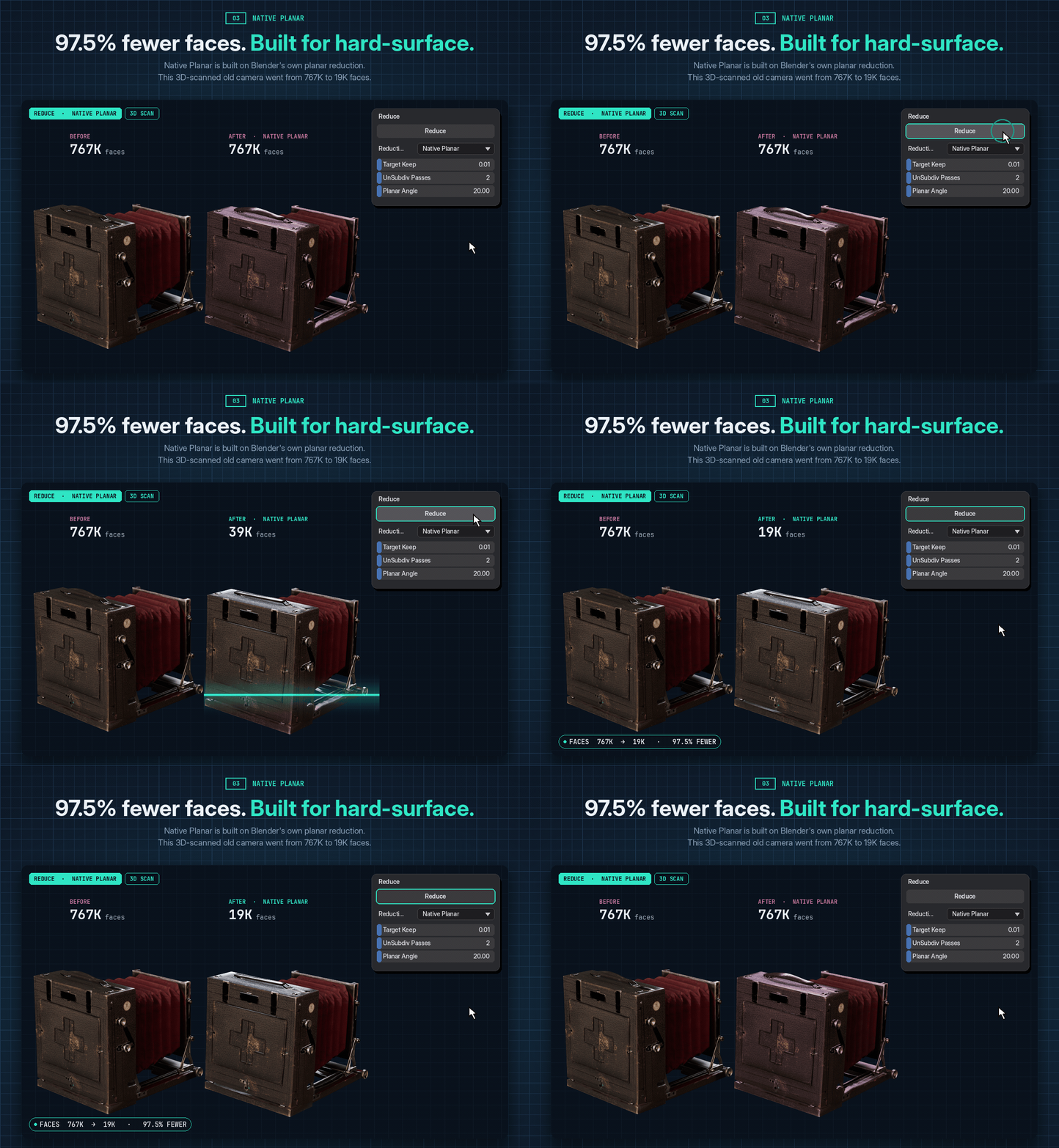
- Native Planar: Blender's own planar Decimate, limited by seams, sharp edges, UV borders and material borders.
- Collapse: edge collapse, for organic and scanned meshes.
- Quad Loop: dissolves continuous edge loops without triangulating.
- Smart Quad: merges triangles into quads on triangulated meshes, with adjustable settings.
- Local Rebuild: targets local problem areas such as high-valence vertices.
- Planar Bulldozer: removes unnecessary interior edges on flat regions, with a Strength slider.
- Final Normals: recalculates normals, applies Smooth by Angle, and can mark sharp edges (and optionally UV seams) by angle as bake preparation. Optional Weighted Normal modifier.
- Auto UV: Smart UV Project plus Average Islands Scale. It can keep an existing UV layout instead of overwriting it.
- GAME READY PREP: applies rotation and scale and places the object at the world origin.
Native Planar in action
LOD Generation in action
Mesh Health
The top of the panel shows a live readout for the active object: vertex and face counts, triangle / quad / n-gon counts, a 0-100 topology score, and "Engine Insights" such as non-manifold edges, dense poles, n-gon-heavy areas or UV stretching risk. It refreshes after each operation.
Workflow and safety
- Operations support Blender's Undo.
- Multi-Object Mode runs a tool on all selected mesh objects.
- Objects that share mesh data are skipped with a warning by default, so linked duplicates are not changed by accident.
- Protect UVs and Protect Sharp Edges switches are available under Advanced Settings.
- After each operation the panel shows a short report with the percentage of polygons removed.
Results from our own tests
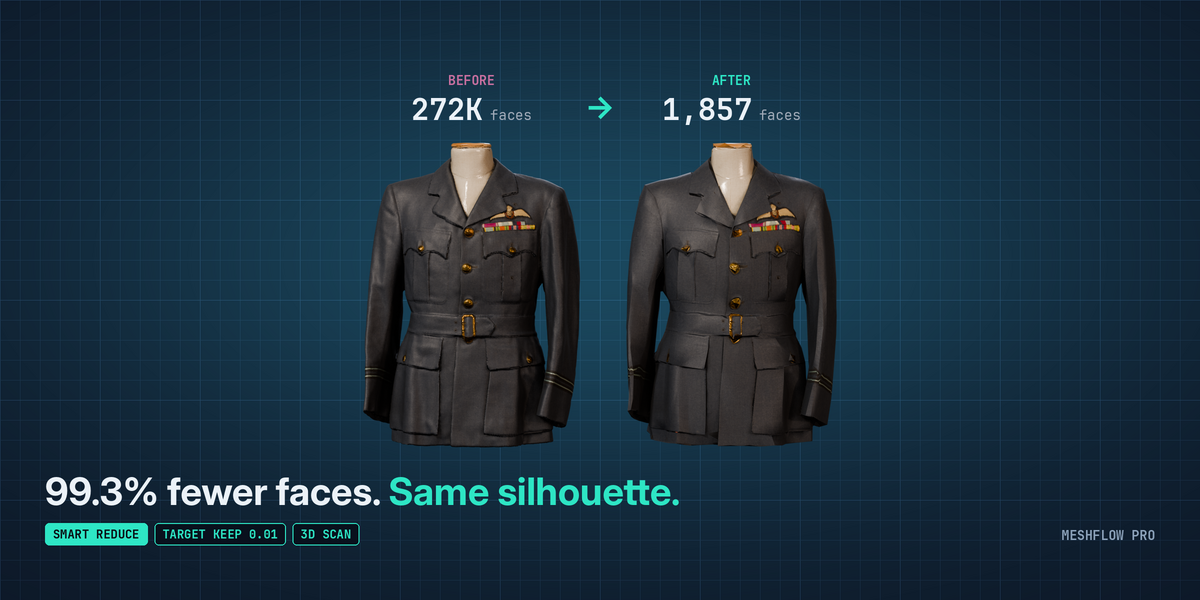
These are our own results on the models shown in the images. Your results will depend on your mesh.
| Model | Before | After |
|---|---|---|
| 3D-scanned jacket (Smart Reduce) | 272K faces | 1,857 faces |
| 3D-scanned pistol (Turbo Reduce) | 64K faces | 1,884 faces |
| 3D-scanned camera (Native Planar) | 767K faces | 19K faces |
| 3D-scanned violin (Heatmap Smart Dissolve, then Smart Reduce) | 459,874 faces | 3,182 faces |
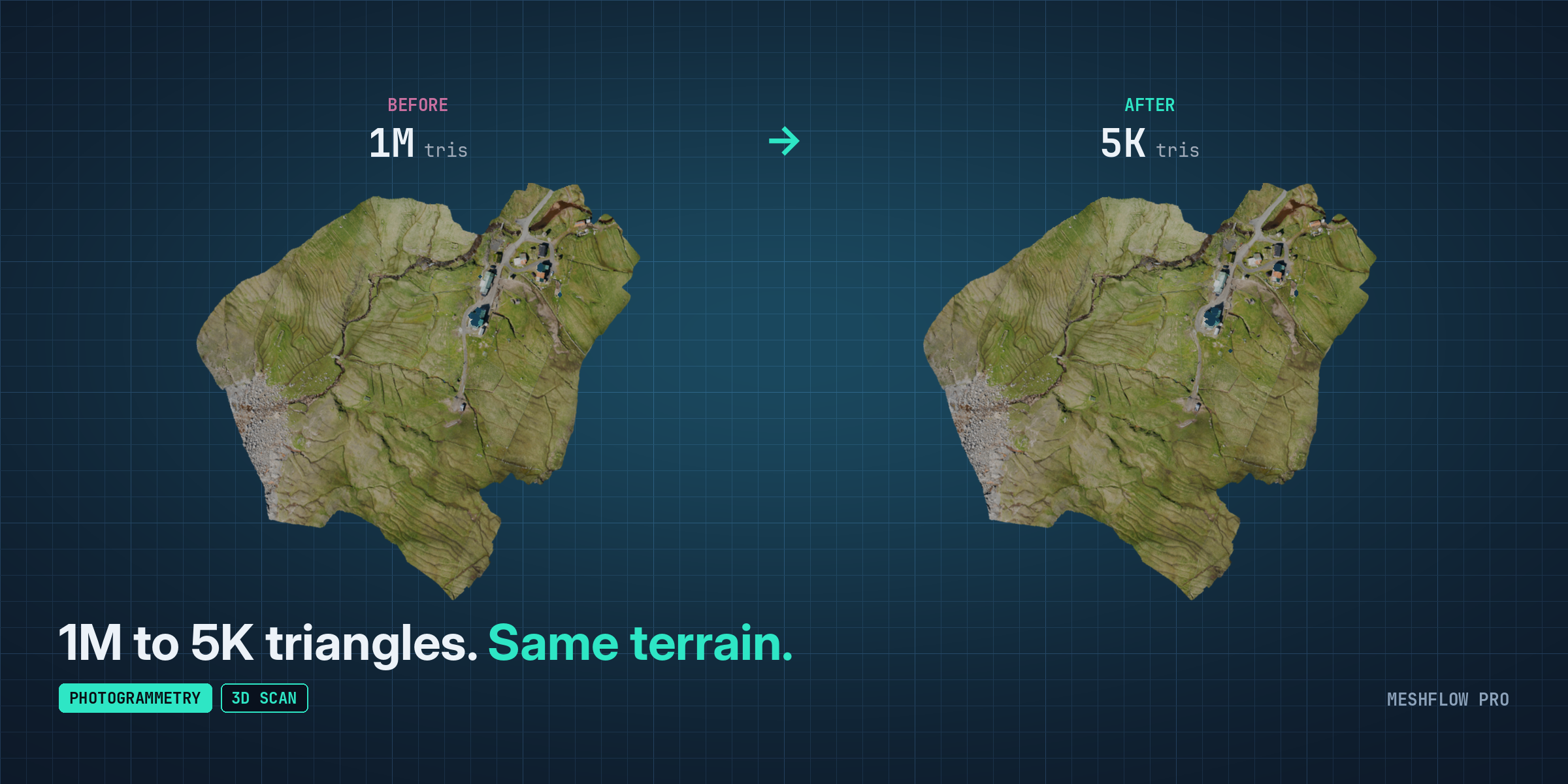
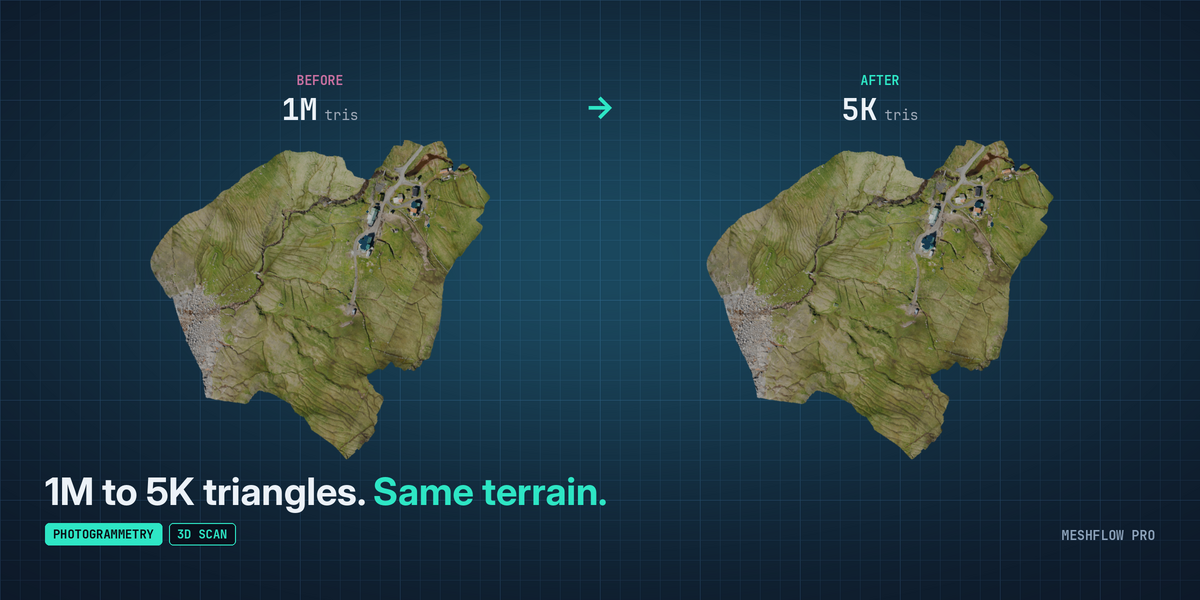
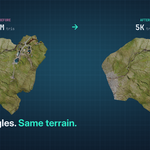
| Drone photogrammetry terrain | 1M triangles | 5K triangles |
Scope and limitations (please read before buying)
We would rather you buy informed than be surprised.
- Not a retopology tool. MeshFlow Pro reduces and cleans existing geometry. It does not rebuild a mesh into clean, animation-ready edge loops. Smart Quad and the Tri / N-Gon Fixer join existing triangles into quads; how clean the result is depends on the source mesh.
- Not a texture baker. It does not re-project or re-bake textures. Existing UVs are carried through reduction by Blender's Decimate; they are not rebuilt.
- UVs and textures can stretch or blur at aggressive reduction. The stronger the reduction, the more likely it is. Check your textured result before you delete the original.
- Very low polygon counts cost topology quality. At extreme reduction you can get long, thin triangles and uneven shading, especially on round or doubly-curved surfaces.
- The Mesh Health score can go down after heavy reduction. Scanned meshes in particular can end up with more non-manifold edges after aggressive dissolve or collapse. The score is a guide, not a guarantee of quality.
- Symmetric Reduce needs a mesh that is already truly symmetric on the chosen axis (for example, built with a Mirror modifier). On meshes that only look symmetric, such as sculpts and scans, it may have little or no effect.
- LOD Generation creates one LOD copy per click using Blender's Decimate (Collapse). It does not export or set up LOD groups in a game engine.
- Auto UV is a quick automatic unwrap (Smart UV Project), not a replacement for a hand-made UV layout.
- Heavy meshes take time. The panel warns above 50,000 faces that operations may be slow. Blender can appear frozen while a large mesh is processed.
- Keep a copy of your original. Reduction is destructive. Work on a duplicate.
Recommended for
- Game and real-time artists reducing scans, sculpts and kitbash parts.
- Photogrammetry and 3D-scan users who need lighter meshes.
- Artists preparing LOD copies or cleaning boolean-heavy hard-surface models.
- Anyone who wants Blender's reduction and cleanup tools behind a few clear buttons.
Product details
- Blender versions: separate builds for Blender 4.2 LTS and Blender 5.2 LTS.
- Location: 3D Viewport > Sidebar (N) > MeshFlow Pro.
- License: GPL-3.0-or-later.
- Support: [email protected]
Asset Credits, Licensing & Optimization Notice:
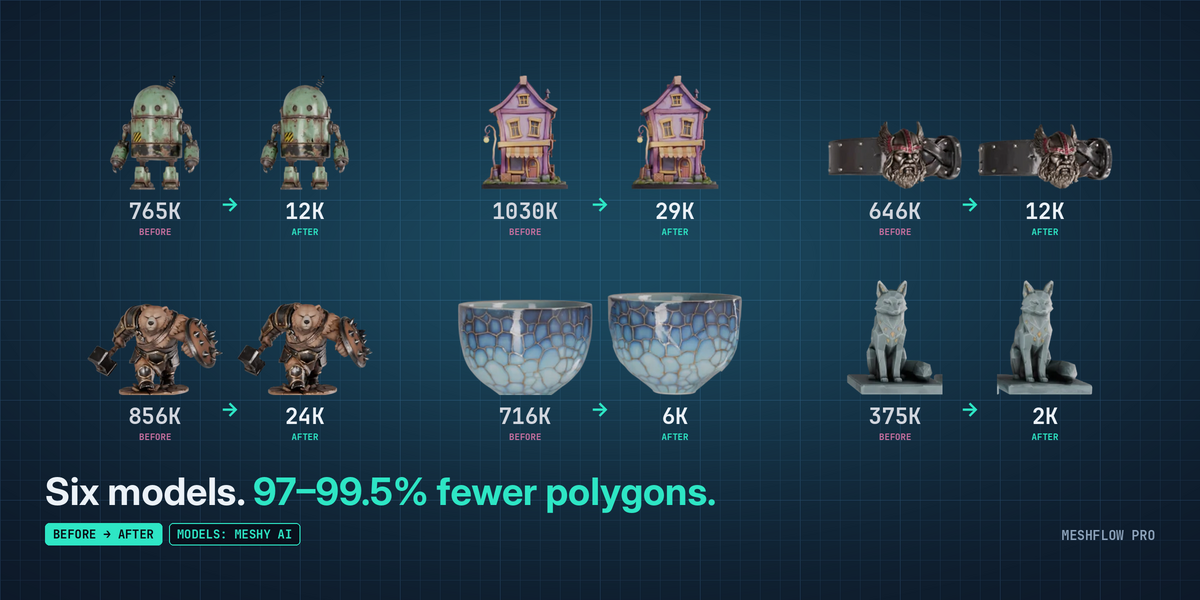
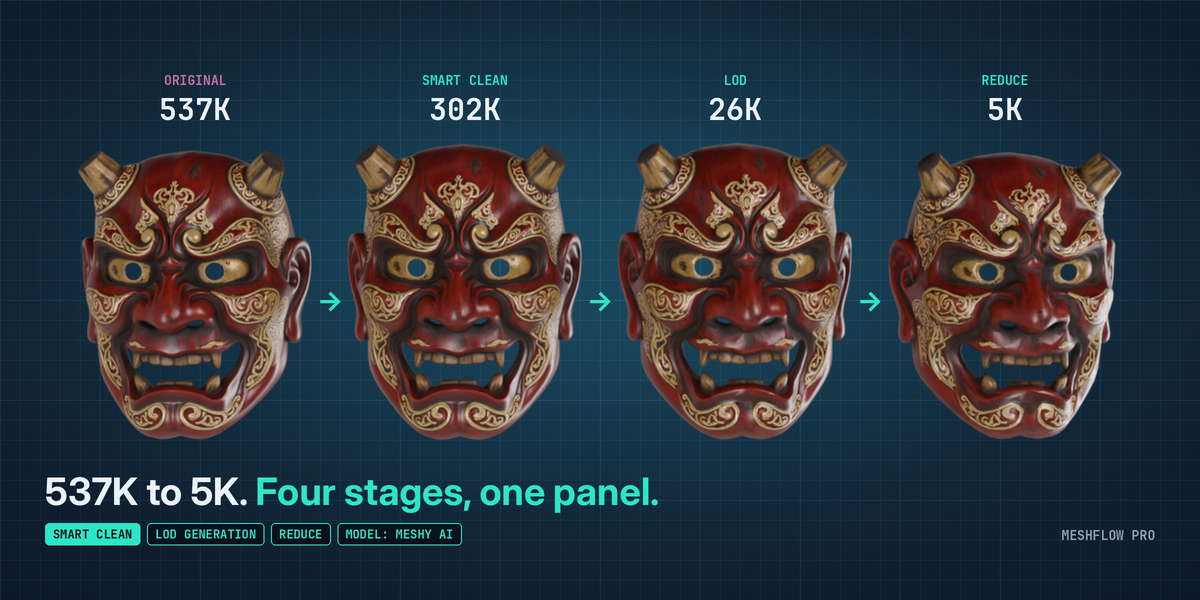
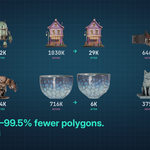
The original high-poly 3D models showcased in these preview images (the cover image and the gallery images labeled "Meshy AI", including the Fox, Oni Mask, and other sample assets) were generated by and sourced from Meshy AI, utilized under the Creative Commons Attribution 4.0 International (CC BY 4.0) license.
How these previews were created:
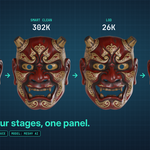
All raw high-poly meshes were processed, cleaned, and decimated directly inside Blender using MeshFlow Pro. The "Before & After" results, poly-count reductions (e.g., from 375K down to 2K), and LOD variations demonstrate the non-destructive topology preservation and professional optimization pipelines of the MeshFlow Pro add-on.
Original Asset Source & Attribution: Meshy AI
Disclaimer: The original assets are not included in this product package and belong to their respective creators via Meshy AI. MeshFlow Pro is an independent software tool developed for mesh optimization and is not directly affiliated with, sponsored by, or endorsed by Meshy AI.
Photogrammetry Optimization Example
Optimized using MeshFlow PRO.
1,000,000 → 5,000 triangles
Massive polygon reduction while keeping the existing UVs and overall silhouette for real-time workflows.