 SIPPO-STUDIO


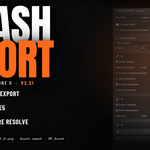
Select. Press once. Your asset arrives in Unreal Engine 5 as an assembled Blueprint — correct scale, correct orientation, correct naming, textures already resolved.
Most exporters stop at the FBX. SMASH EXPORT finishes the job.
Built and battle-tested in production on a real Blender→UE5 game project over seven months and 20+ releases.
What it does
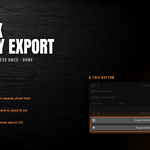
1. One-click Assembly Export
A multi-part asset exports as a single FBX and imports into UE5 as separate parts, with each part's origin (pivot) preserved. A door rotates around its hinge the moment it lands.
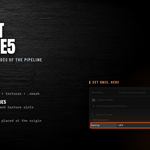
2. The Blueprint builds itself on the UE side
Run the script that ships inside every export folder and BP_<Asset> is generated, fully assembled, and placed at the level origin.
3. A resident SMASH menu inside Unreal
The add-on writes smash_tools.py at your export root with your path baked in. Run it once and a SMASH menu lives in UE's menu bar — every exported asset listed, assembling one click away (Assemble / Assemble ALL / Fix Alpha / Refresh).
4. Naming and texture references, handled
UE5 / Unity conventions (SM_ M_ T_, _D _N _ORM) applied end to end — including the texture references inside the FBX, so UE never spawns duplicate textures.
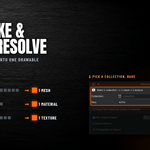
5. Atlas Merge
One collection collapses into one mesh + one atlas texture, with overlap-aware UV handling. Prop-heavy level assets become a single lightweight drawable. "Bake Texture Only" re-bakes just the PNG on exactly the same UV layout — the FBX already in your engine stays put.
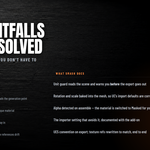
6. The import traps, pre-solved
- Unit-scale guard (Blender's cm setup vs UE's import behaviour)
- Orientation and scale pre-baked into the mesh, so it lands right on UE's defaults
- Alpha textures switched to Masked automatically, instead of arriving opaque
- Pre-export mesh health checks (degenerate and folded faces — the classic causes of failed static-mesh builds)
Every one of these cost us a day. You don't have to spend it.
Four steps
- Select your asset in Blender
- Press Export (Assembly), once
- Drag the export folder into UE's Content Browser
- SMASH > Assemble — the Blueprint is done
Also included
- FBX (Unity / Unreal / Generic), glTF · GLB, OBJ
- Two ways to pick the target: viewport selection, or a list of collections
- Real-scale (meters) preset for Substance Painter — your game-engine settings are never touched
- Two run buttons, never a guess: Assembly (one asset, pivots kept) or Individually (one mesh, one folder, one file)
- Bilingual UI — English by default, Japanese automatically when Blender's UI language is Japanese
Requirements
- Blender 4.2 or later (verified on Blender 5.1)
- Windows / macOS / Linux — anywhere Blender runs
- Blueprint auto-generation needs UE5's Python Editor Script Plugin (ships with UE5 — you only have to enable it)
- Atlas baking uses Cycles internally. Baking PaintSystem layers requires the PaintSystem add-on (optional)
What you get
- SMASH EXPORT add-on (.zip)
- User manual PDF — English and Japanese, 24 pages each
- LICENSE file
- Free updates
License & credits
GNU General Public License v3.0 or later — required for Blender add-ons that use the Blender Python API. Development started from the MIT-licensed Export Helper Pro v2.0 by Michael Bridges, whose original MIT copyright notice is kept in the bundled LICENSE file. The UE5 assembly pipeline, the atlas system, and the UE-side tooling are original work by SIPPO-STUDIO.
Full documentation — requirements, installation, quick start, the complete UE5 pipeline, atlas workflows, naming rules, safety guards and troubleshooting — is on the Documentation tab of this page.
