 blueish
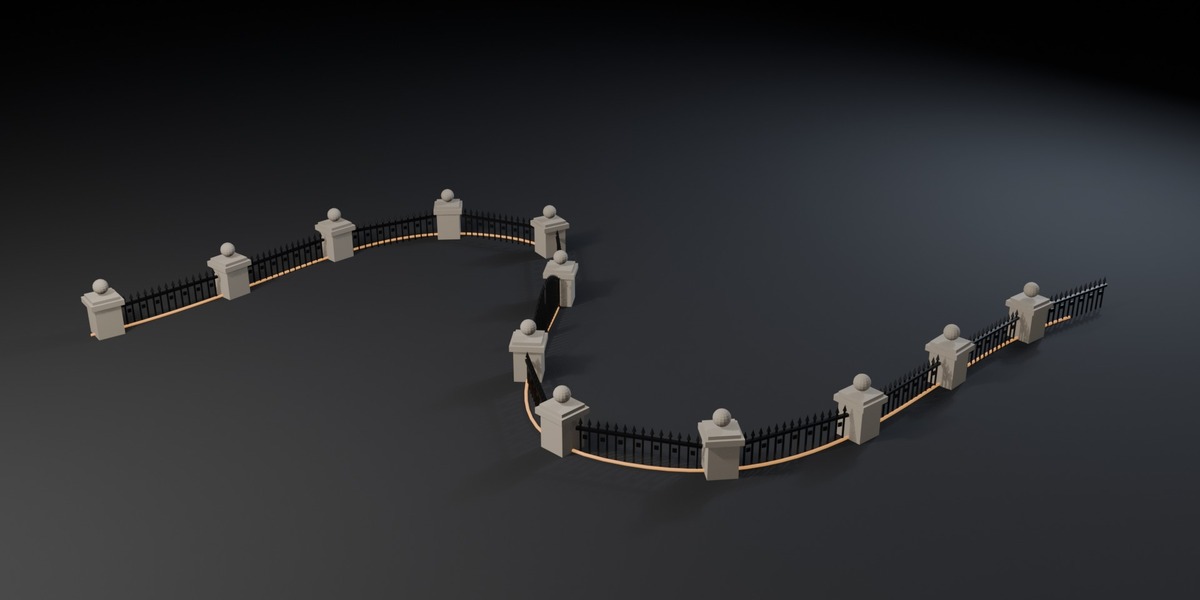





Draw a curve, type a rule, get a fence
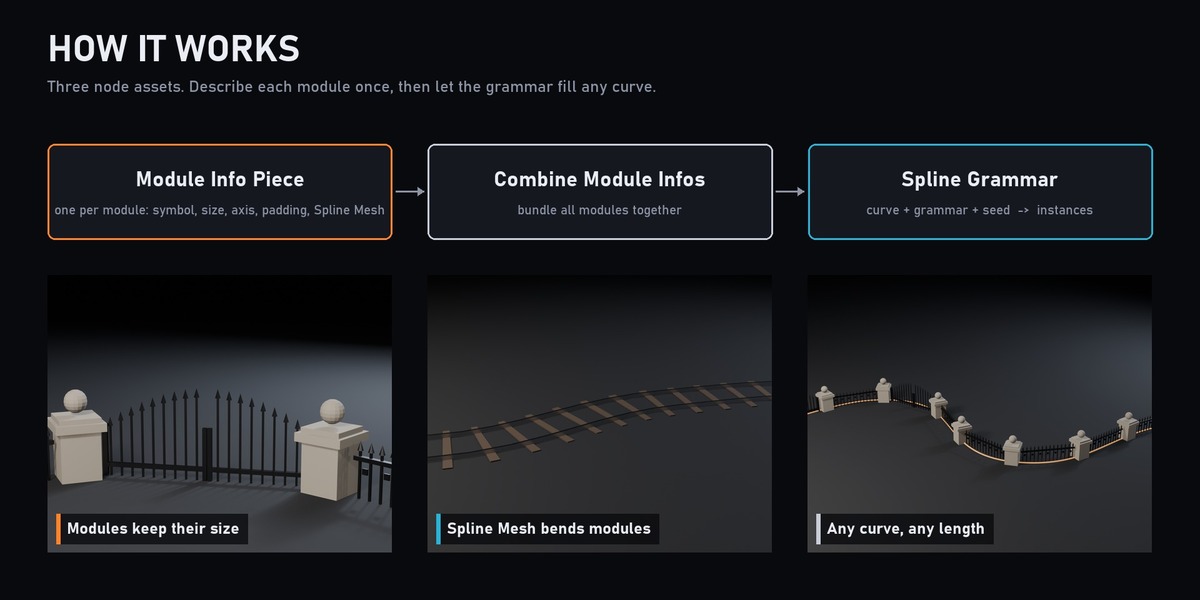
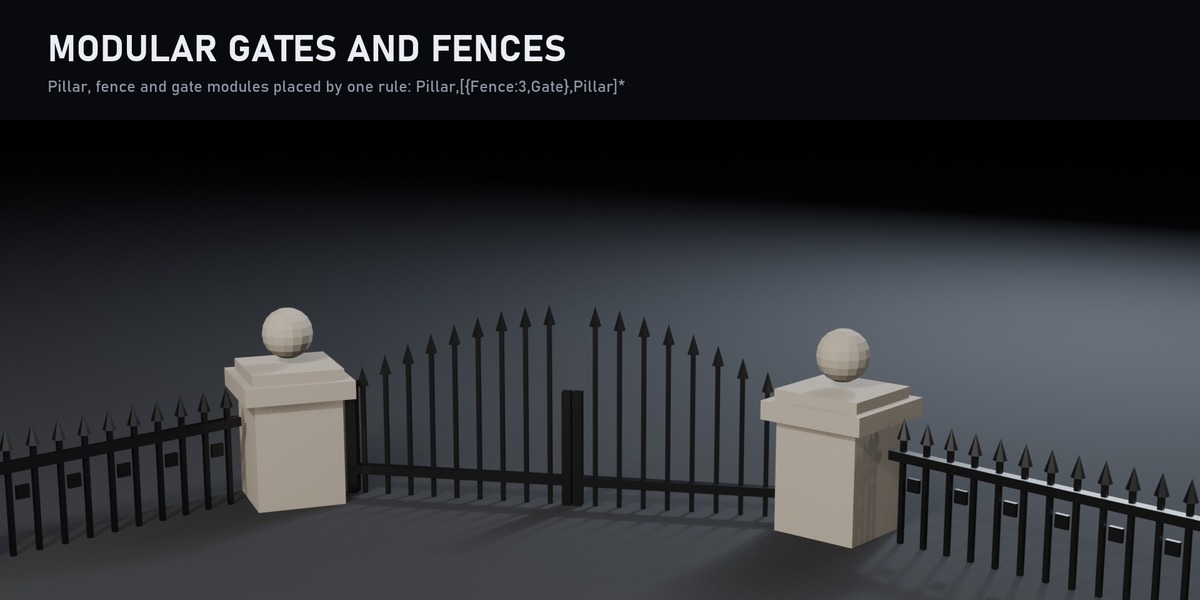
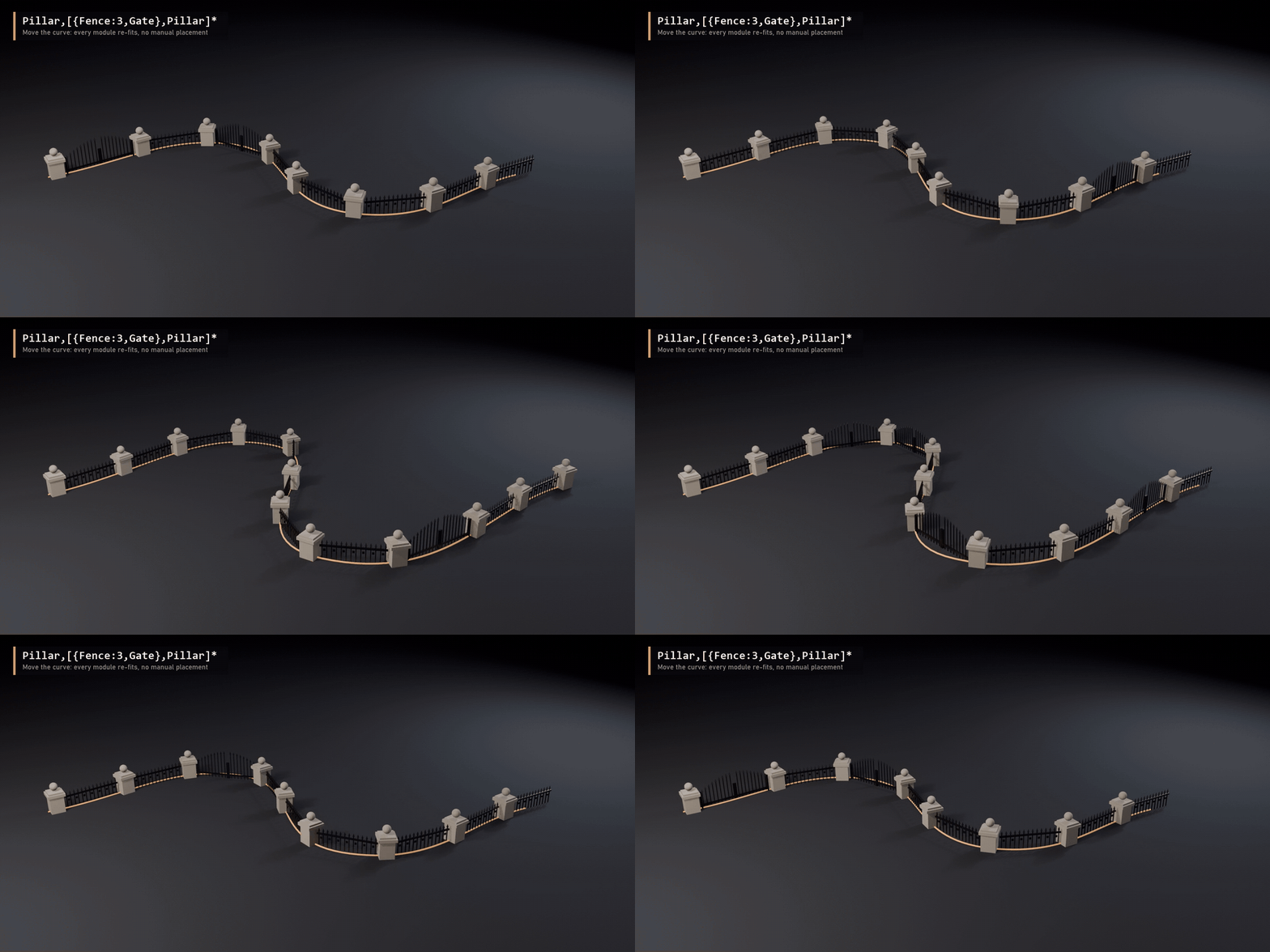
Placing modular pieces along a path by hand is slow, and every change to the path means doing it again. PCG Spline Grammar brings the idea of Unreal Engine 5's PCG Spline Grammar to Blender: describe each module once, write a rule such as Pillar,[{Fence:3,Gate},Pillar]*, and the curve fills itself. Edit the curve and every piece re-fits.
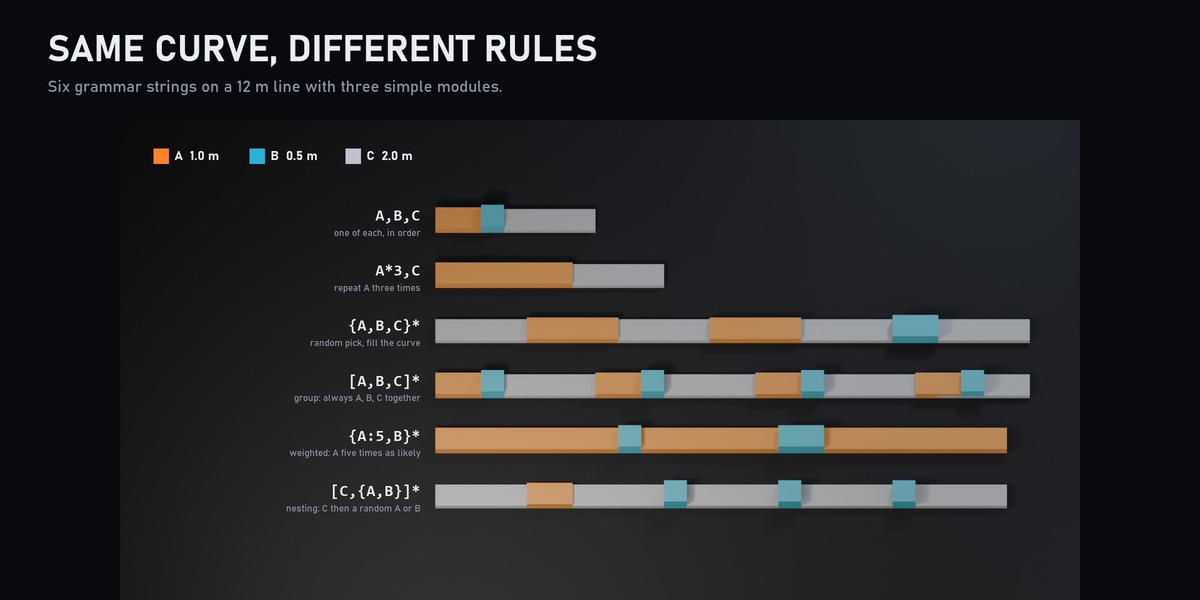
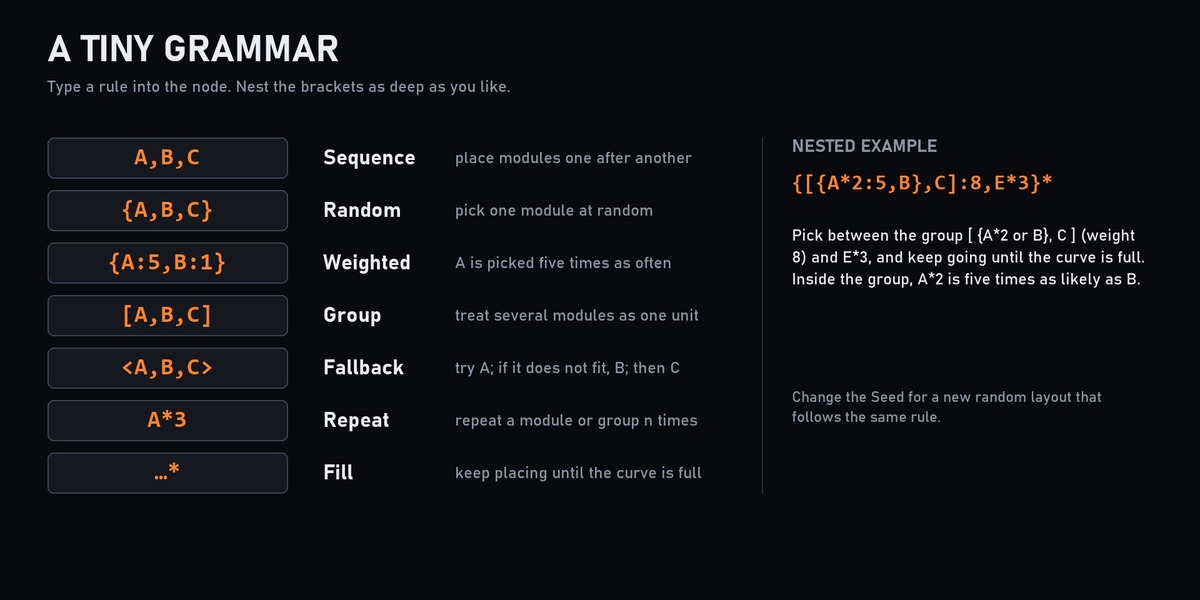
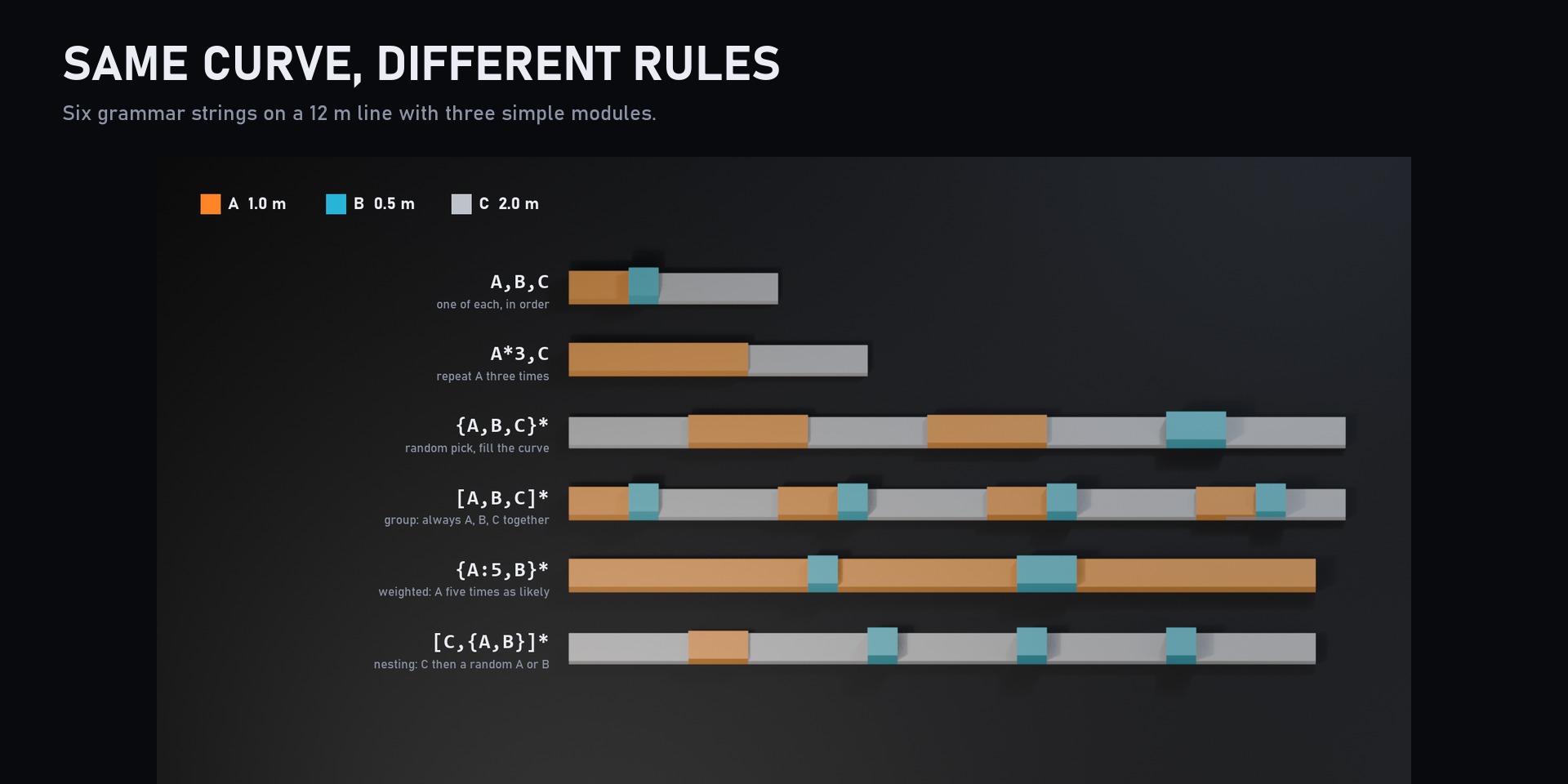
A tiny grammar
-
A,B,C: place modules one after another -
{A,B,C}: pick one at random -
{A:5,B:1}: weighted random pick -
[A,B,C]: treat several modules as one group -
<A,B,C>: fallback, try A, then B, then C -
A*3: repeat n times -
...*: keep placing until the curve is full
Brackets nest as deep as you like, and the Seed input gives a new random layout that follows the same rule.
Features
- Modules of any length: each module is measured from its bounds (or a size you type) and fitted along the curve.
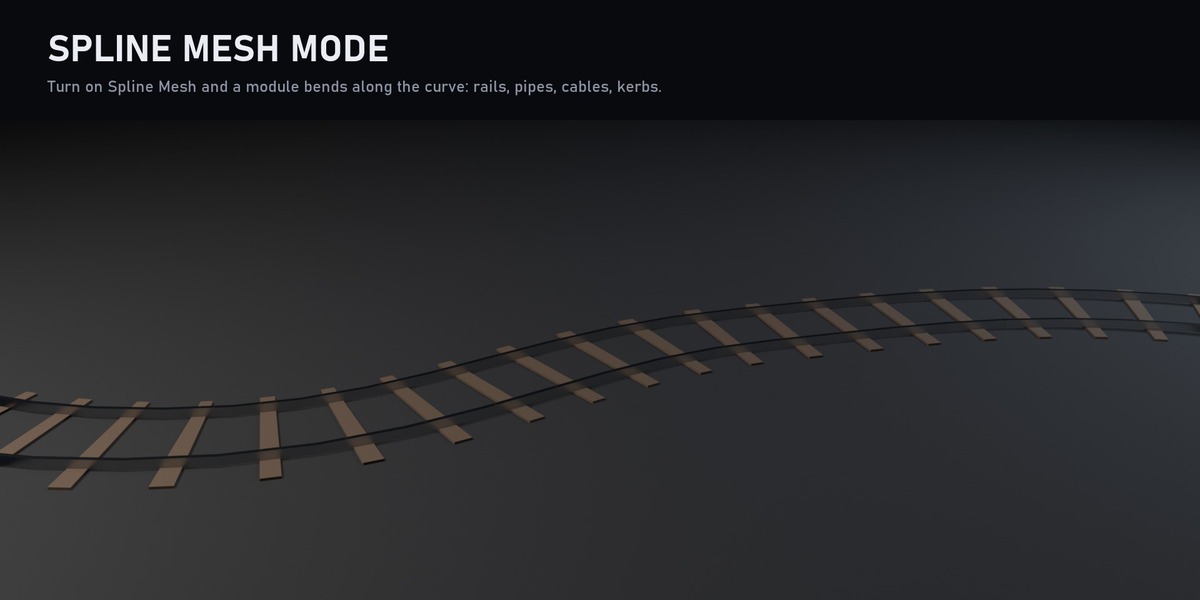
- Spline Mesh mode: bend a module along the curve for rails, pipes, cables and kerbs.
- Padding and orientation: forward and back padding, forward axis, custom up or curve normal, random transform ranges.
- Fully procedural: change the curve, the rule or the seed and the layout rebuilds instantly.
- Geometry Nodes only: no scripts, no add-on.
Great for
Fences and walls, railways, pipes and cables, building facades, sci-fi corridors, roads with lamps and kerbs, level layout blockouts.
What's included
- 3 node assets: Module Info Piece, Combine Module Infos, Spline Grammar
- Example scene with grammar presets
Requirements
Blender 5.2 or newer (uses Bundles and Closures, new in Blender 5).