Camera Fx Pro
 Bowstone Studios








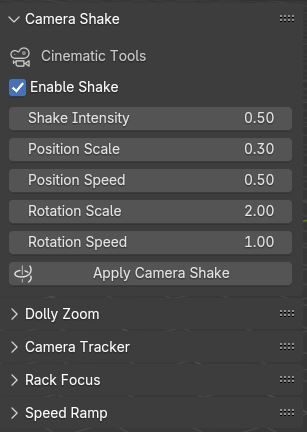
1. Camera Shake
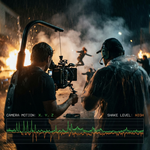
The Camera Shake feature in the Camera FX Pro add-on allows you to simulate natural or cinematic camera movements such as handheld jitter, impacts, or environmental vibrations. This effect enhances realism and dynamism in your animations or scenes without requiring manual keyframing.
How to Use Camera Shake
-
-
Select your camera.
-
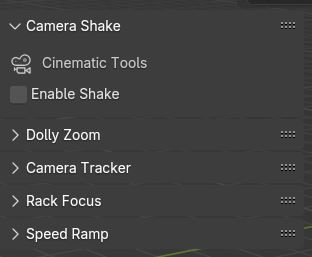
Open the Camera FX Pro panel (typically in the Sidebar under the “Camera FX” tab).
-
Click “Enable Shake” or choose Camera Shake from the FX dropdown list.
-
-
Adjust Shake Parameters:
-
Shake Intensity – Controls the intensity of the shake (higher values = more violent movement).
-
Position Scale – Sets displacement from origin position of the camera, higher scale means more displacement and vice versa.
Position Scale – Sets displacement from origin position of the camera, higher scale means more displacement and vice versa.
-
Rotation Scale – Displacement of the camera on y and x axis in rotation manner.
-
Rotation Speed – Intensity of displacement of the camera on y and x axis.
-
-
Apply Camera Shake:
-
Apply the camera shake according to the set settings.
-
Common Use Cases
-
Simulate handheld footage.
-
Add impact reaction (e.g., explosions, earthquakes).
-
Enhance fast action sequences with jitter effects
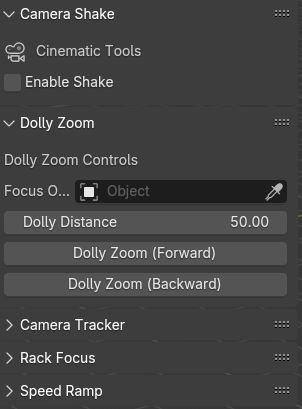
2. DOLLY ZOOM
.
Have questions about this product?
Login to message
| Published | over 1 year ago |
| Blender Version | 2.83 - 5.0 |
| Extension Type | N/A |
| Render Engine Used | Arnold, Blender-Internal, Blender-Game-Engine, Cycles, Eevee, Octane |
| License | GPL |
Discover more products like this
speed ramping blender motion graphics camera shake 3d vfx cinema dolly-zoom Motion Track rack-focus camera camera vertigo