📏 Quick Measurement Tool
 Mergim Sahiti


🔧 Installation
-
Download the Python file (
Quick Measurement Tool.py). -
Open Blender → Edit > Preferences > Add-ons > Install.
-
Select the script and enable Quick Measurement Tool in the list.
🖥️ Usage
-
Open 3D View > Sidebar (N-panel) > Measurement Tab.
-
Use:
-
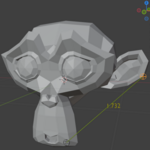
Measure Selected Object → Shows X, Y, Z dimensions of the active object.
-
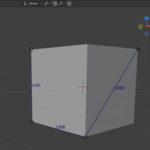
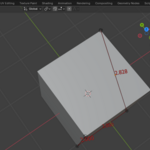
Add Distance Line → Creates two draggable points, a connecting line, and distance text.
-
Clear All → Deletes all measurement lines.
-
-
Customize appearance:
-
Line Color / Text Color → Change material colors.
-
Line Thickness → Adjust curve bevel.
-
Text Size → Scale font size.
-
Snap to Vertex → Snaps points to nearest mesh vertex.
-
Show Measurement → Toggle visibility.
-
Have questions about this product?
Login to message
| Dev Fund Contributor | |
| Published | 12 months ago |
| Blender Version | 4.0 - 4.5 |
| Extension Type | N/A |
| Render Engine Used | Blender-Internal, Cycles, Eevee |
| License | GPL |

Discover more products like this
DistanceTool addon Visualization BillboardText blender XrayLines measurement 3dTools technical modeling