2D Lip Sync Pro
 BlenderGem



QUICK START
2D Lip Sync Pro
From install to talking character in under 2 minutes.
| 1 | InstallDrag the |
| 2 | Pick your languageOpen the 2D Lip Sync Pro panel (N-key sidebar). Under Setup, choose your language and download the speech model. |
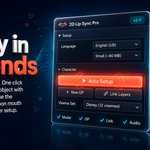
| 3 | Auto SetupClick Auto Setup. Creates a Grease Pencil object with all viseme layers ready to go. |
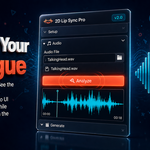
| 4 | Load audioPick a WAV or MP3 file. Hit Analyze. |
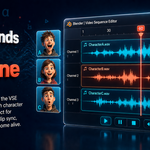
| 5 | GenerateClick Generate Lip Sync. Keyframes land on your layers, audio strip lands in the VSE. Hit play. |
That's it.
Your character is talking.
If something's off
- Timing feels off? Adjust Frame Offset or pick a Timing Preset (Cartoon/Realistic/Anime/Muppet).
- Wrong phonemes? Open the Phoneme Editor and tweak per word.
- Multiple characters? Switch the active GP object, hit Generate again — each one lands on its own VSE channel.
- Layers not matching? Use Link Layers to Visemes for manual override.

Discover more products like this
real-time lip sync mouth animation Grease Pencil speech recognition blender addon audio analysis character animation auto lip sync 2d animation indie animation visemes AI-powered