3D Cartoon Boy Rig - Rigify
 PolyPop3D


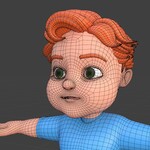
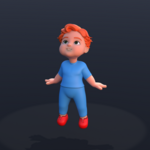
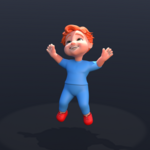
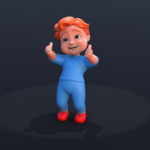
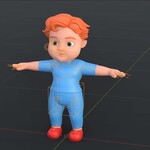
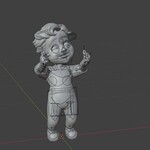
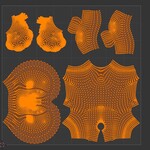
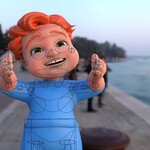
📘 3D Cartoon Boy Rig – Documentation (Rigify-based, Blender 4.4+)
Thank you for your interest in the 3D Cartoon Boy Rig! This documentation will guide you through the key features, usage instructions, and best practices for working with this Rigify-based character in Blender 4.4 or newer.
✅ Features
-
Fully rigged using Blender's Rigify system
-
Clean topology and stylized design
-
Facial controls for expressive animation
-
IK/FK switchable limbs
-
Optimized for animation, games, and educational use
-
Compatible with Blender 4.4+
📂 Installation Instructions
-
Download the
.blendfile after purchase. -
Open the file in Blender 4.4 or newer.
-
The character is fully rigged and ready to animate out of the box.
-
If you want to append the rig into your own scene:
-
Go to File > Append
-
Select the downloaded
.blendfile -
Navigate to Collection and choose the character rig collection
-
Append it into your scene
-
-
Note:
If you append the character into a new scene and Rig Layers do not appear in the N-panel (right sidebar), you may need to manually register the rig UI script.To fix this:
-
Open the Scripting workspace in Blender
-
Either:
-
Create a new text file and paste the following code:
Then click Run Script
-
OR select the existing script named
rig_ui.py(if included in the file), and click Run Script
-
✅ After running the script, the Rig Layers panel will appear in the N-panel as expected.
-
🕹️ Using the Rig
-
Select the main rig controller (usually the master/root bone or main circle control).
-
The Rigify UI will be available in the N-panel under the Rig Layers tab.
-
Switch between IK/FK for arms and legs as needed.
-
Use the facial controls (visible around the head) for expressions and lip-sync.
-
Constraints and controllers are cleanly organized for ease of use.
🎓 Tips for Animators
-
Use Pose Mode to animate the rig.
-
Turn on Auto Keying to speed up keyframe workflow.
-
The rig is great for:
-
Short films and cutscenes
-
Game animation prototypes
-
Educational projects and student demos
-
Have questions about this product?
Login to message
| Published | 12 months ago |
| Blender Version | 4.4 |
| Render Engine Used | Cycles, Eevee |
| Misc Data | Uvs-Unwrapped, Rigged, Low-High-Resolution, Textured |
| License | Royalty Free |

Discover more products like this
Rigged character 3d-boy 3d-cartoon-character rig animation 3d-boy-character Cartoon 3d-adventure-boy boy