 3D COMPARISON


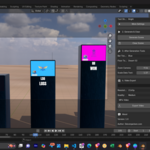
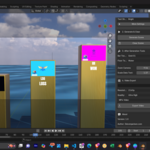
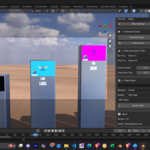
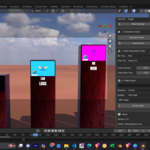
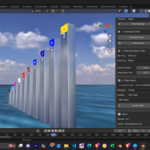
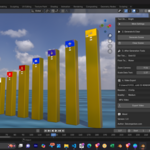
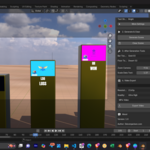
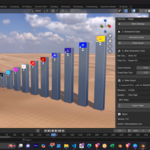
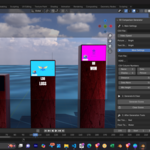
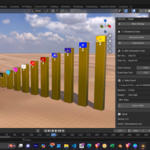
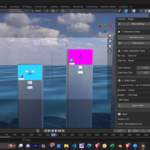
✨You need to just Install the Addon and Export Video... Everything Done by the Addon Automatically ✨
Create stunning 3D bar chart comparison videos right inside Blender! This addon automates the entire process, from reading your data in a CSV file to setting up a beautiful, animated scene ready for rendering.
Perfect for YouTube channels, presentations, or anyone who wants to visualize data in a dynamic and engaging way.
✨ Key Features
CSV Driven: Automatically generates bars, text, and pictures based on a simple CSV file.
Fully Customizable: Easily change bar textures, floor textures, fonts, and HDRI lighting.
Animated Camera: The camera smoothly animates from one data point to the next.
Easy Controls: Tweak settings like camera zoom and text size after generating the scene.
Built-in Protection: A smart protection system prevents you from accidentally deleting the watermark or essential camera objects, which would break the scene.
-
Multiple Export Options: Render your video in different resolutions, quality presets, and formats (MP4 or JPEG sequence).
For Installation and How to Use Information please check Documentation Tab
💬 About & Community
Author: 3dcomparison.com
Version: 1.0
Join the Community: Have questions or want to share your creations? Join us on Telegram!
Support & Updates: Check for the latest updates on our website.
UPDATES OF 3D Data Comparison Addon--
V1.0 (Initial Launch) V1.1 (01-08-2025) V1.2 (Upcoming)
Changes from v1.0 to v1.1
Improved User Interface (UI):
The settings are now organized into distinct sections: "Main Settings," "Generate & Clear," "After Generation Tools," "Video Export," and "About."
Dropdown toggles for "More Settings" were added to both the "Main Settings" and "After Generation Tools" sections to reduce clutter.
-
Properties like
display_pic_option,text_shading_option,font_file_path, andhdri_file_pathwere moved from the main panel to a new "More Settings" dropdown within the "After Generation Tools" section, making them accessible only when needed.Live Updates: New update functions (
update_font_file,update_hdri_world,update_display_pic_option) were added to allow for live updates in the viewport when a user changes a setting, such as a font or HDRI file, without needing to regenerate the entire scene.Material and Node Logic: The
update_text_materialfunction was refactored to correctly clear and re-create shader nodes based on thetext_shading_option, and it now correctly applies color to the shader. Theupdate_display_pic_optionfunction was also added to dynamically change the shader of picture planes.