3D Flipbook Animator
 Melowilo Animation LTD



Comprehensive Technical Manual: 3D Flipbook Animator (v1.0)
The 3D Flipbook Animator is a high-level production tool for Blender designed to manage, edit, and optimize mesh sequences (Vertex Animation). It uses a Geometry Nodes-based "Sequencer" to switch between high-resolution meshes on a per-frame basis, providing a workflow similar to 2D traditional animation but in a 3D environment.
1. Core Architecture: The "Sequencer"
The addon functions by creating a Sequencer Object.
-
Technical Logic: It creates a Geometry Nodes modifier on a container mesh. This node tree reads a Source Collection, separates children into instances, and uses a
Scene Timenode minus aStart Frameoffset to select which specific mesh to realize at any given time. -
Data Storage: Sequences are identified by a custom property
abt_is_sequencer = Trueand store their source collection reference inabt_target_col.
2. UI REFERENCE
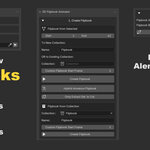
Section A: 1. Create Flipbook
Used to convert animated scene objects into the flipbook format.
- Start / End Frame: Defines the timeline range to be sampled.
- New Coll. Name: The name of the collection that will store the baked frame meshes.
- Target Collection: An existing collection to use instead of creating a new one.
- Custom Flipbook Start Frame: Defines the frame on the timeline where the animation should begin playback.
- Create Flipbook (Big Button): Executes the full bake-and-setup. It samples the visual state (evaluated mesh) of the selected objects at every frame, saves them as unique mesh data, moves them to the collection, and creates the Sequencer.
- Hybrid Armature Flipbook: Specifically for characters with bones. It samples the mesh at the "Rest Pose" to ensure vertex-order consistency, bakes the sequence, and then adds a live Armature modifier back to every frame so you can still pose the character.
- Only Extract Sel. to Col.: Just performs the mesh baking part. No Sequencer object is created.
- Source Collection (Dropdown): Select a collection already filled with sequential meshes.
- Name (Input): The name for the manually created Sequencer.
- Create Flipbook (Manual): Generates a Sequencer for the manually selected collection.
Section B: 2. Merge Two Flipbooks
Used for joining two independent sequences.
- Flipbook A / B: Slots to define the two sequences.
- Eyedropper Icon: Sets the active selection to the respective slot.
- Merge Flipbooks: Iterates through both sequences, joins their geometry frame-by-frame, and creates a third, unified Flipbook.
Section C: 3. Edit Flipbook (Management)
The primary control hub for the active sequence.
- Flipbook (Eyedropper): Defines which flipbook the UI tools are currently targeting.
- New Flipbook Name (Input) + Rename: Updates the names of the Sequencer, the Mesh Data, the Geometry Node tree, and the Collection simultaneously.
-
Markers (Toggle): Automatically adds/removes timeline markers labeled
flipB_STARTandflipB_END. - Active Mesh (Toggle): If enabled, scrubbing the timeline while in Edit Mode automatically switches the active object to the mesh corresponding to the current frame.
- Hold Before / After: Toggles the creation of "Static Holds." It clones the first/last frame into a separate collection to stay visible outside the flipbook range.
Onion Skinning (GPU Overlay)
- Onion Skinning (Toggle): Turns on the GPU-accelerated ghosting.
- Wireframe / Solid: Displays ghosts as edges (lines) or transparent faces (tris).
- Steps Back / Fwd: How many frames of ghosting to draw in either direction.
- Global Opacity: The transparency level of the ghosts.
Edit Mode Toggles
- Edit Mesh / Stop Edit: Hides the Sequencer, unhides the single mesh for the current frame, and enters Edit/Sculpt mode.
- Edit Entire Flipb / Stop Edit Flipb: Unhides every single mesh in the source collection and enters Edit Mode on all of them. This allows "Batch Transformation" of the whole sequence.
Sequence Operations
- Del Frame (Trash): Removes the current frame and shifts the animation earlier in time.
- Dup Frame (Duplicate): Clones the current frame and shifts later frames forward.
- Copy Frame: Saves the mesh data and modifier stack to a global clipboard.
- Paste Frame: Takes the copied frame, creates a new mesh, and shifts the sequence forward.
- Add Mesh to Seq: Takes any standard object in the scene and inserts it as a new frame.
- Join Sel. to Flipb Mesh: Merges a selected scene object into the current flipbook frame.
- Update Start Frame: Changes the timeline starting position of the animation.
3. SPECIALIZED TOOLS (SUB-PANELS)
Detect Same Vert Count Ranges
- Analyze Flipbook: Checks the vertex count of every mesh and lists ranges with identical topology.
- Clear List: Wipes the analysis data.
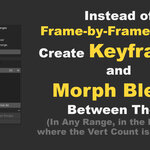
Morph Blend Frames
- Start / End Input + Add Range (+): Defines a frame range to be interpolated.
- Interpolation: Choose between Linear, Ease In/Out, etc.
- 2) Sel Verts: Define which vertices will be morphed.
- 3) Morph Ranges: Calculates the vertex positions for all frames between the Start and End.
- Revert Last Morph: Restores meshes from a hidden undo buffer.
Range Edit
- Del Range: Deletes multiple frames at once.
- Dup Range: Clones a block of frames.
- Rev Range: Reverses the order of meshes in the range.
- Dup & Rev Range: Creates a "Ping-Pong" loop.
- Join Sel. to Flipb Range: Merges an object into every frame of the range.
Verts Copy/Paste (The "Baseline" System)
- Store Baseline: Saves the "Original" position of selected vertices.
- Copy Vertex Pos: Saves the "New" position of selected vertices.
- Paste Rel Local / World: Pastes the difference (Delta) relative to the Baseline.
Batch Remove Faces
- Select Faces: Enter Edit Mode to pick faces for removal.
- Delete Faces Range: Deletes specific face indices across the specified range.
Visibility & Smoothing
- Frame Vis / All Vis / Reset: Controls source mesh visibility.
- Smooth / Auto Smooth Buttons: Applies shading styles to the sequence.
- Flip Normals: Inverts the face orientation.
Modifier Copy/Paste
- Exclude Armature Mod: When checked, ignores Armatures during copy/paste.
- Copy Mod: Saves the modifier stack.
-
Paste Mod Frame / All / Range: Applies the stack to targets (prefixed with
PST_). - Apply All Modifiers: Destructively bakes all modifiers into mesh data.
Armature & Vertex Groups
- Copy Armature Data: Captures weights and groups.
- Paste Armature: Applies weights with Inverse-Pose Compensation to prevent mesh "explosions."
- Apply Deforms: Bakes the skeletal pose and removes Armature modifiers.
Back to Shape Keys
- Extract Shape Keys: Converts the sequence into a single mesh with Shape Keys for game engines.
- Del Addon Shape Keys: Wipes addon-generated keys.
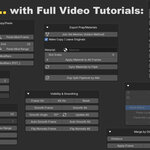
Export / Prep / Materials
⚠️ EXPORT MODE (Safe Bake): CRITICAL. Disables all background logic. Turn this ON before exporting to FBX, ABC, or USD to prevent crashes.
- Apply Material to All Frames: Batch assigns a material to a specific slot.
- Sync Materials to Flipb: Fixes the Sequencer's slots to match source meshes.
- Dup Split Flipbook by Mat: Splits a Flipbook into multiple objects based on materials.
- DELETE ENTIRE FLIPBOOK: The nuclear option. Irreversibly deletes the sequence and all data.
4. TECHNICAL PRE-REQUISITES
- Vertex Order: Morphing and Vertex Copy/Paste rely on internal vertex indices. If the vertex count changes between frames, these tools will disable.
-
Naming Convention: The addon uses strict
_F_####and_D_####suffixes for sorting. - Dependency Graph: The addon bakes exactly what you see in the viewport (including physics and active modifiers).
-
$19.99
 Included
Includes 12 months of
- Support from Melowilo Animation LTD
- Product updates
Extend this product’s Support Period +12 months: 25% of product price
Have questions before purchasing?
Login to message
| Blender Extension Compatible | Yes |
| Dev Fund Contributor | |
| Published | 3 months ago |
| Blender Version | 4.2 - 5.2 |
| Extension Type | Add-on |
| Render Engine Used | Arnold, Blender-Internal, Blender-Game-Engine, Cycles, Eevee, Freestyle, Luxrender, Mental-Ray, Octane, Vray, Yafaray |
| License | GPL |
Discover more products like this
3d animation stop motion animation 3D Animation Tools Stop Motion FX Animation Export alembic to shape keys alembic bake alembic advanced animation tools usd export Stop Motion Style