3D Manga Studios / 3D漫画スタジオ
 Adacchi Multi Creater


Documentation
Overview
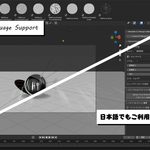
3D Manga Studios is a Blender add-on that automates camera setup, materials, lighting, and screen tones to help you create manga- and comic-style scenes efficiently.
It is designed to reduce technical setup time and let artists focus on composition and storytelling.
Key Features
-
One-click manga-oriented scene collection setup
-
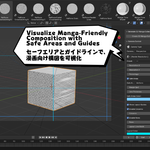
Camera tools with safe areas and layout guides
-
Automatic manga tone materials and outline generation
-
Dedicated lighting presets optimized for manga shaders
-
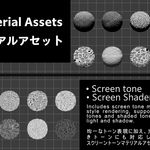
Screen tone and shaded screen tone material assets
-
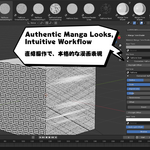
Intuitive shader controls for fast iteration
Getting Started
-
Enable the add-on in Blender Preferences
-
Open the 3D View Sidebar (
N) → 3D Manga Studios -
Click Generate 3D Manga Collection
-
Apply camera, lighting, and manga materials
Who Is This For?
-
Blender beginners
-
Manga and comic creators
-
Artists who want cel / manga-style rendering
Requirements & Notes
-
Supported Blender version: 4.5.0 or later
-
This add-on focuses on scene setup and shading (not modeling or rigging)
Full Documentation
Detailed guides and tutorials are available here:
👉 https://adacchi-multicreator.github.io/3D_Manga_Studio-Document/
日本語のドキュメント
3D Manga Studios は、Blender 上でカメラ・マテリアル・ライティング・スクリーントーンを自動設定し、漫画・コミック向けのシーン制作を効率化するアドオンです。
詳細な使い方や仕様については、上記ドキュメントサイトをご覧ください。
👉 https://adacchi-multicreator.github.io/3D_Manga_Studio-Document/
Have questions about this product?
Login to message
| Dev Fund Contributor | |
| Published | 9 months ago |
| Blender Version | 4.5 - 5.0 |
| Extension Type | N/A |
| Render Engine Used | Eevee |
| License | GPL |
Discover more products like this
cel-shading line art outlines Cartoon screentone manga shaders anime comics toon shader materials