Abstract Objects Pack
 Jangillus




Why does the node setup fail or produce strange shapes in scenes set to Millimeters (like Jewelry design)?
The asset is calibrated for Blender's default Metric system (Meters). If your scene uses Millimeters, the dimensions fall outside the calculation threshold of the node setup.
To fix this:
1. Temporarily set Scene Properties -> Units back to Meters while customizing the geometry.
2. Once satisfied, Apply the Geometry Nodes modifier (convert to mesh).
3. Scale the object down to your target millimeter scale for production.
How do I prevent viewport lag or crashes when working with heavy meshes?
Make sure to enable the 'View Proxy' checkbox before tweaking heavy parameters or copying the modifier. This limits real-time mesh data calculations in the viewport to prevent crashes. Turn it off only when you are ready for final rendering.
Discover more products like this
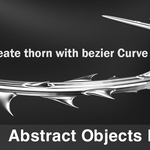
sharp chrome art spike 3d for artwork Thorn 3D Procedural Structures y2k mood parametric vines bio structure geometrynode