 Domenas


Adaptive Lighting Studio
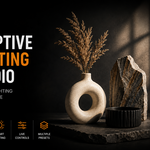
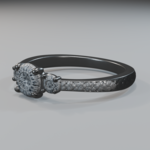
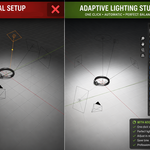
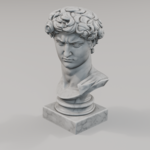
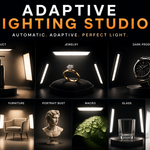
Adaptive Lighting Studio creates a studio lighting rig around the selected object and automatically adjusts it to the object's size.
nstallation
1. Open **Edit → Preferences → Add-ons**.
2. Click **Install**.
3. Select the ZIP file.
4. Enable
Usage
1. Select an object.
2. Open the **Lighting** tab in the N-Panel.
3. Choose a lighting preset.
4. Click **Build Adaptive Rig**.
5. Adjust the lighting using the available controls.
The generated lighting rig can be rebuilt, modified, or removed at any time.
$9.99
Have questions about this product?
Login to message
| Published | about 2 months ago |
| Blender Version | 4.2 - 4.5 |
| Extension Type | N/A |
| Render Engine Used | Cycles, Eevee |
| License | GPL |

Discover more products like this
product render vehicle Studio Lighting Cycles furniture eevee preset Lighting blender addon rendering jewelry light rig