 peterz



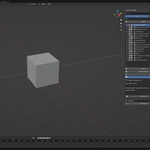
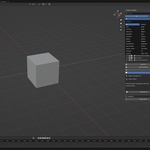
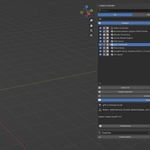
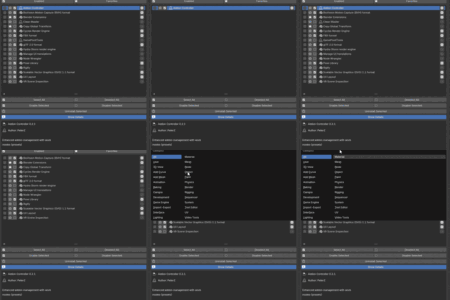
New Version Update 0.4.0
What is Addon Controller?
- Comprehensive addon list management
- Batch operations
- Snapshot backup and restore
- Performance monitoring
- Keymap conflict detection
- Safe mode for troubleshooting
- Comprehensive addon list management
- Batch operations
- Snapshot backup and restore
- Performance monitoring
- Keymap conflict detection
- Safe mode for troubleshooting

Smart Addon List Management
- Comprehensive Information Display: View addon name, author, version, category, and more
- Quick Enable/Disable: Toggle addon state with a single click
- Visual Differentiation: Clearly distinguish between official and community addons
- Favorites System: Mark your most-used addons for quick access
Powerful Search & Filtering
- Real-time Search: Quickly locate addons by name
- Multi-dimensional Filtering:
- Filter by category (Modeling, Rendering, Animation, etc.)
- Filter by state (Show enabled only)
- Filter by type (Official/Community)
- Show favorites only
- Combined Filters: Multiple filter criteria work simultaneously
Batch Operations
- Batch Selection: Select multiple addons via checkboxes
- Batch Enable/Disable: Affect multiple addons in one operation
- Batch Install: Install multiple addons from a folder at once
- Batch Uninstall: Safely uninstall selected addons (with confirmation dialog)

Snapshot System
- Create Snapshots: Save current addon enable state
- Restore Snapshots: One-click restore to previous addon configuration
- Snapshot Management: Rename, delete, and view snapshot details
- Auto Backup: Protect your workflow configuration

Safe Mode
- Troubleshooting: Disable all non-core addons with one click when issues arise
- Smart Recovery: Automatically restore previous state when exiting safe mode
- Core Protection: Never disables Blender core addons
Performance Monitoring
- Load Time Measurement: View startup time for each addon
- Performance Benchmarking: Re-measure addon load times
- Performance Optimization: Identify addons slowing down Blender startup
Keymap Management
- Keymap Display: View all shortcuts registered by addons
- Conflict Detection: Automatically identify keymap conflicts between addons
- Quick Access: Directly open addon preferences
Convenient Operations
- Quick Preferences Access: Open addon settings with one click
- Open Addon Folder: Directly locate addon in file browser
- Access Documentation: Quickly open addon's online documentation
- Detailed Info Display: View complete addon description and metadata
Interface Features
- Sidebar Integration: Located in the 3D View sidebar, always accessible
- Clear Visual Hierarchy: Icons and colors distinguish different states and types
- Responsive Layout: Adapts to different screen sizes
- Collapsible Details Panel: Show detailed info when needed, hide when not
Updates
v0.4.0
- Added operation previews showing dependencies, hidden selections, and protected addons.
- Added persistent operation reports and retry for failed or unfinished tasks.
- Added restoration of the previous enabled state.
- Added configuration import/export with module mapping and automatic backups.
v0.3.9
- Fixed snapshot naming conflicts and improved Safe Mode recovery.
- Improved dependency handling and core/locked addon protection.
- Fixed installation and update issues while preserving addon preferences.
- Improved filtering, tag handling, and shortcut conflict detection.
- Added batch-enable cancellation and improved timer cleanup.
v0.3.8
- Added automatic backup and restore of supported addon preferences
- Addon settings are now preserved when disabling and re-enabling addons through Addon Controller
- Added per-addon preference backup files in Blender’s configuration folder
- Improved compatibility with different addon preference types
v0.3.7
- Added preset system for quick configuration switching
- Added group system for organizing addons
- Added category management (enable/disable/rename/delete)
- Added disabled categories feature (hide from filter)
- Added recursive dependency handling (transitive deps/dependents)
- Added batch lock/unlock operations
- Added batch set category operation (replace/add/remove modes)
- Added sequential batch enable to prevent UI freezing
- Added detailed installation report with success/fail/check status
- Added auto-lock dependencies when locking an addon
- Added Edit Tags dialog (enhanced from Set Category)
- Added support for multiple tags per addon
- Added legacy data migration from addon folder to config folder
- Improved dependency popup performance with caching
- Fixed various UI and performance issues
v0.3.4
- Add Dependencies: Click the [+] button to manually add plugin dependencies
- Remove Dependencies: Click the [X] button to remove unwanted dependencies
- Persistence: Manually added dependencies are saved and will not be lost after a refresh
- Smart Enable: When a plugin is enabled, its dependencies are automatically enabled
- Smart Disable: When a plugin is disabled, plugins that depend on it are automatically disabled
- Safe Uninstall: When a plugin is uninstalled, plugins that depend on it are automatically disabled to prevent errors
v0.3.3
New Features
- Automatic Dependency Detection
- Automatically reads dependencies from addon's bl_info
- No manual configuration needed, dependencies sync automatically
- Dependency information is always visible in the details panel
Improvements
- Dependency Management Enhancement
- Dependency list always displays (shows "None" when no dependencies)
- Fixed dependency cache update bug for accurate synchronization
Technical Improvements
- Optimized dependency detection mechanism for better performance
- Improved dependency cache update logic to prevent data inconsistency
- Enhanced code robustness and fixed potential bugs
v0.3.0
New Features
- Lock System: Protect essential addons from accidental changes. Locked addons are automatically skipped during batch operations and snapshot restores, ensuring your critical workflow addons stay safe.
- Custom Categories: Organize your addons your way! Override default categories with custom names (e.g., "My Camera Tools"). Custom categories automatically appear in the filter dropdown for easy access.
- Enhanced Filtering: New state filter dropdown with three options: All, Enabled, and Disabled. Makes it easier to manage and view disabled addons separately.
- Dynamic Category Filter: Category filter now dynamically includes all categories from your installed addons, including custom ones. Unused categories are automatically removed for a cleaner interface
Bug Fixes
- Fixed folder button not working on Linux/Flatpak installations.
-
Enhanced self-protection to prevent Addon Controller from disabling itself.
-
Improved cross-platform compatibility (Windows, macOS, Linux).
- Better support for Blender 4.2+ Extensions system.
- Fixed category name handling edge cases.
UI Improvements
- Updated addon list layout with lock icon for quick access
- Improved filter organization and visual hierarchy
- Better spacing and icon placement
- Technical Improvements
- Enhanced data persistence for lock states and custom categories
- Improved error handling and edge case coverage
- Optimized performance for category filter generation
What's Changed:
The lock system lets you protect essential addons,while custom categories give you complete control over organization.
Combined with enhanced filtering, managing large addon collections has never been easier.
