 Sergey Tyapkin
Explore Zen Masters Add-ons






Your Blender add-on setups, ready when you need them
Add-ons Presets lets you save, restore, and move complete add-on configurations between projects, workspaces, and Blender installations.
01
Switch setups instantly
Create focused add-on profiles for modeling, animation, rendering, testing, or any custom workflow.
02
Find conflicts faster
Save the current setup, disable add-ons, and restore the working configuration after troubleshooting.
03
Move preferences easily
Export or import the preferences of any enabled add-on through a simple JSON workflow.
See Add-ons Presets in action
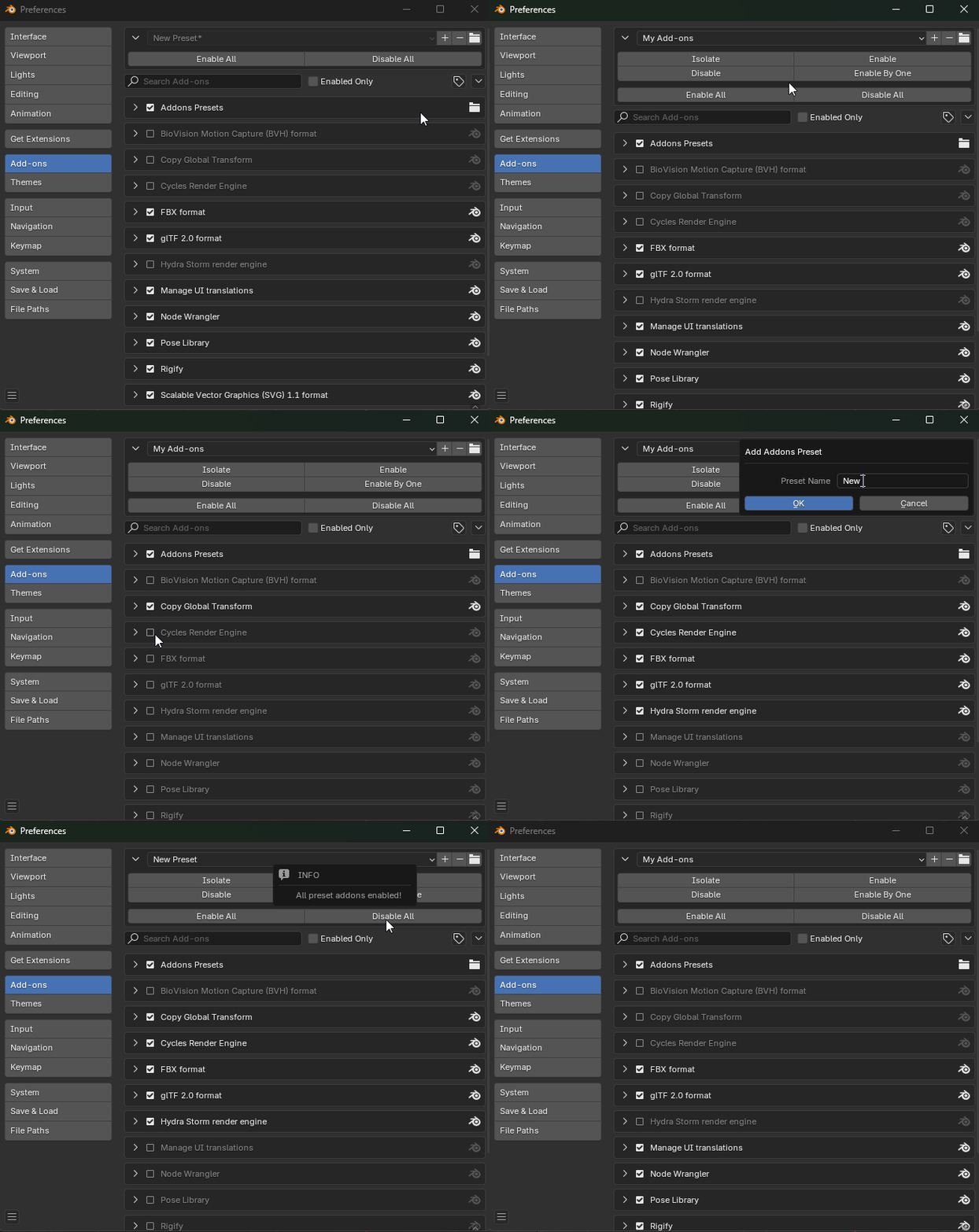
Simple by design
Keep different Blender configurations organized without rebuilding them by hand.
Save & load presets
Capture the enabled add-ons in your current setup and return to it whenever the task changes.
Export & import preferences
Right-click an enabled add-on to export or import its preferences to or from JSON.
Build a better Blender workflow
Once your add-on setup is organized, put it to work with focused Zen Masters tools.
Zen Sets
Organize selections, objects, collections, and visibility in complex scenes.
Help and resources
Documentation
Installation, preset management, preference transfer, and everyday use.
Recommended Add-ons
Discover Blender tools recommended by the Zen Masters team.