Adjustable Tire Pack
 Thoom


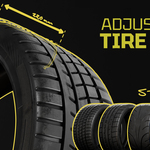
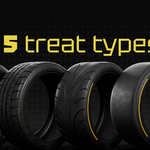
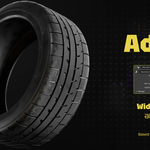
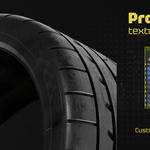

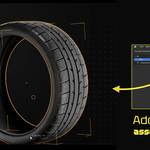
How to the tire pack to your Asset Browser
Download the ZIP file Tire_pack_Asset_Browser_0.0.3
1. Extract the ZIP File
-
Right-click the ZIP
-
Choose Extract or Unzip
-
You should now have:
-
a .blend file containing the assets
-
a /cats (or textures) folder if included
-
Keep these together in one folder.
2. Tell Blender Where Your Asset Library Is
-
Open Blender
-
Go to Edit → Preferences
-
Select File Paths
-
Scroll to Asset Libraries
-
Click Add Asset Library
-
Select the unzipped folder
-
Save preferences
3. Access Your Assets in Any Project
-
Open any Blender project
-
Switch a window to Asset Browser
-
Use the dropdown to choose your library (ex: “Tire_pack_Asset_Browser_0.0.3”)
-
Drag and drop the tires in to the scene
Done!
Blender 5.0 Note
Once a tire is dragged into the scene from the asset browser, make sure to activate ''make local'' (objects > relations > make local) in order to edit the shader
Have questions about this product?
Login to message
| Sales | 80+ |
| Dev Fund Contributor | |
| Published | 12 months ago |
| Blender Version | 4.3 - 5.0 |
| Render Engine Used | Cycles, Eevee |
| License | Creative Commons |

Discover more products like this
3d realistic asset racing 3D automotive non-destructive Tire Wheel car procedural customizable geometry nodes slick automotive realistic offroad semi-slick car design Geomtry Nodes highquality 3d-tires-model tire shader 3d-tire-models parametric Generator sport tires tread model