 Hydrocallis


Overview
Advanced Boolean Toolkit is a comprehensive toolset that dramatically streamlines boolean operations in Blender. It enables complex boolean tasks through intuitive one‑click actions, delivering a professional‑grade modeling workflow.
Key Features
🔄 Multiple Boolean Operation Modes
- Slice Mode: Cleanly cuts objects
- Single Mode: Applies boolean operations to a single object
- Multi‑Object Mode: Batch‑processes multiple selected objects
- Union Mode: Performs union operations based on the active object
⚡ One‑Click Operations
- Difference: Subtracts objects
- Union: Merges objects
- Intersect: Extracts overlapping regions
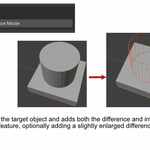
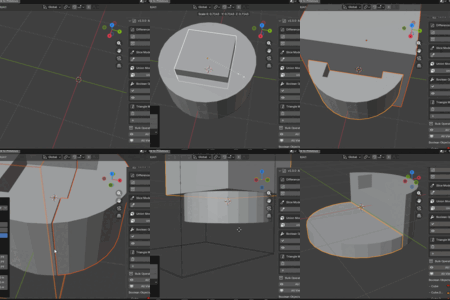
- Advanced Slice: Slice with automatic gap generation
🎯 Advanced Slice Functions
- Basic Slice: Splits objects
- Intersect Slice: Preserves cut surfaces
- Gap Slice: Automatically generates gaps during slicing
- Customizable gap size and positional adjustments
🔧 Modifier Management
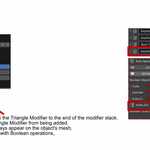
- Triangulate Modifier: Add or remove triangulation automatically
- Modifier Order Optimization: Automatically arranges modifiers after boolean operations
- One‑Click Apply: Apply all modifiers at once
👁️ Visual Management
- Toggle object visibility
- Wireframe display for boolean helper objects
- Render visibility control
- Automatic organization into a dedicated BOOL collection
📊 UI
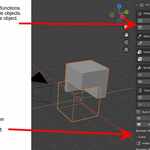
- Dedicated Panel: 3D Viewport > UI Sidebar > KSYN tab
- Custom Icons: Visual identification for each operation
- Real‑Time Status Display: Instantly check modifier states
- Multilingual Support: Japanese & English interface
Panel Details
Boolean Objects Status Panel
Displays detailed boolean status of the currently selected object:
- Target Object Name: Shows the boolean target
- Operation Type: Indicates the active boolean operation
- Visibility Toggle: 👁️ Show/Hide objects
- Modifier Control: 🔄 Toggle viewport visibility
- Apply Button: ✅ Instantly apply modifiers
Operation Buttons
- 🎯 Slice Mode: Advanced slicing with gap support
- ⚡ Single Mode: Boolean for single objects
- 👥 Multi‑Object Mode: Batch boolean processing
- 🔗 Union Mode: Union based on active object
- ✅ Apply Boolean: Apply all boolean modifiers
- 👁️ Boolean On/Off: Toggle wireframe display
Advanced Features
Intelligent Workflow
- Automatic parenting for related objects
- Automatic creation and organization of BOOL collections
- Modifier order optimization for efficient processing
Customizable Settings
- Gap adjustments: Independent scaling on X/Y/Z axes
- Position offset: Fine‑tuning sliced object positions
- Duplication options: Linked or independent duplicates
Requirements
- Blender 3.0.0 or later
Installation
- Open Edit > Preferences > Add-ons in Blender
- Click Install
- Select the downloaded ZIP file
- Enable Advanced Boolean Toolkit
UI Access
All features are available from the KSYN tab in the right sidebar of the 3D Viewport.
Author Information
- Author: KSYN
- Version: 1.0
- Category: Object
