 MR GR
MR GR



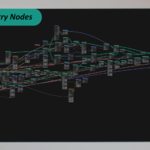
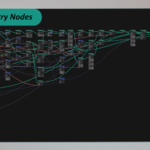
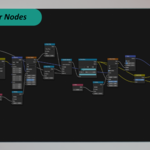
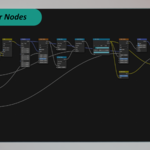
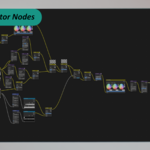
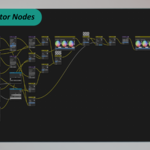
✨ Overview
Advanced Nodes Organizer is a productivity tool designed to clean up your node trees in a single click. Whether you're working with Shader Nodes, Compositor Nodes, or Geometry Nodes, this addon rearranges your setup into a readable, structured layout using accurate spacing based on real node dimensions.
It’s not just a visual improvement — it boosts performance, readability, and speeds up your workflow by turning node spaghetti into a clean, logical grid.
🧩 What It Does
✔️ Automatically analyzes the connection flow of your nodes using topological sorting
📐 Calculates real node sizes for pixel-perfect alignment
📊 Arranges nodes into columns and rows based on your spacing preferences
➕ Skips reroute nodes to avoid unnecessary clutter
🔁 Supports large node trees and runs quickly, even on complex setups
🎛️ UI Integration
📍 Located in the Node Editor Sidebar (N Panel)
→ Tab: Organizer
You can customize:
✅ Horizontal spacing between node columns
✅ Vertical spacing between nodes in each column
✅ Maximum nodes per column before it starts a new one
Then simply click "Organize Nodes", and the addon handles everything instantly.
🧪 Tested Editors
✅ Shader Editor
✅ Geometry Node Editor
✅ Compositor
✅ World Shader Editor
✅ Group Nodes / Custom Node Trees (fully supported)
⚙️ Requirements
Blender 4.0 and above
> While earlier versions may work, this addon has only been tested on Blender 4.0 and newer.
🔧 Use Case Examples
Lookdev Artists: Clean up shader setups for readability
Compositors: Untangle messy VFX node chains
Geometry Node Users: Structure procedural setups clearly
Teams/Studios: Ensure consistency and readability for shared .blend files
🔐 Licensing
This product is licensed under the Creative Commons Attribution-NonCommercial-NoDerivatives 4.0 International (CC BY-NC-ND 4.0) license.
✅ Use in personal & commercial Blender projects
❌ No resale, redistribution, or sharing of the addon or its code
🔒 You may not make and distribute modified versions
License explanation: https://creativecommons.org/licenses/by-nc-nd/4.0/
All rights reserved to the creator: MR GR
📥 Installation
1. Download the .zip file after purchase.
2. In Blender, go to Edit > Preferences > Add-ons > Install.
3. Select the .zip file and click Install Add-on.
4. Enable Advanced Nodes Organizer in the addon list.
📬 Support & Contact
Need help or have suggestions?
You’ll receive updates, bug fixes, and improvements as they’re released.
