 Zuhair Umer




Advanced Renamer (Addon Documentation)
Overview
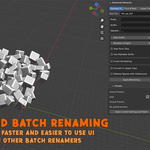
Advanced Rename Selected Objects is a Blender addon designed to simplify and improve the process of renaming multiple objects in a scene. It provides full control over naming order, flexible naming formats, and a preset system for faster workflows.
It is especially useful for organized scene management, game asset preparation, and animation pipelines where consistent naming is important.
Features
1. Click-Based Renaming Order
This addon allows you to define a custom renaming order by clicking objects one by one in the viewport.
- Works in Object Mode
- Click objects in the exact order you want them renamed
- Right Mouse Button or Enter to finish selection
- Esc to cancel the process
This gives precise control over how numbering is applied.
2. Rename Modes
Standard Rename
Creates structured names using customizable components such as:
- Base name
- Prefix and suffix
- Numbering system
- Alphabet suffix option (A, B, C… AA, AB…)
- Custom separator
Example:
Chair_001
Chair_002
You can also insert numbering inside the name at a custom position.
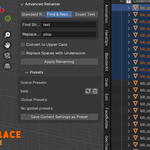
Find and Replace
Allows you to replace specific text in object names.
Example:
Before: Cube_01
Find: Cube
Replace: Chair
After: Chair_01
Insert Text
Inserts custom text at a specific position in the object name.
Example:
Cube → Cu_NEW_be
You can also choose whether to wrap inserted text with separators.
3. Formatting Options
The addon includes additional formatting controls:
- Convert names to uppercase
- Replace spaces with underscores
- Control number padding (e.g. 001, 0001)
- Start numbering from zero or a custom value
- Insert numbering at a specific position in the name
4. Preset System
The addon supports saving and loading rename configurations.
Scene Presets
- Stored inside the current Blender project
- Useful for project-specific naming setups
Global Presets
- Stored in Blender’s user configuration directory
- Available across all projects
You can:
- Save current settings as a preset
- Load saved presets
- Delete unused presets
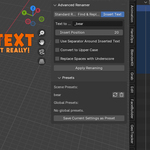
Interface Location
The addon panel is located in:
3D Viewport → Sidebar (N Panel) → Rename tab
Workflow
- Select objects in the viewport
- Click “Start Picking Order”
- Click objects in the desired order
- Configure rename settings
- Press “Apply Renaming”
Installation
- Open Blender
- Go to Preferences → Add-ons → Install
- Select the .zip and enable the addon
- Open the Sidebar in the 3D Viewport with "N"
Use Cases
- Organizing scene hierarchy
- Preparing game assets
- Cleaning up imported models
- Managing animation or simulation objects
- Batch renaming large scenes efficiently
Notes
- Works only in Object Mode
- Click order resets when you restart the tool
- Global presets are saved outside the Blender project