 blenderVfxMaster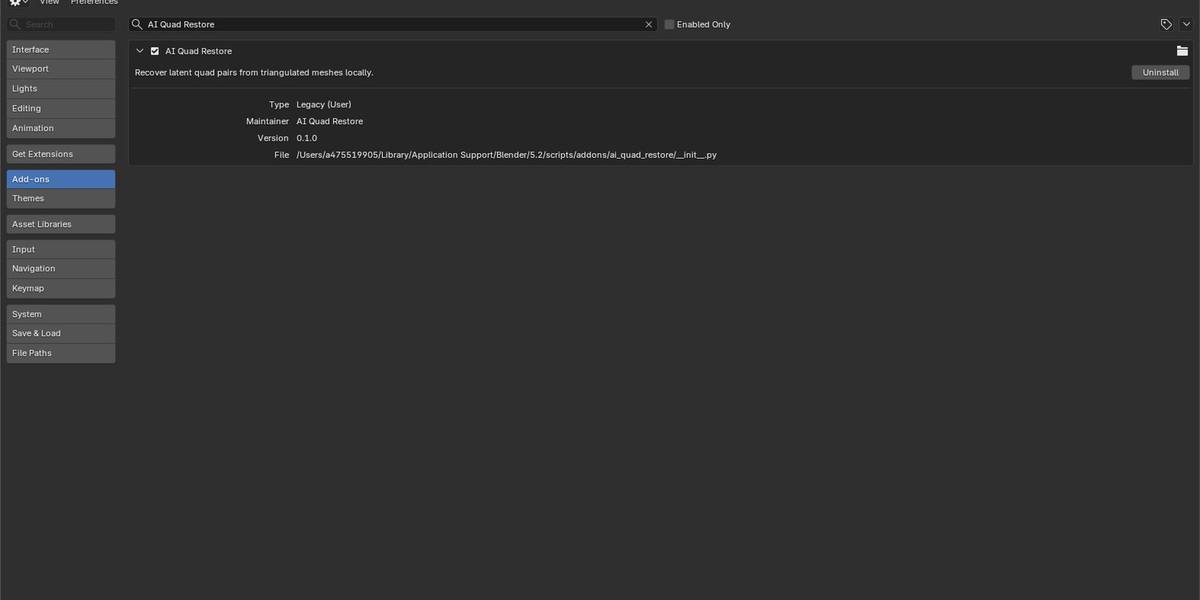
Quad Restore
Have a triangulated model you’d like to edit as quads again? Quad Restore looks for triangle pairs it can join without moving the existing vertices. Preview the proposed diagonals first, or create a separate result and compare it with the source.
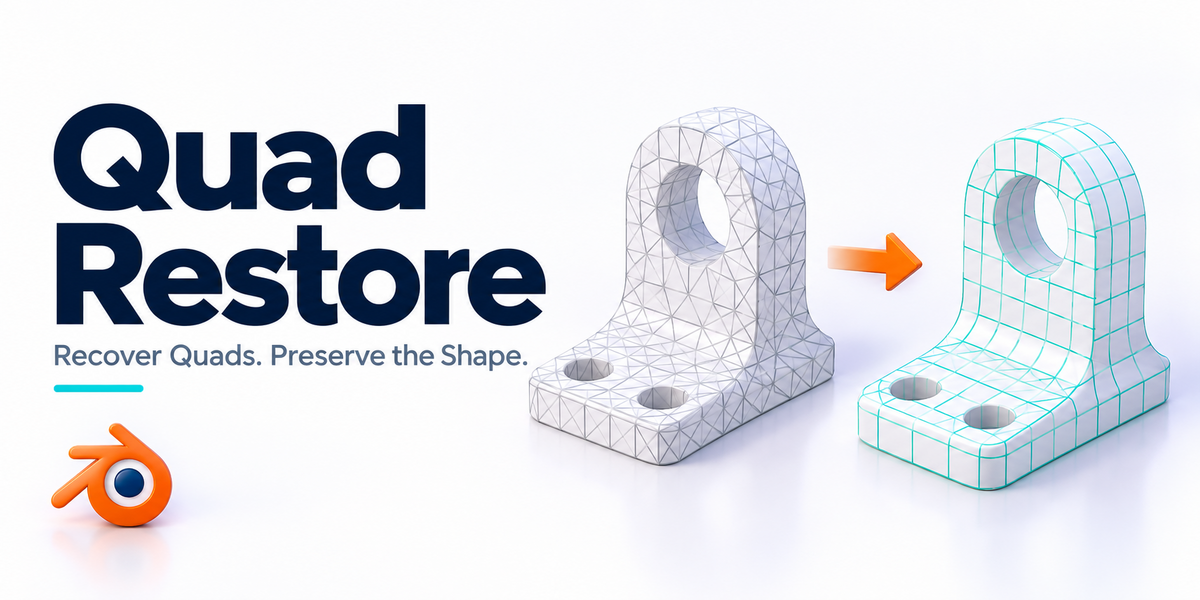
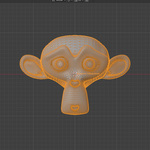
Cover illustration. The screenshots and previews below are labelled separately.
Look at the topology
A closer look at the restored topology, plus three side-by-side comparisons.
RESULT · View full size ↗
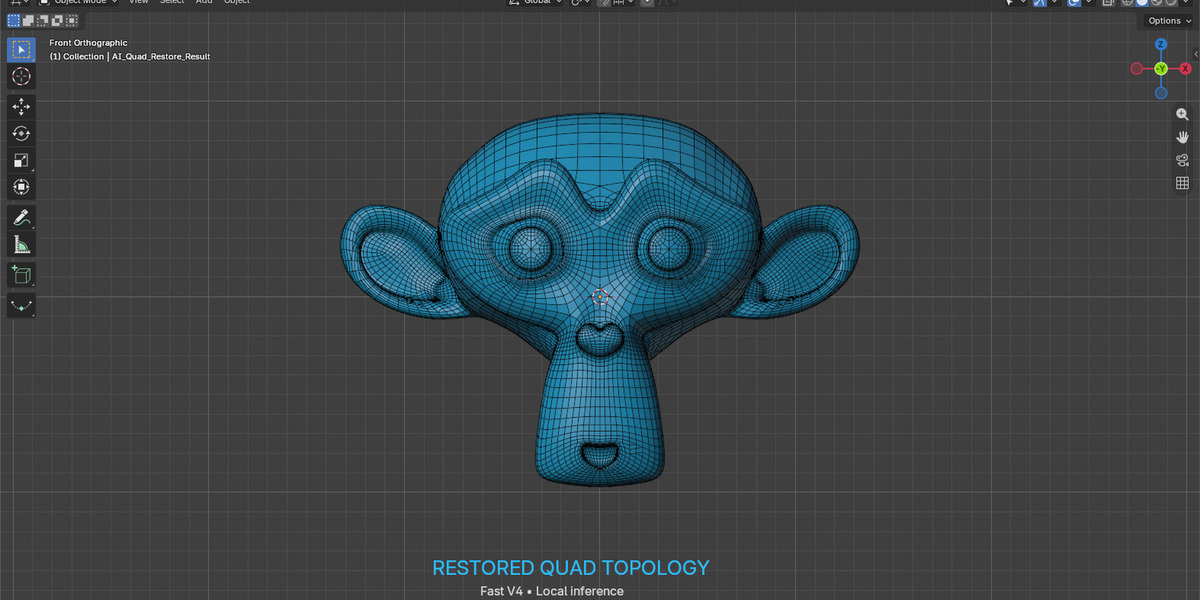
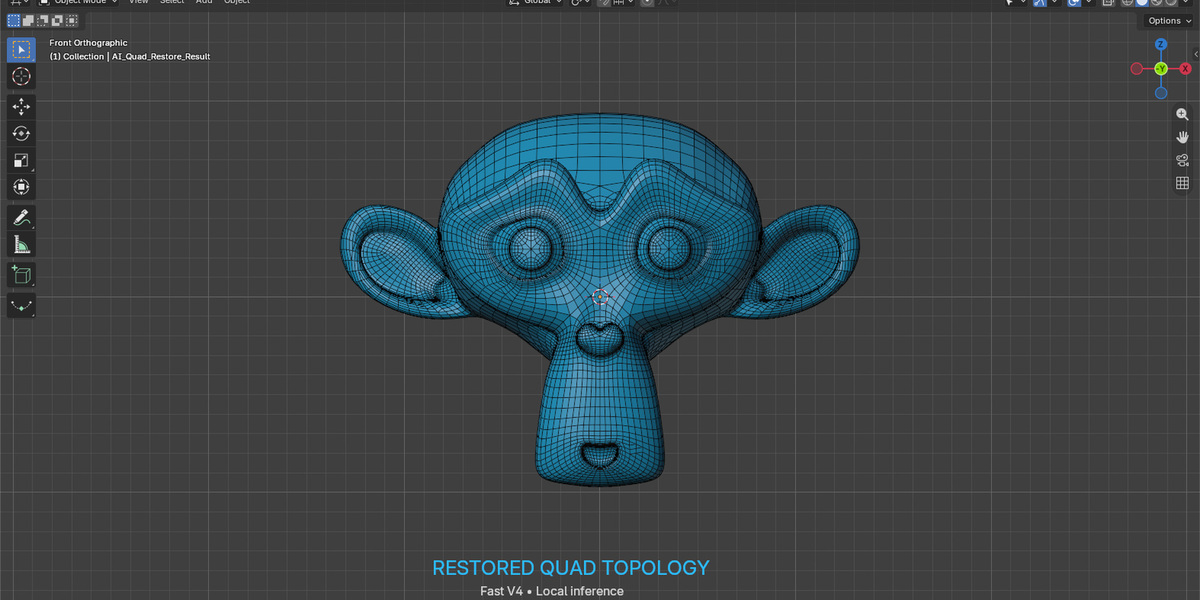
The recovered quad pattern
Look at the face structure in this close-up, not just the smooth shading. The existing surface is still the basis of the result.
BEFORE / AFTER · View full size ↗
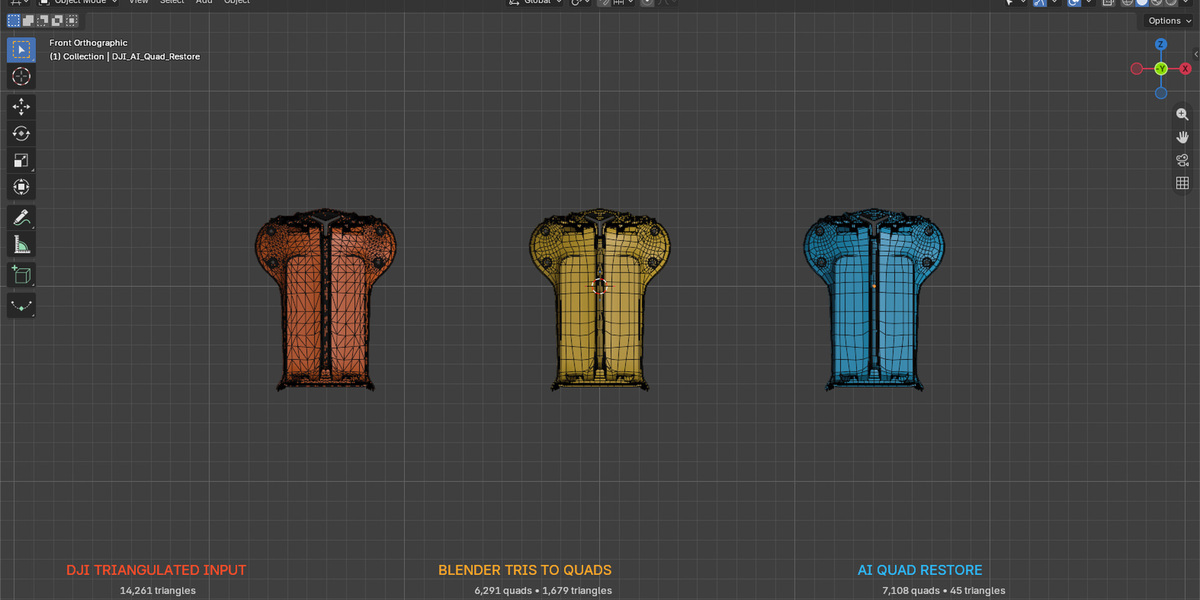
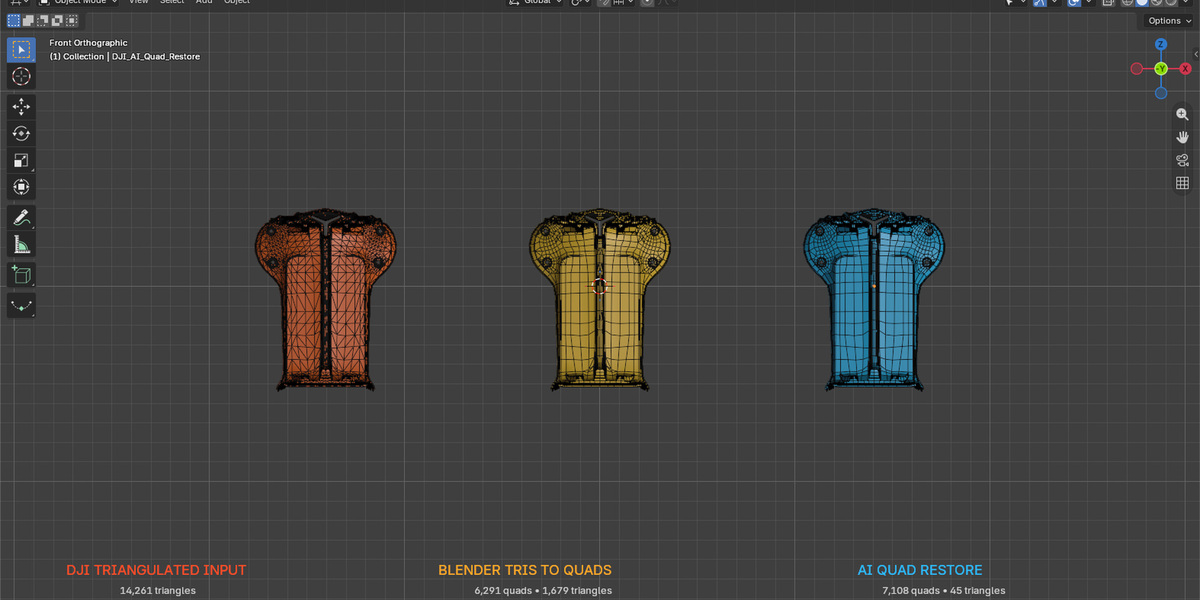
Input, Blender conversion and Quad Restore
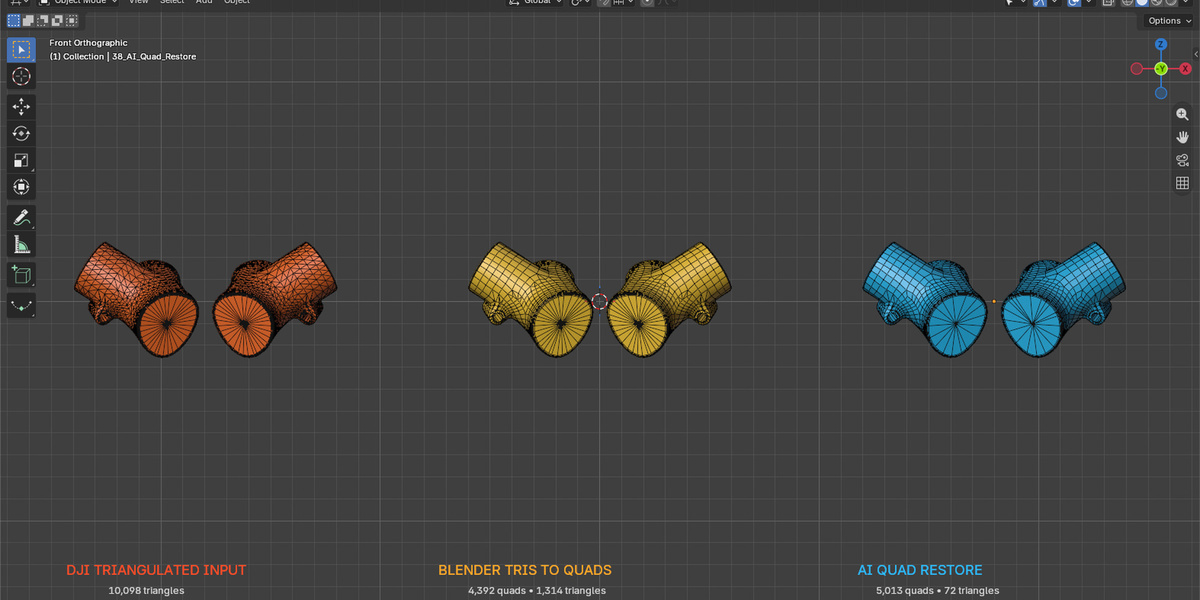
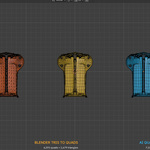
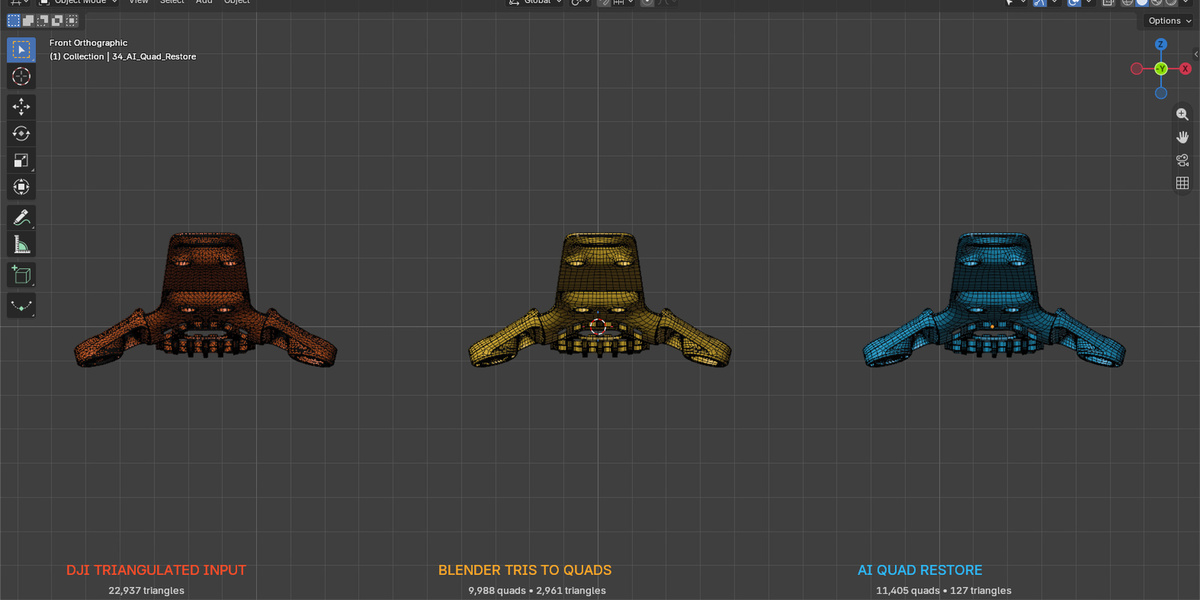
The first side-by-side example compares the triangulated input, Blender’s Tris to Quads and Quad Restore.
BEFORE / AFTER · View full size ↗
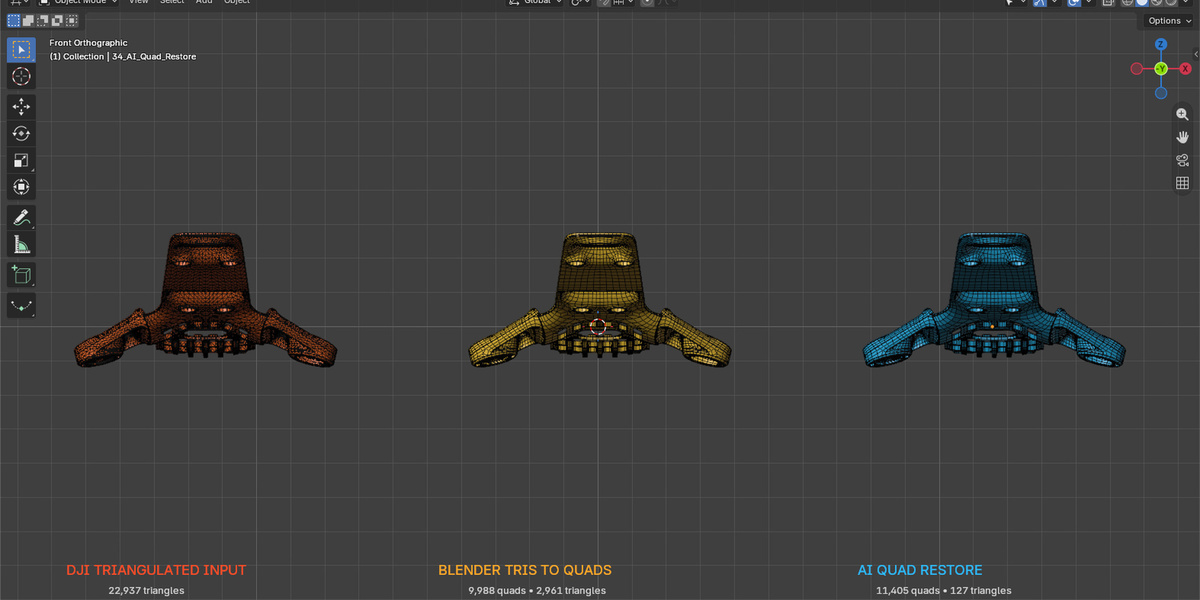
The same comparison on another part
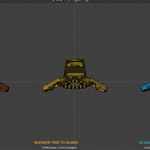
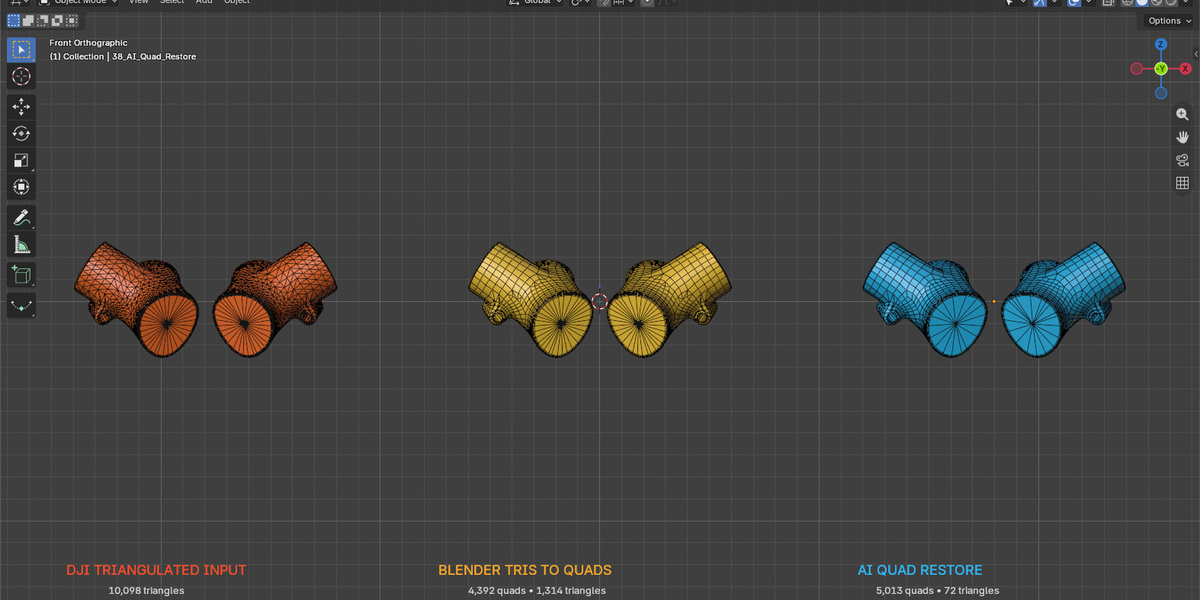
A second component shows how the tools handle a different piece of geometry.
BEFORE / AFTER · View full size ↗
Curved hard-surface parts
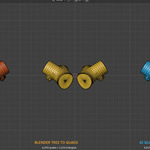
The third example adds another shape to compare. Remaining triangle counts vary with the input.
What Quad Restore does
Here’s what you can do with it.
Preview first, or restore
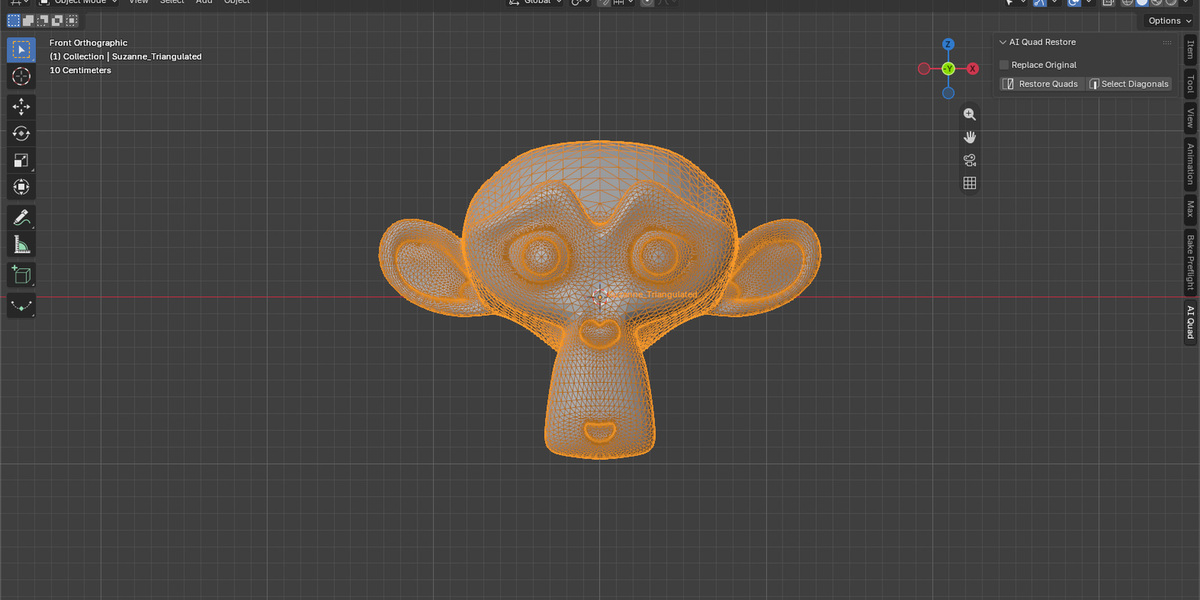
Select Diagonals highlights the edges the tool expects to remove. Use it to check the pairings, or run Restore Quads to create the result.
Keep the original object
By default, the restored mesh is a separate result. Use Replace Original only when you’re happy with it.
Keep the shape you already have
The tool reuses the existing vertices rather than projecting a new surface. It retains transforms, material slots and supported face-material assignments while joining recoverable triangle pairs.
Use it on recoverable triangulation
Game assets, downloaded models, CAD-to-mesh exports and hard-surface parts can contain useful triangle pairings. How well they recover depends on the topology that’s already there.
Compare three real examples
The product examples report 14,261 input triangles becoming 7,108 quads with 45 triangles left. Two more inputs—22,937 and 10,098 triangles—left 127 and 72 triangles respectively. Those are example results, not promised counts for your mesh.
Process meshes locally
Geometry is processed on your computer. The topology examples below show model results; the cover illustration is separate.
Expect some triangles to remain
Borders, junctions, damaged topology and meshes built from native triangles can leave unpaired faces. You may still need manual cleanup for deformation or a specific edge flow.
Previewing and restoring in Blender
BLENDER PREFERENCES · View full size ↗
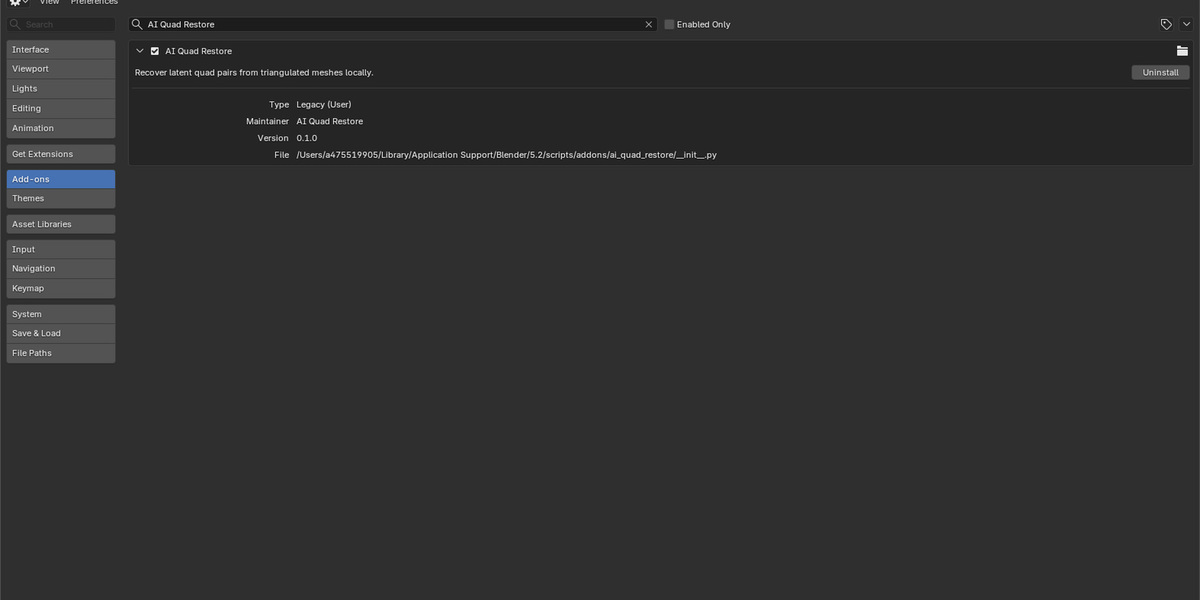
The add-on in Preferences
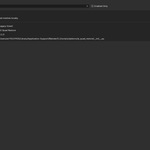
This is the installed Quad Restore entry in Blender Preferences.
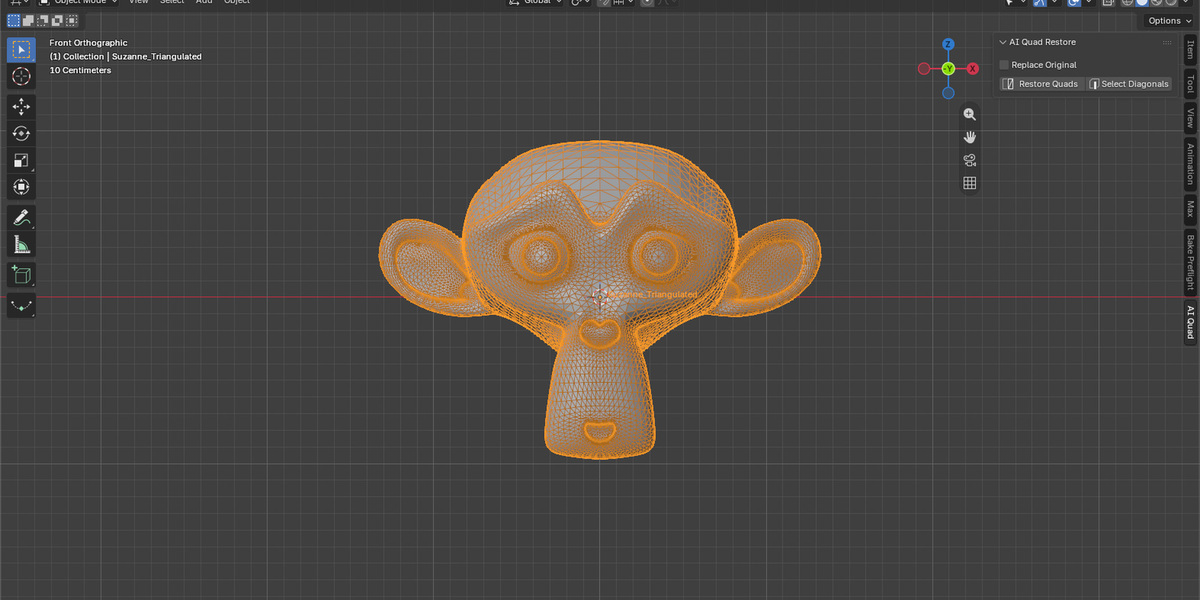
CONTROLS · View full size ↗
Preview and restore from the sidebar
The AI Quad sidebar puts the preview and restore actions beside the selected mesh.
Try it on a working copy
-
01
Duplicate the working mesh and fully triangulate it.
-
02
Select it and open the AI Quad sidebar.
-
03
Use Select Diagonals to preview, or run Restore Quads.
-
04
Compare the topology and surface with the original.
-
05
Keep the separate result, or replace the original after checking it.
Which meshes to use
- Blender 5.2. Tested on macOS Apple Silicon.
- Use a fully triangulated working copy.
- Check borders, thin parts and complex junctions.
- Keep the source until you’ve checked the result.
Does it rebuild the surface?
No. It joins recoverable triangle pairs using the existing vertices. It isn’t a general-purpose replacement for retopology.
Will it remove every triangle?
Not always. Borders, junctions and areas without a reliable pairing can still contain triangles.