 Alex
Alex


Hello everyone!
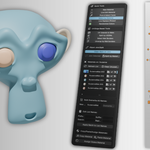
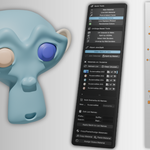
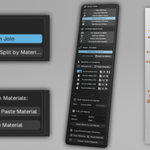
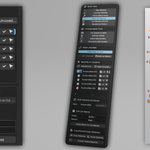
Today I would love to present to you my Material tools for Blender 4.3 - a set of tools to ease the use of creating, editing, selecting, replacing and renaming materials in your Blender scenes.
It is quite extensive in features so I will be attaching multiple GIFs, a Youtube video and extensive explanation of how each tool works.
The Quick Tools Sub-panel:
Starting of, we have the "Create Material" operator. The idea behind it was to be able to quickly create a new material for your objects or selections with the ability to tweak some parameters in the process. Current features include:
• Material name
• Material color - Applies it both to the Base color channel and viewport display, so you can see the same thing in all viewport modes.
• Roughness / Metalness sliders to control the shine of your object/selection.
• Base color & Normal map picker which you can use to directly import the maps which then will be auto assigned.
Next we have the "Live Edit Material" operator. I added this operator so you can quickly edit the same parameters which you have in the "New Material" operator, making it easy to change new or old materials. It works with a dropdown picker which you use to pick the desired material and start editing away!
The "Pick & Select Faces" operator is an active operator which lets you pick, add and subtract whole face selections depending on the material. Adding or subtracting is handled when you hold SHIFT or ALT.
The "Select by Material" operator is a passive toggle which can be turned ON or OFF. It overwrites the default double click action in Blender to "Select by Material", working similarly to the "Pick & Select Faces" but with the exception that you cannot add or subtract from the selection so you can use all the other default Blender selection tools without this tool interfering.
"Live Replace (Picker)" Is an operator which after making a face selection, you can activate and pick any material from any object in your scene to apply it. Simply hover over the material you want and left click, that will apply it to your selection. You also have a dynamic preview of the material you're going to apply.
Live Replace (Picker) Showcase
"Randomize Colors" Operator is a quick way to assign a simple colorful material to your objects - Great when modelling.
• Depending on selection, if you have 1 or multiple objects, it will assign unique colored materials only on them, but if you don't have any selected objects, it will apply new colored materials to all objects in the scene.
The UV/Edge Based Tools Sub-panel:
"UV Islands to Mats" Is a quick way to assign a unique material to each UV Island of your selected object. Works with UDIMS as well.
"Split by UDIMs" Helps you by counting your UDIMS, assigning a unique material for each UDIM, splitting the object by materials and moving all UDIMS into the 1001 space. Great for baking/texturing inside of Substance Painter and Marmoset Toolbag.
"Select Mat Borders" Calculates all your bordering materials and selects all the bordering edges, making it easy to create seams for quick UV's, splitting or something else you might think of. It works on triangulated meshes as well.
"Unwrap by Mat Borders" Basically calculates the bordering edges between materials, creates full edge selections and adds seams, finally UV Unwraps those edges. Giving you the ability to create UV's with a single click as long as you have materials.
Unwrap by Mat Borders Showcase
Object Join/Split Sub-panel:
I have added 2 simple operators that let you quickly join selected objects and split by materials with the ability to auto-purge empty materials.
The Materials Panel:
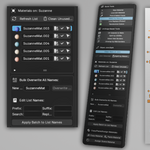
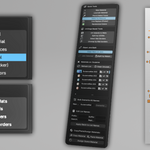
The panel itself is the place where you can view the materials with dynamic color previews, you can rename, select/deselect, apply and change the colors of your currently selected object's materials.
• Single / bulk object renaming
• Ability to add Prefixes, Suffixes, replacing or removing parts of the names of all materials - You can use multiple renaming tools simultaneously.
• Change the material's color.
• Apply a material to your current object / face selection
• Select by material
Material Panel Side Buttons Showcase
Copy/Paste/Assign Sub-panel:
These operators give you the options to quickly copy a material ID and paste it over a whole object or face selection.
• Copy Material operator is dynamic - Depending on your selection it will work differently - If you have a single face selected, it will copy without any pop ups and you can assign it right after.
1. If you have 2 or more materials selected, it will show a drop down menu to pick which material to copy.
2. If you are in object mode, it will show you all of the object's materials and let you pick one to copy.
• Paste Material simply pastes whatever is buffered from the Copy operator - it works both on full objects and face selections.
• Assign Scene Material will show you a list with all materials in the current scene and let you pick one which will be automatically applied to your currently selected object / selection
Copy / Paste Materials Showcase
Assign Scene Material Showcase
Installation:
• Open your preferences tab and in the Add-ons tab, press the down arrow at the top right, then navigate to the .zip file and simply double click. The addon resides in your N-Panel.
Release Notes:
Update 1.2:
- Addon tested and fully works with Blender 4.5 LTS
Update 1.1:
• Update for Blender 4.4
1.0:
• Initial release for Blender 4.3
Disclaimer:
The script has been developed on Blender 4.4 and I cannot guarantee that it will work on older versions, so use at your own risk if you try to experiment!
If you have any questions, suggestions, issues or find any bugs, please inform me and I will try to fix them.
Happy Blending,
Alex