 vladislavsh


Blender 5.0 Support!
What is Alpha Setter?
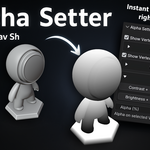
A lightweight Blender add-on for precise vertex alpha control. It lets you visualize alpha values directly in the viewport, inspect per-vertex alpha values, and edit them instantly in Edit Mode.

Key Features:
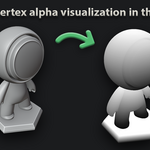
- Real-time vertex alpha visualization in the viewport.
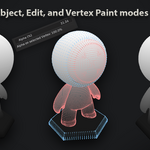
- Works across Object, Edit, and Vertex Paint modes.
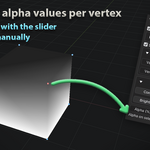
- Inspect exact alpha values per vertex.
- Edit Alpha Values directly in Edit Mode.
- One-click Brightness/Contrast for vertex alpha in Edit Mode.
- Compatible with both Vulkan and OpenGL backends.
Suitable for:
Environment and props artists needing precise and visualized control of the alpha vertex.
Installation:
Download the
.zipfile.-
Drag and drop the add-on
.zipinto the Blender window to install.Or manually: go to
Edit → Preferences → Add-ons → Install.
Select the downloaded file, then activate the addon.
Usage:
Open the N-Panel → Alpha Setter tab in Object Mode or Edit Mode to visualize, inspect, and edit vertex alpha.
Compatibility:
Blender 4.5.1 and higher.
If you have any questions or suggestions, feel free to contact me.
mail: [email protected]
discord: pnd9
