 Leonid Altman


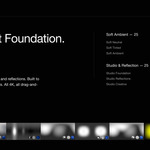
Ambient Base HDRIs
Fifty subtle environments designed to replace the empty void in product rendering. Add the subconscious realism and ambient irregularities your shots are missing.

The problem with the empty void.
Every time I set up a product shot, I run into the same issue. The main lighting is straightforward enough—you build that custom with area lights to shape the product exactly how you want. But the ambient light? If you leave the World emission pitch black or as a flat, mathematical dark gray, the render feels subconsciously fake.
Real photography studios have subtle ambient bounces and irregularities. The simpler your main lighting setup is, the more obvious that lack of ambient irregularity becomes. But if you drop in a highly detailed living room or outdoor HDRI, it adds too much distracting noise to the reflections.
I built this pack to solve that specific gap in my workflow. These are not meant to be your main lights. They are the ambient foundation—subtle, believable irregularities that sit underneath your custom lighting. They give materials, reflections, and falloffs that missing touch of realism without fighting for attention.
Two families. Fifty bases.
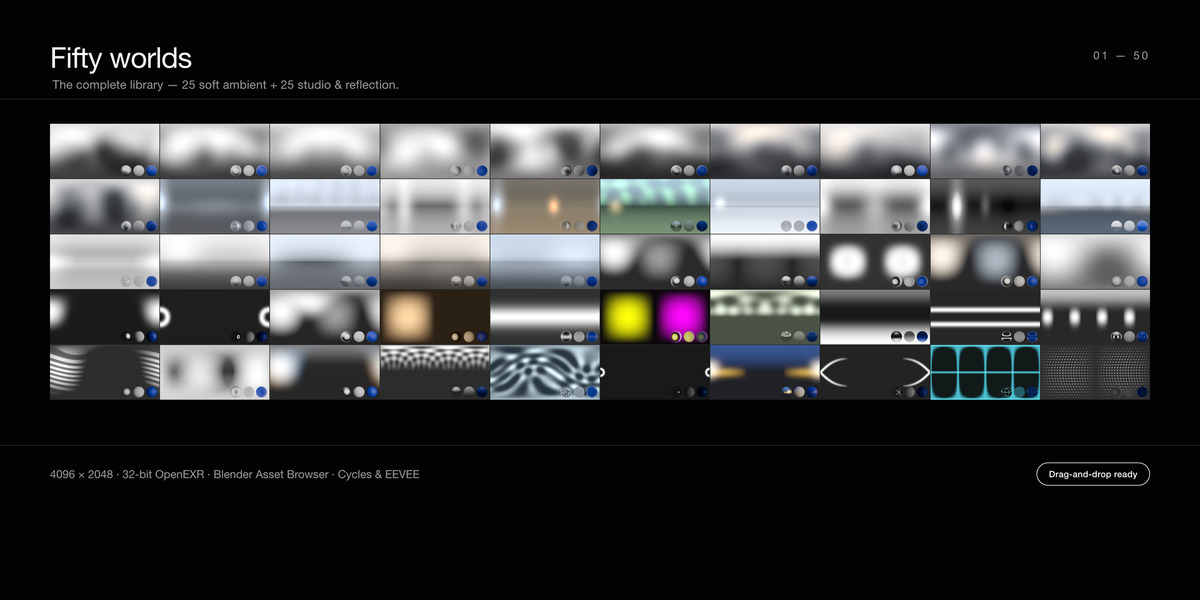
Soft ambient wraps for breaking up flat light. Controlled studio bases for adding believable irregularities to reflections. Organised into six catalogs in the Asset Browser.
Soft Ambient — 25 worlds
Smooth, wrap-around light with subtle tonal shifts. Neutral tones for accurate colour, subtle warm and cool tints for mood, plus window, overcast and bounce-board fills. The everyday foundation to give your materials a believable space to exist in.

Studio & Reflection — 25 worlds
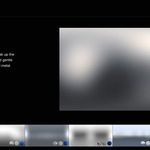
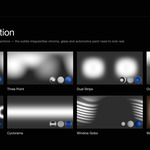
Controlled ambient bases that provide structured, believable bounce—key/fill, three-point, dual strips, and cyclorama bases. The foundation of choice for adding subconscious realism to chrome, glass, automotive paint, and metal.

A creative tier, too
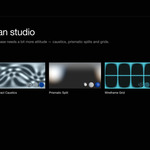
For when a clean rig isn't the point — caustics, prismatic splits, neon and grids. An ambient base with a bit more attitude.

A foundation, not the whole house
- Drop in, kill the void.
Drag a world onto your scene to instantly kill the flat default emission and add subtle, directional irregularity. - Build your real lighting on top.
These don't replace your custom area lights. They sit underneath them, filling the gaps with realistic ambient bounce. - Subconscious realism.
It’s the subtle details your brain expects to see but doesn't consciously look for—making product renders feel less like 3D and more like photography. - Lookdev that doesn't lie.
A reliable, neutral set for testing materials and shaders before you start building your complex light setups.
Each preview ships with chrome, matte and glossy test spheres baked in — so you can read exactly how a world reflects, fills and casts colour before you load it.
In the pack
- 50 HDRI ambient foundations — 25 soft + 25 studio & reflection
- 4096 × 2048, 32-bit float .EXR — full HDR range, RGB, lossless
- Pre-built Asset Browser library — drag-and-drop, no setup
- 6 organised catalogs with searchable tags
- A preview thumbnail for every world, with reference spheres
- Cycles & EEVEE — no add-ons, no dependencies
- Purpose-built — clean ambient light, no random trees or living room furniture to clean out of your reflections
- Royalty-free for personal and commercial renders
Specifications
| Worlds | 50 (25 soft, 25 studio) |
| Resolution | 4096 × 2048 (4K) |
| Format | OpenEXR (.exr), 32-bit float, RGB |
| Projection | Equirectangular (lat-long) |
| Render engines | Cycles & EEVEE |
| Delivery | Blender Asset Browser library (catalogs + previews) |
| Download size | ~1.7 GB |
Set up in 30 seconds
- Unzip the pack anywhere you keep your assets.
- In Blender: Edit → Preferences → File Paths → Asset Libraries, press + and select the pack folder.
- Open the Asset Browser, choose the library, and drag any world onto your scene.
FAQ
Are these photographed real-world HDRIs?
No—they're purpose-built ambient foundations. I made them this way so you get clean, controllable ambient irregularities without distracting scenery, logos, or harsh sunlight fighting your custom area lights.
Do I need an add-on?
Not at all. It's built cleanly for the native Blender Asset Browser. Just point Blender at the folder.
Will it work in EEVEE?
Yep, fully supports both EEVEE and Cycles.
Can I rotate, tint and adjust them?
Yes. They're standard equirectangular EXR worlds. You can rotate, adjust strength, and tint them in the World shader just like any other HDRI before layering your main lights.
Which Blender versions?
Tested with current Blender releases. It’ll work anywhere the Asset Browser and EXR worlds are supported.
Royalty-free for personal and commercial projects — use in unlimited rendered images and animations. Not to be resold or redistributed as standalone HDRI files.
The next step: placing the main lights.
If these HDRIs are your ambient foundation, how are you building your key and fill lights? I built Light Wrangler because I got tired of dragging area lights around and guessing where highlights would land.
It’s my flagship add-on that lets you place, shape, and customize lights just by pointing your cursor across the surface of your model. It includes studio textures, scrims, gobos, and flags.
