 Mark Kingsnorth



Analyze Mesh – Fast Topology Checker for Blender
Works in Blender 4.2+
Quickly analyze quads, tris, ngons, and poles in any Blender mesh.
If you’ve ever wanted a fast, one-click way to check your model’s topology, Analyze Mesh is the lightweight Blender add-on you need.
Originally part of Quad Maker, this tool is now available as a stand-alone extension for only $5.
What is Analyze Mesh?
Analyze Mesh is a Blender Extension for 3D modelers who want to quickly inspect their mesh topology for:
Whether you’re working on game assets, animation-ready models, or 3D prints, clean topology matters, and this tool makes it easy to spot and fix issues before they cause problems.
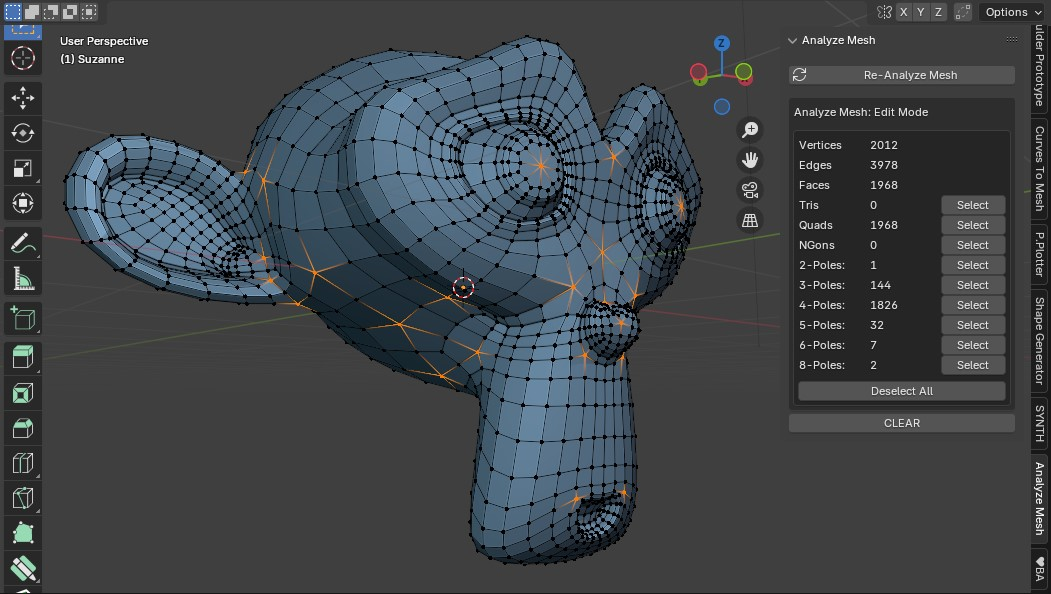
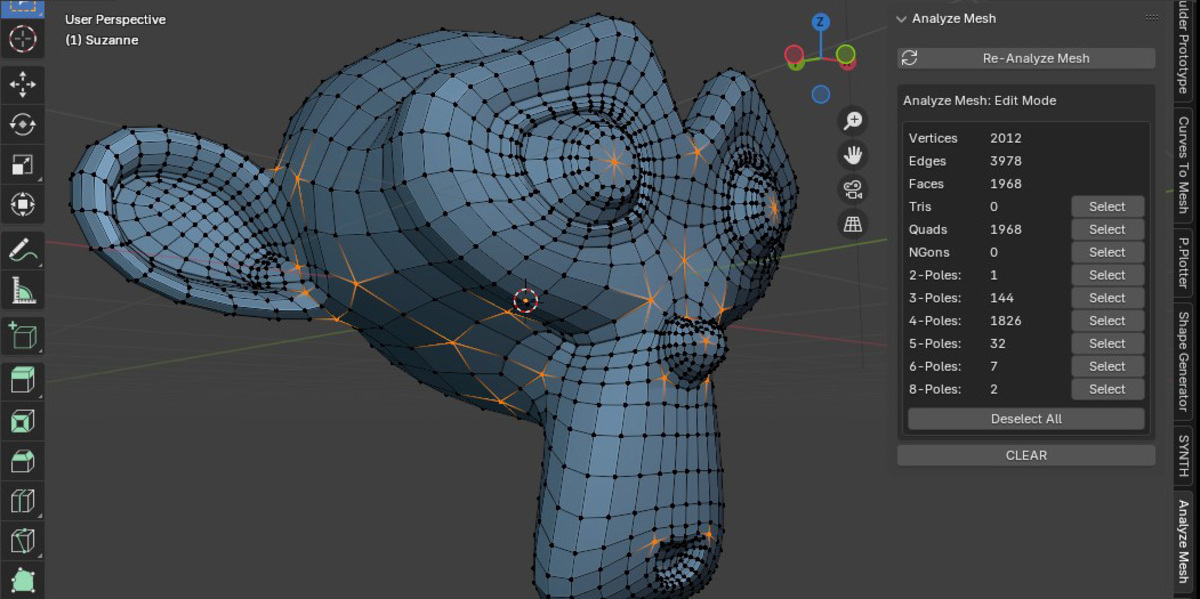
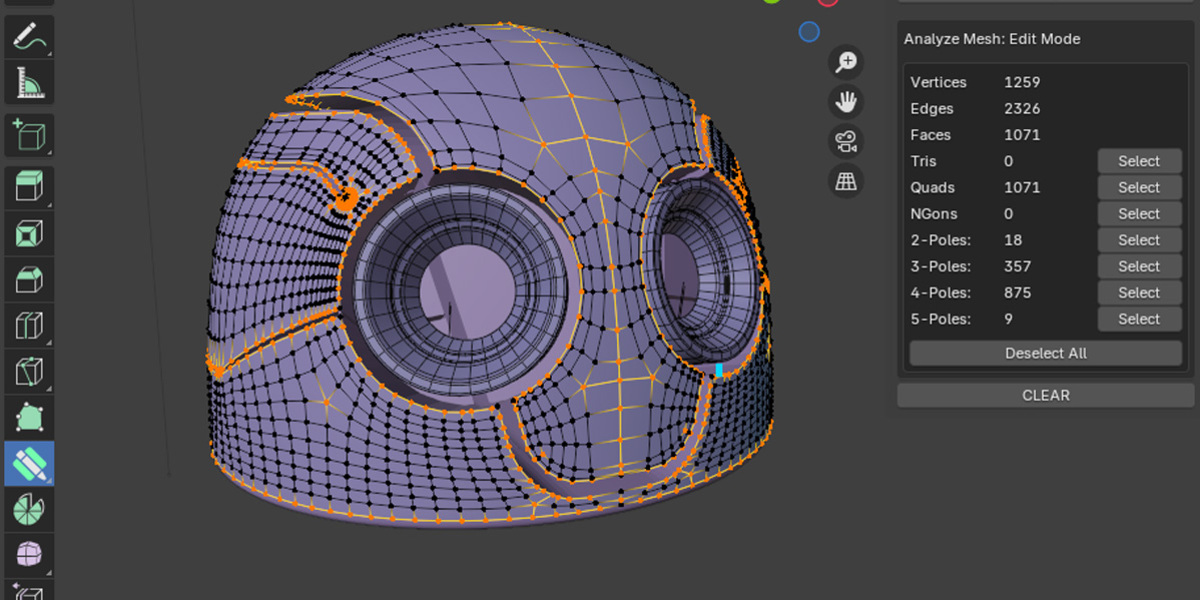
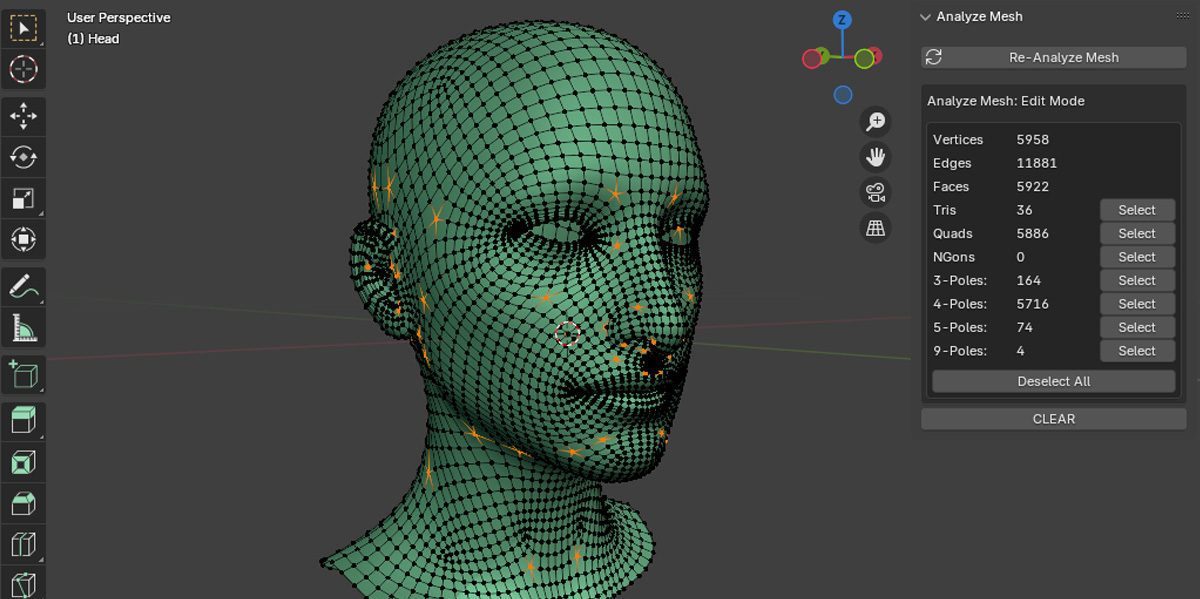
Analyze Mesh in Edit Mode
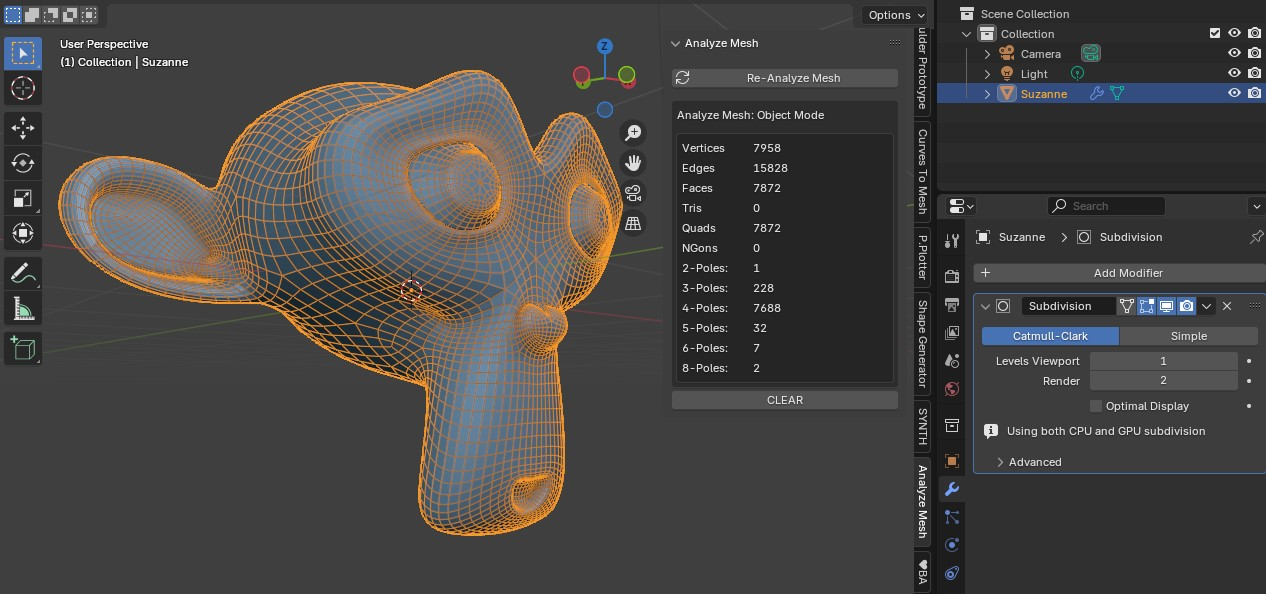
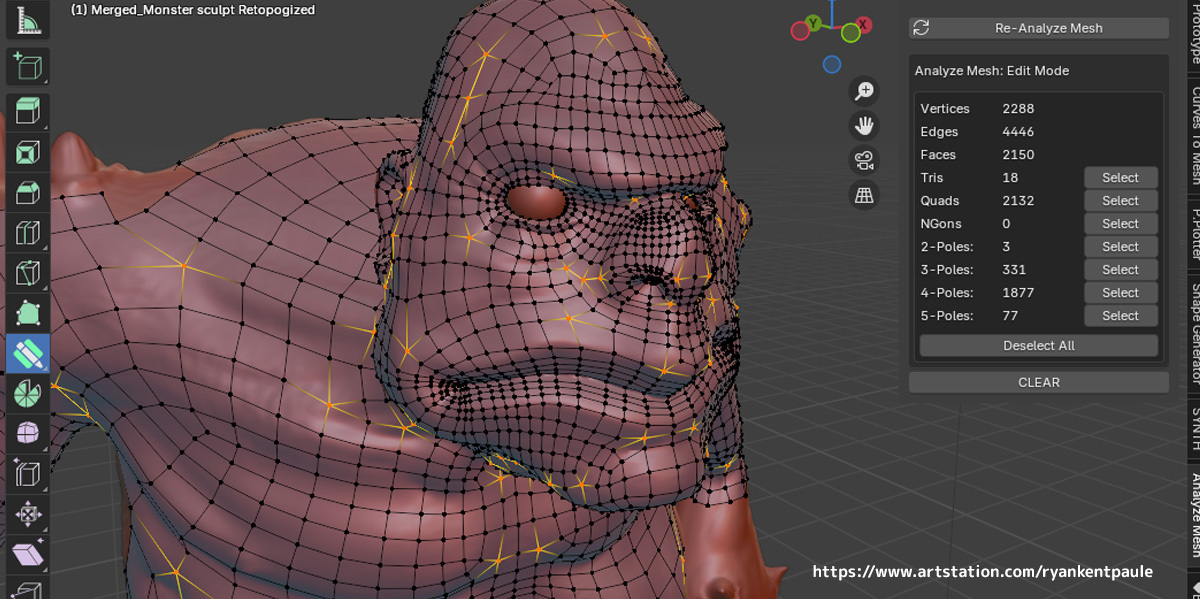
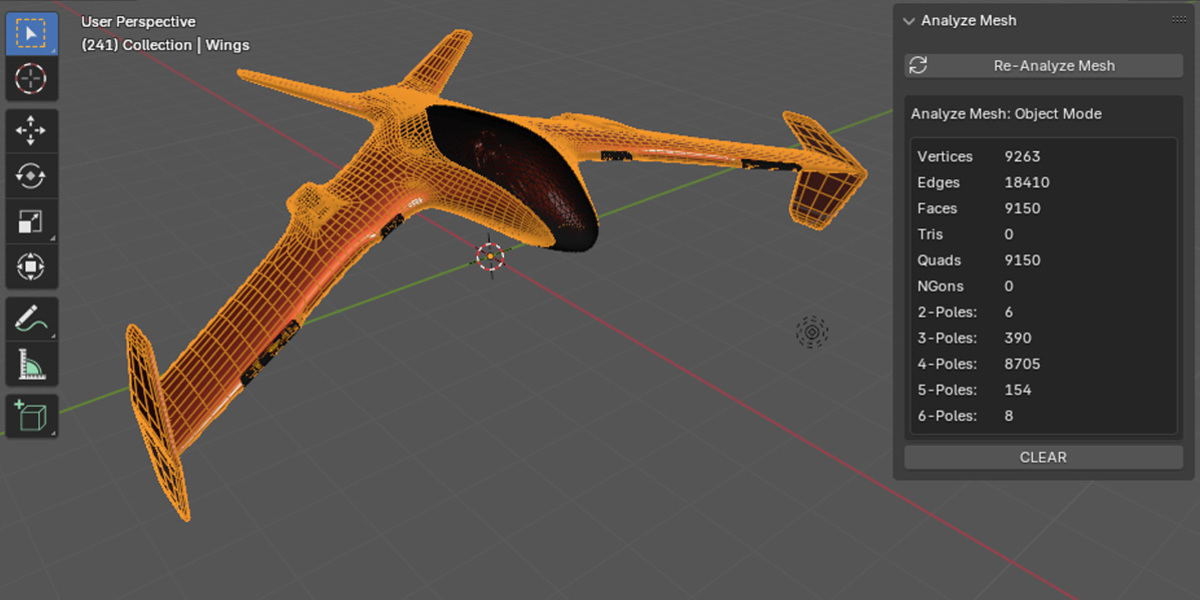
Analyse Mesh in Object Mode
Key Features & Benefits
One-Click Topology Check
Simply select your object and click the Analyze Mesh button in Blender’s side tab to get instant results.
Snapshot Topology Stats
View total counts for:
- Vertices
- Edges
- Faces
- Tris
- Quads
- Ngons
- Poles
Edit Mode vs Object Mode Analysis
- Edit Mode: Analyzes base mesh elements.
- Object Mode: Includes modifiers for a complete post-modification analysis.
Performance-Friendly
Need to check a large mesh? Just click Re-Analyze Mesh when needed to refresh results without constant processing.
Who Should Use Analyze Mesh?
- Game asset artists checking for optimal poly counts.
- Animators ensuring deformation-friendly topology.
- 3D printing hobbyists verifying clean, manifold geometry.
- Educators teaching students how to recognize topology types.
How to Use Analyze Mesh in Blender
- Install the Add-On – Follow Blender’s standard add-on installation process.
- Select Your Mesh Object – In the 3D Viewport, select the object you want to analyze.
- Click Analyze Mesh – Found in the side panel.
- Review the Results – See vertex, edge, face, and polygon breakdowns instantly.
- Switch Modes as Needed – Compare Edit Mode vs Object Mode results for accuracy.
- Refresh When Needed – Click Re-Analyze to update stats after changes.
Full documentation: Analyze Mesh Docs
Why Choose Analyze Mesh?
While advanced tools like MeshAnalyzer Pro exist, Analyze Mesh offers:
- A simple, affordable solution at just $5
- Instant results without unnecessary features
- Compatibility with Blender 4.2 and above
- Lightweight performance that doesn’t slow you down
Reviews & Testimonials
★★★★★ “This addons is amazing its simple easy to use and speeds up modeling by alot def worth the 5$”
★★★★★ “Finally an addon to easily find and fix geometry problems...
FAQ
Does it work in Blender 4.5?
Yes, it’s fully compatible with Blender 4.4 and 4.5.
Will it detect non-manifold geometry?
No, this tool focuses on topology type counts, not manifold checks.
Can I use it with modifiers?
Yes, Object Mode analysis includes modifiers in the stats.