 Ken Hes


Animer Documentation
Overview
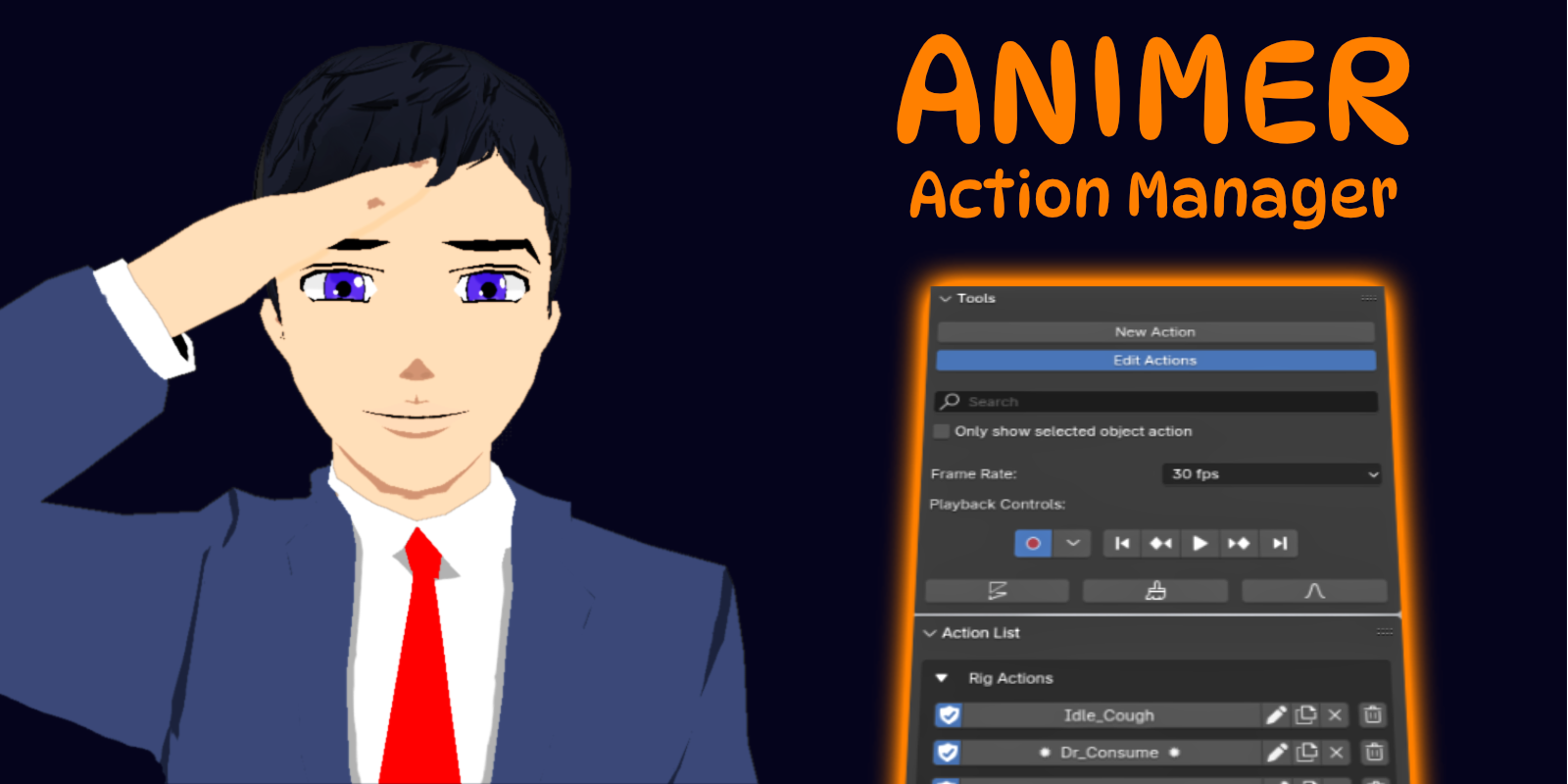
Animer is a powerful action management sidebar. It lists actions as buttons which auto-frame your playback region, and centralizes action tools such as autokey, playback controls and frame rate options. An essential sidebar for all Blender animators. It makes administrating actions quicker and lets you easily show off your hard work to others.
Action List Panel

The Action List panel lists actions as buttons. Clicking an animation button will activate that action and link it to the selected object. The play range is automatically set as the first and last keyframe in the action. Actions are categorized as Rig and Object actions. Note the active action for the selected object is denoted by ✹ Action Name ✹
Tools Panel
New Action Button

An object must be selected to add a new action. Clicking this button automatically adds a location & rotation keyframe at the start frame (frame 0). Frame 100 is defined as the last frame. It also auto enables the fake user option for the new action.
Edit Action button

This button toggles the Action Edit buttons. When activated, the fake user, rename, link and delete buttons will be available. When deactivated, these buttons will be hidden.
Action Edit buttons

These buttons allow you to edit the action in different ways:
Fake User - Enable this to save an action that isn’t object linked.
Rename - Edit the name of the action.
Unlink - This unlinks the action from the selected object.
Delete - Remove action from the blend file. May not be undoable.
Search tool

Use this to search for an action in the Action List. After typing and pressing the enter key, the list will change. The search field is disabled if you have checked the Selected Object Action checkbox.
Selected Object Action checkbox

Check this if you only want to see the action linked to selected objects. Checking it disables the Search tool. Unchecked, it will show all actions in the blend file.
Animation Tools

The remainder of the Tools panel collates several animation tools:
Frame Rate - Set the frame rate for animations in the blend file.
Auto-Key - Toggles the auto key option.
Playback Controls - Standard controls for navigating the playback region.
Discontinuity Tool - Fixes gimbal rotation lock on keyframes.
Clean Keys Tool - Removes unnecessary keyframes.
Smooth Keys Tool - Smooths keyframe curves.
Have questions about this product?
Login to message
| Blender Extension Compatible | Yes |
| Dev Fund Contributor | |
| Published | almost 2 years ago |
| Blender Version | 4.4, 4.3, 4.2 |
| Extension Type | Add-on |
| License | GPL |
Discover more products like this
2025-add-ons-for-blender action library indie animation Fast 3D animation tool speed streamline gamedev Animation controls 3dgame action-essentials indie Animation control indie-game 2d animation framerange 3d-blender timesaver Blender addon for 2D animation quick streamline Blender 3D animation asset 3dblender animate-faster 3danimation Animation management addon action Streamline Animation