Antique Grandfather Clock
 Ed Ackerman


Description:
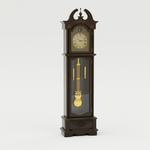
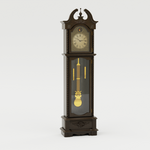
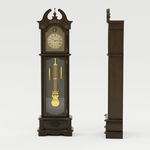
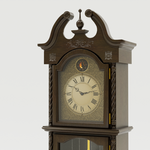
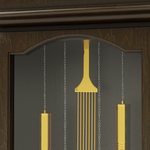
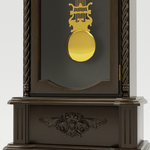
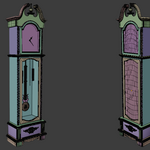
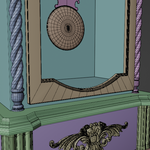
This is a model of a 19th century grandfather clock. It features a sculpted wooden case with intricate detailing, an arched bonnet and a classic brass pendulum. Its Roman numeral dial and ornate hands can be set to any time desired. The pendulum motion is animated. The materials render well in both EEVEE and Cycles. This model is ideal for someone seeking a heritage accent or focal point in any traditional setting.
Usage:
The model is contained in a single .blend file with all textures/images/materials packed inside. To use it, you can append it into your scene as follows:
• Go to the File Menu and pull down to Append
• Find the Antique_Grandfather_Clock_SH.blend file and double click on it
• Double Click on the Collection icon
• Select the “Append_Antique_Grandfather_Clock” collection and click Append
Note that the model components are all parented to a master Empty Item represented by the large labeled axis. You can move or rotate this Empty Item to adjust the location and orientation of the model. In addition, the clock hands can be set to any time desired. To do so: in the Outliner, expand the Append_Grandfather_Clock collection and select the Hands object. In the Object Modifiers tab, set the desired hour and minute by changing the values in the Set Hour and Set Minute boxes.
The pendulum assembly is rigged to oscillate back and forth continuously in an animation. If this is not desired, select Rotate_Pendulum_Assembly in the Outliner and clear the keyframes for that object.
Technical:
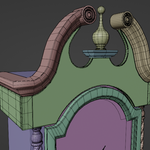
The Antique Grandfather clock was modeled in Blender 4.4.3 and 4.5, and utilizes PBR and procedural shaders. Materials work in both EEVEE and Cycles. If you are rendering in EEVEE you need to enable Raytracing in the render properties tab. If you are using an older version of Blender, you need to enable Screen Space Refraction in the render properties tab. Subdivision and Bevel modifiers are used on some of the components to smooth the rendered result. The Subdivision modifiers are not currently set to display in the 3D viewport, but will display when rendered. They can be enabled in the viewport by clicking on the viewport icon in the modifier properties tab for those components.
Dimensions: H: 81.5” (207.1 cm) W: 23.7” (60.2 cm) D: 11.7” (29.7 cm)
Vertex Count: 92,875
Face Count: 90,058
Textures: 2K PBR and Procedural
Have questions about this product?
Login to message
| Published | about 1 year ago |
| Blender Version | 4.0 - 4.5 |
| Render Engine Used | Cycles, Eevee |
| Misc Data | Uvs-Unwrapped, Rigged, Animated, Textured |
| License | Royalty Free |

Discover more products like this
furnishings grandfather-clock victorian decor clock Antique grandfather