Architectural Daylight Gobos – Screen & Shade Pack
 Ammar Rahhal


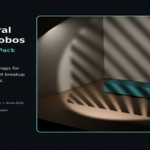
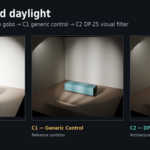
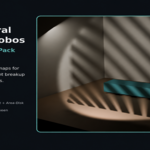
Architectural Daylight Gobos — Quick Start
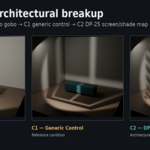
Architectural Daylight Gobos is a collection of 48 original 4K grayscale screen and shade maps designed to create believable filtered daylight breakup in Blender/Cycles interiors.
QUICK START
1. Choose one of the included PNG maps.
2. Load the map into Blender as a Non-Color image.
3. Use Clip extension and Blender's native mapping controls.
4. Position the gobo screen between the light source and the scene.
5. Adjust the map scale, screen position, and light power to achieve the desired result.
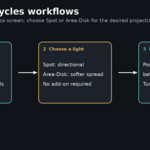
LIGHTING WORKFLOWS
Spot Light
Use a Spot light when you want a more directional, controlled projection.
Area-Disk Light
Use an Area light with Disk shape when you want a softer, more natural spread.
The included Blender reference file demonstrates both workflows.
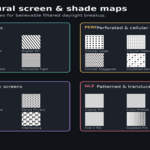
MAP FAMILIES
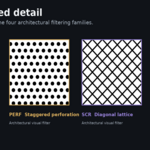
LVR — Linear shade devices
PERF — Perforated & cellular screens
SCR — Geometric & privacy screens
GLZ — Patterned & translucent filtering
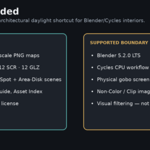
INCLUDED
• 48 original 4K grayscale PNG maps
• Blender 5.2 LTS reference .blend
• Spot Light and Area-Disk examples
• Quick Start / User Guide
• Asset index and preview sheets
• Commercial-use license
COMPATIBILITY
Tested with Blender 5.2 LTS and Cycles.
No add-on is required. The workflow uses native Blender/Cycles tools.
IMPORTANT
These maps are intended as a visual shortcut for architectural visualization where the physical screen or shade device is outside the camera view but its daylight character should appear in the interior.
This product is not a physical daylight simulation, photometric tool, solar-analysis system, or glazing-optics simulation.
Have questions about this product?
Login to message
| Published | about 2 months ago |
| Blender Version | 5.2 |
| Render Engine Used | Cycles |
| License | Royalty Free |
