 Agneht




Notes :
-
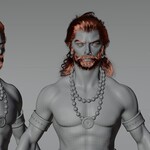
This character uses a particle-based hair system, which may cause slow or laggy performance in the viewport. To improve playback performance, you can disable the hair system visibility in the viewport.
To do this:
- Select the character’s body.
- Press N to open the side panel.
- Navigate to the Item tab.
- Locate the Hair (particle) system settings.
- Disable the hair system for viewport display.
- From the above mentioned settings u can also controll the Dirtiness, Bloodiness and wetness of the character.
-
Make sure to bake the physics simulation before rendering to ensure accurate results.
To do this:
- Open the Sim Proxies collection.
- Inside it, locate the Simulated collection.
- You will find three physics objects within this collection.
- Select each of these objects and bake their physics simulations.
Baking the physics ensures consistent and stable behavior during rendering.
- Make sure the playback method is set to "play every frame" for the physics to work properly in the viewport.
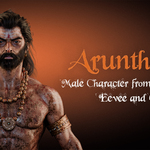
Model Includes :
- Full body and facial rig
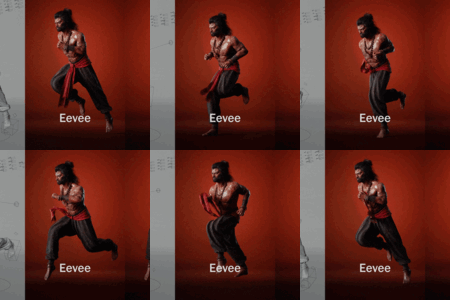
- Dynamic physics effects using Proxy Simulations.
- Shader based Controlls for Dirtiness, Bloodiness and Wetness.
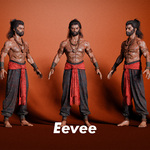
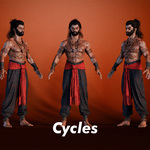
- Support for both Eevee and Cycles.
- All Arkit blendshapes for facial mocap and additional phonemes.
Model Details :
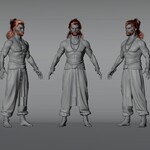
Verts : 102,506, Faces : 103,253, Tris : 199,517
Texture Details :
All material are PBR compatible
Body : 4096x4096
Outfit : 4096x4096
Jewelry : 4096x4096
Mouth : 1024x1024
Eyes : 2048x2048
$10
Have questions about this product?
Login to message
| Published | 6 months ago |
| Blender Version | 4.0 - 5.1 |
| Render Engine Used | Cycles, Eevee |
| Misc Data | Uvs-Unwrapped, Rigged, Textured |
| License | Royalty Free |