Ash Amber Cider
 edson mhazo


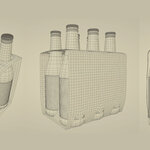
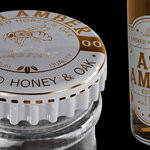
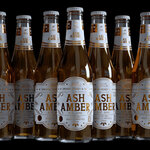
Can I easily customize the labels or change the liquid color?
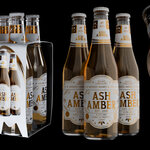
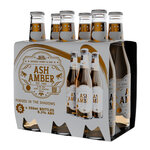
Absolutely. A key benefit of procedural textures is easy editing. For example, to change the cider's color, simply adjust the "Color" input on the liquid shader node. The label design is also built procedurally—you can modify text color, background hue, and paper wear using straightforward value sliders and color pickers within the material nodes.
Q: How is the model optimized for different uses?
The .blend file includes one object states:
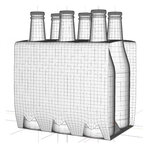
High Poly (Render): Subdivision is enabled for photorealistic final shots.
What add-ons are required, and is the model ready to render?
The only "add-on" used is Blender's built-in Subdivision Surface modifier. It is applied to the high-resolution render version of the model to achieve smooth, rounded geometry. No third-party or paid add-ons are required. The file includes a fully set-up studio lighting scene and is render-ready in Cycles.
Are the textures image-based or procedural?
All textures are 100% procedural with the exception of labels. This means there are no image textures (like PNG or JPEG files) to manage. The materials for the glass, liquid, labels, and cardboard carton are built using Blender's shader nodes. This allows for infinite resolution scaling and easy, non-destructive customization (change label color, paper roughness, etc.) directly within the Shader Editor.
Is this model provided as a native Blender file? What version is it for?
Yes! The primary file is a native .blend file created and optimized for Blender 5.0. You can open it directly without any import/export conversion. All materials, lighting, and scene organization are preserved.
$4
Have questions about this product?
Login to message
| Dev Fund Contributor | |
| Published | 7 months ago |
| Blender Version | 5.0 |
| Render Engine Used | Cycles, Eevee |
| Misc Data | Uvs-Unwrapped, Normal-Mapped, Textured |
| License | Royalty Free |
Discover more products like this
bottle Cap label Beverage model alchohol bottle beer cyder beer bottle Beverage cider 3D packaging glass bottle