 Rana Abdullah


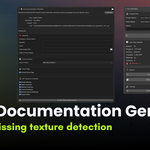
Stop documenting your scenes manually.
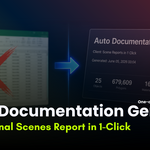
Auto Documentation Generator scans your entire Blender scene and produces a professional PDF report in one click, complete with object inventory, poly counts, material lists, texture inventory, missing texture warnings, and render settings. Then bundles everything into a client-ready ZIP with a CSV asset list and
ReadMe in seconds.
WHAT IT GENERATES
Full scene PDF report
- Branded cover page with project name and client
- Scene overview: object count, polygon count, triangle count, material count, texture count
- File info: render engine, resolution, frame range, file size
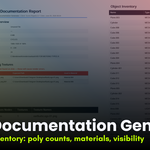
- Complete object inventory table with poly/vert/tri counts, visibility, and modifier flags
- Material inventory with texture names
- Texture inventory with file sizes and resolution
- Missing texture warnings highlighted in red
- Project notes section
Client handover ZIP (one button)
- PDF report
- CSV asset list (machine-readable)
- ReadMe.txt with scene summary
FULLY CUSTOMISABLE
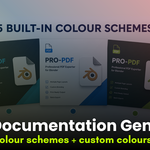
- 5 built-in colour schemes: Navy, Dark/Charcoal, Forest Green, Corporate Red, Purple Studio or set your own custom colours
- Add your studio logo to the cover page
- Add company name, website, and email to the footer
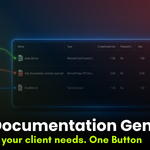
- Toggle any section on/off only include what your client needs
- Cover page on/off
WHO IS THIS FOR
- Freelancers delivering projects to clients
- Studios handing off scenes to outsourcing teams
- ArchViz artists providing asset documentation
- Game developers checking polygon budgets
- Anyone who has ever spent 30 minutes making a manual asset list
REQUIREMENTS
- Blender 3.0 or higher
- Windows, macOS, Linux
- Internet connection required on first use (installs reportlab automatically)
HOW TO USE
- Open the Doc Generator tab in the N sidebar
- Enter project name and client name
- Click Scan Scene
- Click Export PDF Report or Export Handover ZIP
- Done
No setup. No manual work. No spreadsheets.
