 GeceStudio


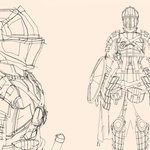
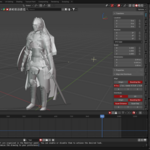
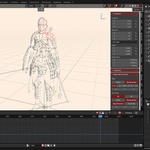
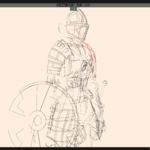
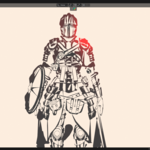
This project file is a system built entirely using the native tools of Blender, designed to convert 3D models into stylized line art / concept sketch visuals. No add-ons are required.
When you place your model into the scene, edges, surface breaks, and silhouettes are automatically detected and transformed into a drawing-like output. This system is ideal for artists and designers who want fast results for concept art, sketching, technical visualization, and presentations.
Features
No add-ons required – built entirely with Blender’s native tools
Compatible with various model types (hard surface, characters, props, etc.)
Adjustable line thickness and level of detail
Camera-based automatic line generation
Fast preview and rendering workflow
-
Lighting support
Use Cases
Concept design workflows
Portfolio image creation
Technical or stylized presentations
-
Converting 3D assets into 2D drawings
Important Notes
Results may vary depending on the topology and level of detail of the model
Best results are achieved with clean and well-structured geometry
This is not a fully automatic illustration tool; optimal results require user adjustments
Note: The model shown in the video is not included in the project. Instead, a different model with a CC0 license is used within the project.