 aVersion of Reality
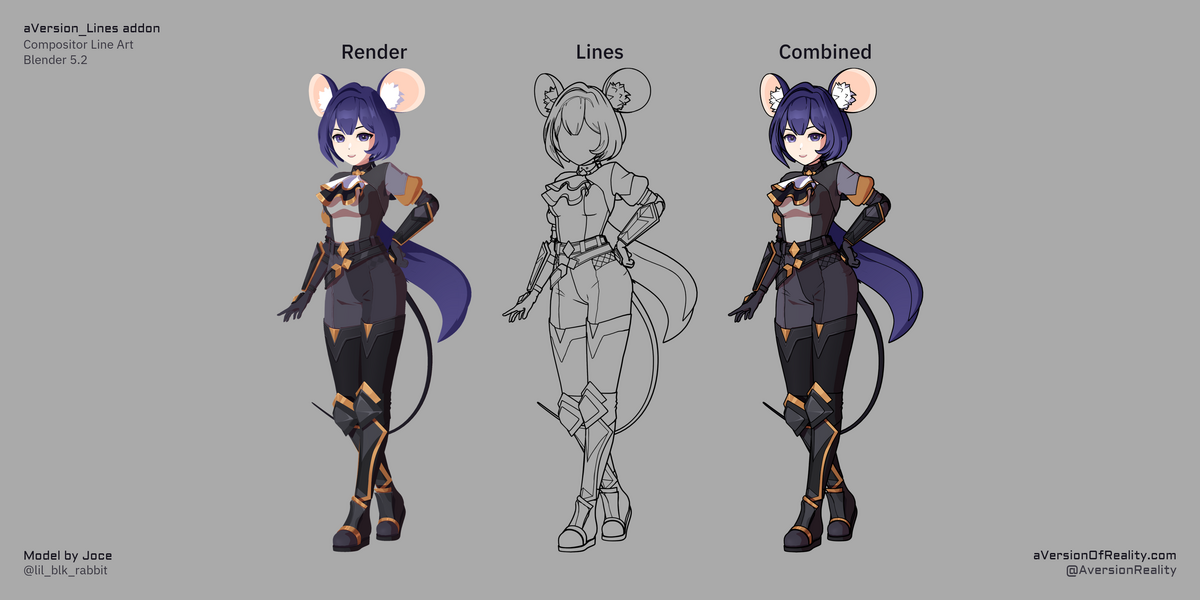
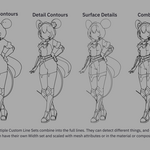
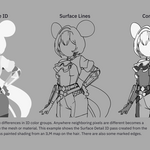
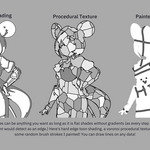
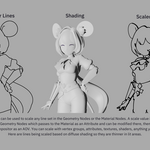
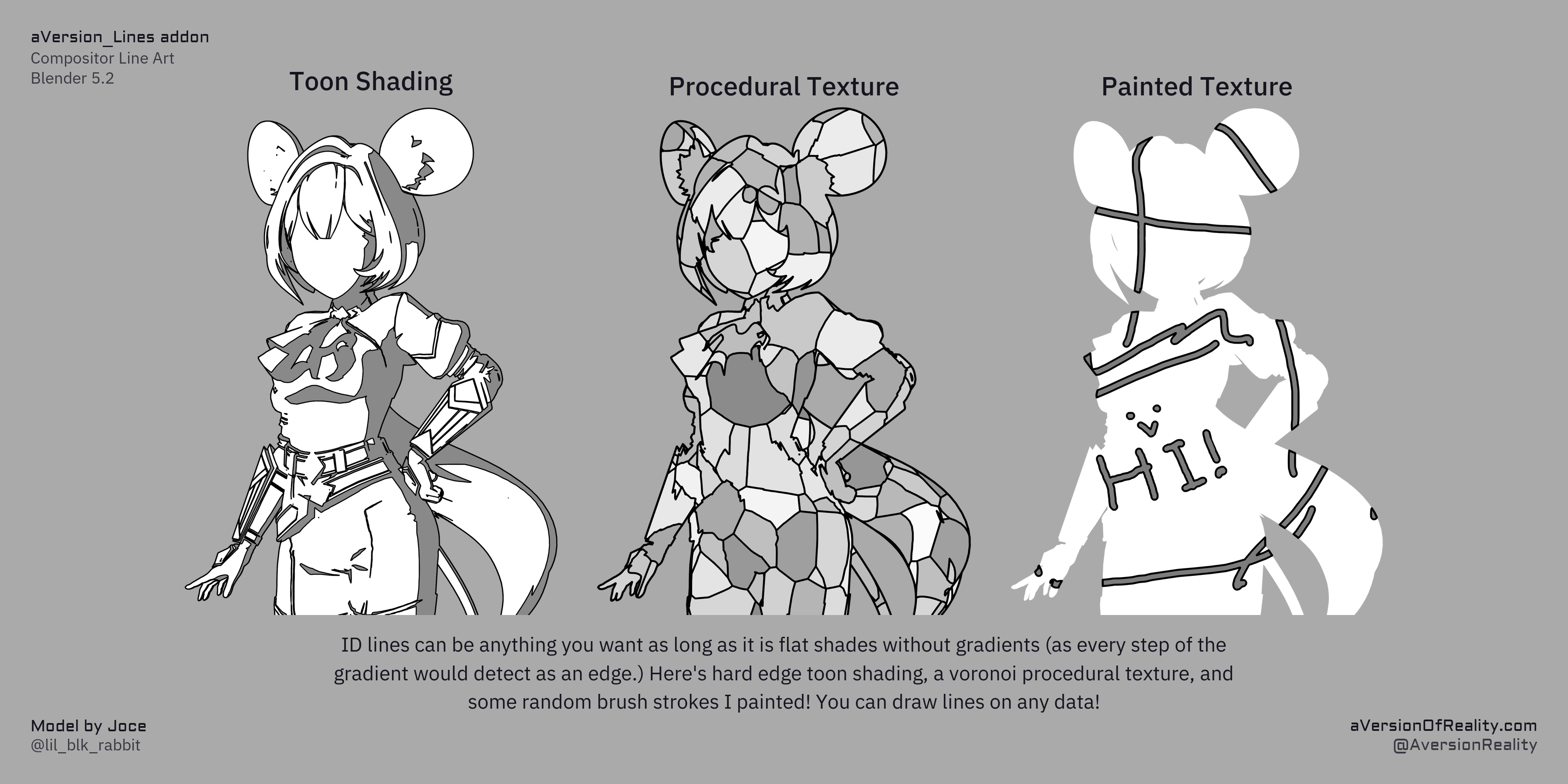
Draw lines based on any data, not only geometry.
Screen-Space Extraction (SSE) Jump Flood line art for Blender's Compositor.
What It is:
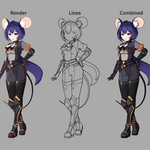
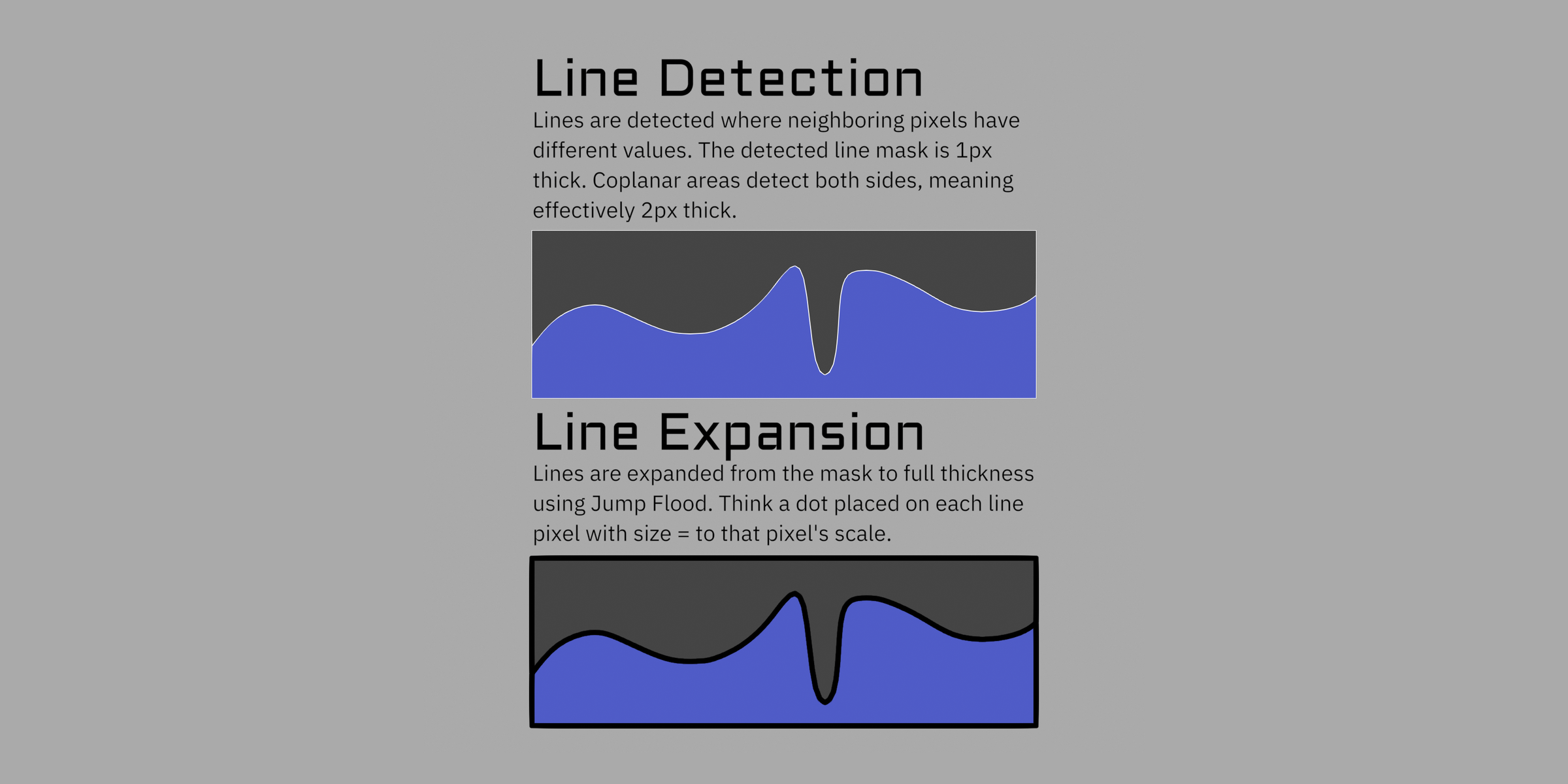
This tool creates line art from rendered images in Blender's Compositor. It can do more than Freestyle or Grease Pencil's Line Art modifier, because it is not limited to the mesh. It detects edges from differences in depth, normals, color IDs, or any other data you feed it, then uses a Jump Flood to expand those detections so thick lines stay cheap.
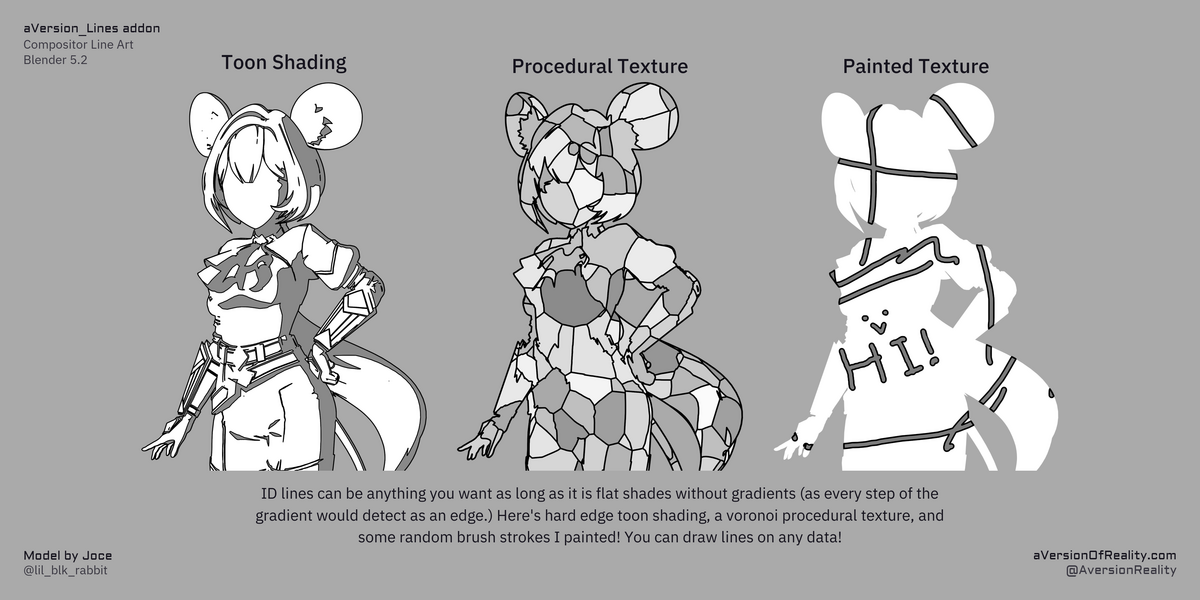
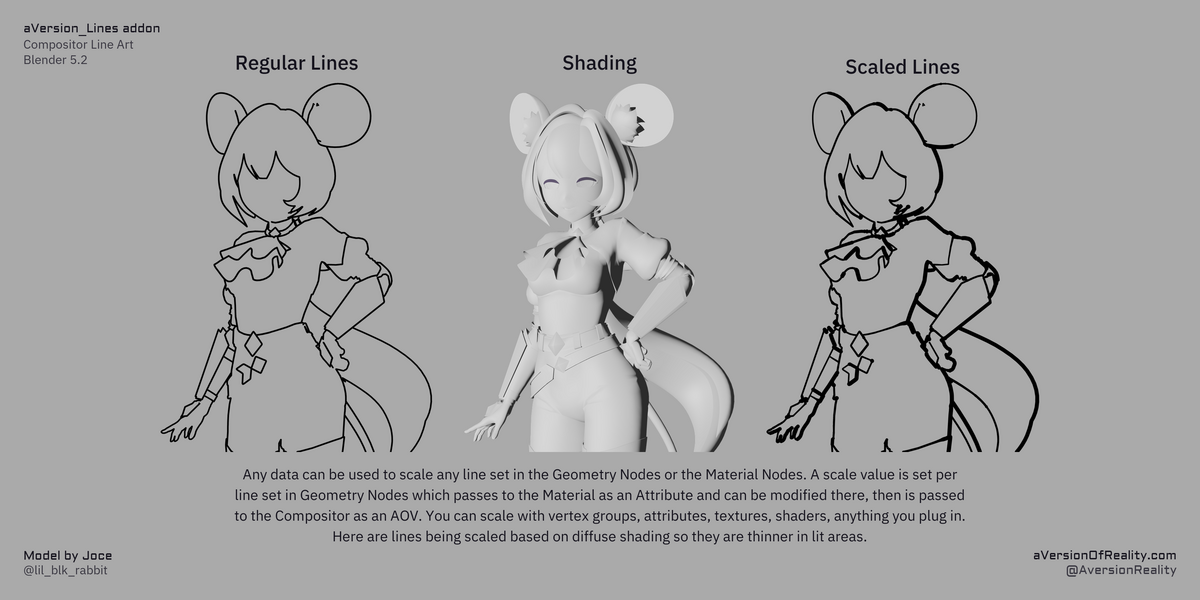
It is a node pipeline, not a single effect. IDs, thresholds, and width start on the mesh, pass through the shader as Attributes, and reach the compositor as AOVs. You can author or alter the data at any step: draw lines from toon shading or a procedural texture, scale them with a painted vertex group or painted texture, then use those compositor lines in other effects.
Needs Blender 5.2 or newer, EEVEE, and the GPU compositor. Details below.
Full documentation: https://aversionofreality.github.io/avr_lines_docs
Why it is different
Most line art tools analyze the mesh, build stroke geometry along edges or contours, and render that. Freestyle, Grease Pencil's Line Art modifier, and Geometry Nodes lines all work that way. Strong on geometry features, blind to everything else. They cannot put a line on a toon shading band, or on a texture mapped onto the model.
Screen space can. This addon also scales thickness per pixel from data at any stage of the pipeline. Because it never analyses your topology, it is more forgiving of messy meshes than geometry-based tools, though it still will not save a model that was not built for line art.
This is an advanced version of filter-based line art from 2D digital art programs, or from Blender's Filter nodes and Mask to SDF. Those apply a uniform effect to the whole image. This has its own Detection and Jump Flood Expansion groups, with proper depth and priority comparisons, and seed tracking while expanding. Closer lines correctly draw over further ones, instead of the thickest line always winning. That is what makes per-pixel authoring possible. It costs more than a simple filter, but still runs at interactive speeds on most hardware, including in the viewport.
This is a toolset for authoring lines, not a one-click effect. Simple setups are quick. Advanced results take real work. What makes that work worth doing is that the results are achievable at all. Mesh tools cannot draw on shading or textures. Filters cannot author per-pixel width and have closer lines win. I built this because I want that kind of line art in 3D.
What you can do with it
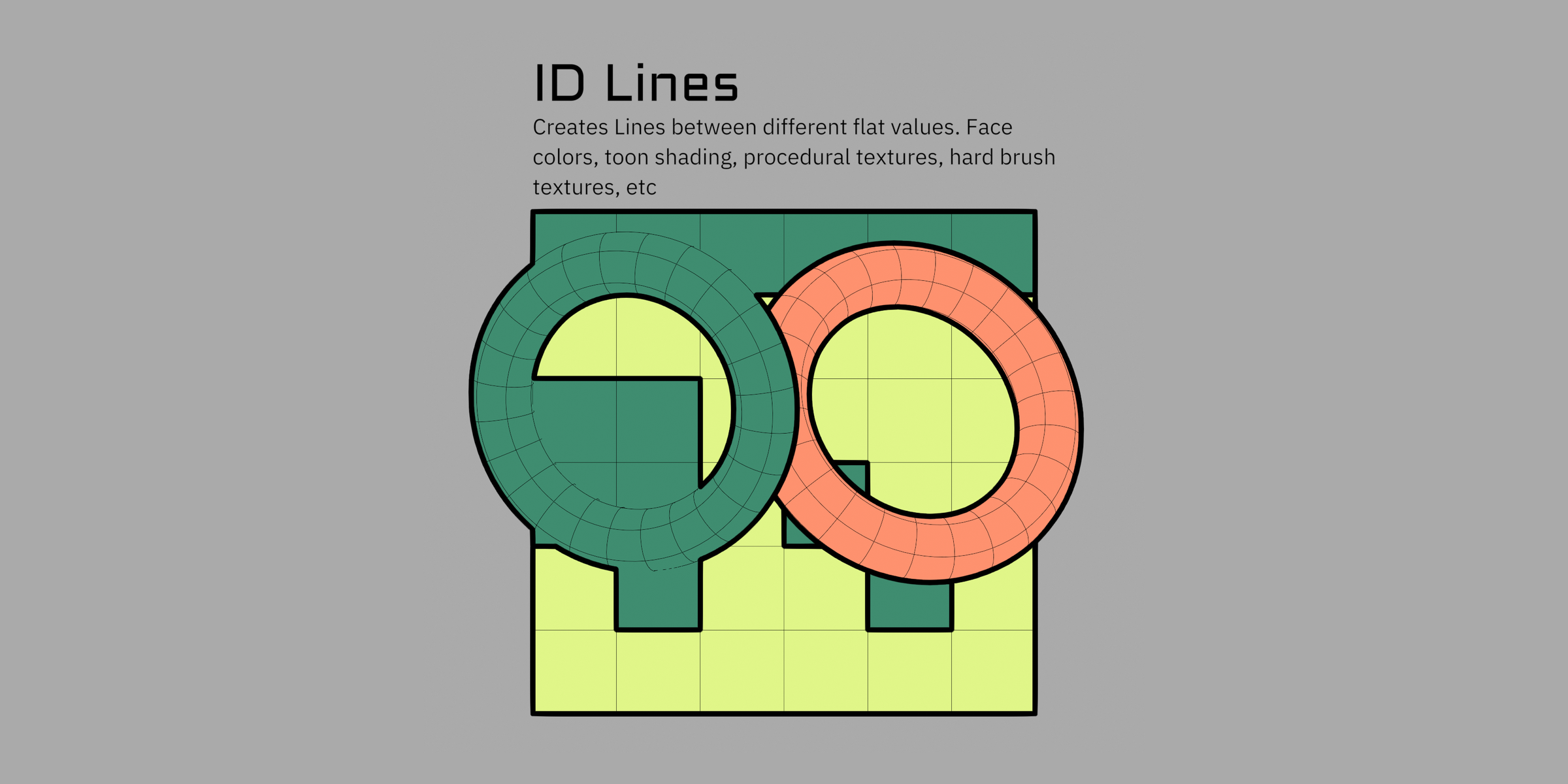
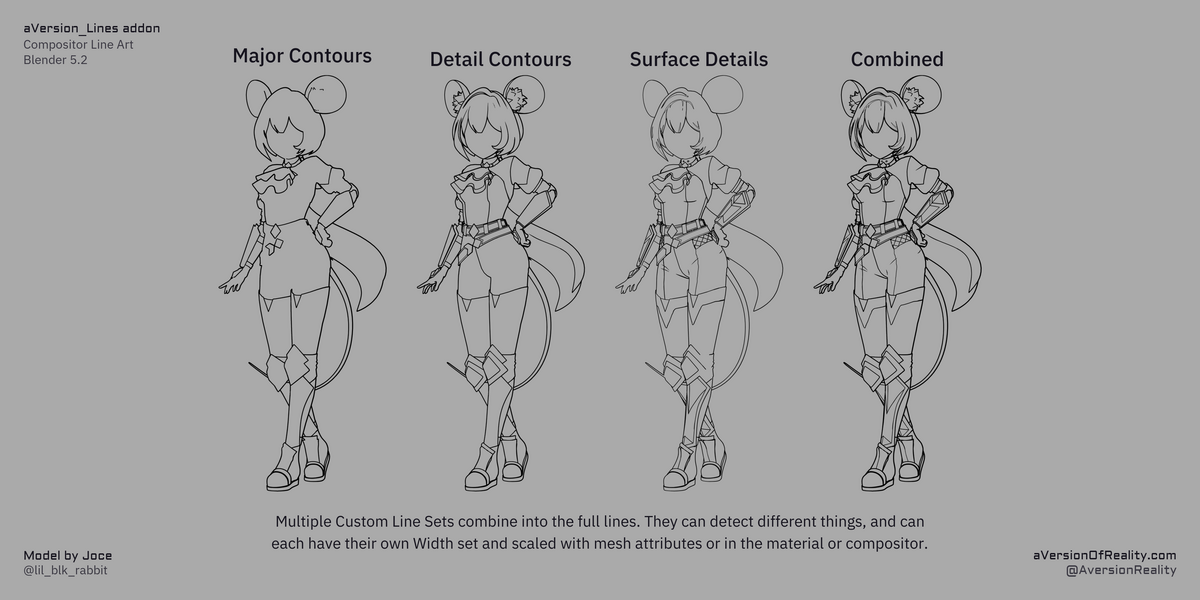
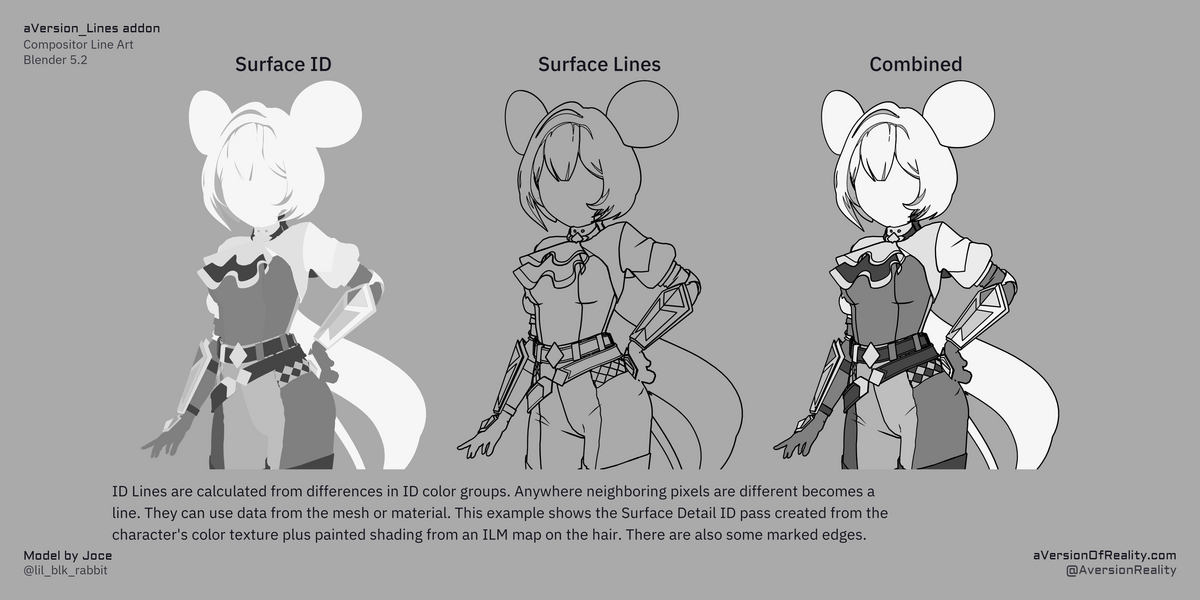
ID lines are the backbone. Object IDs plus three custom Color ID passes let you put lines where you want them, instead of hoping the geometry or camera angle gives them to you. They are more stable under camera movement than Depth or Normal lines. Author them from face attributes, vertex paint (face selection), textures, procedural masks, toon shading bands, or anything else that comes out as flat values. Tools to quickly set up and edit Face IDs are included.
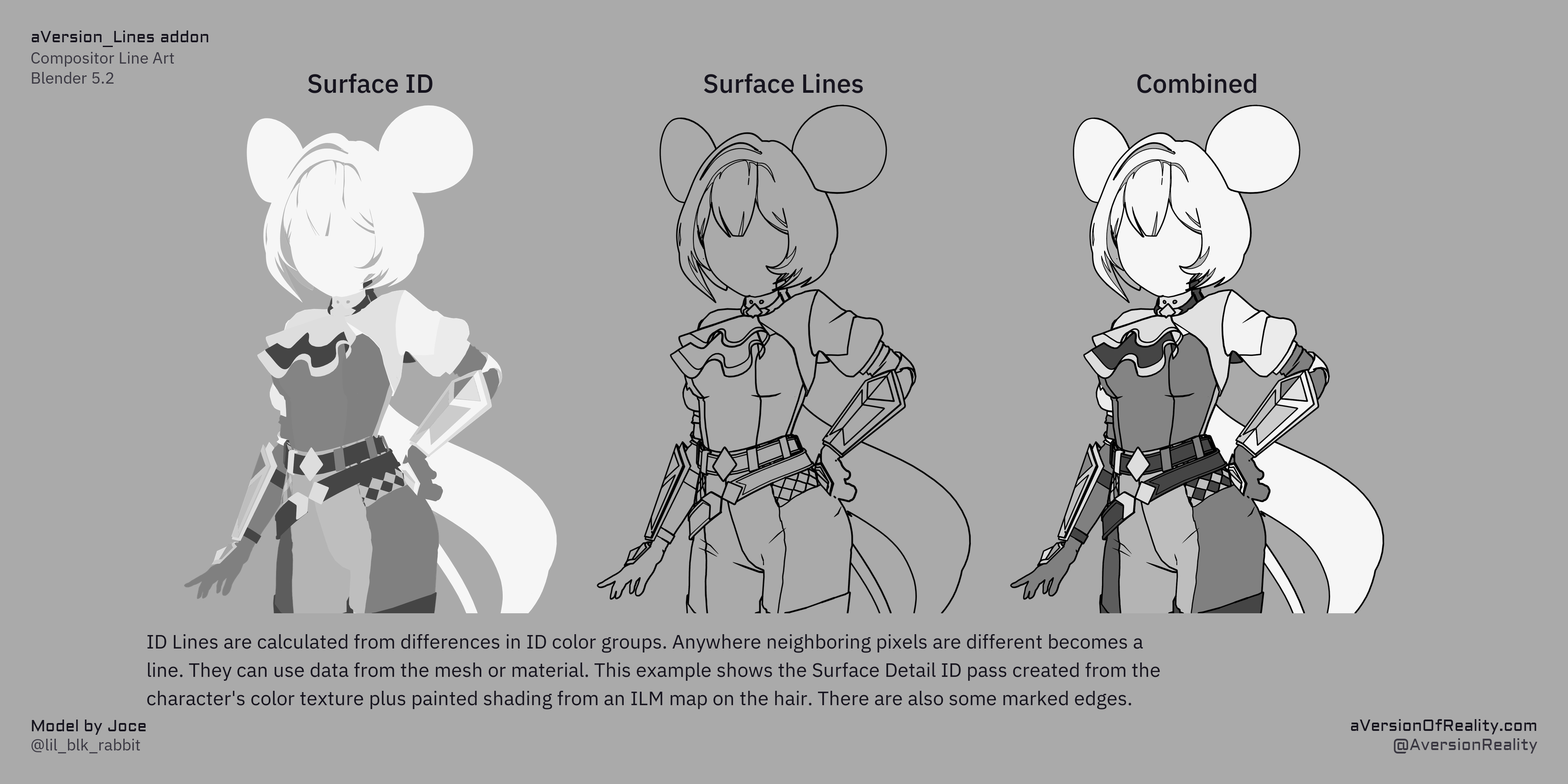
Depth and Normal lines fill the gaps, and more usefully they mix and mask with IDs. You can keep a line only where more than one set agrees, which fixes a lot of problem areas without painting complex threshold masks. The line between the chin and neck is the classic case: an ID alone reads correctly from the front but shows the whole boundary edge from below, and Depth alone is unreliable as the camera moves. Combine them and you get the line only where both agree.
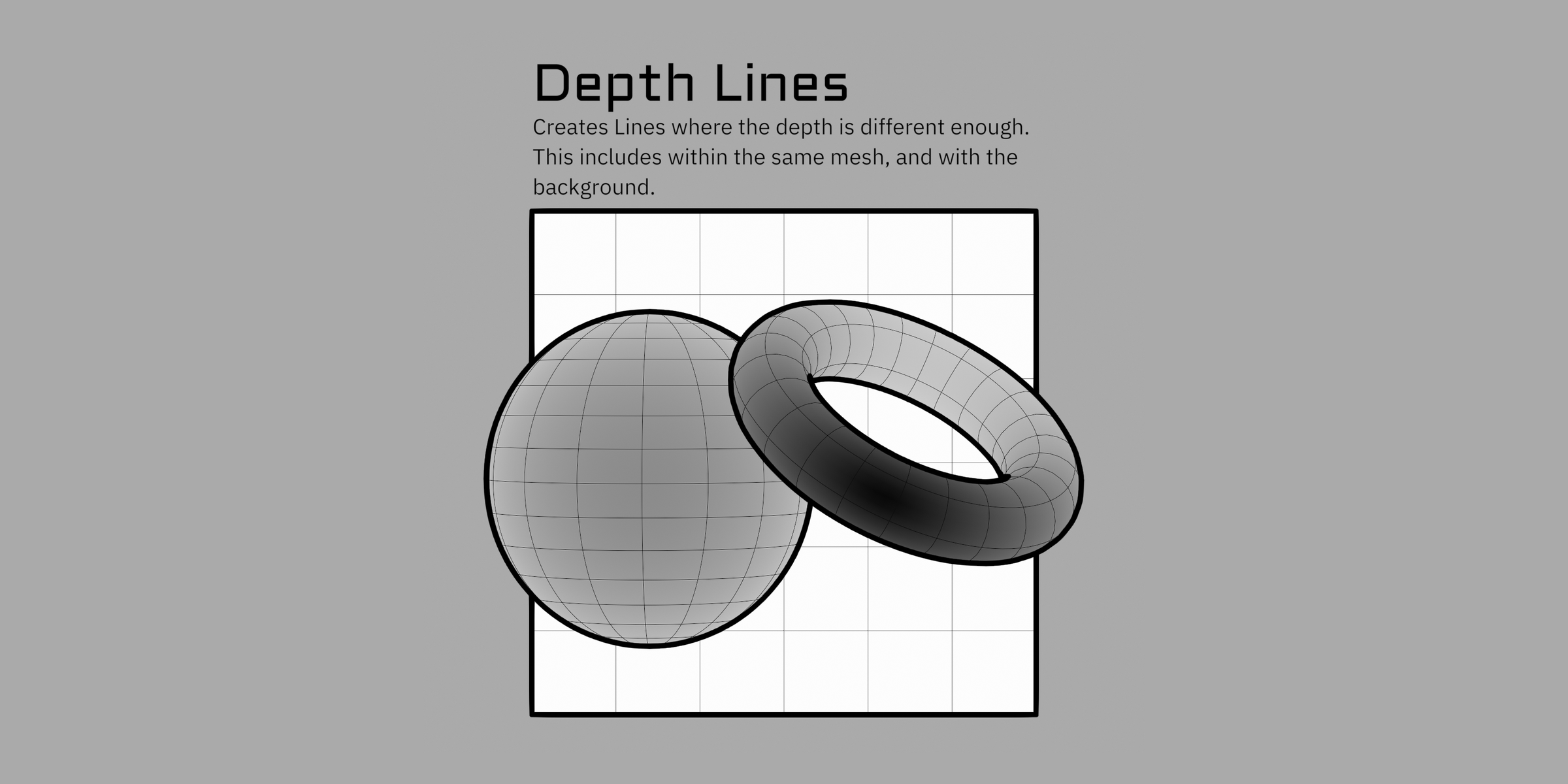
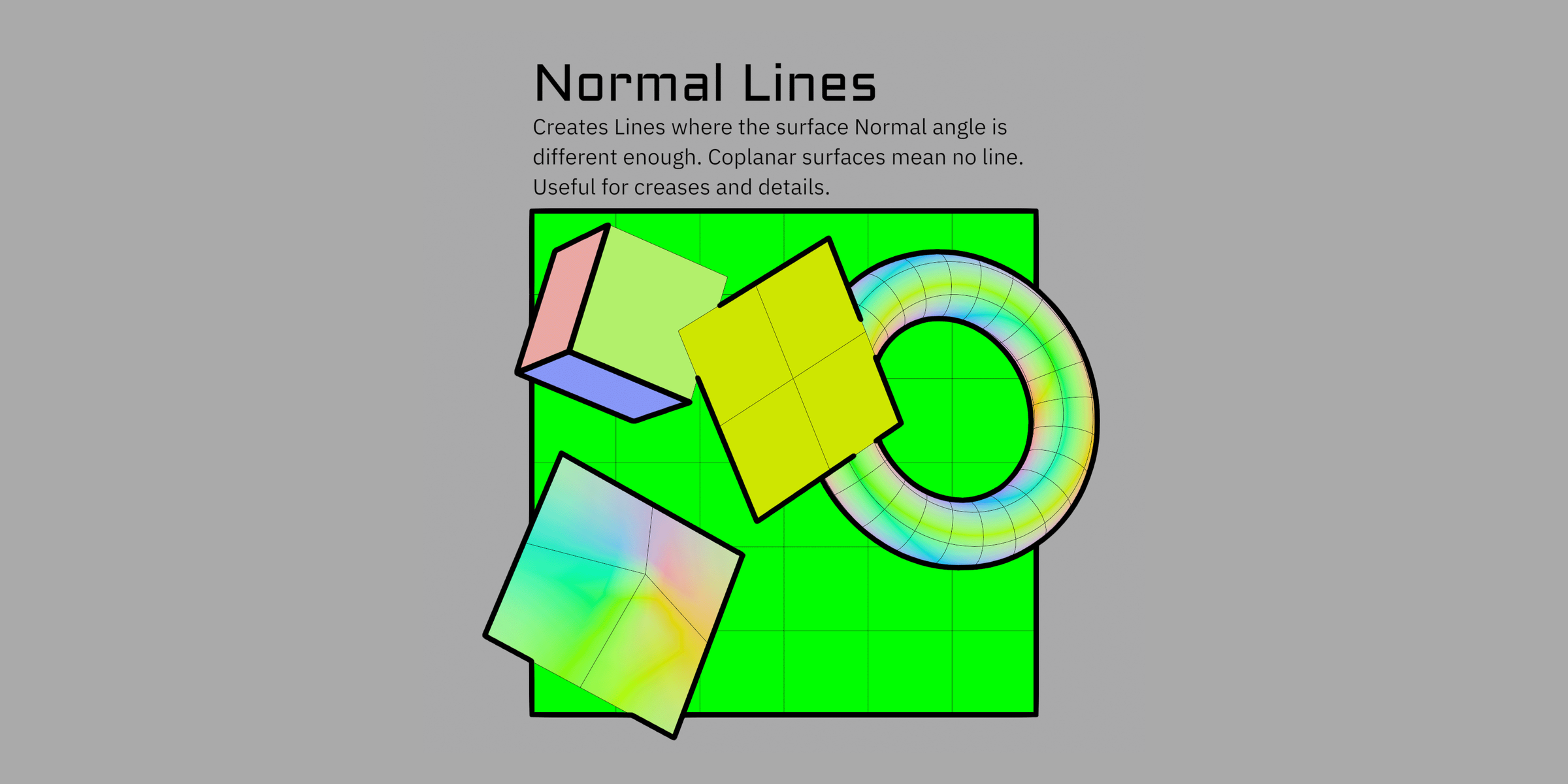
Marked edges give you explicit per-edge control, including floating lines that do not enclose a region.
Other features:
Control at every level. Per object in Geometry Nodes, per material in the shader, per pixel from any data you can compute. Values hand forward at each stage and the scales multiply together.
Per line type width and priority, so a fine detail line can be set not to get overridden by a thick one crossing it.
Any data can drive line width, from any stage. Vertex groups, attributes, textures, shaders, anything you can plug in.
Distance based width scaling, with several falloff curves, from drop-in node groups.
Colored lines with proper depth sorting (except at mesh intersections).
Adaptive modes keep widths and detection thresholds consistent as you change resolution or lens, so the viewport matches the final render.
Works in the viewport at interactive speed, and maybe more with a high end GPU.
Cost is flat per pixel. Scene and geometry complexity do not matter for line rendering, only mesh data storing. Resolution and your maximum line thickness do.
Authoring tools for generating ID attributes from mesh data, marking edge boundaries, and copying settings between objects and materials.
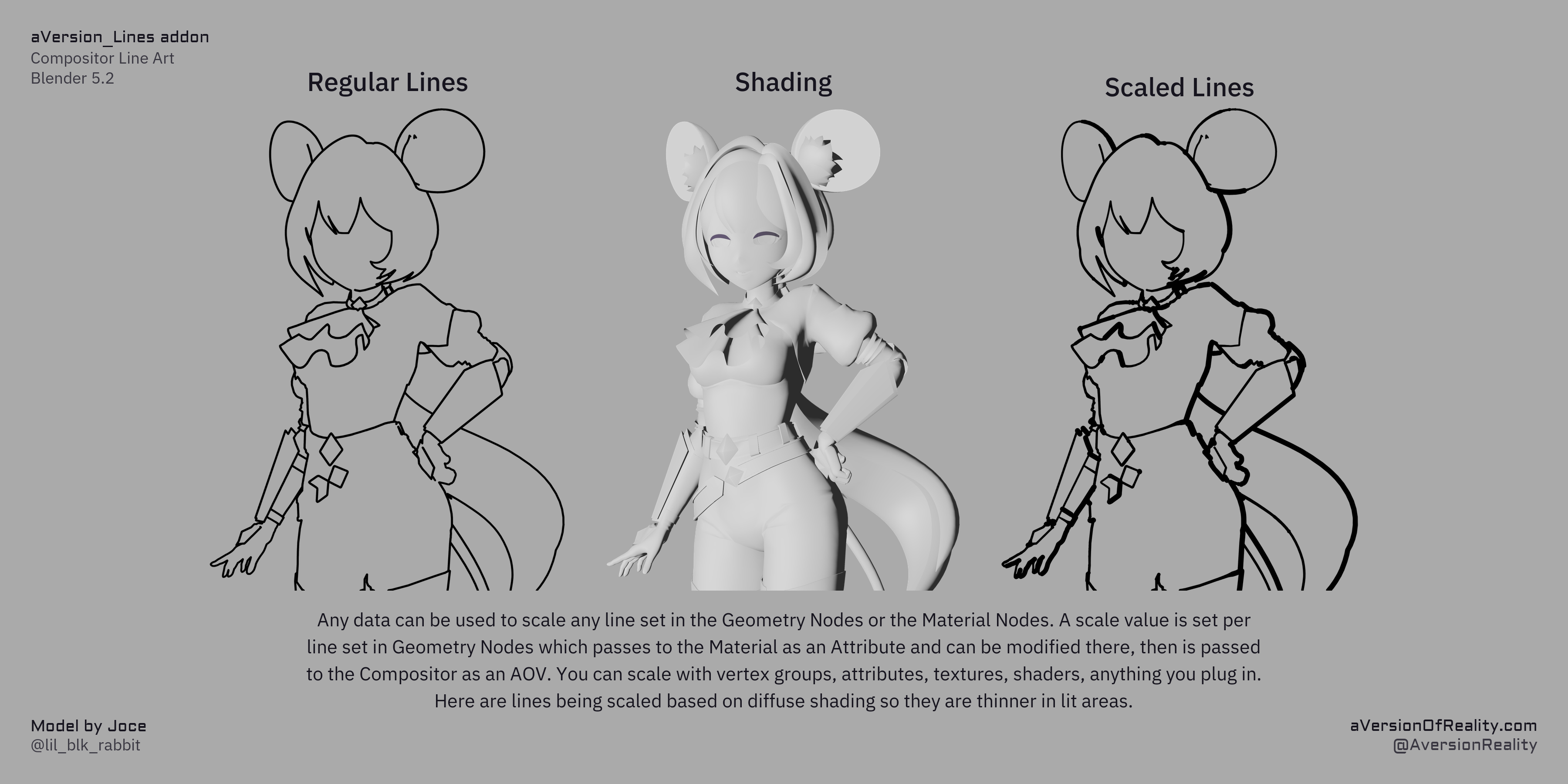
How you actually use it
The addon involves a lot of node groups, but it does the setup for you. Open the Setup Tools menu and run five buttons in order: append the node groups, set the render settings, add the compositor nodes, add the geometry nodes group to your objects, add the shader group to your materials. Lines appear in camera view.
From there you adjust thresholds and widths in the addon panel, and author ID regions on your meshes when you want lines somewhere specific.
A Batch Cleanup button removes all of it again. Node groups, modifiers, materials, AOVs, render settings.
Requirements
Blender 5.2 or newer. A hard requirement. The addon uses compositor and geometry nodes that do not exist in earlier versions.
EEVEE. Line data travels through AOVs, which are only supported in the viewport in EEVEE. A Cycles viewport shows no lines. Full renders should work in Cycles, but that has not been through practical testing yet.
A GPU that runs EEVEE and the GPU compositor. It runs on the GPU by default. Don't even bother trying on CPU.
4 GB VRAM minimum, 8 GB recommended. On lower end cards the compositor may spill into system memory at very high resolutions. That still works, it just slows down a lot. 8 GB is comfortable for 4K.
Room in your materials. EEVEE allows at most 15 attributes per material and the shader group uses 6, leaving roughly 8 for your own (including UV maps). The panel warns you before you hit the limit, and there are ways to work around it.
Anti-aliasing has to be off. Detection compares neighboring pixels, so film AA has to be disabled and re-added afterwards with the Compositor's Anti-Aliasing node. That isn't quite as good as native AA and can cost some quality.
Limitations
Line art in 3D is hard in every tool. This is not a magic button.
Geometry-based tools give you stroke chaining, which is why tapering and along-stroke effects exist at all. Screen space has no equivalent. In exchange, screen space can draw on shading, textures, and IDs, and it does not choke when the mesh is non-manifold. Mesh intersections confuse every method. Here that mainly shows up if two intersecting surfaces should have different width or color.
Specific to this tool:
Only what the camera sees gets lines. Nothing occluded or off screen, and no line continues behind an object.
The output is pixels, not strokes. No per-stroke control, no tapering along a line, no mapping textures to strokes, no vector export.
Depth and Normal lines are the weak point. They fragment on gradual contours and are less stable than ID lines under camera movement. That is why the toolset is Color ID first, and why the mix-and-mask workflow above exists.
Transparency needs handling. Blended materials are left out of the line system entirely, because they do not show up in AOVs: the whole material, not just the transparent parts. That makes Blended a clean way to exempt something, and the right choice when you want lines on a character seen through glass. Dithered materials do detect, but partial transparency resolves as noise and will over-detect against whatever is behind it. The documentation has the details and workarounds.
Orthographic cameras are not properly supported. A toggle disables lines in ortho so you get none rather than wrong ones.
The rest is in the documentation, including a known issues page.
What you get
The addon, installed as a Blender extension
The node groups it drives:
Line_Art(compositor),Shader_Data,Geo_Data, andDistance_Scalein shader and geometry nodes versionsThe full documentation site
Updates through this store
Documentation and support
Full documentation: https://aversionofreality.github.io/avr_lines_docs/
Installation, quick start, the concepts, a complete reference for the addon panel and every node group, troubleshooting, and a detailed known issues page. The reference is up now. Longer form guides and video walkthroughs are still in development.
Support is by Discord and email. Both are in the README included with your download.
Licensing
Individual covers one person, including freelancers doing client work.
Studio covers an entire organization with no seat limit, including contractors working on your behalf.
You own everything you make with it, commercially or otherwise, with no restrictions. What is licensed is the tool itself. The Python is GPL-3.0. The node groups are a proprietary asset and may not be redistributed, sold, or bundled into another product. You can hand a client a working .blend with the groups embedded and they can render from it. You just can't hand them the groups to reuse elsewhere.
Credit
Inspired by the line art system in the Malt render engine, which does the same sort of lines much faster if you're willing to use a custom render engine.
This is not an AI tool and contains no generative AI. Code assistants were used for research and to help build the Python addon, things like UI panels and operators.
