Axe + Matplus Project
 Rusowsky


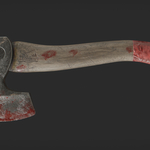

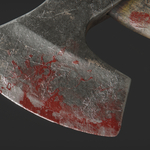

1) What is this product?
This is a Blender project (.blend) featuring a realistic Axe built with a layered MatPlus workflow in Cycles.
2) What’s included in the .blend?
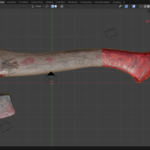
The .blend contains two meshes:
Axe_MatPlus — the editable version where you can modify the material using MatPlus.
Axe_Texture — the final version using exported textures (ready to use without editing the MatPlus stack).
It also includes the (Axe.zip) MatPlus project.
3) Do I need MatPlus to use this?
If you want to edit the layered material, yes — use Axe_MatPlus and MatPlus installed.
If you only want the final look with exported textures, use Axe_Texture (MatPlus is not required to tweak the baked texture-based version).
4) Which Blender versions are supported?
Created for Blender 5.1+.
For best results, use Blender 5.1 or newer (matching the product page requirements).
5) Which render engine is recommended?
This project is optimized for Cycles (recommended).
Other engines may work.
6) Are exported textures included?
Yes — the Axe_Texture mesh uses the final exported textures inside the .blend.
7) Can I export this asset to Unity/Unreal?
Yes. For real-time engines, the easiest workflow is using Axe_Texture (the exported texture version). You can export the model (FBX/glTF) and use the included PBR textures in your engine’s shader workflow.
8) What texture resolution does it use?
The project is set up at high resolution (commonly 2K–4K depending on the project settings).
You can lower resolution for faster viewport performance if needed.
9) My viewport is slow (or shows pink/magenta) when I am editing the MatPlus project. What should I do?
This can happen because the heavy materials/layers. Try:
Setting Viewport Texture Limit to 2K or 1K
Disabling some layers while working (on the MatPlus mesh)
-
Using the Axe_Texture mesh for a lighter viewport experience
Put the 3D Viewport on Rendered mode, the pink/magenta will be disappear.
10) Can I use this in commercial projects?
Yes — you can use it in commercial renders/animations under the marketplace license. Redistribution/resale of the original files is not allowed unless explicitly permitted by the license.
Have questions about this product?
Login to message
| Dev Fund Contributor | |
| Published | 6 months ago |
| Blender Version | 5.1 |
| Render Engine Used | Cycles |
| Misc Data | Uvs-Unwrapped, Textured |
| License | Royalty Free |
Discover more products like this
axe blender project 3d-Asset dirt matplus grime Cycles emboss Material Setup lookdev PBR layered materials Texturing scratches product render Shader