 3D Tudor




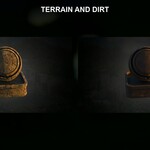
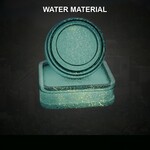


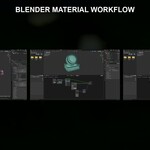
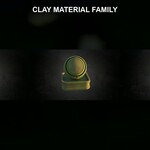
What You Receive
Your selected licence variation contains the same complete product files:
3DT Aztec Shader Pack.blend-
Texture Fileswith 45 approved material texture images - Cycles instructions in HTML and PDF
- material reference images
- a tier-specific licence summary and readme
The Standard and Commercial Extended packages differ in usage rights, not product contents.
Compatibility
The pack is made for Blender Cycles. All 28 materials were opened and render-checked in Blender 5.0.1 and Blender 5.1.2.
- Blender 4.5 is not supported.
- EEVEE is not supported.
- Blender 5.2 is not currently claimed.
- The materials are not preconfigured as Asset Browser assets.
- No addon or plugin is required.
Quick Start
- Extract the downloaded ZIP to a normal project location.
- Keep the Blender file and
Texture Filesfolder together. - Open
3DT Aztec Shader Pack.blend. - Browse the 28 named preview/application objects.
- Choose the material you want to use.
- Copy and paste the supplied preview object into your project, copy the material onto your own object, or use Blender’s Append command to bring in selected materials or objects.
- Save your project to establish its new working location.
- Check the material under your own Cycles lighting and make any mesh-specific adjustments.
Appending Materials
From your destination project, choose File > Append, browse to 3DT Aztec Shader Pack.blend, open the Material folder, select the required material, and append it. You can also append the same-named object when you want the supplied reference setup beside your own mesh.
Texture Paths
The Blender library contains the approved material texture dependencies, and the same 45 material texture images are supplied in the loose Texture Files folder. If Blender displays pink textures after files have been moved, use Blender’s missing-file search and point it to the extracted Texture Files folder.
Do not rename or separate supplied texture files casually. Save a new copy of your project after paths have been resolved.
Buyer-Mesh Requirements
Twenty-six materials are hybrid texture-and-node setups. Suitable UVs are required for those texture-driven materials to read correctly on your own geometry.
The Terrain material uses vertex-colour data. Use its supplied preview/application object as the reference for the expected data and setup.
Bevel- and displacement-related results can vary with:
- object scale
- applied transforms
- topology
- mesh density
- subdivision
- material settings
- scene lighting
The supplied reference objects show the intended starting result. They do not guarantee an identical appearance on arbitrary geometry.
Material Index
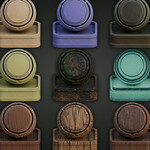
The 28 materials are:
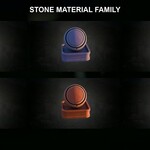
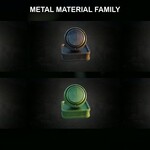
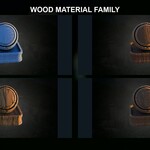
Bamboo, Carpet, Charcoal, Clay, Clay Green, Clay Purple, Dirt, Fabric Cloth Red, Gemstone Red, Gold, Iron Dark, Metal, Metal Blue, Metal Green, Metal Red, Stone, Stone Blue, Stone Dark, Stone Mid, Stone Red, Stone Yellow, Terrain, Water, Weave, Wood Blue, Wood Dark, Wood Light, and Wood Prop.
Support
Use Superhive’s purchase support route for download/access issues and questions about the documented Cycles open, copy/paste, and Append workflow in the Blender versions listed as supported on the product page.
Support does not include custom project setup, version conversion, EEVEE or third-party renderer support, performance optimisation, or guaranteed compatibility with future Blender releases.
-
$9.99
Complete 28-material Blender Cycles pack for one named user, personal work, and up to one commercial project. Raw shaders, textures, editable material setups and source files may not be redistributed, resold or repackaged.
-
$19.99
Complete 28-material Blender Cycles pack for one named user across unlimited commercial projects. Raw shaders, textures, editable material setups and source files may not be redistributed, resold or repackaged. Studio or team seats are not included.
Have questions about this product?
Login to message
| Dev Fund Contributor | |
| Published | about 2 months ago |
| Blender Version | 5.0 - 5.1 |
| Render Engine Used | Cycles |
| Misc Data | Normal-Mapped, Textured |
| License | Royalty Free |
Discover more products like this
stylized materials material pack Blender shader pack environment art 3d tudor stone-materials aztec-shader-pack blender materials Blender cycles temple-materials