Babel 3 (New Update June 2026*)
 Egret Studios LLC



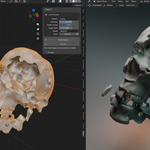
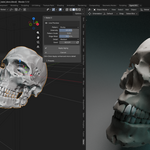
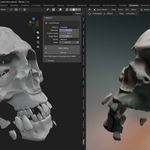
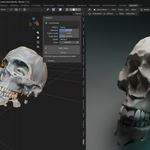
Will there be updates to Babel 3?
Yes! We're continuously improving Babel 3 with new features, performance optimizations, and compatibility updates. Updates will be available through the same download source.
How do I get support or report bugs?
Contact me at [email protected] for technical support, bug reports, or feature requests. Please include your Blender version and a description of the issue. Or Inbox here, I will be up.
Can I use Babel 3 for commercial projects?
Yes! Babel 3 is licensed for both personal and commercial use. You can use it for client work, game development, film production, and any commercial project.
Can I export aged meshes to other software?
Absolutely! Once aging is applied, your mesh is standard Blender geometry that can be exported to any format Blender supports (.fbx, .obj, .dae, .gltf, etc.).
Does Babel 3 work on Mac/Linux?
Yes! Babel 3 is fully cross-platform and works on Windows, macOS, and Linux systems with Blender 4.0+.
What object types work with Babel 3?
Babel 3 works exclusively with mesh objects. It cannot be applied to curves, text, cameras, lights, or other object types. Convert other object types to mesh first (Alt+C or Object > Convert to Mesh).
Can I apply multiple aging passes?
Absolutely! You can age an object, revert to original, then apply different settings for layered effects. You can also duplicate aged objects and apply additional aging passes for complex weathering patterns.
Can I animate aging effects?
Yes! The Boolean controller created during aging can be keyframed. Animate its transform properties (location, rotation, scale) to create dynamic aging sequences or progressive damage over time.
What does Edge-Based Aging do?
Edge-Based Aging automatically detects sharp edges and corners, applying intensified weathering where real-world wear naturally occurs. Adjust the "Edge Intensity" slider to control how much extra aging sharp edges receive compared to flat surfaces.
How do vertex groups work with aging?
- Create vertex groups on your mesh and paint weights where you want aging
- Enable "Use Vertex Groups" in Babel 3
- Select your vertex group from the dropdown
-Aging will only affect areas with painted weights (weight > 0)
Perfect for protecting specific areas like handles, logos, or clean surfaces
What is Enhanced Detailing Mode?
Hold Ctrl while clicking "Apply Aging" to activate Enhanced Detailing Mode. This applies additional subsurface refinement, secondary displacement textures, and micro-surface variations for ultra-realistic results. It takes longer to process but produces superior quality.
How does the Boolean-Controlled Deformation System work?
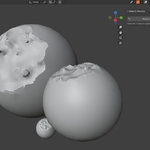
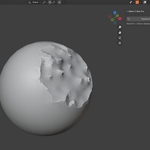
After applying aging, Babel 3 creates a Boolean controller object that you can transform in 3D space. Grab, scale, or rotate this controller to change where aging appears on your mesh. The aging effect updates in real-time as you transform the controller.
Can I undo aging effects?
Yes! Click "Restore Mesh" to restore your original mesh completely. Babel 3 uses a non-destructive workflow that preserves your original geometry.
Can I use Babel 3 with older versions of Blender?
No, Babel 3 requires Blender 4.0 or later due to its advanced Boolean operations and modern API usage. For older Blender versions, consider updating to Blender 4.0+ (free) to access Babel 3's features.
I installed Babel 3 but can't find the panel. Where is it?
Press N in the 3D Viewport to open the sidebar, then look for the "Babel" tab. Make sure you have a mesh object selected - the panel only appears when working with mesh objects.
What makes Babel 3 different from other aging tools?
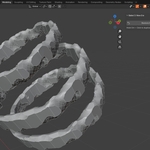
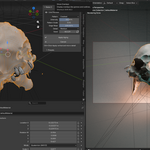
Babel 3's unique Boolean-Controlled Deformation System allows you to manipulate aging effects in 3D space after application. You can scale, position, and transform the weathering area using standard Blender tools, giving you unprecedented control over where and how aging appears on your mesh.

Discover more products like this
mesh deformation procedural damage deform mesh by proximity Weathering effects blender procedural damage