 Valentin


Installation:
- Download the "backupmaster-1.0.0-[version].zip" file.
- Open Blender.
- Go to Edit -> Preferences.
- In the "Get Extensions" tab press on the "Extensions Settings" arrow next to the "Repositories" dropdown and press on "Install from disk".
- Locate the .zip file and press "Install from disk".
- Wait until it registers.
- Restart Blender.
How to use:
To create a backup you have to:
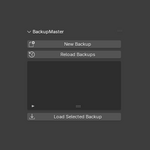
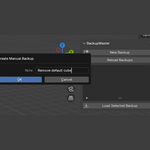
- Press "New Backup".
- Give a note to the backup if needed.
- Press "Ok".
- If your backup doesn't appear in the list press "Reload Backups".
To edit a backup you have to:
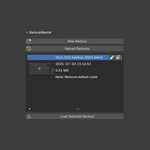
- Press the pen icon next to the name if you want to rename it.
- Press the image icon next to the name if you want to give it a new thumbnail.
To open a backup you simply have to:
- Select you backup you want to open in the list.
- Press "Load Selected Backup".
$2.99
Have questions about this product?
Login to message

Discover more products like this
filemanager 3dartistproductivity Workflow backup 3D Project Management 3D Workflow Enhancers file-save 3D project tools 3DWorkflowOptimization