Batch Rename Pro
 Momentum Creative Technology Inc.


Can I prioritize the renaming rules?
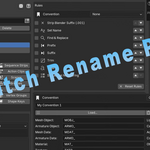
Yes — use the ▲ / ▼ arrows next to each rule in the Rules section to change the order they apply. The order is saved with your presets and persists in the .blend file.
Who is Batch Rename Pro for?
Batch Rename Pro is designed for anyone who works with Blender assets. Whether you're a hobbyist organizing personal projects, a freelancer managing client work, an educator preparing teaching files, or part of a production team maintaining large asset libraries, Batch Rename Pro helps keep naming consistent and organized while reducing repetitive manual work.
What versions of Blender are supported?
Batch Rename Pro is designed for Blender 4.4 LTS and newer versions. Future compatibility updates will be provided as Blender evolves.
Is there a limit to how many items I can rename at once?
No artificial limits are imposed by Batch Rename Pro. Whether you're renaming a few assets or an entire production library, the extension processes everything within the selected scope.
Can I rename only selected items?
Yes. You can choose between renaming only data associated with selected objects or renaming all matching data types across the entire Blender file.
Can I save my rename settings for later?
Yes. Presets allow you to save complete rename configurations and reload them whenever needed. This is especially useful for recurring workflows and team standards.
Does Batch Rename Pro support Unreal Engine and Unity naming conventions?
Yes. Built-in naming conventions can automatically apply common Unreal Engine and Unity prefixes. You can also create and save your own custom naming conventions.
Can I undo a rename operation?
Yes. All changes are applied as a single Blender undo step, allowing you to revert the entire operation with Blender's standard Undo command.
Can I preview changes before applying them?
Yes. Batch Rename Pro includes a live preview system that shows exactly how names will change before anything is applied to your project.
What can Batch Rename Pro rename?
Batch Rename Pro can rename many Blender data types, including objects, meshes, armatures, collections, materials, textures, lights, cameras, actions, shape keys, vertex groups, node groups, bones, and more.
Why would I use Batch Rename Pro instead of Blender's built-in Batch Rename?
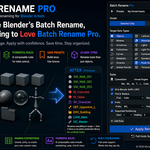
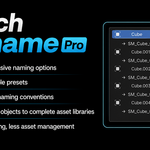
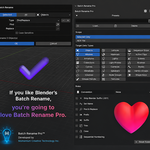
Blender's built-in Batch Rename is useful for simple renaming tasks. Batch Rename Pro expands on that concept with support for multiple data types, reusable presets, naming conventions, sequential numbering, advanced rule combinations, and workflow-focused features designed to save time on larger projects.
Is Batch Rename Pro made by Blender?
No. Batch Rename Pro is an independent Blender extension developed by Momentum Creative Technology Inc. It is not affiliated with, endorsed by, or sponsored by the Blender Foundation.
$15
Have questions about this product?
Login to message
| Published | 4 months ago |
| Blender Version | 4.4 - 5.1 |
| Extension Type | Add-on |
| License | GPL |
Discover more products like this
productivity organization asset library asset management pipeline renaming blender addon naming-conventions batch-rename game development automation Workflow