 Adrian Kulawik


BlendEdges
Advanced Edge Sliding, Loop Insertion & Loop Editing for Blender
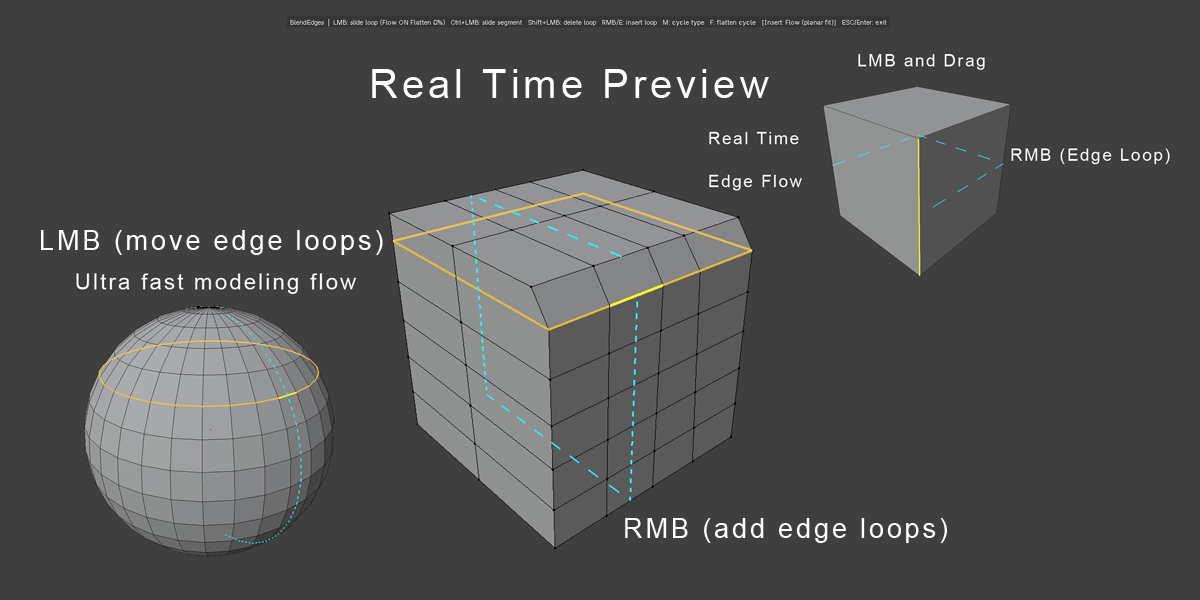
BlendEdges is a powerful interactive edge-editing tool designed to make hard-surface and polygon modeling faster, more precise, and more intuitive.
Inspired by the efficient edge-editing workflow found in professional modeling applications, BlendEdges brings real-time edge sliding, loop insertion, loop deletion, Flow control, Flattening, and visual Ghost feedback into a single streamlined tool.
Instead of switching between multiple Blender commands, BlendEdges lets you work directly on your mesh with simple mouse interactions and keyboard shortcuts.
Key Features
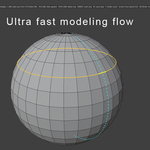
Interactive Edge Loop Sliding
Move an entire edge loop interactively while keeping the operation constrained to the existing mesh topology.
- LMB — Slide the entire edge loop
- Real-time interactive movement
- Automatic clamping to valid mesh boundaries
- Edge-following behavior
- Precise control through the N-panel
- Optional Flow preservation
Segment Sliding
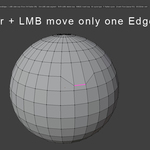
Need to move only one section of an edge instead of the entire loop?
- Ctrl + LMB — Slide the clicked segment
- Ideal for localized topology adjustments
- Maintains direct control over individual edge sections
Fast Loop Insertion
Create new edge loops directly where you need them.
- RMB — Insert a new loop and drag to position it
- E — Insert a loop
- Real-time positioning while dragging
- Optional midpoint snapping
- Multiple insertion modes
Three Loop Insertion Modes
Mouse
Free positioning based on the mouse location.
Midpoint
Automatically places the new loop at the 50% midpoint.
Flow
Uses a planar-flow solution to produce a more controlled and consistent loop placement.
You can switch insertion modes instantly with M or E while inserting.
Loop Deletion
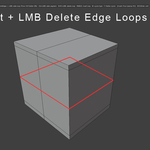
Quickly remove an entire edge loop without manually selecting every edge.
- Shift + LMB — Delete the hovered edge loop
- Optional deletion of connected vertices
- Designed for fast topology cleanup
Flow & Shape Preservation
BlendEdges provides advanced control over how an edge loop behaves while sliding.
Flow ON preserves the original shape and signed height of the loop while it moves through the topology.
This makes it possible to reposition loops without unnecessarily destroying the form of the surrounding geometry.
Flatten
Need a perfectly planar loop?
BlendEdges includes an integrated Flatten system.
- F — Cycle between 0%, 50%, and 100% Flatten
- 0% — Preserve the original shape
- 50% — Partial flattening
- 100% — Fully planar loop
Flow and Flatten can be used independently, giving you fine control over the final topology.
Ghost Preview
While sliding a loop, BlendEdges can display the original loop position as a dashed translucent Ghost.
This makes it easy to see exactly how far the topology has moved and compare the current position with the starting position.
Real-Time Visual Feedback
BlendEdges provides dedicated viewport visualization for:
- Active edge loops
- Selected segments
- Inserted loops
- Slide limits
- Original loop position
- Insertion preview
The result is a much clearer interactive modeling experience.
N-Panel Controls
BlendEdges includes a dedicated BlendEdges panel with live controls for precise adjustments.
Available controls include:
- Slide Percentage
- Slide Distance
- Normalize
- Slide Flow
- Slide Flow Strength
- Flatten Strength
- Ghost Preview
- Loop Type
- Midpoint Snap
- Snap Threshold
- Flow Strength
- Delete Mode
- Pick Radius
- Line Width
This allows you to combine fast mouse-based modeling with precise numerical control when needed.
Simple Workflow
- Start BlendEdges on a mesh in Edit Mode.
- Hover over an edge.
- Use the mouse action corresponding to the operation you need.
- Adjust the result interactively.
- Fine-tune the operation through the N-panel if necessary.
No complicated setup. No unnecessary selection steps.
Keyboard & Mouse Shortcuts
| Input | Action |
|---|---|
| LMB | Slide entire edge loop |
| Ctrl + LMB | Slide single edge segment |
| Shift + LMB | Delete edge loop |
| RMB | Insert edge loop |
| E | Insert edge loop / cycle insertion mode |
| M | Cycle insertion mode |
| F | Cycle Flatten |
| ESC | Cancel current operation / exit |
| Enter | Exit BlendEdges |
Designed For
BlendEdges is especially useful for:
- Hard-surface modeling
- Product visualization
- Mechanical modeling
- Architectural modeling
- Subdivision workflows
- Retopology and topology cleanup
- Precision polygon modeling
- Rapid mesh refinement
Why BlendEdges?
Blender already provides excellent mesh-editing tools, but BlendEdges focuses on one specific goal:
make edge-loop editing faster and more interactive.
With direct viewport interaction, real-time previews, Flow preservation, Flatten control, and fast loop insertion/deletion, BlendEdges gives modelers more control while reducing unnecessary workflow steps.
Blender Compatibility
Blender 5.2+
New Update V2 added.