Export Blender Assets To Ue5 & Unity In 1 Click — Auto Lods, Collisions & Naming Fixes
 Chadwick Grimes Gameworks



Export Buddy Pro – Documentation
🔹 Overview
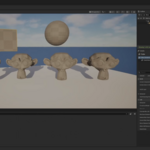
Export Buddy Pro is a Blender add-on that makes sending your assets into Unreal Engine 5 or Unity a one-click process. No more fighting FBX export settings, broken materials, or scale mismatches — this tool is designed to give you predictable, clean imports every time.
🔹 Installation
-
Download the
.zipfile from your Blender Market account. -
Open Blender.
-
Go to Edit → Preferences → Add-ons → Install.
-
Select the
ExportBuddyPro.zipfile. -
Enable the add-on by checking the box next to Export Buddy Pro.
-
The add-on will appear in the N-Panel under the tab: Export Buddy Pro.
🔹 Quick Start
-
Select your mesh(es) in Blender.
-
Open the Export Buddy Pro panel.
-
Choose your target engine (Unreal or Unity).
-
Click Export to Engine.
-
Your
.blendwill be exported with correct scale, names, collisions, and optional LODs.
✅ That’s it — no FBX wrangling required.
🔹 Key Features
⚡ 1-Click Export
-
Skip FBX. Send your assets straight from Blender into UE5 or Unity.
📏 Scale Handling
-
Automatically matches scale to the target engine (no tiny/giant imports).
📝 Auto Name-Fix
-
Cleans up Blender’s messy names (
Cube.001,Material.003). -
Ensures engine-safe naming for materials, meshes, and textures.
🎨 Material Preservation
-
Keeps materials/textures linked on import (no more reassigning).
🛠 Collision Helpers
-
Automatically generates collisions, or respects UCX/UBX naming conventions.
-
Batch-apply collision settings with one click.
📉 Auto LODs
-
Export LOD0, LOD1, LOD2 in one pass.
-
Per-profile poly targets for optimization.
🔄 Export Profiles
-
Save your export settings as profiles (JSON).
-
Reuse across projects for consistent pipelines.
🔂 Auto-Migration
-
Profiles are versioned.
-
Survive Blender 4.x updates without breaking.
🔹 Profiles (Advanced)
-
Create a new profile by clicking Save Profile.
-
Load a profile anytime to instantly reapply your export settings.
-
Profiles are stored as JSON in your user folder → portable & team-friendly.
🔹 Compatibility
-
Blender: Supported from 4.0 → 4.4 (actively maintained for current + previous 4.x release and latest LTS).
-
Engines: Unreal Engine 5, Unity (latest stable).
-
OS: Windows, macOS, Linux.
🔹 Troubleshooting
Q: My export doesn’t appear in Unreal/Unity.
-
Make sure your object(s) are selected before clicking Export.
Q: Scale looks wrong.
-
Check that the target engine is set correctly (UE vs Unity).
-
Apply transforms in Blender (
Ctrl+A → Apply All Transforms).
Q: Materials look missing.
-
Ensure textures are packed or saved relative to the project folder.
Q: A Blender update broke something.
-
Check your Blender Market account for the latest Export Buddy Pro patch.
🔹 Support & Updates
-
This add-on is actively maintained for Blender 4.x.
-
Compatibility patches are released quickly if Blender point updates cause issues.
-
For support, contact via your Blender Market account or email provided in the product page.
-
$19.99
For individual artists or solo developers. Licensed for one user on up to two devices. Includes full features and free updates.
-
$59.99
For small studios or teams needing multiple seats. Licensed for up to 5 users under one organization. Includes the same features as Personal plus shared team use.
-
$99.99
For larger studios or educational use (up to 10 users). Includes rights for internal training and early access to updates.
Have questions about this product?
Login to message