3D Tudor


Blender Building Masterclass – From Concept to Final Render
Master the full Blender environment workflow—from AI concepting to final render.
Are you a 3D artist stuck modeling props with no clue how to assemble a full environment? Game devs and designers—are you wasting time on disorganized projects that never quite get finished? This course solves all that, with a complete blueprint for building professional stylized environments in Blender 4.4+.
I'm Neil from 3D Tudor, and in this course, you’ll go beyond modelling with this advanced course!
You’ll learn the entire creative pipeline for environment design: concept development, greyboxing, modular asset creation, texturing, lighting, compositing—and final render polish with the Blendcraft Compositor which is included for free with this course.
Build an 18th-century manor diorama using real-world workflows and powerful procedural tools. Over 230 lessons and a full resource pack included.
✅ What You’ll Learn
1. Concept & Reference Planning
Use PureRef and AI tools (Midjourney, ChatGPT) to plan visual direction
Understand scale, proportion, and architectural rhythm
2. Greyboxing & Scene Blocking
Create early blockouts using real-world scale
Add ambient occlusion shading for instant depth
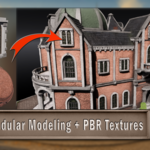
3. Modular Modeling Workflows
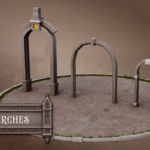
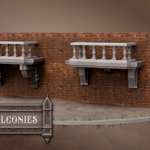
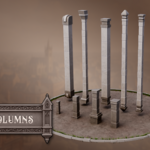
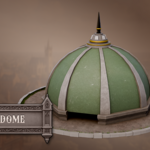
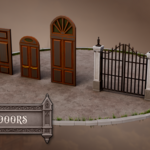
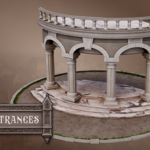
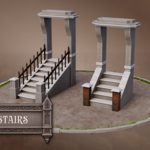
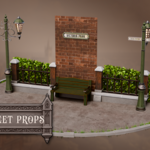
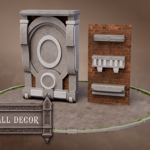
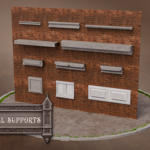
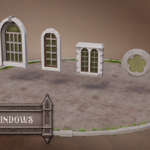
Build arches, domes, doors, balconies, props, and supports
Use Bevel, Boolean, Mirror, and Array modifiers for smart, clean topology
4. UV Unwrapping & Stylized Texturing
Master seams and UV layouts
Use included stylized shaders with edgewear masks, grunge overlays, and more
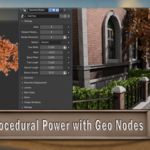
5. Geometry Nodes Toolkits
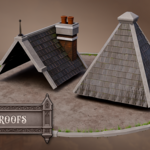
Add roof tiles, grass, foliage, stone paths, and more with exposed procedural controls
Convert procedural setups into mesh for scene optimization
6. Vertex Painting & Material Masking
Paint custom masks for moss, dirt, cracks, and weathering effects
7. Scene Optimization & Asset Management
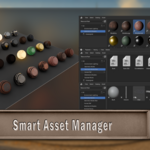
Use Blender’s Asset Manager to organize and reuse assets with drag-and-drop efficiency
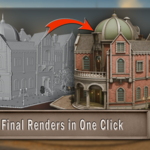
8. Final Lighting, Rendering & Compositing
Set up HDRI and sun lamps for a cinematic look
Use the Blendcraft Compositor to enhance colour grading, contrast, and render passes
Export high-quality turntables and stills
🧰 What’s Included
200 lessons with real-time walkthroughs, over 40 hours worth of content
Full Asset Pack: Modular models, shaders, textures, and Geometry Node tools
Stylized Shader Library for fast material creation
Final scene setup with optimized compositor node tree
AI-Powered Reference Planning Guide
Blender Asset Manager–ready files for modular workflows
Build up to your final project step-by-step—no guesswork, just momentum and mastery
These aren’t fluff add-ons—they’re strategic checkpoints designed to help you actually retain what you learn and build a professional-level workflow.
Because let’s be real—watching a tutorial is easy. Finishing a scene you’re proud of? That takes practice. And this class gives you exactly that.
🎯 Who This Course Is For
Blender Builders-in-Training – If you’ve mastered modeling crates and barrels but feel lost when building a full scene, this course is your next level-up.
Stylized Worldsmiths – For artists who love exaggerated forms, storytelling through design, and squeezing every ounce of charm out of a modular balcony or curved dome.
Indie Game Devs & Asset Tinkerers – Need drag-and-drop ready buildings, rooftops, or fences that don’t collapse your scene or your soul? You’re in the right place.
Pipeline Nerds – If you get weirdly excited by organized collections, asset libraries, and Geometry Nodes that just work, this is basically your Hogwarts.
Portfolio Polishers – For anyone who wants to showcase a proper 3D environment (not just a random door floating in space) and prove you can build a whole world, not just a prop.
Why This Course Stands Out
This isn’t just another “here’s how to model a chair” tutorial. This is about levelling up your entire mindset—teaching you to think like an environment artist. We’re talking about breaking down real architecture, setting up efficient Blender workflows, and actually finishing a scene without getting lost in the modifier stack.
It’s practical. It’s nerdy. And it’s built for artists who want more than just scattered skills—they want a system.
By the end, you’ll walk away with:
A complete, optimized stylized manor environment that actually looks finished
A full kit of reusable tools, smart assets, and time-saving workflows you’ll come back to again and again
The ability to plan, build, and polish environments like a boss—faster, smarter, and with creative control
Let’s build your 3D world from the ground up.
Get started with Blender Building Masterclass – From Concept to Final Render.
Until next time, happy modelling everyone!
Neil – 3D Tudor
👇 Some products you might be interested in 👇
For support, inspiration, and updates, join the 3D Tudor community and unlock the full potential of your artistic journey.
💬 Click here to join our Discord: https://discord.gg/vdbUGJbAfY
Join our Facebook community:https://www.facebook.com/groups/1152218958467185