 Toss
Toss

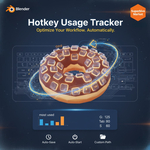
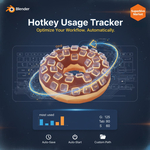
Hotkey Usage Tracker for Blender
Track, analyze, and optimize your workflow with real-time hotkey statistics.
Overview
Hotkey Usage Tracker is a powerful Blender extension designed for artists who want to understand and improve their keyboard workflow. It monitors every hotkey press during your session, auto-saves usage data, and displays detailed statistics right inside the 3D View sidebar.
Key Features
-
Real-Time Tracking: Start and stop tracking with a single click.
-
Auto-Save & Session Recovery: Automatically save stats at custom intervals and reload them when Blender restarts.
-
Custom Save Path: Choose where your stats are stored for easy access.
-
Progress Visualization: See your most-used hotkeys with intuitive text-based progress bars.
-
Clean UI Integration: Accessible from the Sidebar in the 3D View for quick insights.
-
Preferences Control: Configure auto-start, save intervals, and file paths directly in Blender Preferences.
Why You’ll Love It
- Identify your most-used shortcuts and optimize your workflow.
- Perfect for training, tutorials, and productivity analysis.
- Lightweight, fast, and fully compatible with Blender 4.5+.
Technical Details
-
Extension Type: Add-on (Blender Extension)
-
Blender Version: 4.5 or newer
-
License: GPL-3.0-or-later
-
Permissions: File access for saving/loading stats
Installation
Drag & drop the ZIP into Preferences → Get Extensions or use Install from Disk.
You can download free here : https://toss90.gumroad.com/l/wzsdol
Track, analyze, and optimize your workflow with real-time hotkey statistics.
Overview
Hotkey Usage Tracker is a powerful Blender extension designed for artists who want to understand and improve their keyboard workflow. It monitors every hotkey press during your session, auto-saves usage data, and displays detailed statistics right inside the 3D View sidebar.
Key Features
- Real-Time Tracking: Start and stop tracking with a single click.
- Auto-Save & Session Recovery: Automatically save stats at custom intervals and reload them when Blender restarts.
- Custom Save Path: Choose where your stats are stored for easy access.
- Progress Visualization: See your most-used hotkeys with intuitive text-based progress bars.
- Clean UI Integration: Accessible from the Sidebar in the 3D View for quick insights.
- Preferences Control: Configure auto-start, save intervals, and file paths directly in Blender Preferences.
Why You’ll Love It
- Identify your most-used shortcuts and optimize your workflow.
- Perfect for training, tutorials, and productivity analysis.
- Lightweight, fast, and fully compatible with Blender 4.5+.
Technical Details
- Extension Type: Add-on (Blender Extension)
- Blender Version: 4.5 or newer
- License: GPL-3.0-or-later
- Permissions: File access for saving/loading stats
Installation
Drag & drop the ZIP into Preferences → Get Extensions or use Install from Disk.
You can download free here : https://toss90.gumroad.com/l/wzsdol