 Milad_Kambari

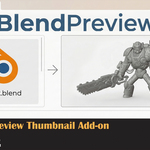
BlendThumb — Blender Thumbnail Handler for Windows
See your .blend files before opening them.
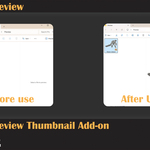
BlendThumb enables Windows Explorer to display thumbnail previews of your Blender files — instead of the default Blender logo icon. Browse your assets visually, find the right file instantly.
How it works: One-click install. BlendThumb registers Blender's built-in thumbnail handler so Windows can read and display the preview image stored inside each .blend file. No background processes, no performance impact.
Features:
- Thumbnail previews for .blend files directly in Windows Explorer
- Works with Blender 3.0 — 5.0+
- Auto-detects your Blender installation
- One-click install / uninstall
- Zero background processes — no performance impact
- Supports all .blend files saved with File Preview enabled
Requirements:
- Windows 10 / 11
- Blender installed (3.0 or newer)
After installation:
- Open any folder containing .blend files
- Set Explorer View to Large Icons or Extra Large Icons
- Press F5 to refresh the folder if thumbnails don't appear immediately
- If needed, restart your computer for full effect
Tip: Make sure File Preview is enabled in Blender: Preferences → Save & Load → File Preview Type → Auto
To uninstall: Open Windows Settings → Apps → Search "BlendThumb" → Uninstall