Blender Creator Pro Toolkit
 Tri-vima Studio


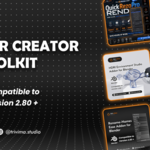
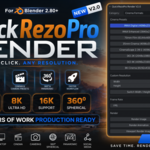
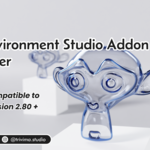
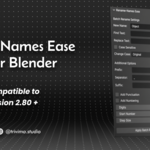
🎯 BUILT FOR REAL BLENDER WORK
The toolkit is designed around common production situations where small repetitive tasks can consume valuable time.
CHARACTER ARTISTS
Shape Keys + UDIM baking + HDRI lighting + rendering.
PRODUCT DESIGNERS
Accurate dimensions + HDRI environments + fast render setup.
ARCHVIZ ARTISTS
Real-world measurements + HDRI lighting + optimized rendering workflows.
GAME ASSET ARTISTS
UDIM baking + asset organization + Shape Keys + rendering.
ANIMATION & FILMMAKERS
Shape Key workflows + scene organization + lighting + render configuration.
FREELANCERS & STUDIOS
A collection of practical tools for speeding up repetitive Blender tasks.
STUDENTS & LEARNERS
Useful production tools that can be introduced gradually as your Blender skills grow.
🛠️ PRODUCTION WORKFLOW
01 - BUILD
Create your model and establish your scene.
↓
02 - MEASURE
Check accurate dimensions while modeling.
↓
03 - ORGANIZE
Clean up and batch-rename your objects.
↓
04 - SHAPE
Manage Shape Keys and model variations.
↓
05 - BAKE
Bake UDIM textures efficiently using Cycles.
↓
06 - LIGHT
Load HDRI environments and adjust your lighting.
↓
07 - RENDER
Choose the required resolution and render format.
ONE TOOLKIT.
ONE WORKFLOW.
LESS REPETITION.
💻 COMPATIBILITY
The included addons do not all share the same Blender-version range, so compatibility should be checked per addon.
Current listed compatibility:
Compatibility information is based on the current individual Superhive product listings and may change as individual addons are updated.
Important: Always check the individual addon page for the latest compatibility information before installing into a specific Blender version.
📦 INSTALLATION
The toolkit contains individual Blender addons.
Each addon can be installed and used independently.
GENERAL INSTALLATION
Download the purchased addon files from your Superhive account.
Open Blender.
Go to Edit → Preferences → Add-ons.
Click Install.
Select the addon .zip or .py file.
Enable the addon.
Save Preferences if required.
Access the addon from its designated Blender interface panel.
QUICKREZOPRO
After installation, access QuickRezoPro from the Blender 3D Viewport sidebar.
Press N to open the sidebar and locate QuickRezoPro Render V2.0.
HDRI ENVIRONMENT STUDIO
Install the .zip or .py file through Blender Preferences, enable the addon, then provide a folder containing .HDR or .EXR environment images.
DIMENSION MASTER PRO2
Select a mesh object, open the 3D Sidebar, access the Dimensions panel and enable real-time dimensions.
RENAME-NAMES EASE
After activation, access the addon from the Blender 3D View interface and use its naming controls to organize your objects.
UDIM BAKE PRO
For UDIM baking, use a Cycles workflow with the appropriate UDIM Image Texture setup and access the addon from the Blender viewport interface.
SHAPE SHIFTER
After activation, use Shape Shifter's dedicated Shape Key workflow to manage and transfer Shape Keys between objects.
📜 LICENSE
The Blender Creator Pro Toolkit contains individually licensed Blender addons.
Each included addon remains subject to its respective product license and Superhive marketplace terms.
The addons are intended for use by the purchaser according to the applicable license.
You may:
✔ Use the addons in your personal projects
✔ Use the addons in your commercial projects
✔ Create renders, animations, products, games and other creative outputs using the addons
You may not:
❌ Redistribute the addon files
❌ Resell the addon files as your own product
❌ Share purchased addon files with others
❌ Upload the addon source/files to public download platforms
❌ Repackage the addon files for redistribution
Always refer to the applicable license associated with each included addon for complete legal terms.
The individual products currently list GPL licenses on their Superhive pages.
 Included
Includes 12 months of
- Support from Tri-vima Studio
- Product updates
Extend this product’s Support Period +12 months: 50% of product price
Have questions before purchasing?
Login to message
| Dev Fund Contributor | |
| Published | about 2 months ago |
| Blender Version | 2.8 - 5.2 |
| Extension Type | N/A |
| Render Engine Used | Cycles, Eevee |
| License | GPL |
Discover more products like this
rename bake Lighting blenderaddons Tri-vima Studio udim measerment shapekeying Render hdri