Blender Shader Layers
 Gigaduck
BlenderShaderLayers 1.1.0
A familiar layer stack for Blender's Shader Editor
Stack, blend, and mask your shaders the way you would in an image editor, and let the addon handle every connection for you.
What is BlenderShaderLayers?
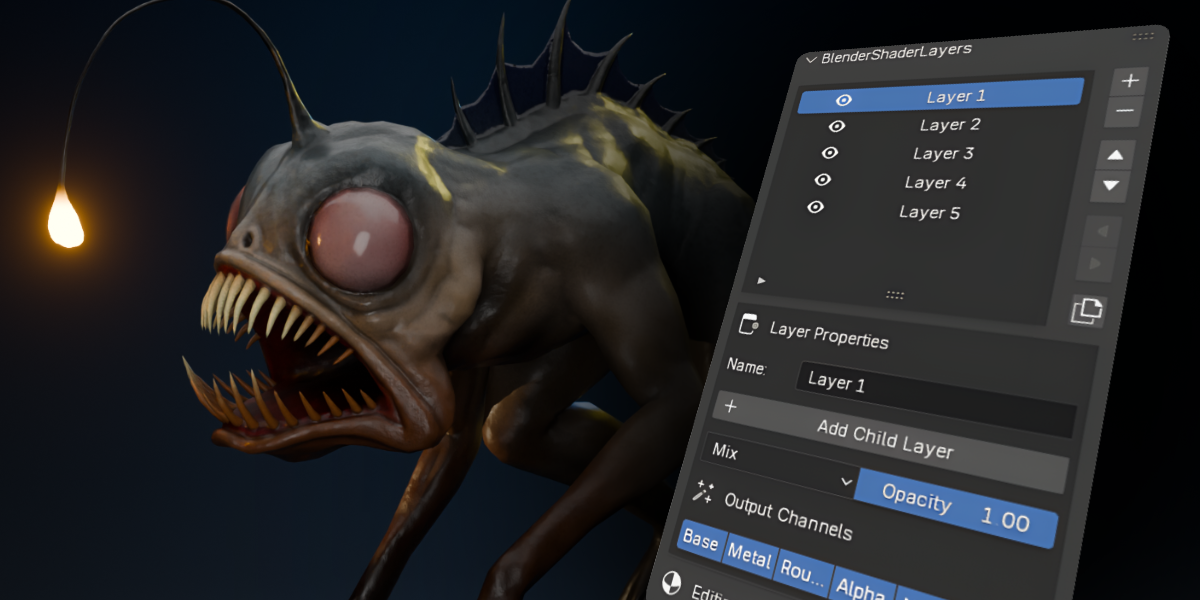
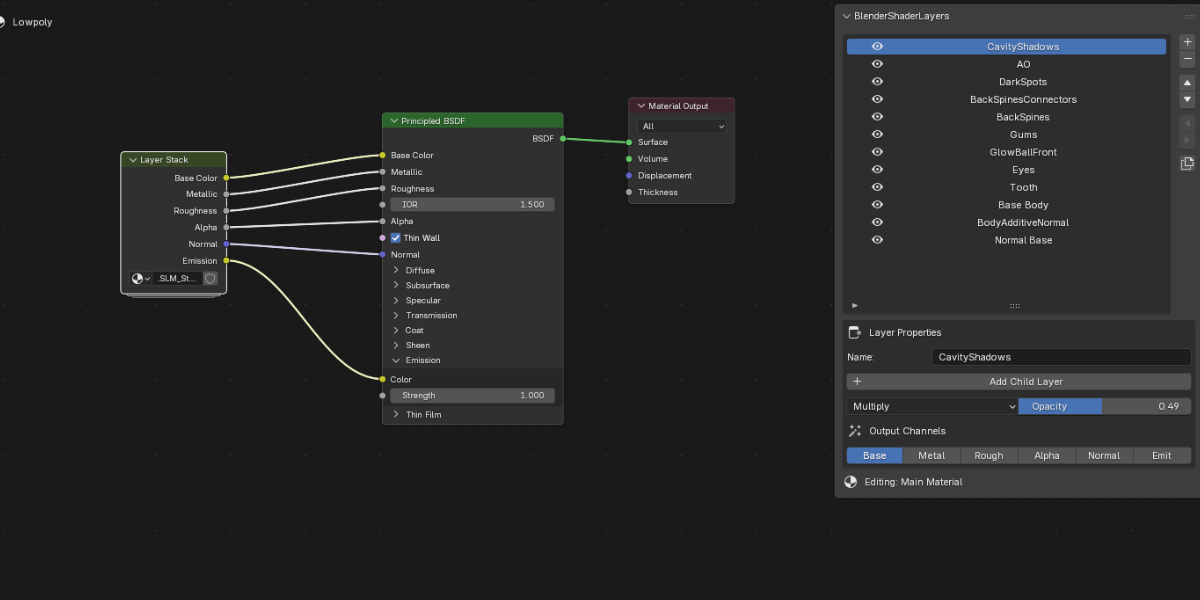
If you have ever worked in Photoshop, Krita, or Substance Painter, you already know the concept. BlenderShaderLayers brings the same layer-based thinking to your materials: you manage a stack of shader layers from a panel in the Shader Editor, and every layer carries its own settings, how it blends with the layers below it, how strongly it applies, and where it is visible.
The addon does all the wiring in the background, automatically and non-destructively. Your materials stay fully editable and easy to navigate, even in complex setups.
How it works (in plain words)
1. Hit Setup Layer Stack on any material, the addon prepares a complete stack and hooks it up to your Principled BSDF.
2. Build your material out of layers, each with it's own output, covering all PBR maps you need.
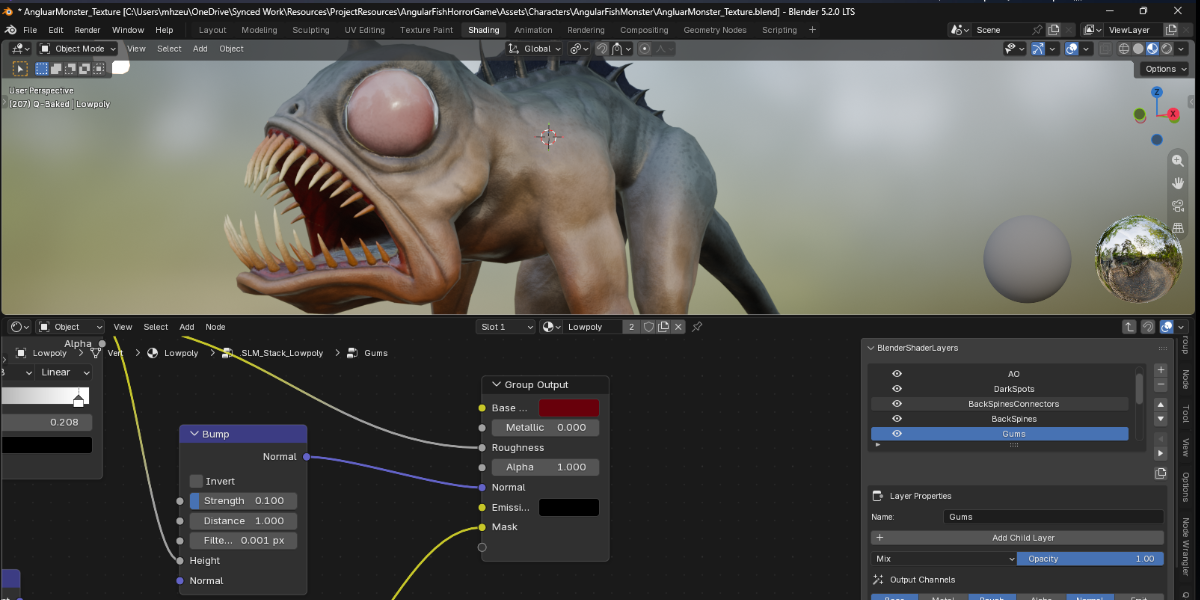
3. Every layer is an ordinary node group. Click it to open it and add any nodes you want. Close it, and the addon folds your layer back into the stack.
That's it. No manual wiring, no setup, just shading.
Features
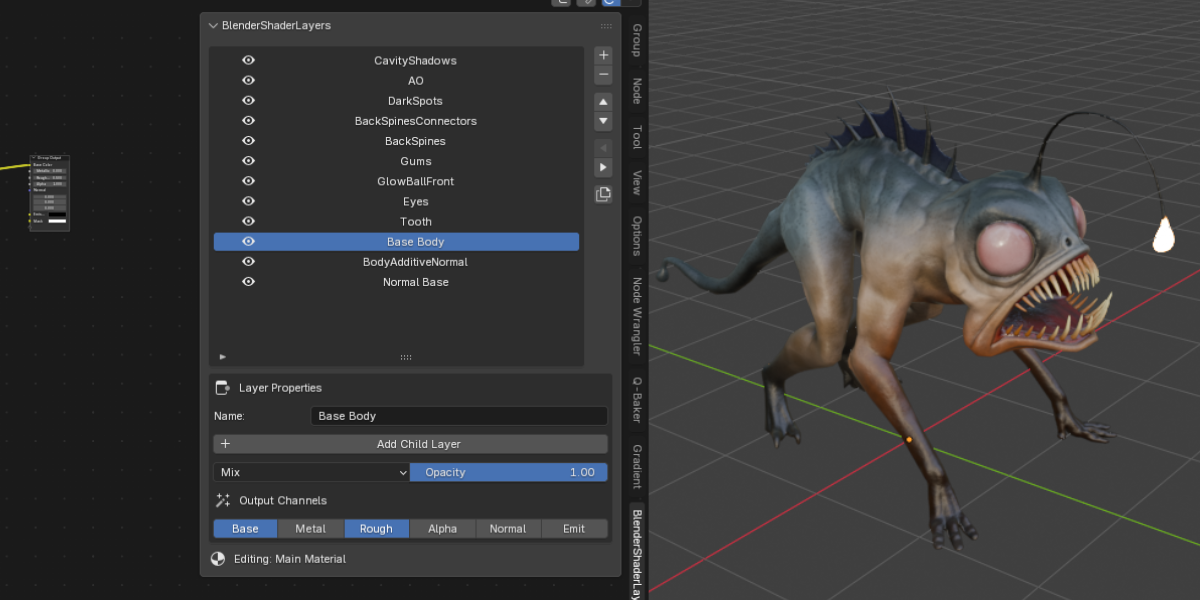
- Full control over your stack: Add, remove, reorder, duplicate, and rename layers at any moment.
- 14 blend modes: Mix, Add, Multiply, Screen, Overlay, Darken, Lighten, Dodge, Burn, Soft Light, Linear Light, Difference, Subtract, Divide.
- Opacity slider per layer: Fade any layer in or out.
- Per-layer PBR control: pick which channels a layer contributes to: Base Color, Metallic, Roughness, Alpha, Normal, Emission.
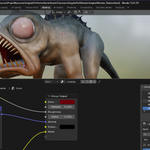
- Nested child stacks: put layers inside other layers to group related details (eyes, scratches, glow) into a single unit.
- Masks: every layer includes a Mask output; connect a texture to decide exactly where the layer appears.
- Mute: switch any layer off with one click, along with everything nested inside it. Nothing is lost.
- Duplicate keeps children: copy a layer together with its entire subtree, node groups included.
- Non-destructive by design: every adjustment stays reversible; nothing gets baked.
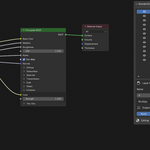
- Keep your graph tidy: the whole stack is bundled into one group node, with each layer living in its own.
Quick start
1. Install: Preferences → Add-ons → Install… → pick the .zip, then enable BlenderShaderLayers.
2. Open the Shader Editor with your material active (EEVEE and Cycles both supported).
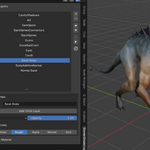
3. Open the sidebar (`N`) and go to the BlenderShaderLayers tab. Press Setup Layer Stack.
4. Press + to stack up layers; select any layer to adjust it in the properties below.
5. Click a layer's name to dive into its node group; double-click to rename it.
6. Render, tweak, render again, changes apply on the spot.
Understanding the stack
- Stack order: the top of the list is the top of the stack. Layers above win in the render, just like an image layer editor.
- Blend modes: control how a layer mixes with what is beneath it. Start with Mix (normal), Add (lights and glow), Multiply (shadows and textures), or Screen (overlays and highlights). If a mode gives a wrong look, try another, one click, fully reversible.
- Opacity: dims the entire layer, mask, children, and all, toward invisible.
- Channels: one layer can be filters to effect only base color while another only drives roughness or normal detail, for example, a scratch layer that never touches the base color. Scalar channels (Roughness, Metallic, Alpha) always combine as Mix to stay physically accurate; the richer blend modes apply to the color channels.
- Masks: a Mask output on every layer, white by default. Plug in any texture and the layer appears only where the mask permits, still respecting its blend mode and opacity.
- Children: nest any number of layers under a parent. They render on top of it and behave as one group for muting, moving, and duplicating.
What happens to your node graph?
You get one small group node. The entire stack is composed inside a single Layer Stack group wired into your Principled BSDF, no trail of mix nodes cluttering the material. Every layer keeps its own node group, one click away.
The addon reconstructs the graph automatically on every change: switch a blend mode, drag layers around, toggle channels, the connections update instantly. And if the stack link ever gets cut (say, by manual node deletion), the Fix Connection button restores it in one click.
Requirements
- Blender 5.2 or later
- Any material built on a Principled BSDF (the default for new materials)
Version: 1.1.0
 Included
Includes 12 months of
- Support from Gigaduck
- Product updates
Extend this product’s Support Period +12 months: 50% of product price
Have questions before purchasing?
Login to message
| Published | 25 days ago |
| Blender Version | 5.2 |
| Extension Type | N/A |
| Render Engine Used | Cycles, Eevee |
| License | Mit |