 DC LEGEND



BlenderManager
AI-Powered Workflow Automation for Blender
Overview
BlenderManager is a comprehensive Blender addon that combines AI-powered natural language commands with extensive 3D modeling automation features. Control your Blender workflow using simple chat commands or traditional UI controls.
Installation
- Download the BlenderManager addon package
- Open Blender and go to
Edit → Preferences → Add-ons - Click
Installand select the addon ZIP file - Enable "BlenderManager" in the addon list
- Install dependencies using the built-in dependency installer
Key Features
AI Chat System
Natural language commands with support for Ollama, Google Gemini, and OpenAI GPT. Stream responses with typewriter effects.
Advanced Lighting
Automated lighting setups including 3-point, studio, outdoor, and product lighting with customizable parameters.
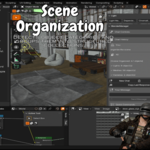
Scene Organization
Smart scene cleanup, object organization by type, collection management, and automated naming conventions.
Texture Generation
Integration with Advanced Texture Generator for procedural textures. AI-powered material suggestions.
Multi-Format Export
Batch export to FBX, OBJ, STL, GLTF with preset configurations and automated file management.
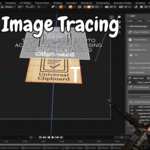
Image Tracing
Convert images to 3D geometry using OpenCV edge detection with customizable threshold and extrusion.
Decal Management
Project decals onto surfaces with raycast positioning. Organize and manage decal collections.
Pivot Control
Precise origin manipulation - set to bottom, top, center, or custom positions with visual feedback.
Quick Start
Using AI Commands
Access the AI chat panel in the 3D Viewport sidebar (press N). Type natural language commands like:
- "Create a 3-point lighting setup"
- "Organize my scene by object type"
- "Export selected objects as FBX"
- "Apply wood texture to selected object"
- "Set pivot to bottom center"
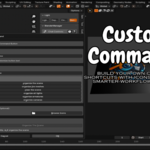
Using Custom Commands
Open the Custom Commands panel for quick access to all features through autocomplete suggestions and direct execution.
AI Provider Setup
Ollama (Local)
- Install Ollama from ollama.ai
- Download models:
ollama pull llama2 - The addon can start/stop Ollama service automatically
Support & Feedback
For issues, feature requests, or contributions, please visit the project repository or contact the maintainer.
-
$1
Use blendermanagerfree to get the addon for 0 USD
-
$15
All Feature
-
$20
Don't miss out on this special offer! You can also get the N-Panel Manager, originally worth $10, for only $5. It's a great deal that adds even more value to your purchase
-
$25
BlenderManager ($15), N-Panel Manager ($10), Advanced Light Manager ($15), and Append Asset ($5) are now available together in a limited-time bundle for just $25—down from the original total price of $45, giving users a $20 discount while gaining all four powerful Blender add-ons in one complete workflow-enhancing package.
Have questions about this product?
Login to message
| Blender Extension Compatible | Yes |
| Published | 8 months ago |
| Blender Version | 3.0 - 5.0 |
| Extension Type | Add-on |
| Render Engine Used | Cycles, Eevee |
| License | GPL |