BlenderMCP Pro — Blender Add-on — v2.1.3
Build, edit, validate and automate Blender with ChatGPT, Claude or your preferred AI.
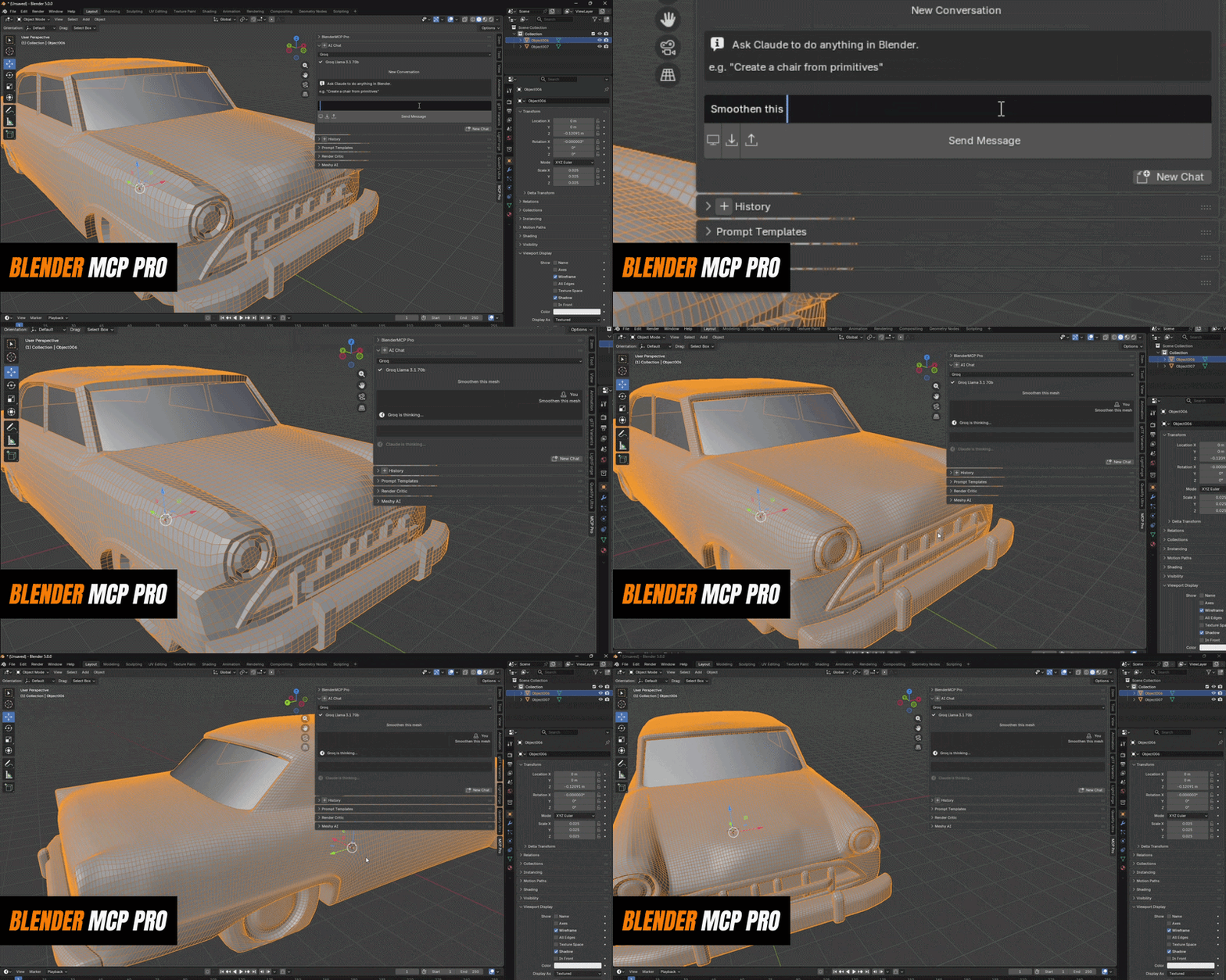
BlenderMCP Pro is a production-focused AI control layer for Blender with 92 native capabilities behind it — real operators for scene building, mesh cleanup, UVs, rigging, materials, lighting, geometry nodes, validation, rendering and export. Use the built-in chat, connect supported ChatGPT workspaces or Claude through MCP, or work through other MCP clients. Multi-step jobs execute locally where possible, scene context stays compact to reduce token use, and the new spatial system can build and certify coherent room and prop layouts instead of blindly guessing object coordinates.
NEW IN 2.1.3 — PRODUCTION AGENT + SPATIAL RELIABILITY
"I already pay for ChatGPT or Claude. Why should I need a separate workflow?"
Connect Blender directly to ChatGPT and Claude
2.1 The Connection Hub can expose BlenderMCP Pro through MCP so supported ChatGPT workspaces, Claude, and other MCP clients can inspect and operate Blender directly. The default compact catalog exposes only four gateway tools and discovers detailed schemas only when needed.
"Autonomous AI sounds useful, but I don't want every action burning more tokens."
Lower-token execution by design
2.1 Local command fast paths can handle simple operations with zero AI calls. Compact scene context avoids repeatedly dumping the whole file into the model, and multi-step plans can execute many Blender actions locally after a single AI decision. Economy, Balanced and Maximum strategies let you control how aggressively the agent spends model calls.
"AI can create a room, but the chair ends up through a wall and the books float."
Spatially certified scene building
2.1.3 Scene plans can use real dimensions and relationships such as ON_TOP_OF, IN_FRONT_OF, ON_WALL, INSIDE, CLEARANCE and NO_INTERSECTION. BlenderMCP solves those relationships locally, keeps objects inside room boundaries, checks support and severe collisions, and independently certifies the final spatial layout instead of trusting the planner's coordinates.
"I want powerful automation without losing control of the file."
Mission-level reliability, activity history and one-step rollback
2.1 The redesigned Agent / Flows / Inspect / Activity / Settings workspace keeps configuration out of the way while exposing what the agent is doing. Mission writes share a mission-level undo checkpoint, failed tool results are treated as failures, and long operations use explicit task state rather than pretending a timeout means Blender stopped changing.
Example — Build a complete room, then certify the layout
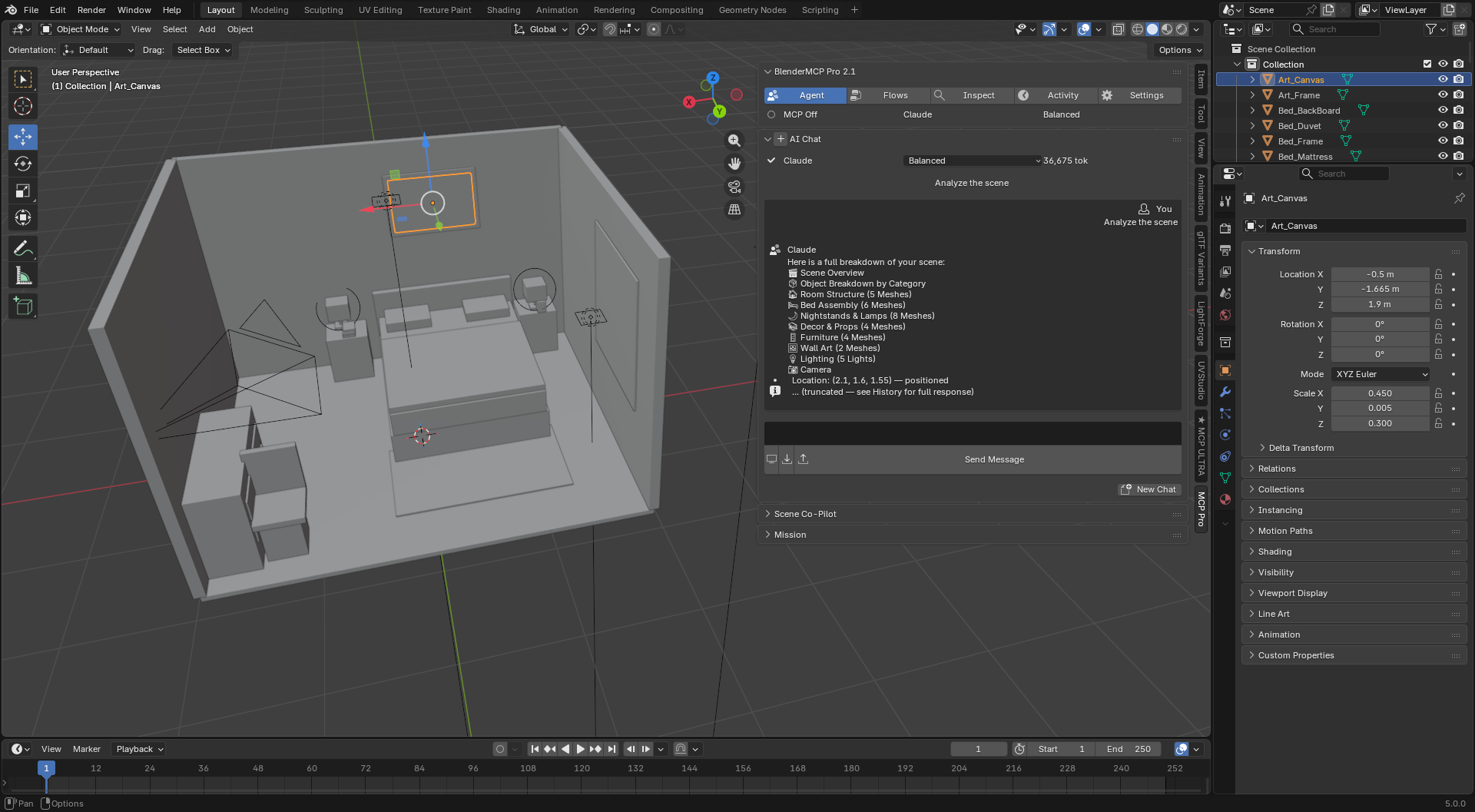
"Build a modern bedroom — bed, nightstands, lamps, rug, dresser, chair, wall art and a window. Keep everything inside the room, avoid major intersections, preserve walking clearance, and certify the final layout."
One scene goal becomes a local multi-step plan. BlenderMCP creates the room and props, solves support and placement relationships, keeps geometry inside the room envelope, checks collisions and clearances, then reports whether spatial certification passed.
REQUIREMENTS & SETUP — 2 MINUTES
Blender 4.2 or newer
Including 4.5 LTS. Works as a standard Extension install.
One AI provider connected
Use an API provider such as OpenAI, Claude, Gemini or Groq, run Ollama locally, or connect a supported ChatGPT/Claude MCP client through the Connection Hub. Simple local fast-path commands can run without an AI call at all.
MESH & TOPOLOGY
"This mesh is way over budget and I need it cleaned up before it goes anywhere."
Decimate, merge-by-distance, triangulate, quadify — on command
"Decimate this to under 8,000 tris and merge doubles first" runs the actual cleanup pass, not a suggestion. Pulls live mesh stats (verts, faces, n-gons) before and after so you can see what changed.
"I have 40 imported/scanned meshes with garbage origins and no idea what's actually in each one."
Mesh stats, origin correction, modifier application at scale
Get a real stats readout per object, reset origins to geometry/bounds/cursor, and apply modifiers in bulk instead of clicking through each object's panel.
UV WORK
"Unwrapping is the part of the pipeline I put off the longest."
Smart UV Project, standard unwrap, and island packing on request
Pick the method, set the margin, done — angle-based unwrap or smart projection, then pack islands without opening the UV editor.
"I don't know if this UV layout is actually usable until I've already textured it."
UV coverage stats before you commit
Reports UV layer count and layout coverage so you catch a bad unwrap before texture work, not after.
RIGGING & WEIGHTS
"Building a rig from scratch — bones, hierarchy, IK — takes a huge chunk of my day."
Full armature building: bones, IK chains, constraints, custom shapes
Create armatures, add and pose bones, set up IK chains, add or remove bone constraints, and assign custom bone shapes — all from a prompt, all inspectable via list_bones before you commit.
"Weight painting a new mesh from zero is tedious, and auto-weights in vanilla Blender are hit or miss."
Geometric skin weights + vertex weight cleanup
Generates initial bone weights from actual geometric proximity to the skeleton (distance-weighted, top-K influences), then clean_vertex_weights trims influence count, removes near-zero weights, and smooths — the same cleanup pass you'd otherwise do by hand in weight paint mode.
"I want a rig fitted to this specific mesh, not a generic template I have to reshape."
Character Auto-Rig Fitting
BETA Measures the target mesh, fits a BIPED or QUADRUPED rig's proportions to it, weights the mesh, and verifies the weighting actually took before calling it done. Early-stage — deformation quality still varies on raw AI-generated geometry, worth a pose-test before you trust the result.
MATERIALS, LIGHTING & GEOMETRY NODES
"Wiring up a shader node graph by hand for every material is slow, especially for something as simple as glass or emission."
Full shader node control — PBR, emission, glass, or custom graphs
Add, connect, configure, or remove any shader node from a prompt. One-call builders exist for PBR, emission, and glass materials when you don't need to hand-wire the graph yourself.
"Setting up scatter distributions in Geometry Nodes means re-wiring the same Distribute → Instance → Realize chain every time."
One-call scatter setup, plus full node-level control
build_scatter_setup wires the whole pipeline automatically. For anything custom, it can list, add, link, and set values on individual Geometry Nodes directly.
"I'm nudging lights around by eye instead of just setting up a known-good lighting rig."
One-call studio lighting rigs
Three-point, HDRI-style, or product lighting setups in one call, or full manual control over any individual light.
ASSET & SCENE MANAGEMENT
"Finding the right asset in my own library, or generating a stand-in mesh, breaks my flow every time."
Search and import from your asset libraries, or generate with Meshy AI
Lists connected asset libraries, searches and imports directly by name, or generates a new mesh from a text prompt via Meshy AI and drops it straight into the scene.
"Organizing objects into collections, separating by material, or reparenting a scene by hand is busywork."
Object and collection management on request
Duplicate, join, separate by material, parent/unparent, move between collections, hide, and apply all transforms — the organizational cleanup that eats time without needing skill.
PIPELINE, VALIDATION & EXPORT
"An asset failed after export and I didn't catch it until it broke something downstream."
Asset validation before export
Checks polygon budget, UV overlap, and naming convention against rules you set, and returns a pass/fail/warn report before anything leaves Blender. Run it on a single mesh or an entire scene.
"Decimating and exporting 40 props to the right engine format, one at a time, takes forever."
Batch decimate and batch export across whole folders
Point it at a folder of .blend/.fbx/.obj/.gltf files, set a target face count or engine, and it processes the lot — triangulated for UE5, correctly scaled, exported in the right format (FBX, glTF, OBJ).
"I re-explain the same project rules every time I open the file."
Tell it once — "walls are always named WALL_*," "this targets mobile VR, meshes under 5,000 tris" — and it's remembered on that file, in every future session. No re-pasting context.
"I run the same multi-step pipeline on every new prop, by hand, every time."
Save any sequence of actions as a reusable named tool, with the target object exposed as a parameter. "Run my LOD pipeline on this new prop" replays the whole thing, retargeted.
"Unapplied scale, missing UVs, and non-manifold geo slip through until they cause a problem later."
Runs quietly in the background and flags these issues as they happen, with a one-click fix where it's safe to auto-fix. You don't have to go looking for them.
"I'm eyeballing lighting and materials through trial and error, re-rendering every small tweak."
Render Critic + Iterative Refinement
Render, get a structured critique with a quality score and a top priority fix, hit "Fix with AI." Or set a target score and let it render → critique → fix → re-render on its own until it clears the bar.
"I'm also running Unreal or Unity, and moving assets between them means starting over each time."
Running UnrealMCP Pro or UnityMCP Pro locally too? Enable the bridge and their tools merge into this same chat — quadify a mesh in Blender, then hand it to Unreal or Unity, in one conversation.
Example — Skipping the manual three-point light setup
"Set up a product render — clean background plane, three-point lighting, camera at 35mm aimed at origin"
4 tool calls. 3 seconds. Background plane created, area lights positioned, camera locked and framed.
Example — Not re-explaining your poly budget every session
"Remember that this project targets mobile VR — every mesh must stay under 5,000 triangles."
— new session, days later —
"What's our polygon budget again?"
It just knows. No re-pasting context into every new chat.
AI Providers — pick your cost/speed tradeoff
| Claude Best reliability. Powers Agent Missions. | Gemini Flash 1M tokens/day FREE | Groq Fast inference FREE | GPT-4o-mini Reliable, very cheap | Ollama Fully local, offline FREE |
Spatial Reliability 2.1.3 Real dimensions, relational placement, room containment, support checks, collision/clearance constraints, feasibility detection and independent spatial certification. | Connect supported ChatGPT workspaces through OpenAI Secure MCP Tunnel, Claude through remote MCP, plus compatible desktop/dev MCP clients. | 92 Native Capabilities Blender operations remain available through the built-in agent while external MCP defaults to a compact four-tool gateway that discovers detailed schemas only when required. |
Auto-fallback: If one provider hits a rate limit, the addon silently switches to the next available provider. Your session never breaks.
Cost controls (2.1): Compact scene context, lazy tool schemas, local zero-token fast paths, one-call multi-step plans, local verification, and Economy / Balanced / Maximum execution strategies.
Full capability reference
| Planner → execution → deterministic/local validation where possible, with mission-level undo, background execution, failure propagation and compact usage telemetry. | Queue long jobs and keep working. Live status, per-job cancel, results with cost readout. | Compact context, lazy tool discovery, zero-token fast paths, one-call plans, local verification, and Economy / Balanced / Maximum strategies. |
| Scene & Objects Create, delete, rename, move, scale, rotate, duplicate, join, separate by material, parent, hide, apply transforms, manage collections. | Mesh & Topology Mesh stats, apply modifiers, decimate, merge by distance, triangulate, quadify, set origin. | UVs Smart UV Project, standard unwrap, island packing, coverage/layout stats. |
| Shader Nodes & Materials Full node graph control plus one-call PBR, emission, and glass material builders. | Geometry Nodes Node-level control plus one-call Distribute → Instance → Realize scatter setup. | Lighting One-call studio rigs — three-point, HDRI-style, product — or manual control of any light. |
Armatures & Weights FITTING IN BETA Bones, IK chains, constraints, custom bone shapes, geometric skin weights, vertex weight cleanup, auto-fit character rigs. | Assets Search and import from connected asset libraries, or generate new meshes with Meshy AI. | Export & Pipeline FBX, glTF, OBJ. Batch decimate and batch export for UE5, Unity, or Godot. Asset validation before export. |
| Rendering Set engine and resolution, render to file, AI render critique, and closed-loop iterative refinement. | Voice Input Speak your instructions via local Whisper. No API key, no internet after setup. | Python Fallback For anything beyond built-in tools, the AI writes and executes sandboxed Python directly — no file I/O, subprocess, or network access. |
| Project Memory Facts and conventions the AI is told to remember persist across sessions, saved directly on the .blend file. | Macros Turn any sequence of AI actions into a reusable, retargetable named tool. | Scene Co-Pilot Passive background scan for common scene issues, with one-click fixes where safe. |
Use BlenderMCP Pro from ChatGPT, Claude, or your preferred MCP client
The built-in Connection Hub runs BlenderMCP Pro as an MCP server without forcing you to stay inside the N-panel chat. Supported ChatGPT workspaces can connect through OpenAI's Secure MCP Tunnel while Blender stays private/local; Claude and compatible MCP clients can connect through their supported MCP workflows. The same cross-DCC bridge can surface UnityMCP Pro and UnrealMCP Pro tools when those products are running locally.
ChatGPT Cursor Windsurf Claude UnrealMCP Pro UnityMCP Pro Any MCP client
Compact MCP gateway enabled by default. Cross-DCC tools are discovered dynamically, and third-party addons can still register compatible tools.
 Anvil Interactive Solutions