 Jobas Studios


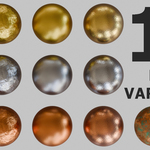
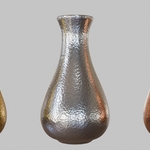
Blender Procedural Metal Materials Pack – 13 Variations (Gold, Silver & Copper)
Bring realism and flexibility to your renders with this Blender Procedural Metal Materials Pack, featuring 13 unique variations of gold, silver, and copper.
Each material is 100% procedural – no image textures required – ensuring maximum quality, scalability, and customization. The pack includes:
-
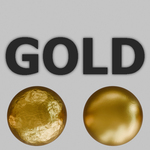
Gold: polished, foil, brushed, hammered
-
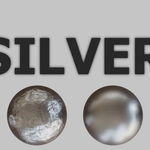
Silver: polished, foil, brushed, hammered
-
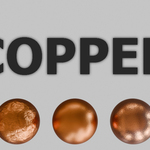
Copper: polished, foil, brushed, hammered, corroded
Perfect for product visualization, jewelry, architecture, game assets, or any scene that requires realistic metallic finishes.
Key Features
-
13 ready-to-use variations (gold, silver & copper)
-
100% procedural (no external textures)
-
Realistic, high-quality, customizable results
-
Compatible with Blender’s shading workflow
-
Materials easily reusable in any project with Append
How to Use
-
Open your Blender project.
-
Go to File → Append.
-
Navigate to the
.blendfile that contains the materials. -
Open the file and go to the Material folder.
-
Select the material(s) you want and click Append.
-
The material will now be available in your project and ready to apply to any object.