BuildFlow
 lorg1557
in Procedural Generators



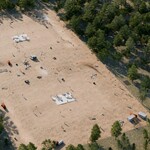
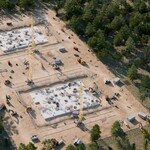
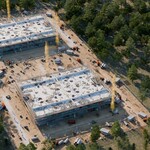
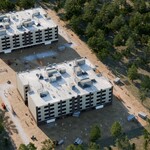
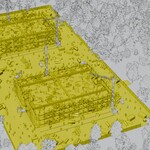
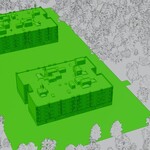
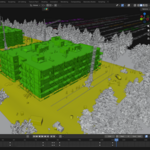
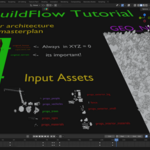
🏗️ BuildFlow | Step-by-Step Documentation
Welcome to BuildFlow by SuperHiveMarket. Follow these instructions to seamlessly integrate your own architectural project into this procedural timelapse system.
⚠️ CRITICAL SETUP RULES (Read This First!)
Before touching any sliders, ensure your custom architecture matches these requirements:
The 0,0,0 Rule: Your
original_houseandoriginal_terraincollections MUST be centered at world origin (XYZ = 0). This is crucial for correct procedural positioning and instance alignment.Asset Organization: Keep your input assets (props, people, vehicles, trees) in their designated collections as pre-configured in the startup scene.
🛠️ HOW TO USE (Workflow Breakdown)
1. Landscape & Fencing
Modify the shape of the terrain (
GEO_NODES_terrain) to match your project's general plan. You can set your own original terrain mesh in the modifier settings.Fencing: To generate construction fences automatically, apply your boundary edges to the vertex group named
"Group". Geometry nodes will automatically spawn fences along these edges.
2. Building Setup & Masking
Edit the
GEO_NODES_buildingmesh close to the boundaries of youroriginal_house.Assign this collection in the modifier settings.
Technical note: The tool combines all your building meshes to calculate a distance mask for the base ground level (excavation pit). You will also need to model the basic floor mesh (
GEO_NODES_base_floor_mesh). You can copy and rotate them as needed.
3. Roads & Logistics
Edit or draw the
GEO_NODES_roadsplines exactly where your roads should be. The system uses these paths to deform the ground (mud generation) and guide vehicles.
4. Construction Cranes
Edit, duplicate, and place
GEO_NODES_cranesaround the site.You can easily adjust animation settings, rotation speeds, and phases directly in the modifier panel.
5. Traffic & Crowds
Adjust the density and speed settings for
GEO_NODES_vehiclesandGEO_NODES_peoplein the main panel to breathe life into your streets as the construction progresses.
6. Procedural Vegetation & Wind
The system includes a basic
GEO_NODES_treesscatter system that distributes foliage usingprops_trees.Every tree comes with a built-in custom procedural wind modifier group (
group_wind). You can change the wind speed and intensity globally or per tree in the modifier settings.
7. Environment & Sun Time
To get that authentic timelapse look, animate the sun position and sky colors inside the World Shader Editor settings.
🎬 Final Step: Press "PLAY" and enjoy! 🚀
 Included
Includes 12 months of
- Support from lorg1557
- Product updates
Extend this product’s Support Period +12 months: 50% of product price
Have questions before purchasing?
Login to message
| Published | 5 months ago |
| Blender Version | 4.2 - 5.1 |
| Render Engine Used | Cycles |
| License | Royalty Free |

lorg1557
Discover more products like this
architecture animation buildings geometrynodes construction procedural