◆ VOYDE PROCEDURAL / ADD-ON / BLENDER 5.0+
Bunkai
Mecha Machines That Take Themselves Apart
Build a mecha machine and watch it take itself apart on camera, one part at a time, without a single piece passing through another.
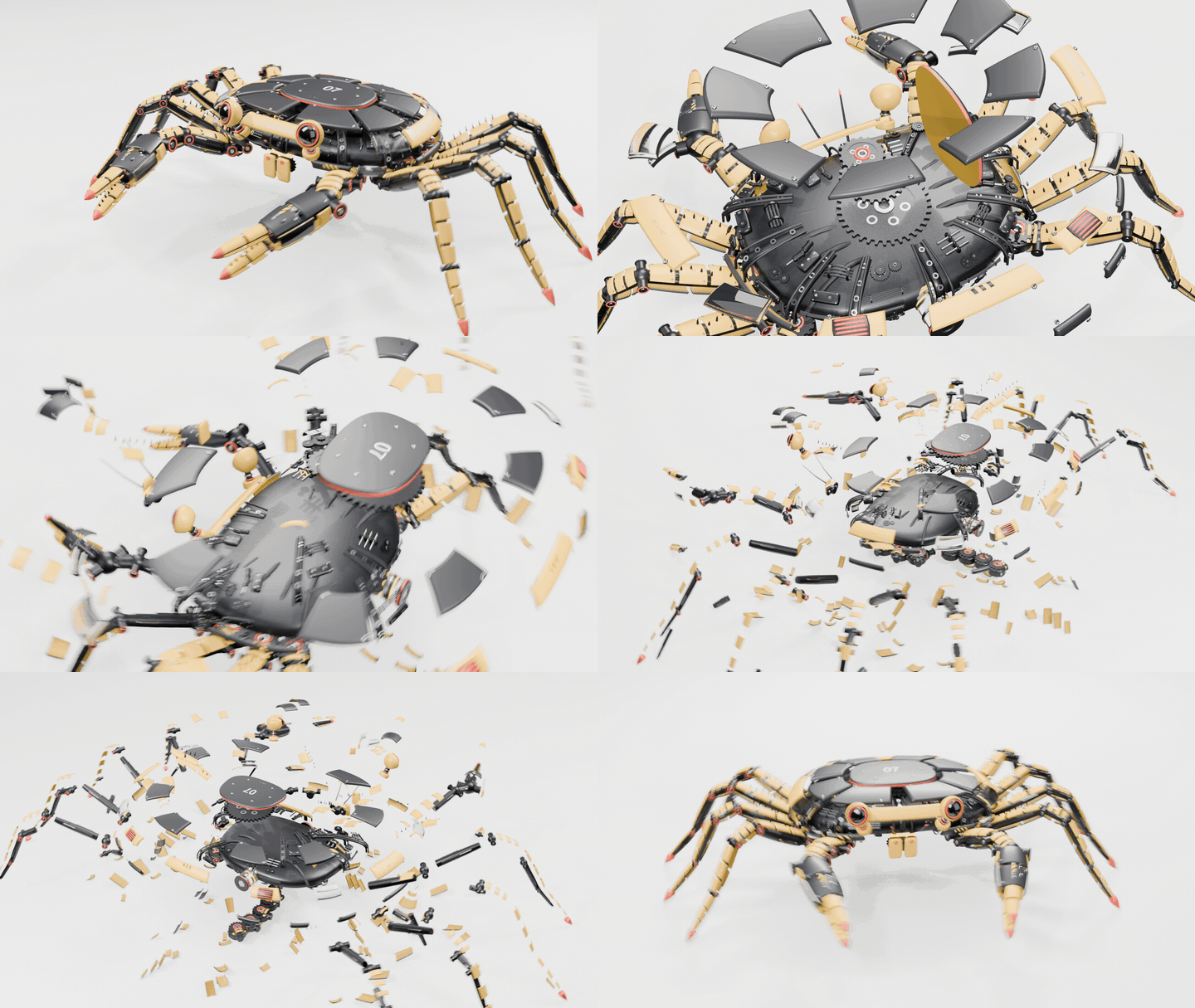
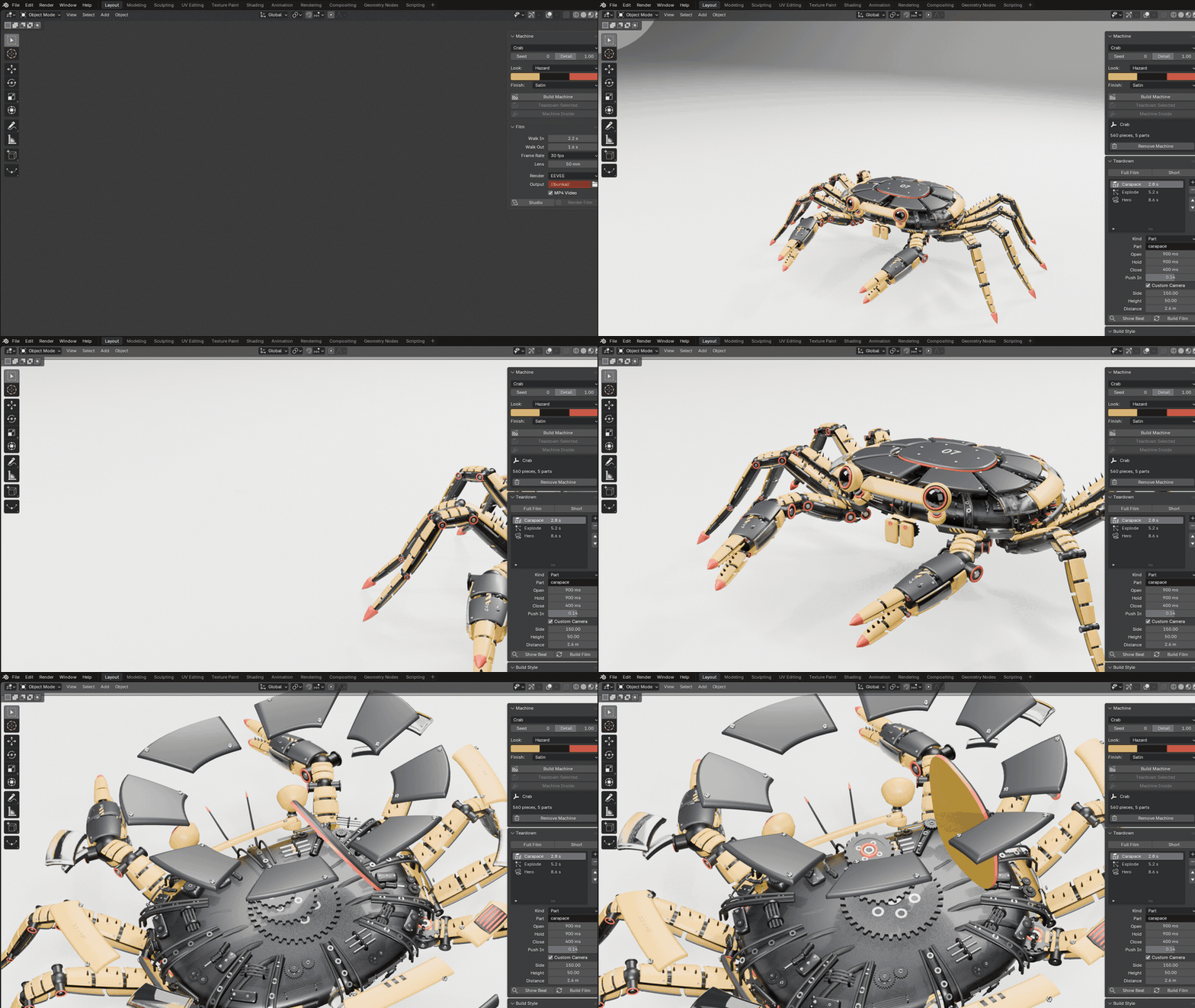
Bunkai (分解, Japanese for "taking apart") builds a ready-made machine in the Japanese mecha style, a near-white product studio and a finished film in one click. The machine walks or flies in, each part comes apart under its own camera and hangs open with its gears turning, the whole machine explodes on a turntable, snaps back together and leaves.
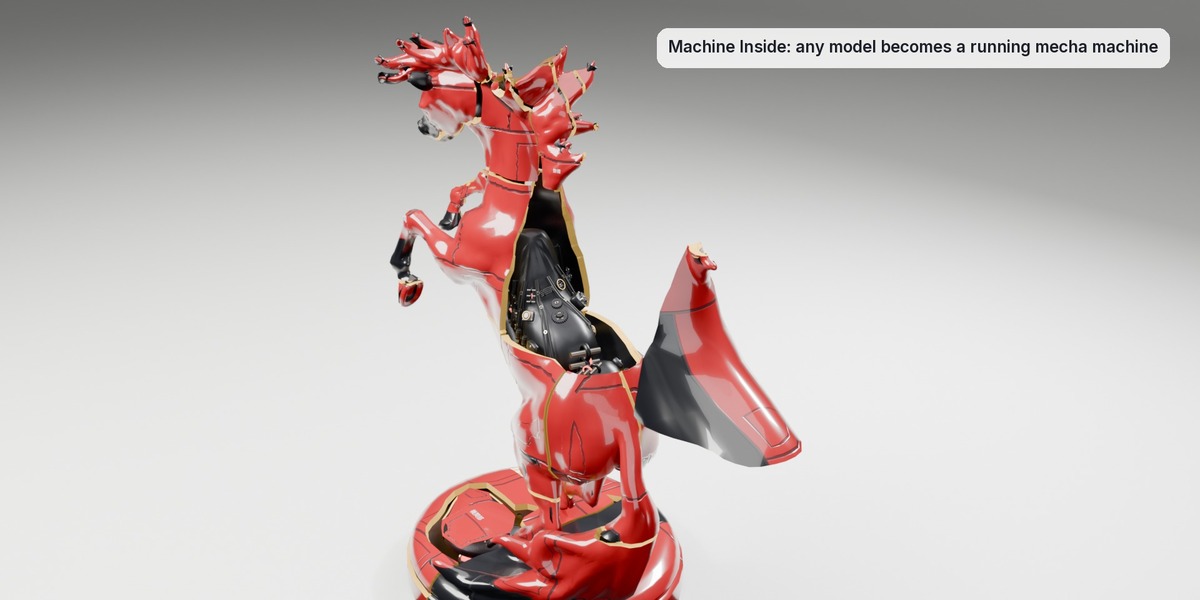
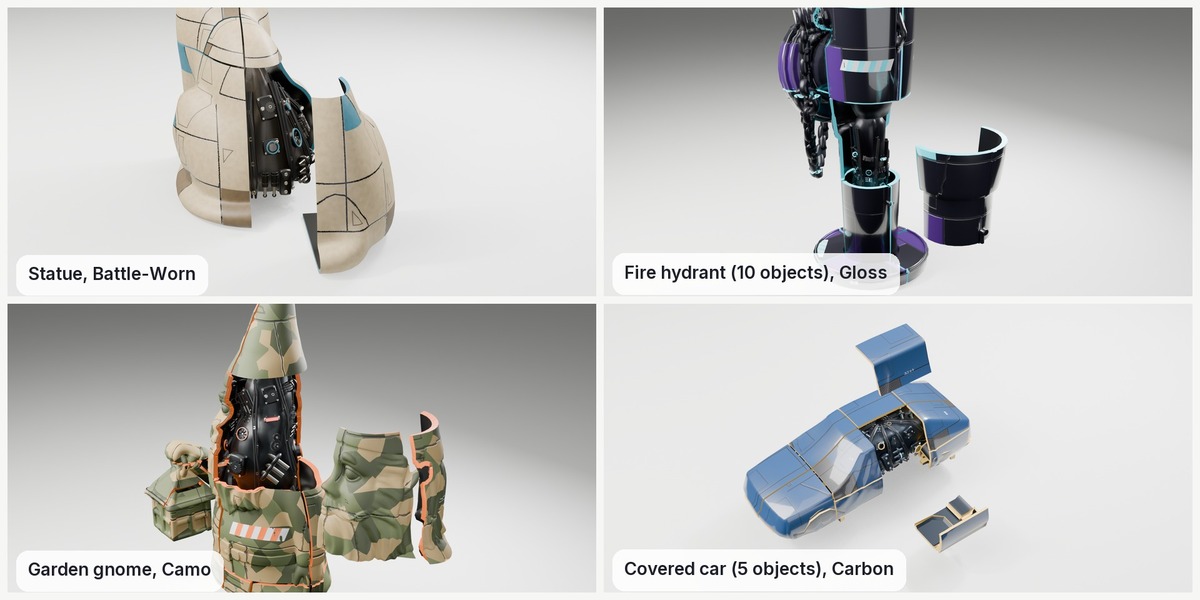
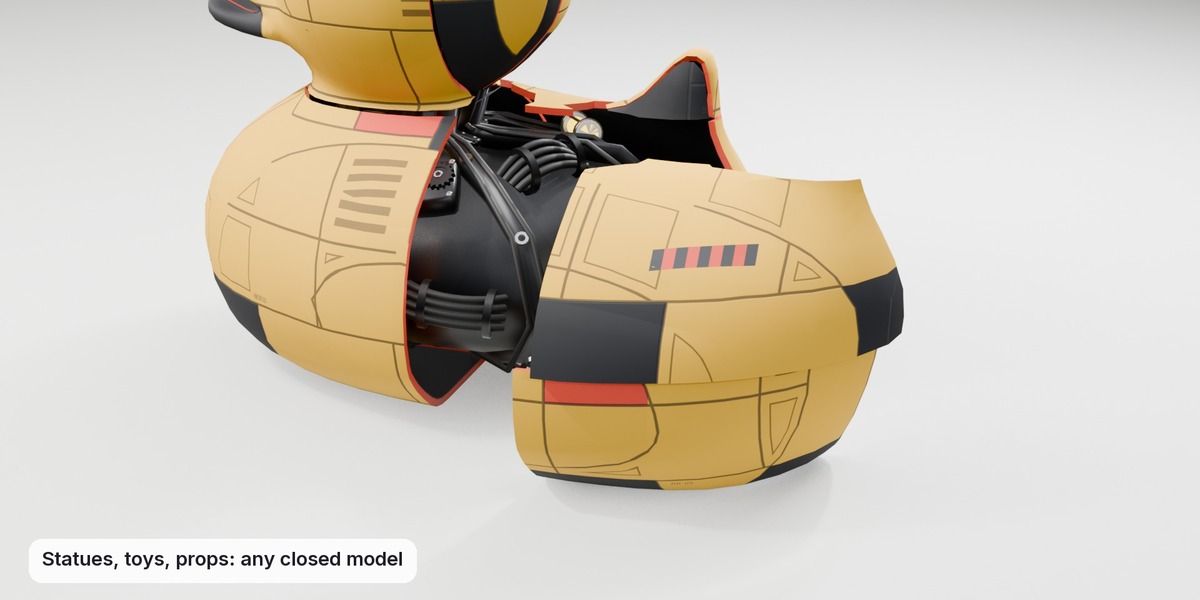
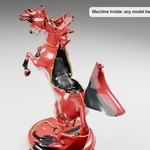
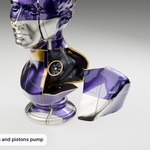
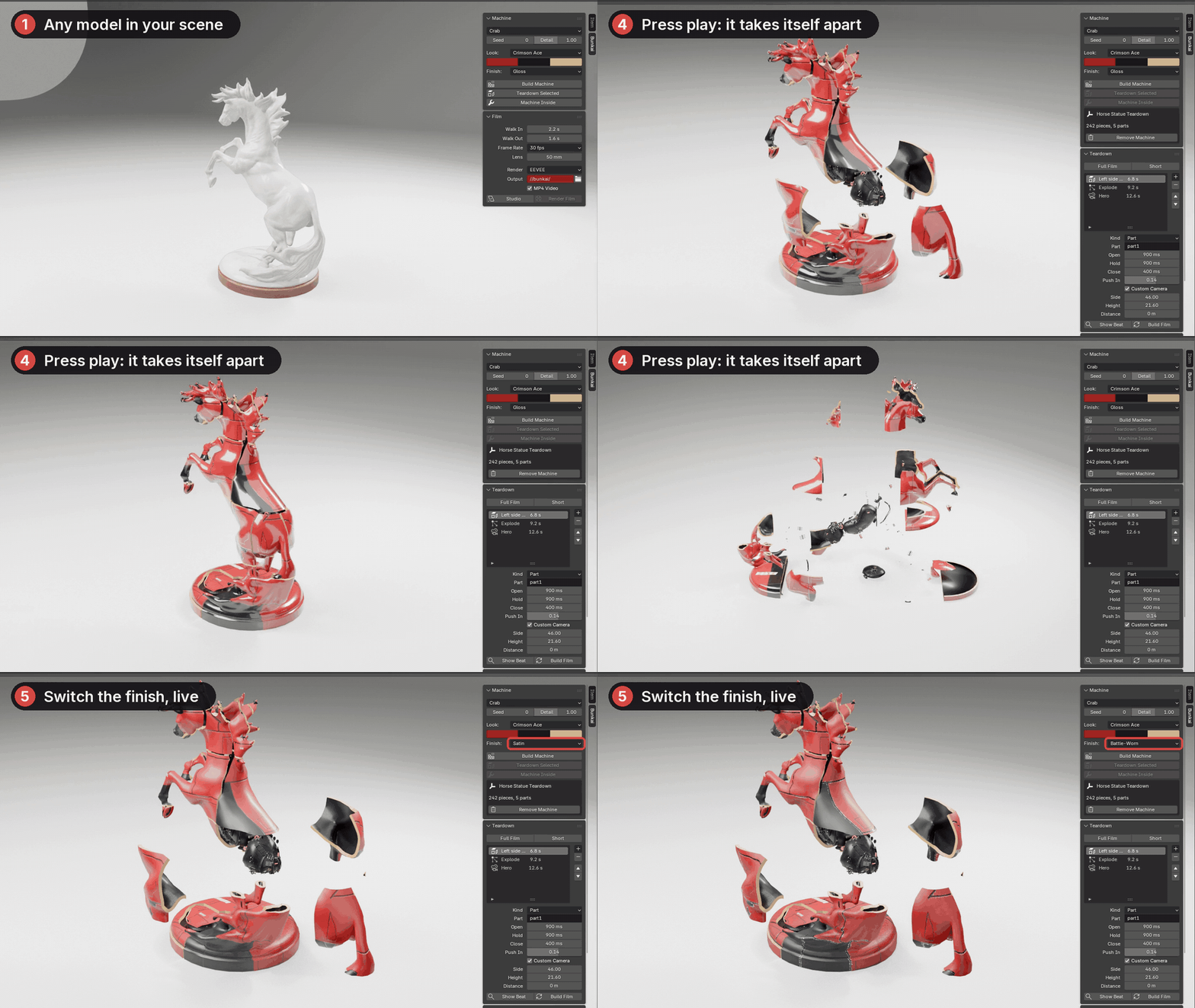
Any model can become a machine too. Machine Inside cuts a statue, a toy, a prop or a character into a few shells, paints them in the mecha look and builds a running machine inside it: gears that turn, pistons that pump, coils and wiring on a dark core that follows the model's shape. The shells open one part at a time and the machine shows.
Every move is collision-checked: covers leave before what they cover, pins slide out along their holes and nothing passes through a wall. A model you built in parts gets the same film with Teardown Selected, with eight build styles and an effector you move by hand.
4 READY MACHINESANY MODEL BECOMES A MACHINE12 MECHA LOOKS8 PAINT FINISHESPIECES NEVER TOUCHNO DRIVERS
01 — KEY FEATURES
From one click to a finished teardown film
◆Four ready machines
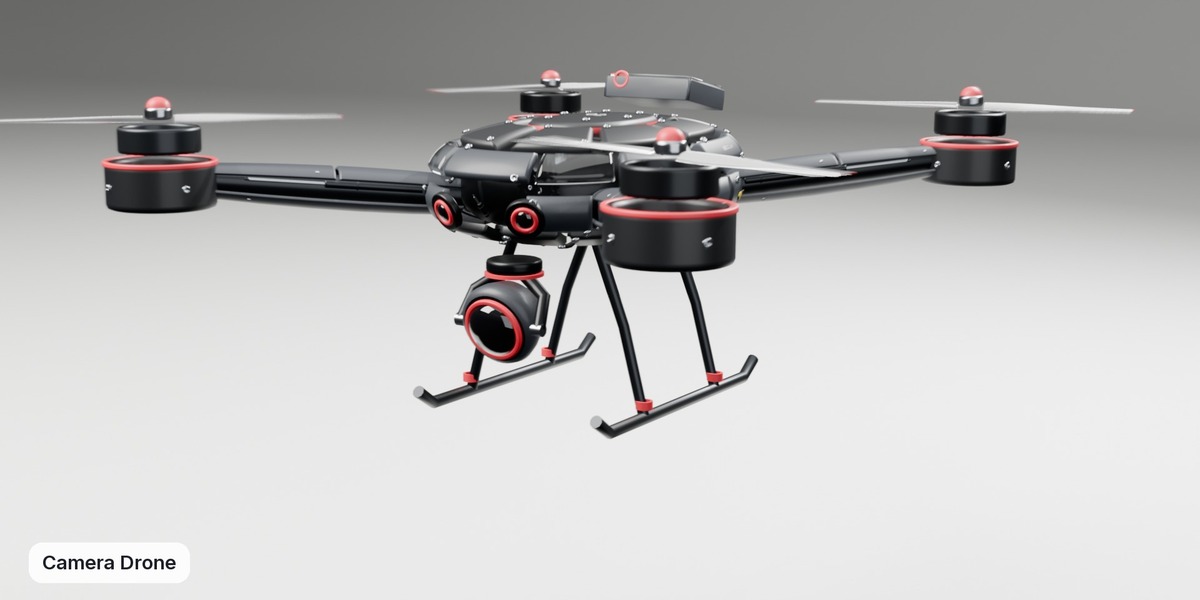
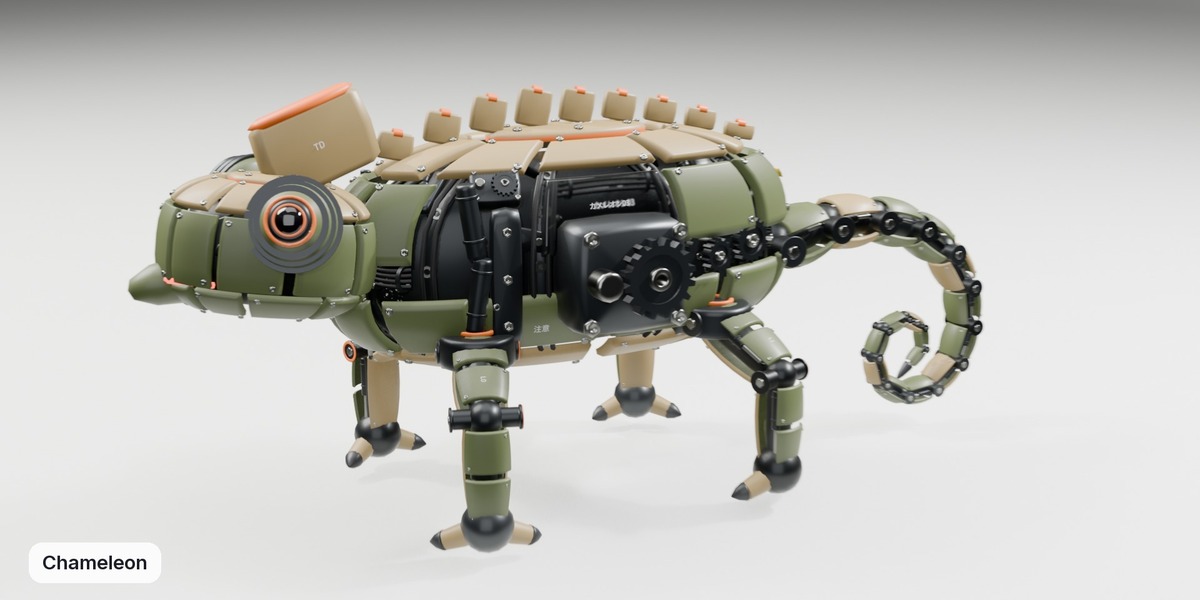
A Crab, a Camera Drone, a Chameleon and a Seahorse, each with its own armour, gears, optics, hoses and markings.
◆A film in one click
Walk or fly in, five parts open under their own cameras, the explode on a turntable, then the exit. A 10-second version too.
◆Pieces never touch
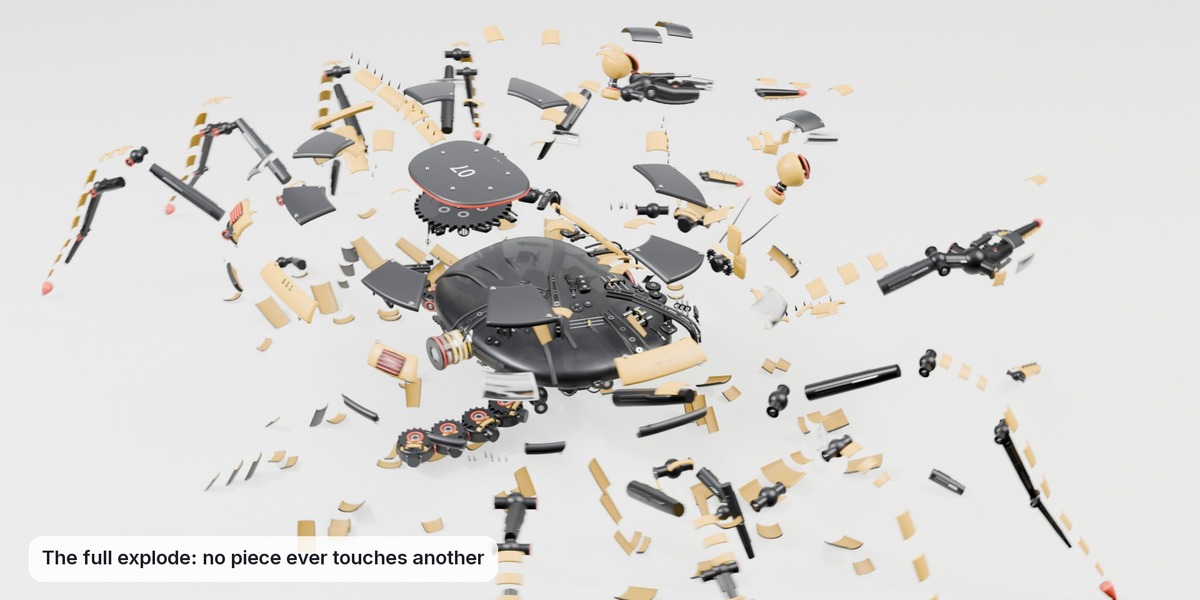
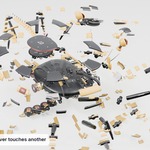
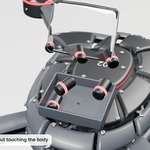
Every explode, build and effector move is checked against the real geometry, so no piece ever passes through another.
◆Machine Inside
Any model, one mesh or several objects, is cut into shells painted in the mecha look, with a running machine built inside it; the shells open part by part and reveal gears turning and pistons pumping.
◆Your own models
Teardown Selected turns any model built in parts into the same kind of film, without changing your geometry.
◆Film script
Part, Explode, Rebuild and Hero beats you can reorder or delete, each with its own camera side, height and distance.
◆Eight build styles
Drop In, Rise Up, Slide In, Fly In, Vortex, Brick by Brick, Snap Together and Stack Up, with order, feel and overlap.
◆Distance effector
An empty that takes the machine apart, assembles it or shrinks it by distance, with a live preview.
◆Japanese mecha looks
Twelve paint schemes, from Tricolor and Crimson Ace to Sakura, Hazard and Jade Lancer, with Japanese markings and caution stripes; colours change live.
◆Mecha Paint finishes
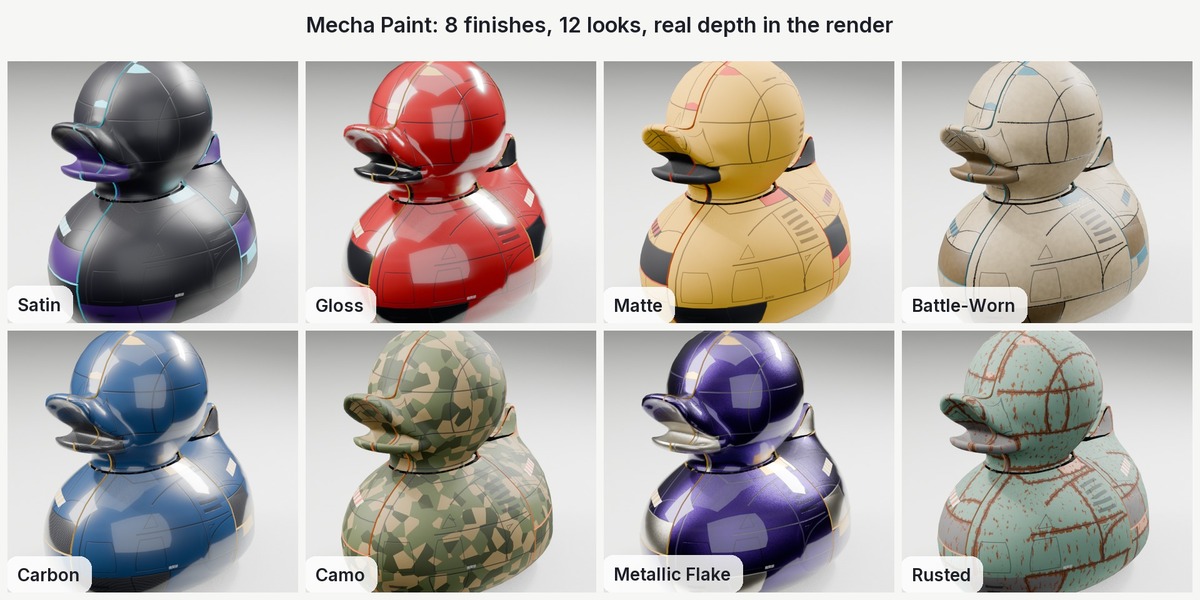
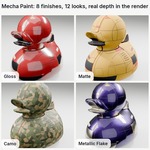
Satin, Gloss, Matte, Battle-Worn, Carbon, Camo, Metallic Flake and Rusted, with real depth in the render (panel lines, recessed panels, vents and inset grooves).
◆Product studio
Near-white backdrop, lights and render settings in one click; EEVEE or Cycles, MP4 or PNG frames.
◆Plain keyframes
No drivers, no frame handlers. A saved file renders the same without the add-on, on any machine or render farm.
02 — COLLISION-FREE
Pieces never touch
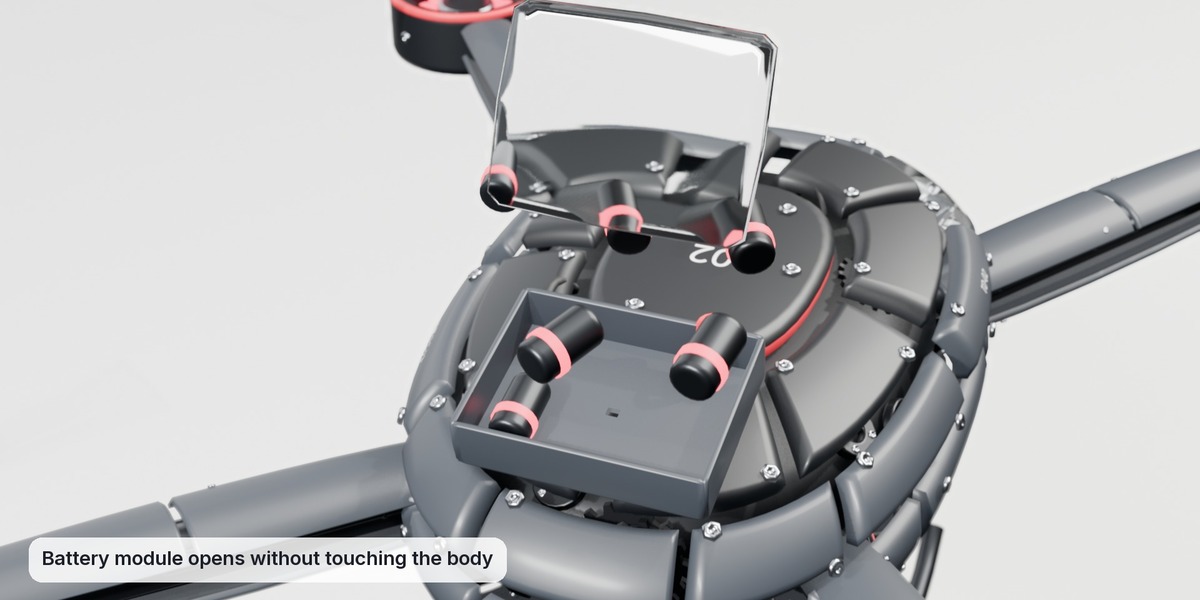
Bunkai plans every move against the real triangles of the model. A piece only travels along a path that is clear of every other piece, and it waits while another piece is in its way. A bolt in a hole comes out along the hole; a plate over a gear leaves first; pieces welded so tightly that neither can leave alone go together as one unit; a piece inside a hollow shell does not pass out through its wall.
The ready machines open their parts the way they were designed, made collision-free the same way: a plate whose way out runs into a leg opens only as far as it can or lifts up and away instead, a cover on top of another goes first, and a gear that would scrape its neighbour while turning does not turn. Change the seed or the detail and the check runs again for the new machine.
03 — READY MACHINES
Four machines, twenty parts to open
Every machine is built by code, so Seed varies segment lengths, poses and small parts, and Detail sets how many screws, hoses and gears fill the mechanism.
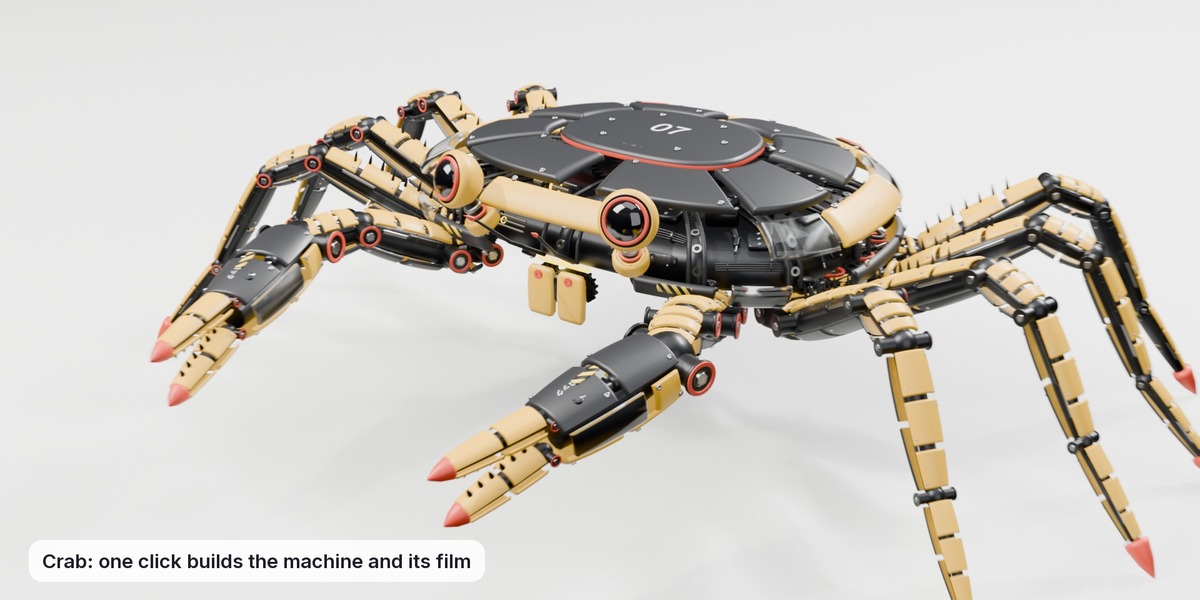
Crab
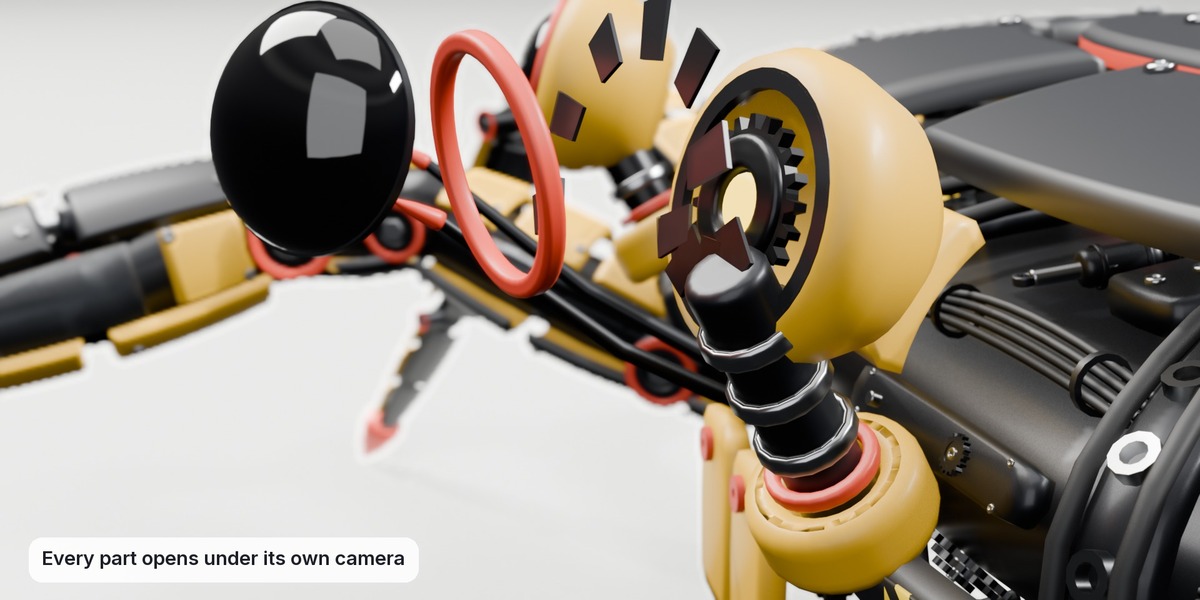
Walks in on eight legs. Optics with a ten-blade iris, a claw with a glass palm, the carapace, a leg and a glowing power cell come apart.
Camera Drone
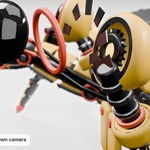
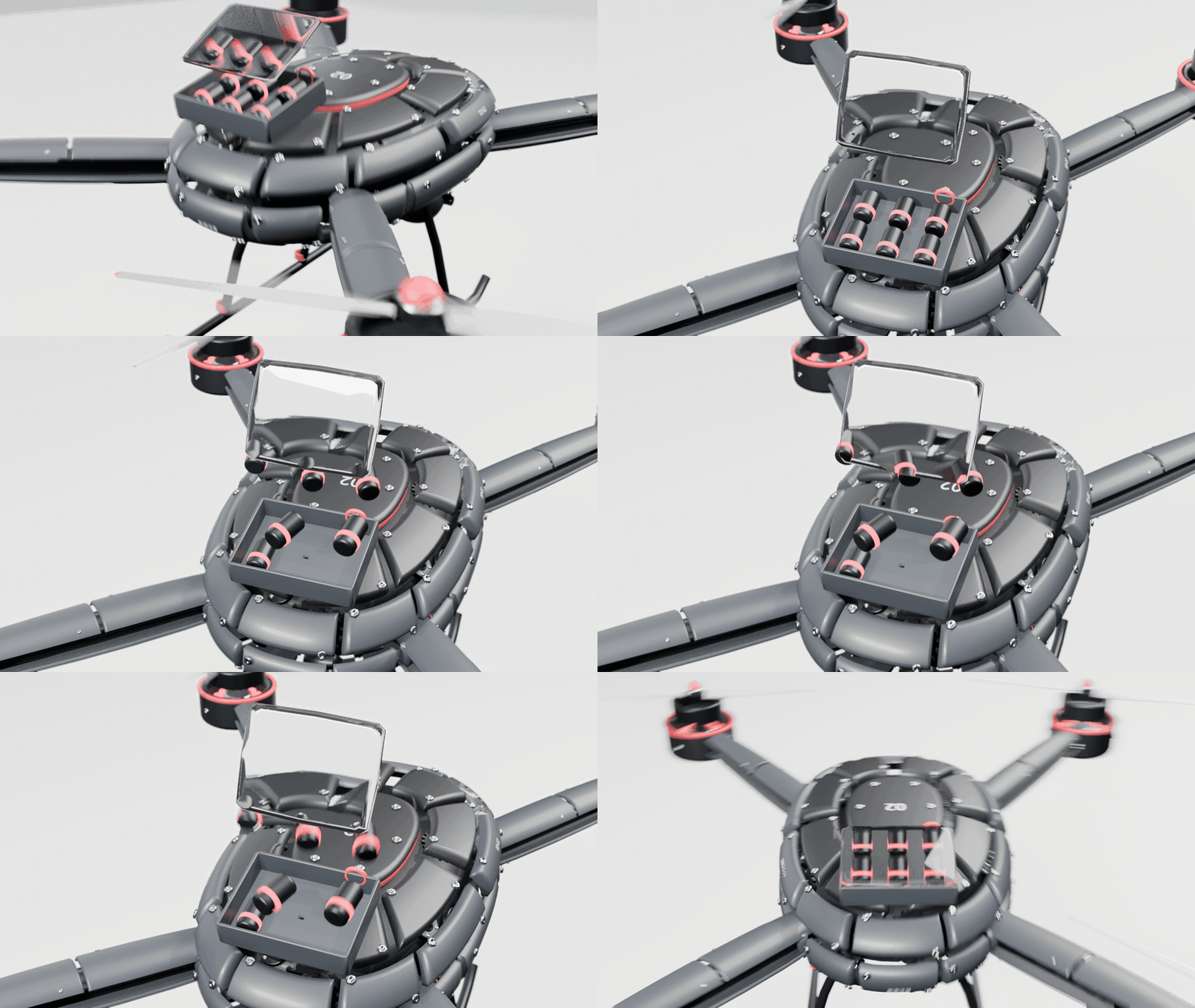
Flies in on four frosted rotors. The gimbal camera, a rotor, the shell, an arm and the battery module come apart.
Chameleon
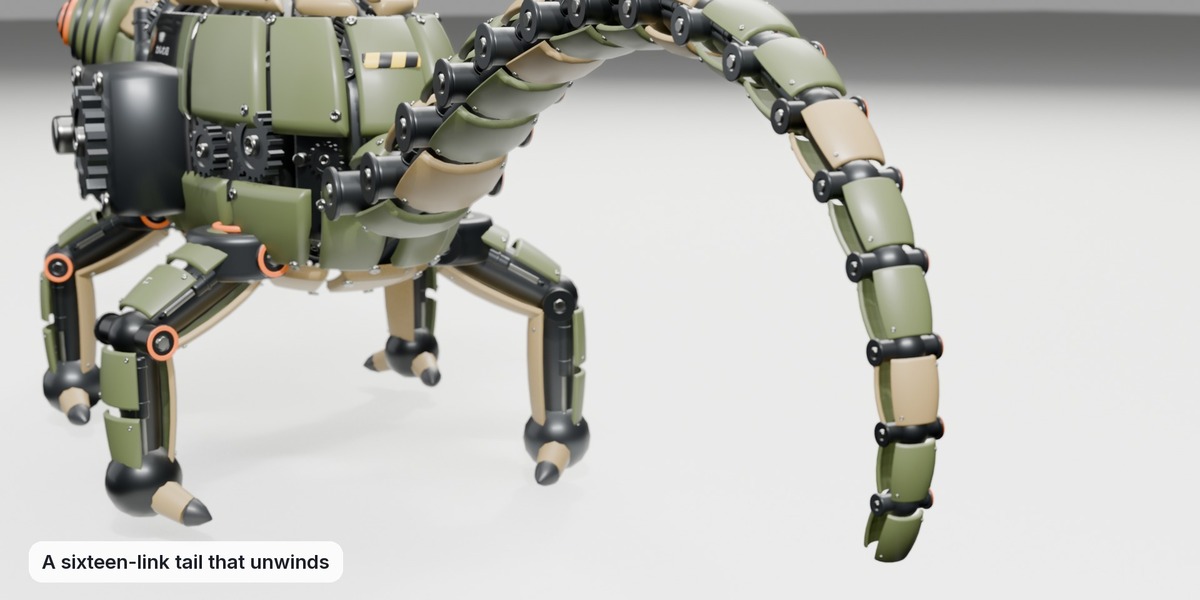
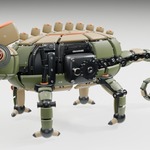
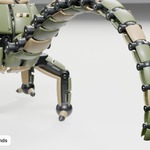
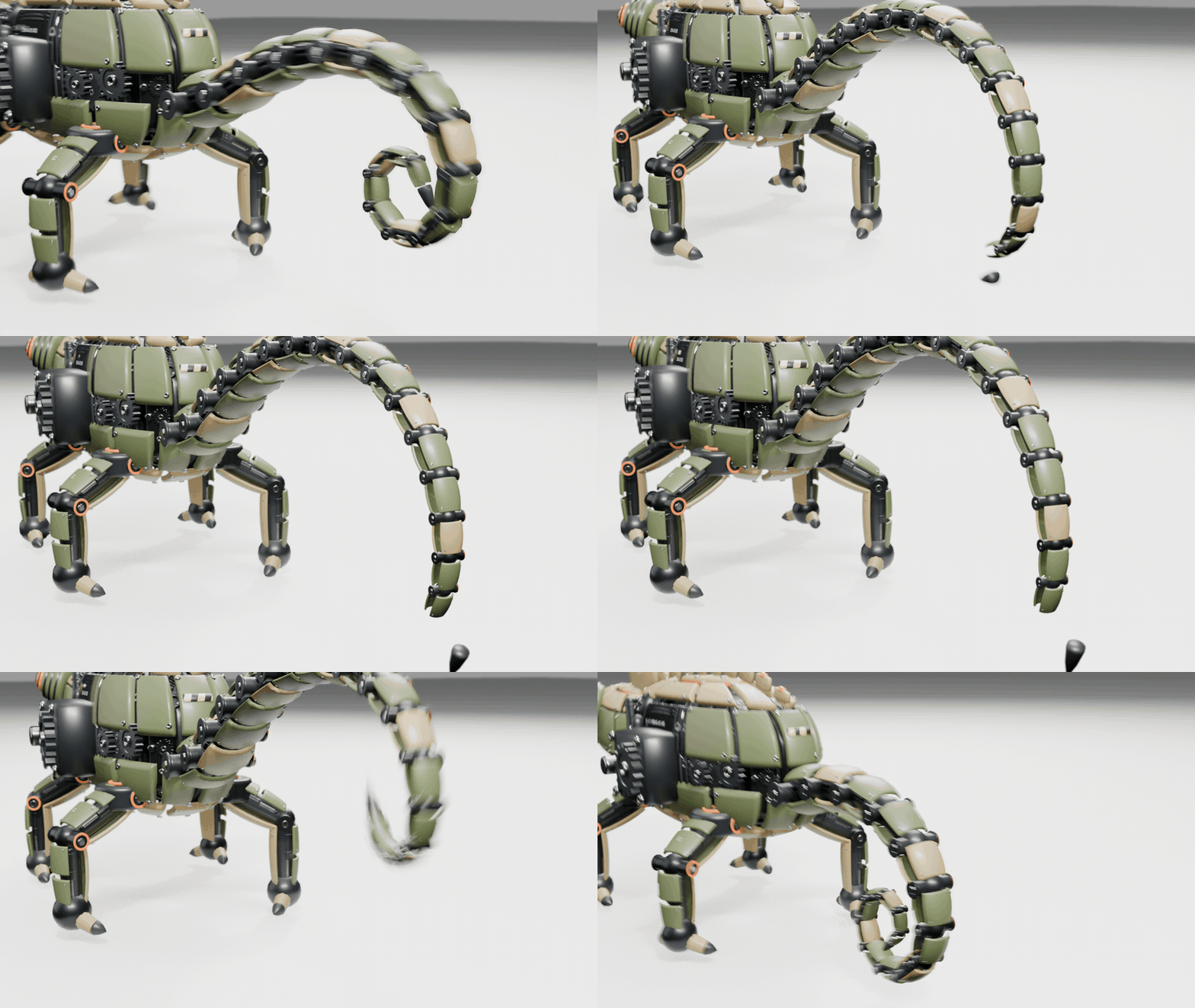
Walks in on four gripper feet. A turret eye, the casque, the flank plates, a leg and a sixteen-link spiral tail that unwinds.
Seahorse
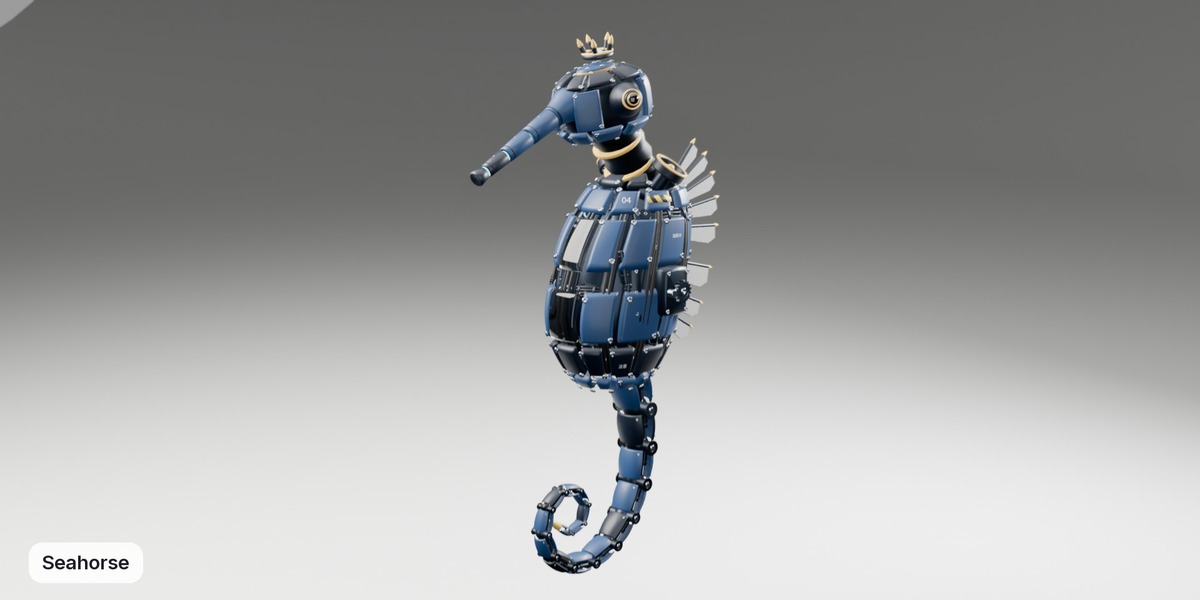
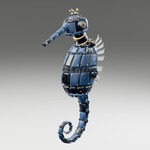
Hovers in on two ducted thrusters. The head and its star coronet, a telescoping snout, a dorsal fin that fans open, the ring armour and a curled tail that unwinds.
04 — FILM SCRIPT
A film made of beats
The film is a list of beats in the sidebar. Delete one and the film gets shorter; move one and the order changes. Show Beat jumps to the moment a beat hangs fully open.
Part
One part comes apart, hangs open with its gears still turning and snaps back, while the camera moves to its own side and pushes in.
Explode
The pieces fly apart from the outside in, without touching, while the camera circles, then come back the same way.
Rebuild
The machine takes itself apart in a build style and builds itself again.
Hero
The camera returns to the hero view.
05 — BUILD STYLES
Eight ways to come together
How your own model, or a Rebuild beat, comes together. Pick the Order (bottom up, inside out, part by part, nearest the effector first and more), the Feel (Smooth, Snappy, Mechanical, Floaty), the Overlap and the Build Time. Every style is collision-checked.
Drop In
Pieces fall from above into place, the lowest first.
Rise Up
Pieces rise out of the floor into place, the highest first.
Slide In
Pieces slide in from the four sides, the core first.
Fly In
Pieces fly in from all around, tumbling until they near the model.
Vortex
Pieces swirl around the model and slot in from the side.
Brick by Brick
One piece at a time is carried over, held above its spot and pressed down.
Snap Together
Pieces appear just off their spot and snap in, in a wave from the core.
Stack Up
Layer by layer from the floor up, each piece drops a little and settles.
06 — MACHINE INSIDE
Any model becomes a machine
Select a model, such as a statue, a toy or a character (one mesh, or the several objects it is made of), and press Machine Inside. Bunkai works on a copy and hides the original. The model's surface is cut into a few big shells and painted in the machine's look: armour colours, irregular panel lines, Japanese markings and caution stripes, with a dark inside and a thin trim along the cut. The shape stays your model's; untick Mecha Paint to keep its own materials.
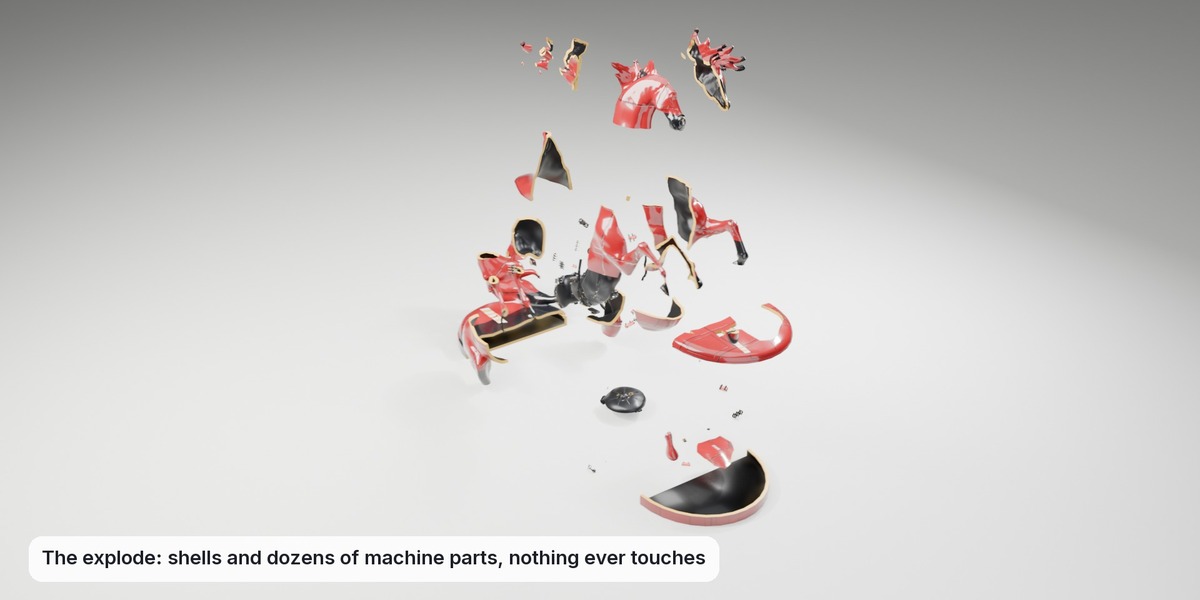
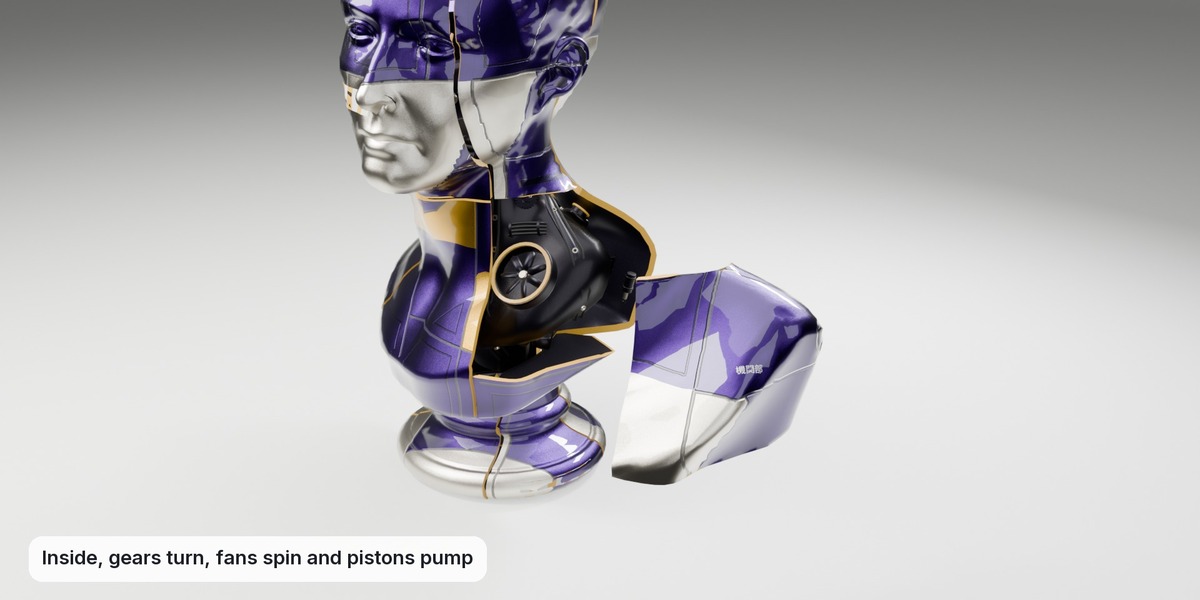
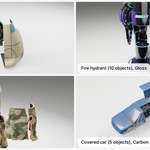
Inside, up to three dark cores follow the model's big masses (a horse's chest, haunch and head) and carry a machine bay: ribs with wiring, gear clusters, pistons, servo blocks, coils, optic sensors, glowing power cells and turbine fans, kept clear of the walls. The machine runs all film long: gear pairs turn at their teeth ratio, cap gears and fans spin and piston rods pump, and every moving part is checked in every pose so it never touches a thing. In the film the shells with machine behind them open one part at a time, the most revealing first, under a camera that frames what they show. In the full explode it comes apart in layers like the ready machines: the shells fly well clear, the ribs, wiring, sensors and power cells come off in dozens of pieces, and the core keeps running in the middle. Shells, Parts, Detail and Thickness stay adjustable right after.
The paint has eight finishes, and every one works with every look: Satin, deep Gloss under a clear coat, flat military Matte, Battle-Worn with chips down to bare metal and grime in the seams, Carbon weave on the colour blocks, Camo patches, sparkling Metallic Flake and Rusted, with rust blooming out of the seams. The panel lines, a few recessed panels, vent grilles and inset grooves are real depth in the render, pressed into the surface so the shape stays your model's. Switch the finish in the sidebar and the shells change at once.
07 — MECHA PAINT
Eight finishes, dozens of pieces
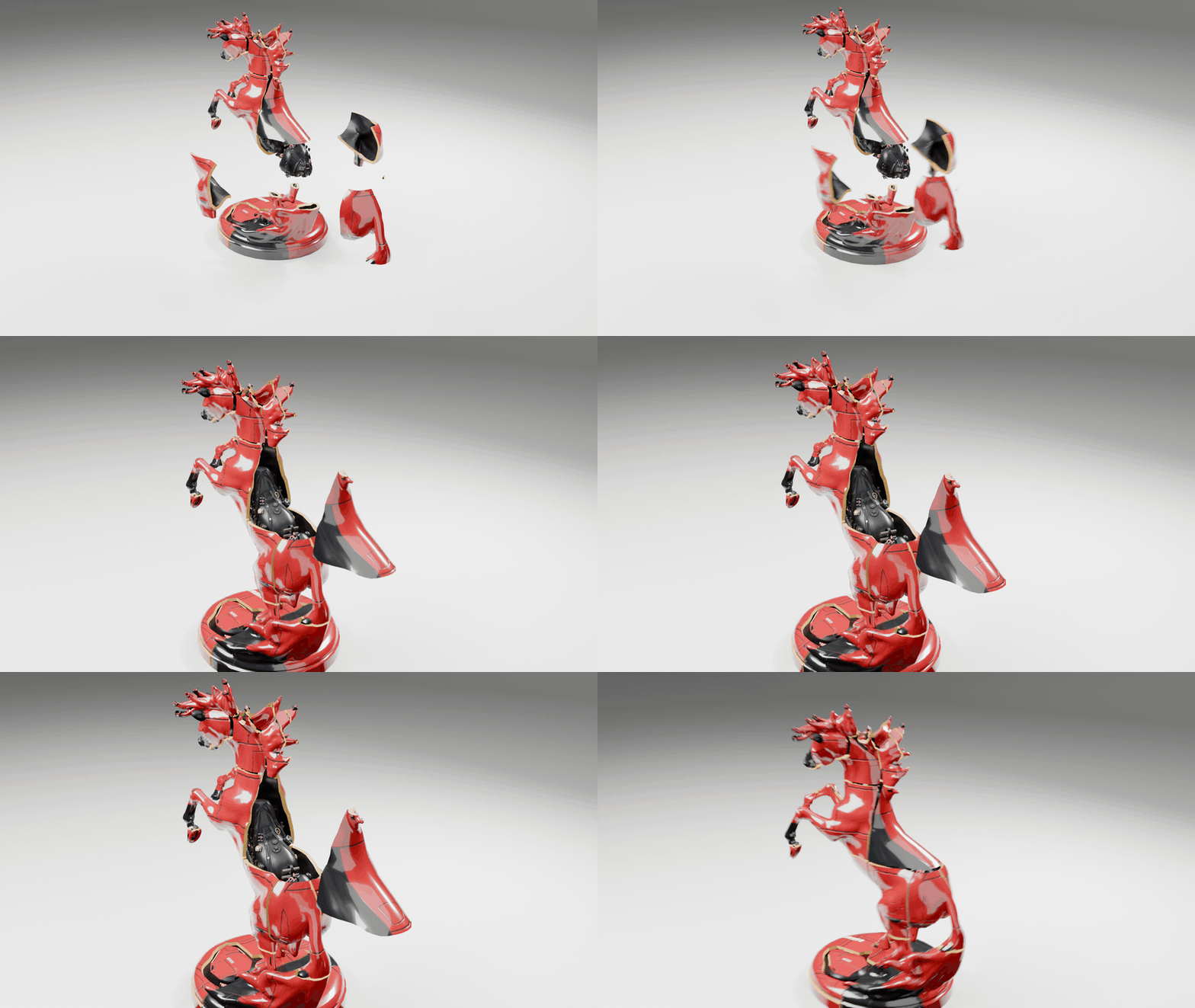
The shells open one part at a time and the running machine shows
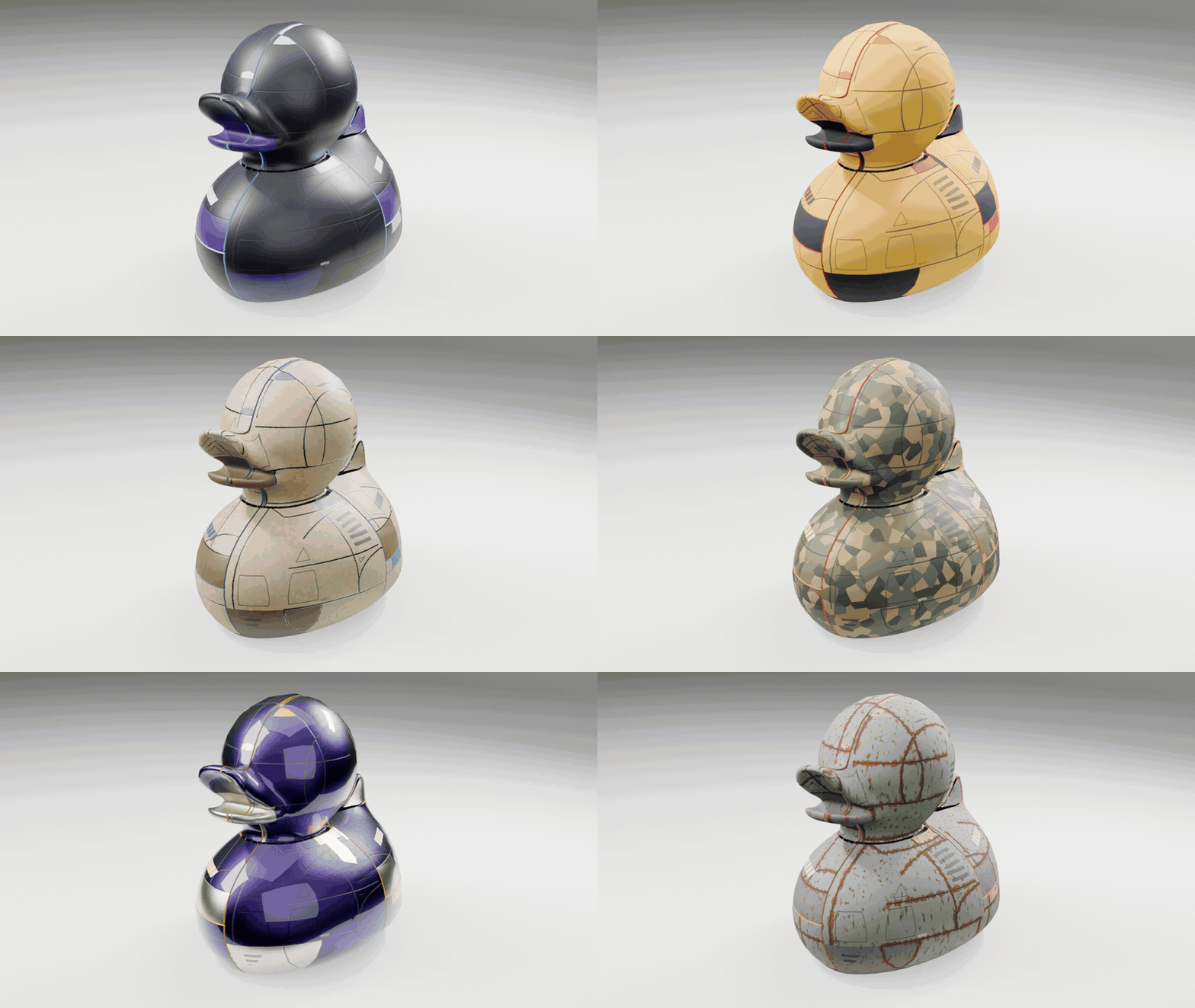
Satin, Gloss, Matte, Battle-Worn, Carbon, Camo, Metallic Flake and Rusted
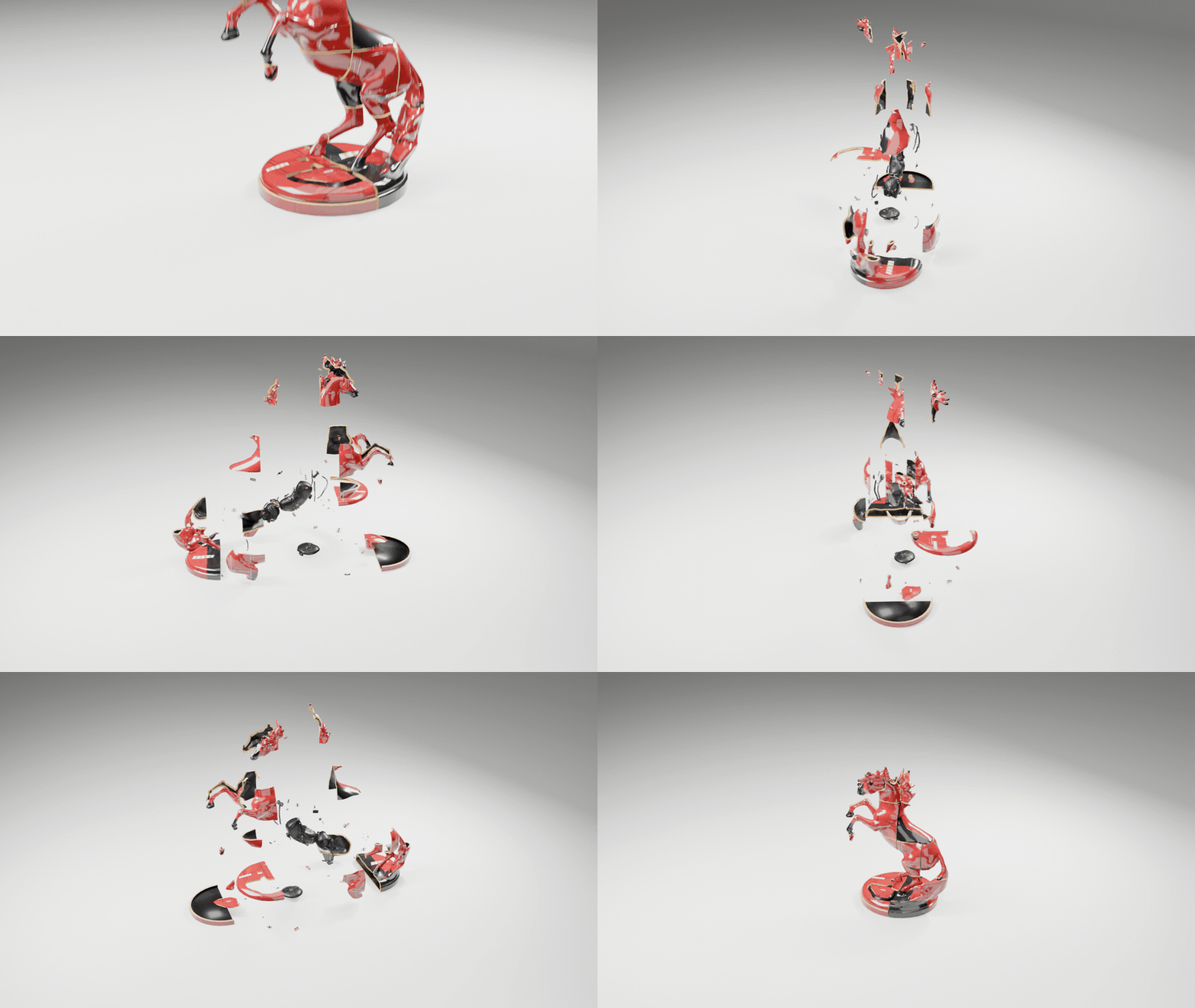
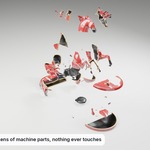
The full explode: shells, ribs and sensors come off in layers, nothing touches
08 — YOUR OWN MODELS
Teardown Selected
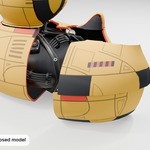
Select the objects of a model you built in parts, such as a vehicle, a robot or a product, and press Teardown Selected. A single mesh made of separate parts works too: it is split into pieces on a copy and the original is hidden. Bunkai groups the pieces into parts (by collection when your model is organised that way, otherwise by position), keys the film and adds the studio. Your geometry is not changed.
Parts, Spread and Seed stay adjustable right after. Models without legs build themselves at the start of the film in the build style you pick, and leave at the end.
09 — EFFECTOR
Take it apart by hand
Add Effector puts a sphere empty beside the machine. Move it and the pieces inside its radius move out (Take Apart), come together (Assemble) or shrink away (Shrink), with a soft edge and a live preview. Animate the empty and Bake keys the effect into the film.
A piece never leaves while something in its way is still there, and never comes back while a piece that needed its room is still out, so the effector cannot push pieces into each other either.
10 — PERFECT FOR
Where it fits
◆Mecha and sci-fi reels◆Exploded views of your products◆Motion graphics◆Social media loops◆Title and logo reveals◆Animation breakdowns
11 — INSTALLATION
Up and running in a minute
1Download bunkai-0.1.0.zip from your Superhive library. Do not unzip it.
2Drag the zip into Blender, or go to Edit ▸ Preferences ▸ Get Extensions, open the ⌄ menu at the top right and choose Install from Disk.
3Press N in the 3D Viewport and open the Bunkai tab.
4Choose a machine, press Build Machine, then press Space to play the film. Render Film writes it to an MP4.
12 — FAQ
Good to know
Does the file render without the add-on?
Yes. Everything is ordinary keyframes on delta transforms, with no drivers and no frame handlers, so a saved file renders the same on a machine or render farm without Bunkai, and any single frame can be rendered on its own.
Can I still animate the machine myself?
Yes. The teardown is keyed on Delta Transform, so the normal location, rotation and scale stay free for your own animation, and building the film again keeps the keys you added on other channels.
Can I use my own camera?
Yes. Set your camera as the scene camera after building the film; Bunkai only keys its own camera.
Cycles or EEVEE?
Both. EEVEE renders the film in minutes on a mid-range GPU; Cycles gives the best glass and reflections.
Does it change my model's geometry?
No. Teardown Selected only groups and animates the pieces, and Machine Inside cuts a copy; the original is hidden, never changed.
What models work best with Machine Inside?
Closed models of any kind: statues, toys, characters, food, props and vehicles, thin ones such as a spoon (they get thinner shells) and hollow ones such as a kettle. A flat or open sheet gets shells but no machine inside.
Which Blender versions?
Blender 5.0 or newer. It was tested on Blender 5.0, 5.1, 5.2 and 5.3.
Can I use it in commercial work?
Yes. Your renders and animations are yours to use in any project.
13 — DETAILS
What you get
Included
◆Bunkai add-on (Blender extension zip)
◆Four ready machines and twelve mecha looks
◆Eight Mecha Paint finishes
◆Demo scene with the Crab and its film
◆Documentation
Compatibility
◆Blender 5.0 or newer
◆Tested on Blender 5.0, 5.1, 5.2 and 5.3
◆EEVEE and Cycles
◆The add-on code is licensed under GPL-3.0-or-later.
 Voyde Procedural




 VOYDE.PROCEDURAL
VOYDEPROCEDURAL.COM / ALL PRODUCTS / X / INSTAGRAM
