Benedetto Florian
6 months ago
Thank you so much for your feedback :)
This item has an average rating of 4 from 10 ratings by the community.
Purchase this item to leave a review!
it just works! Exactly wut self needed! me is so tired of wasting money on add-ons that are abandoned by the developer and/or just don't work with version of blender its "supposed" to! Thank U X's a 1000!
Benedetto Florian
6 months ago
Thank you so much for your feedback :)
great boost in work
Absolutely worth money! Great addon and really professional
Amazing!!!
This makes it easy to do things that are difficult to do with blender's standard features.
It's stable and easy to use.
ABSOLUTELY GORGEOUS RESULTS. This addon will make your renders look so much better! The support is amazing too. Be forewarned: This addon is currently a bit fussy when using the addon Simple N-Panels.
so fun to use!!
The results are gorgeous, however it does add extra time to the render as a whole, and a lot of extra render time to get this effect to look clean. I wanted this for animation, but while the effect functions beautifully in animation, the added render times make it functionally unfeasible for me to use in animations rendered on my own equipment, and will cost a lot of extra money to render on a render farm.
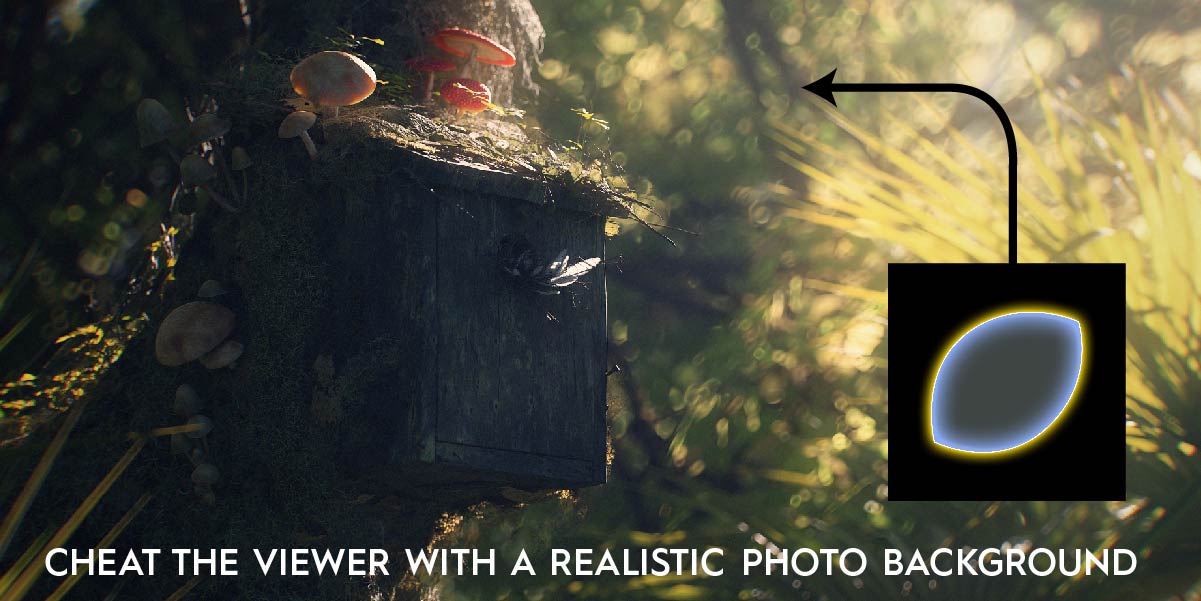
It's a useful tool but at it's core it's really just a tool that automates placing planes with textures in front of the camera. Definitely something nice to have on hand but something that can pretty easily be done manually (although honestly the collection of textures is nice). I don't think the description is super clear that that's what this is, I bought this assuming it did some more technical wizardry, although this method definitely works and it certainly makes it easier.
Something to keep in mind is that it will add a little bit of noise using this, especially in darker scenes depending on what texture you're using and how dark your scene is, so you may need to up samples. And that while using this tool you can't just go through the library of textures after you've set up your scene to see what works, because they're just planes in front of the camera each texture changes the exposure pretty significantly.
I'm only giving it 4 stars because $29 for a tool that just seems to automate the placement of planes and give you quick access to some basic camera functions is a little steep. Even with the promotion they have going on right now making it $22 I still think it's a little more than I'd have been willing to pay for it if I had known more clearly what this is. Definitely keeping it around though, because it does certainly streamline things.
Benedetto Florian
about 4 years ago
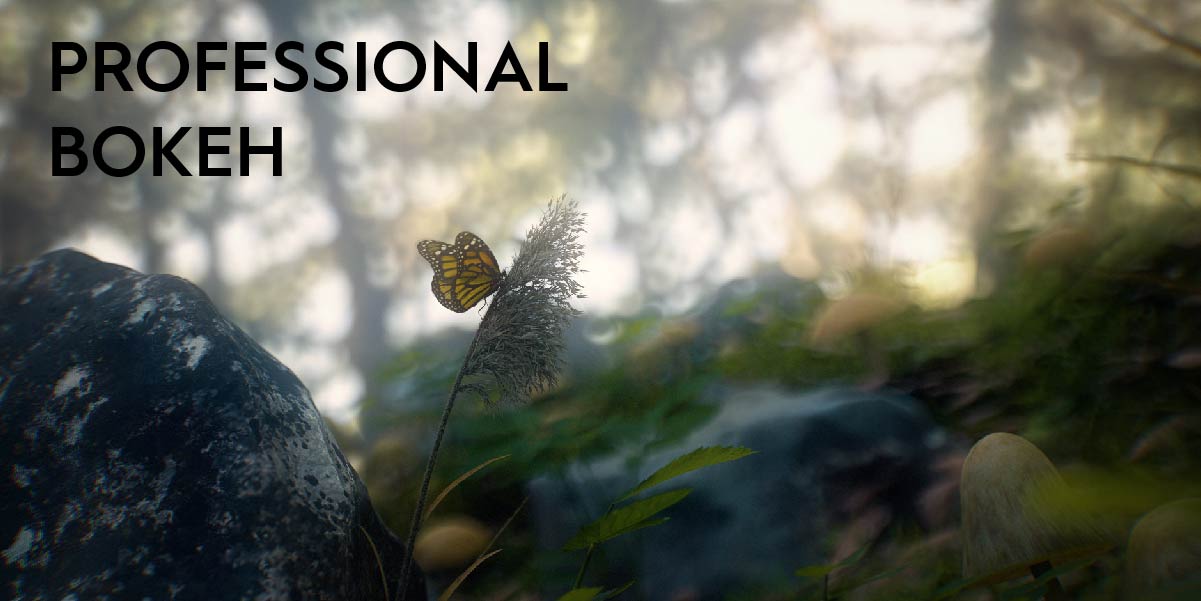
Thank you very much for your message and your opinion. it is very interesting for us to understand your needs in order to improve the product in the next versions. Using bokeh in Blender can be time-consuming and difficult to set up. CamFX is here to facilitate this. but above all we have created a wide variety of different bokehs for ultra realistic renderings. this is the greatest quality of this tool, this high quality library that is easy to use :)
I was disappointed with the utility of this tool. As another savvy user stated earlier, this just automates putting planes with simple shaders in front of the camera. I wish I had read that review earlier.
I was hoping this add-on would add a more realistic camera to scenes that I had already built. However using the bokehs often makes your previous camera setting much too dark and requires that you really crank on f-stop and exposure. In the end there was no appreciable difference.
However, pulling this add-on apart did teach me new ways to mess with the render, so I'm happy I learned something today.
Benedetto Florian
about 4 years ago
Hello David, Thank you for your opinion. as the product page indicates it is a bokeh library that we have created. we have added an addon to this to facilitate and automate the setting up of bokehs in blender, but it is indeed a library of bokehs for the artists that we sell.
All bokehs are different, the darker ones actually require more lighting. but this is easily adjustable in Blender ;) thank you very much for taking the time to give me your opinion.
The add-on basically adds a plane in front of the lens to force the bookeh, which is fine. What bothers me is that the consequence for that is that my scenes get REALLY dark. So it's really hard to use in interior scenes and all. Not a horrible addon, just didn't meet the expectations.
Benedetto Florian
over 2 years ago
Hello, thank you for your opinion.
If your image becomes dark, just use the "exposure" button present in the addon... It is also possible to use another brighter bokeh. This is all explained in the documentation. Next time don't hesitate to watch the video tutorial or send me a message via support.
Full Version
Have questions about this product?
Login to message
| Sales | 2200+ |
| Rating |
10 ratings
|
| Dev Fund Contributor | |
| Published | about 4 years ago |
| Blender Version | 4.0 - 5.2 |
| Extension Type | N/A |
| Render Engine Used | Cycles |
| License | GPL |
summer22 bokeh spring24 bokehs loveblender camera spring23 lens bokeh winter24 Cycles bfcm22 imperfection summer23 camera addon 3D Photorealism bcon22 lens dirt blender camera addon bfcm23